TRS Advanced WB Intel Issue 02.pdf - 第48页
TRS Advanced Maintenance 48 Issue 2, Nov 14 19. [B] Disconnect the pneumatic pipes to eac h end of the LH TRA Cylinder. 20. [D] Re-fit the REAR Centre Rail Section on to its associated bearing carriage ensuring it clears…
Issue 2, Nov 14
TRS Advanced Maintenance
47
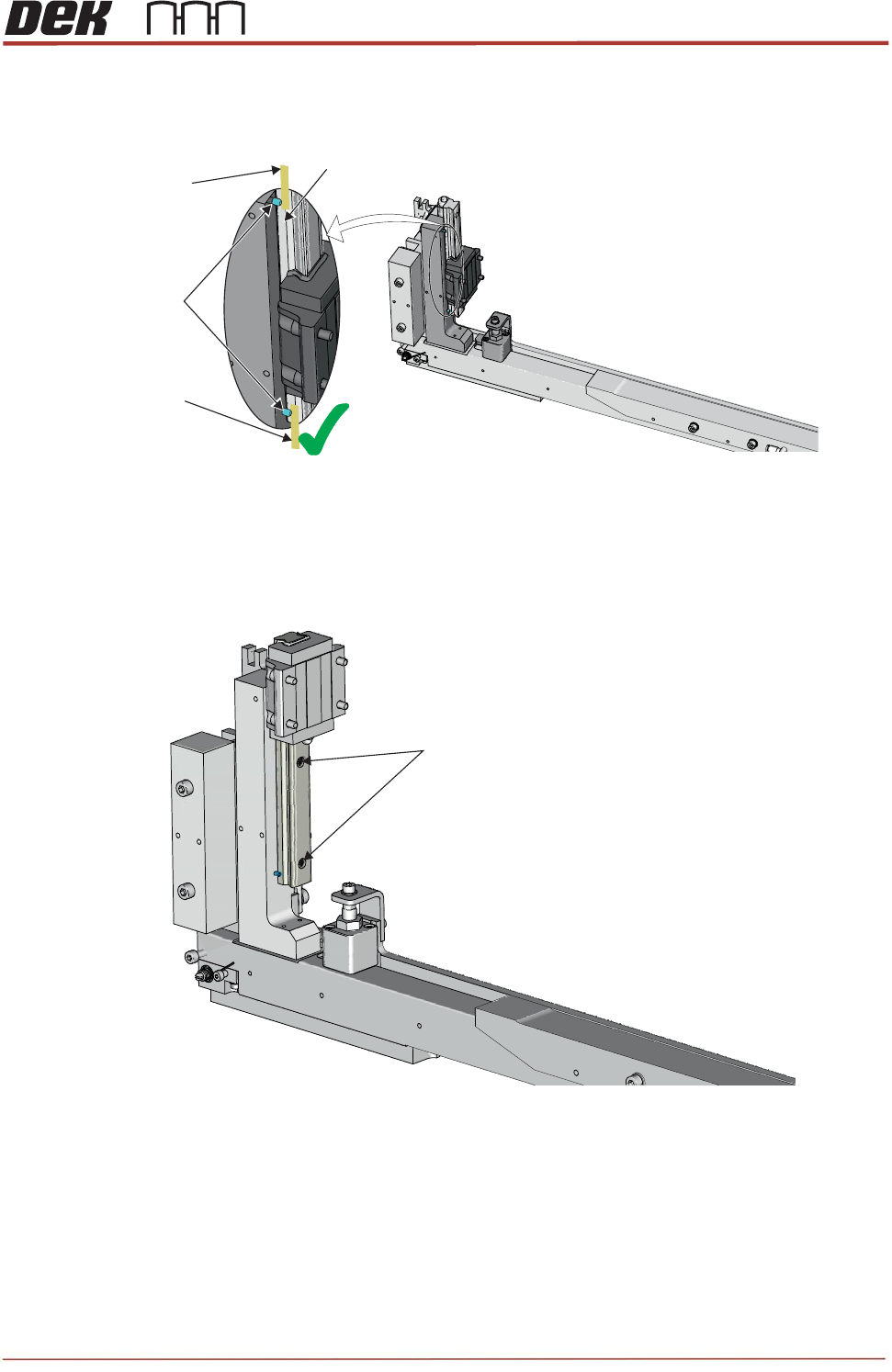
16. Check that the gaps between the 4 rail bearing tracks and their associated locating
dowels by using 0.05mm feeler gauge as a NOGO.
17. If 0.05mm feeler is GO, loosen the bearing rail fasteners, push the datum edge of the
bearing against the locating dowels, apply Pink Loctite to the fasteners and re-tighten,
torque to 1.5Nm.
18. Do NOT re-fit flat belts to the Centre Rail Sections at this time (store safely in work
area).
Dowel Pins
Rail Bearing Track
Partial View on Rear Rail
0.05mm
Feeler Gauge
0.05mm
Feeler Gauge
No Gap
M3 High Tensile
Cap Head Screws
TRS Advanced Maintenance
48
Issue 2, Nov 14
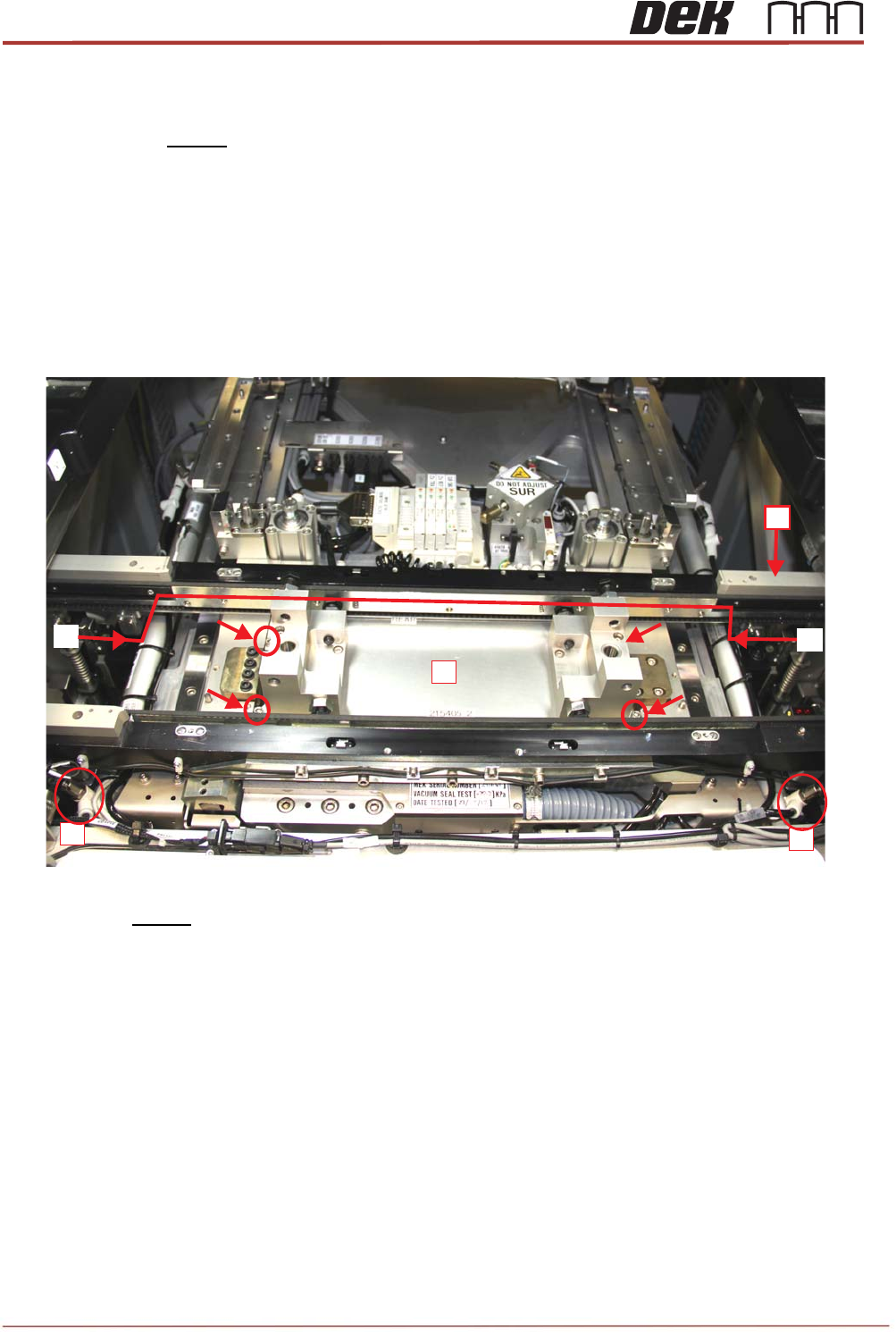
19. [B] Disconnect the pneumatic pipes to each end of the LH TRA Cylinder.
20. [D] Re-fit the REAR Centre Rail Section onto its associated bearing carriage ensuring it
clears any MEK components.
21. [E] Tweak the Rear Rail position (using the Rail Width Drive Belts again) so that the
Board Clamp Plate is slightly rearward of the vacuum aperture in the MEK base.
22. [F] Fit the 215405 Rail Alignment Jig (RAJ) into the MEK base. Screw down (using 4x
700116 / 700603), making sure the Jig is located on the diamond reference pins & is fully
flat to the base.
23. Re-fit the front center rail section onto its associated bearing carriage.
24. Move the under screen cleaner to its home position at the front of the machine.
25. Carry out a visual collision check prior to re-connecting mains power and compressed air
services to the machine.
D
B
B
B
B
F
E
E
Issue 2, Nov 14
TRS Advanced Maintenance
49
26. Power up the printer by turning the main isolator ON and pressing the green start button
(RH side).
27. Enter diagnostics mode, when prompted to press the blue button.
28. Home the rising table.
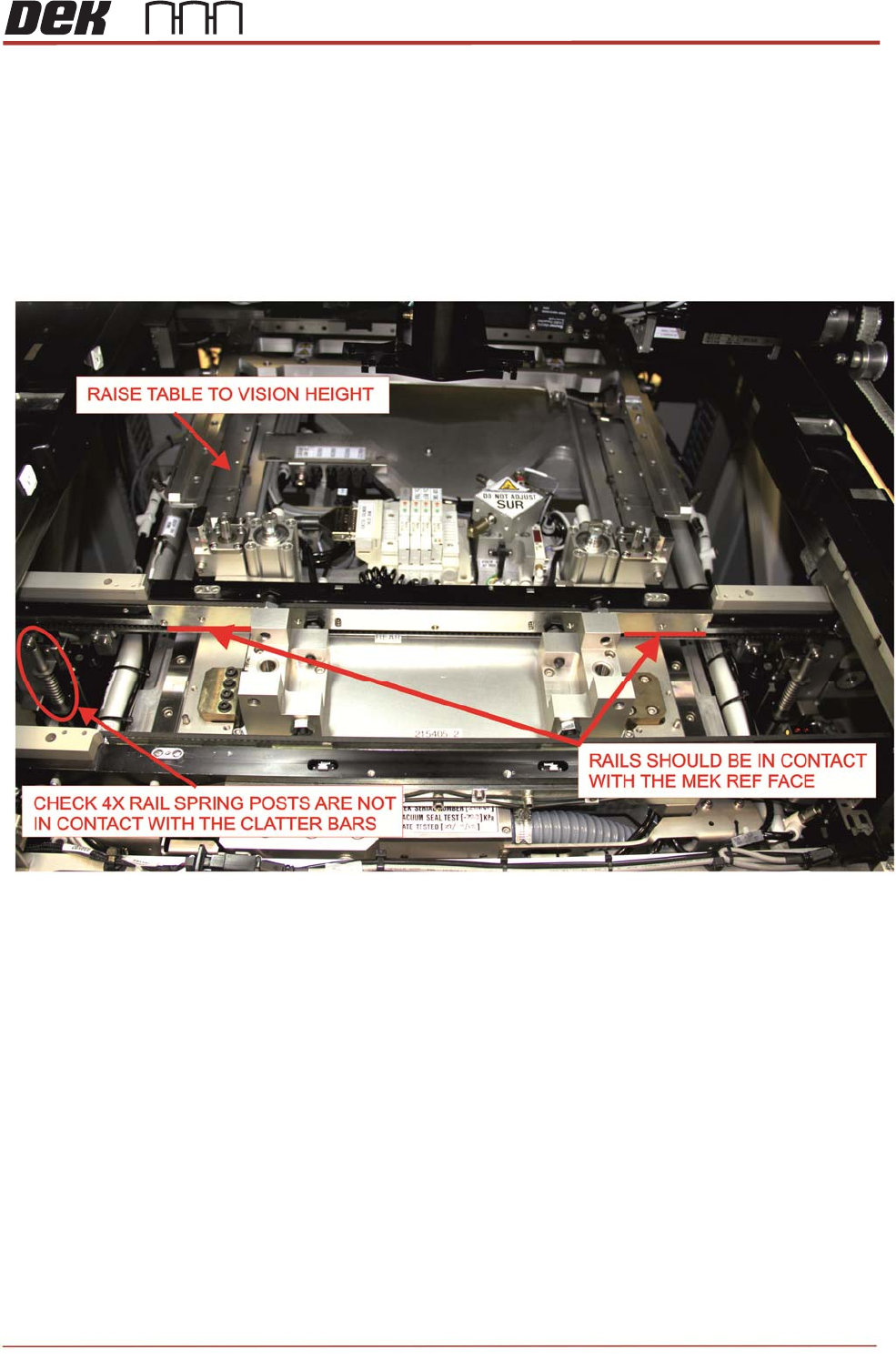
29. Bring the rising table up to “vision height”.
30. Check that both front and rear rails are resting on the MEK and not on the clatter bars.
If required, adjust clatter bars equally to a lower height.
31. Power off the printer and disconnect mains power and compressed air.