TRS Advanced WB Intel Issue 02.pdf - 第65页
Issue 2, Nov 14 TRS Advanced Maintenance 65 80. Gently push and hold down t he alignment bearing guide rod until it bottoms out. Apply Blue Loctite to the 3 off M5 cap head screws and torque load each screw to 4.9Nm, ens…
TRS Advanced Maintenance
64
Issue 2, Nov 14
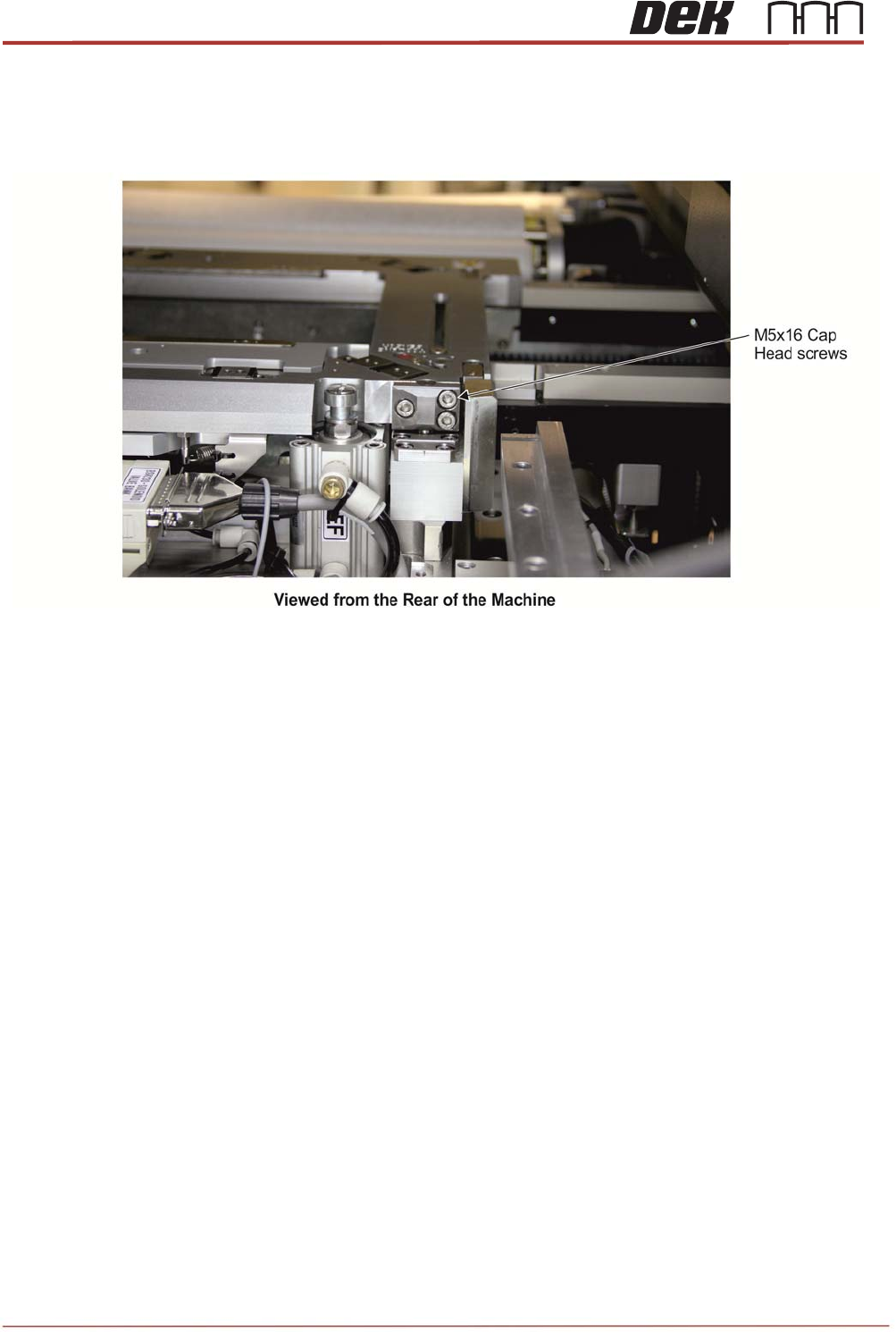
79. The two alignment bearing guide rods at the rear of the rail cap need to be adjusted
one side at a time. Undo the 3 off M5 cap head screws on the rear corner of the rail
cap so that alignment bearing guide rods can move freely.
Issue 2, Nov 14
TRS Advanced Maintenance
65
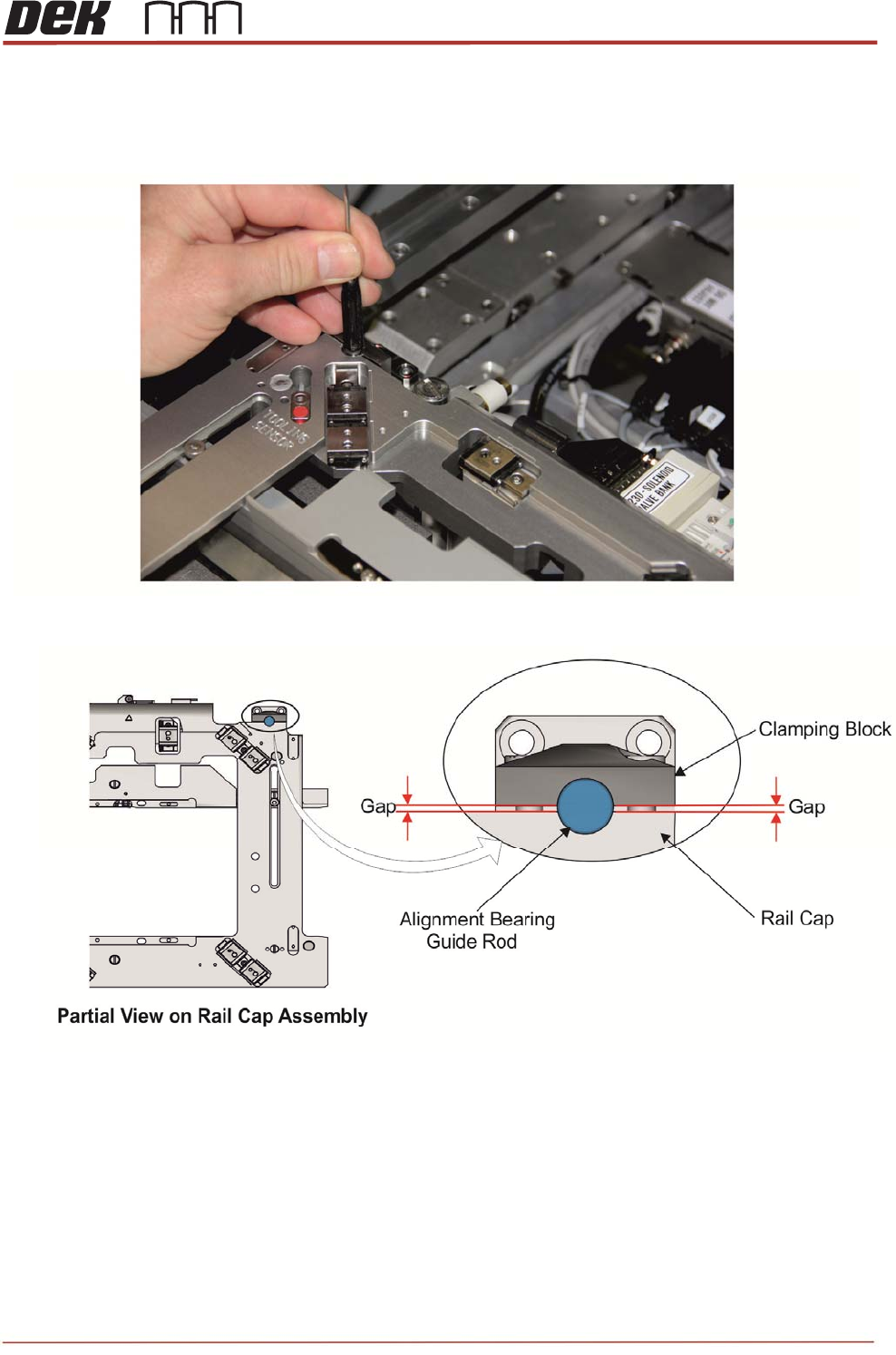
80. Gently push and hold down the alignment bearing guide rod until it bottoms out. Apply
Blue Loctite to the 3 off M5 cap head screws and torque load each screw to 4.9Nm,
ensure an even gap between the clamp and the rail cap.
NOTE
Ensure there is an even gap between clamping block and the rail cap as shown below.
81. With a 0.05mm feeler gauge, re-check that the height setting pins are still fully in
contact with the rail cap & MEK base.
TRS Advanced Maintenance
66
Issue 2, Nov 14
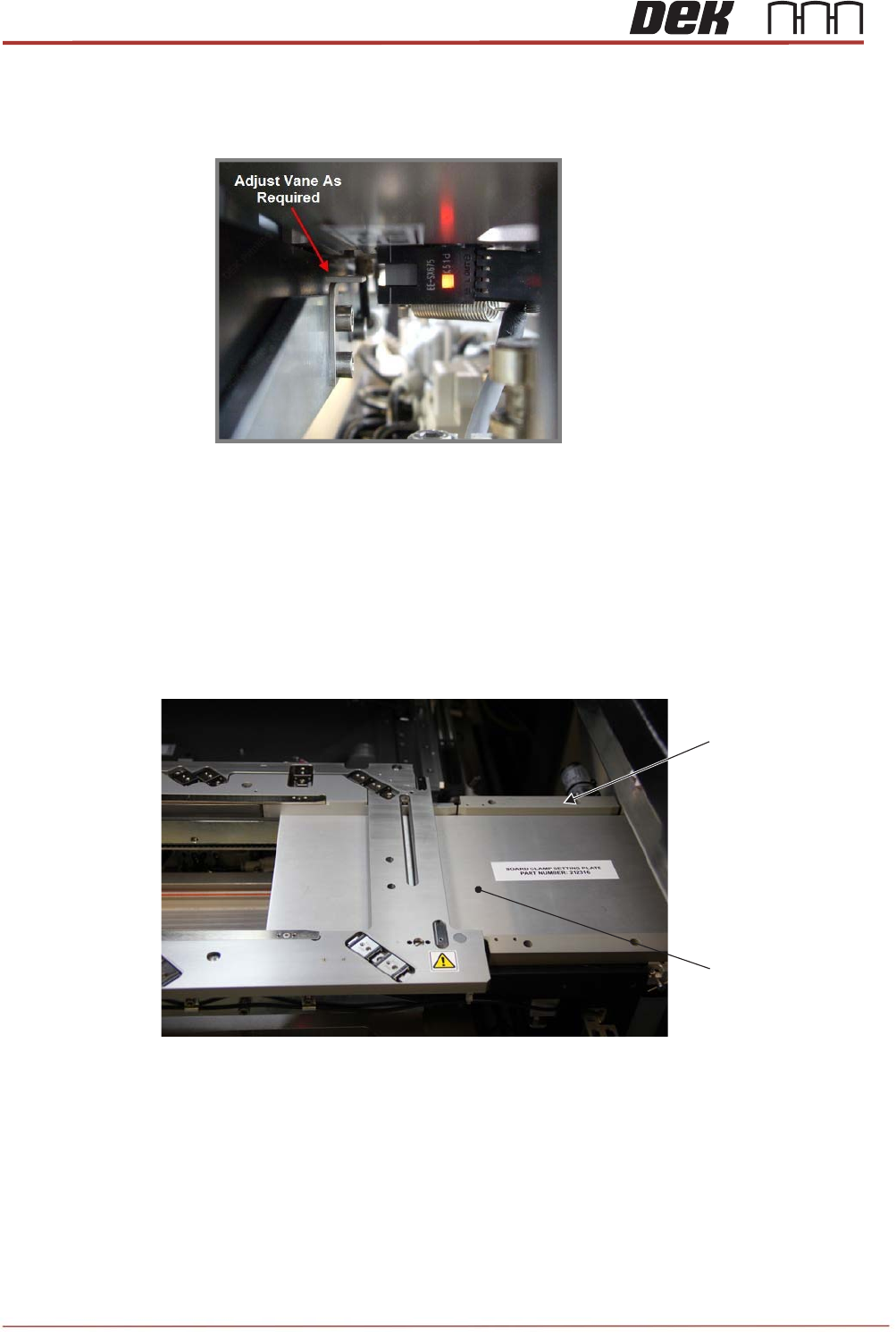
82. Check & adjust the height of the rail at tooling vane (RAT vane) to ensure the vane
will pass in / out sensor correctly.
83. Remove the height setting pins from under the rail cap before manually moving the
moving rail to home.
84. Re-fit the transport rail belts to the front and rear rails.
85. Slide the board clamp setting plate (212316) onto the transport rails and push the
guides to the plate to set the parallelism and tighten the screws. Repeat for the left
side.
Right Side Rear Rail
Centre Belt Guide
(4 Positions)
Board Clamp Setting
Plate
View on Right Side of the Printer