TRS Advanced WB Intel Issue 02.pdf - 第94页
TRS Advanced Maintenance 94 Issue 2, Nov 14 Notes:
Issue 2, Nov 14
TRS Advanced Maintenance
93
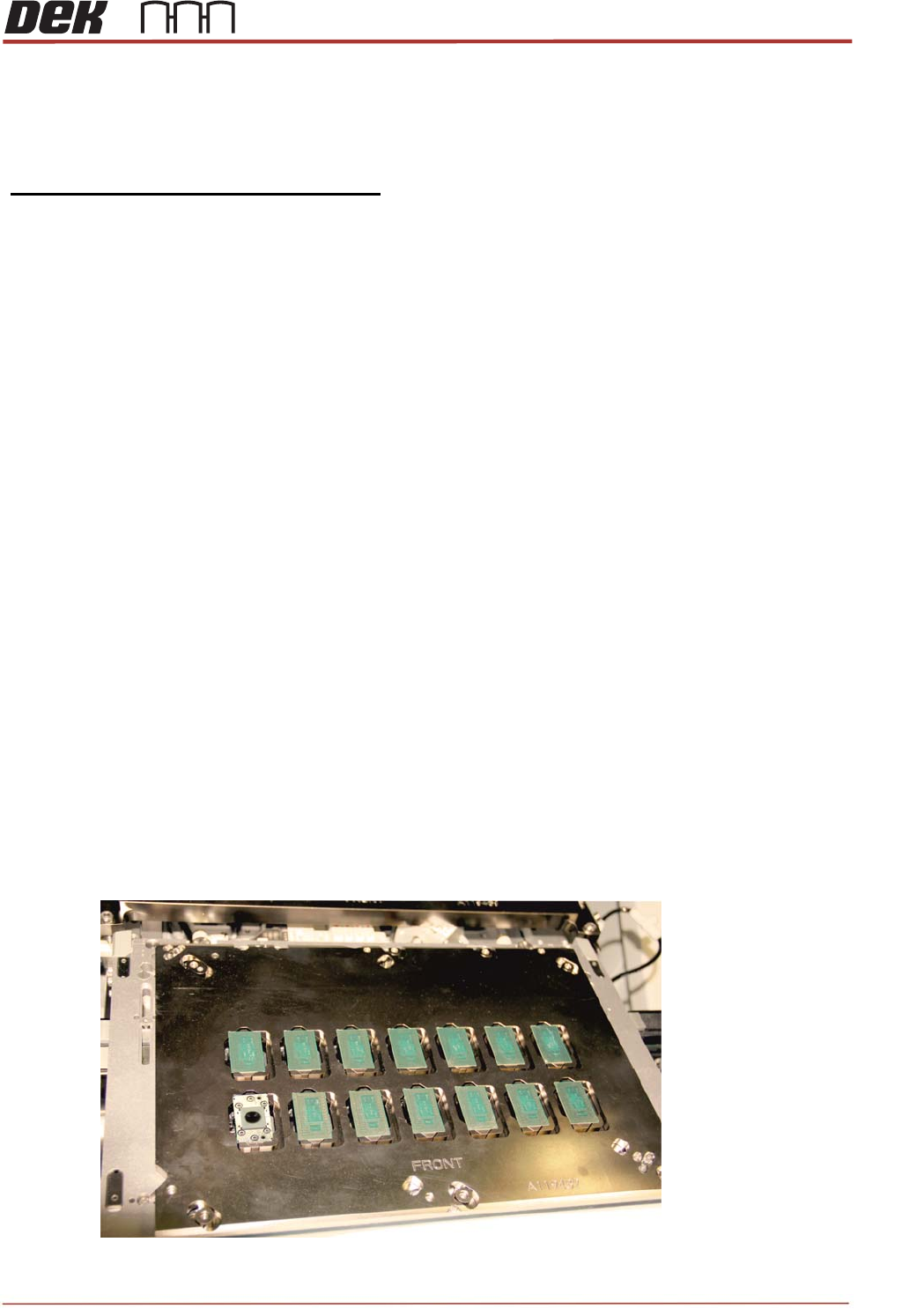
Objective 24: Test Vacuum Performance through Tooling Towers
Use the following procedure, test Tooling Towers:
Vacuum pressure and flow per tower
Aim:
To Verify/baseline the tooling vacuum capability and flow capability per tower.
Allowing threshold settings to be defined for the machines warning systems.
All procedures to be completed using tooling setup page
· At transport height with tray loaded drive TRP over rails position
· Apply TRP pressure
· Toggle vacuum on
· Drive to vision height
· Toggle Z lock on
· Drive TRP to home position
· With the Vacuum remaining on remove a substrate from the tooling cap creating a leak
· Using the vacuum readout on the machine MMI display record the value in the table below
· Return the substrate to the position it came and record the readout from the machines MMI
Display in the table below
· Once complete remove three substrates from their tower caps to define the pre vacuum
Threshold
Notes:
There should be more than a 10KPA drop in vacuum pressure when one substrate has been
removed. This can very dependent on tower cap design but should be equal to or more than.
If less than 10 KPA drop has been observed please contact your FSE or local service control centre to
escalate for actions.
. Go to Tooling Set-up and set the pressure to 40KPa.

TRS Advanced Maintenance
94
Issue 2, Nov 14
Notes:

Issue 2, Nov 14
TRS Advanced Maintenance
95
Software