00194888-01_DE_EN.pdf - 第108页
Installation Manual, Station Software Version 603.01 Issue 11/2006 Removing the program Fig. 4-26: Removing the program → Click the Next button. The installation program now uninstalls the SIPLAC E software including the…
Installation Manual, Station Software Version 603.01 Issue 11/2006
Or:
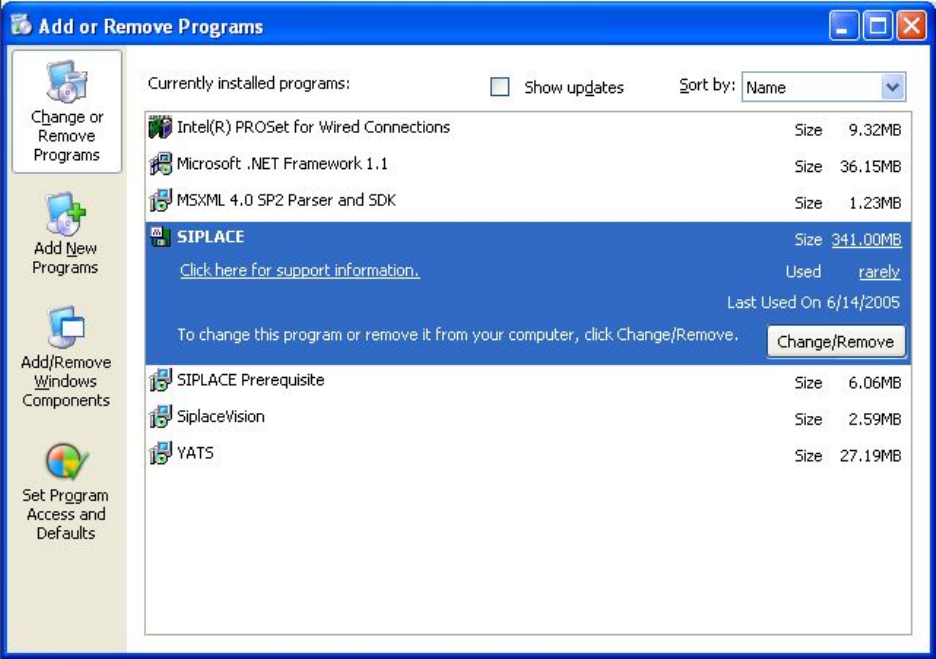
→ Open the Start menu and choose Settings Æ Control Panel.
→ Double-click Add/Remove Programs.
Fig. 4-25 Starting uninstallation (alternative 2)
→ Select SIPLACE from the list of installed programs.
→ Click the Change/Remove button.
45 of 62
Installation Manual, Station Software Version 603.01 Issue 11/2006
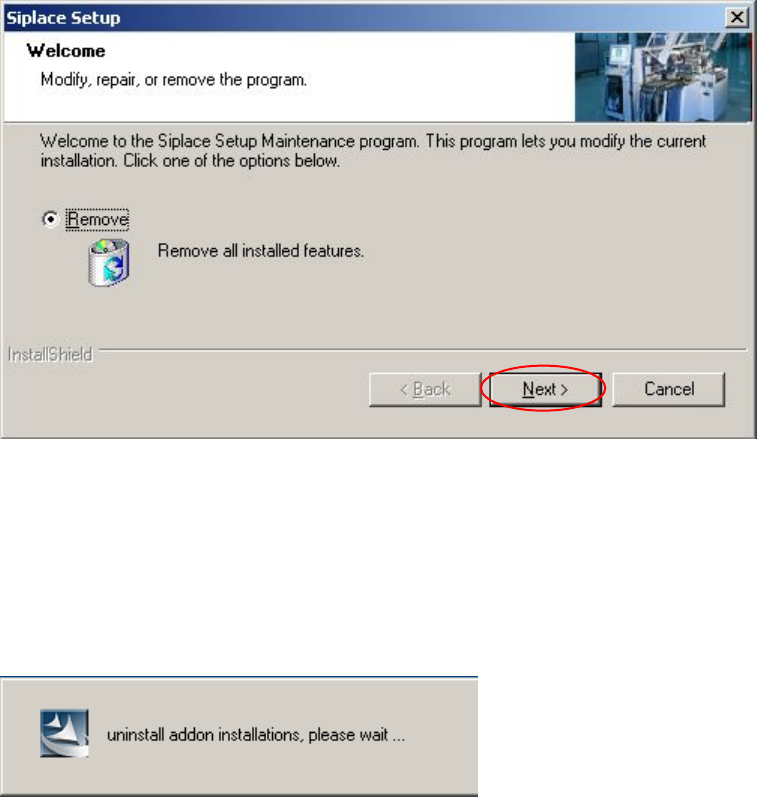
Removing the program
Fig. 4-26: Removing the program
→ Click the Next button.
The installation program now uninstalls the SIPLACE software including the SIPLACE hotfixes, SIPLACE
Language Pack and SIPLACE Vision.
46 of 62
Installation Manual, Station Software Version 603.01 Issue 11/2006
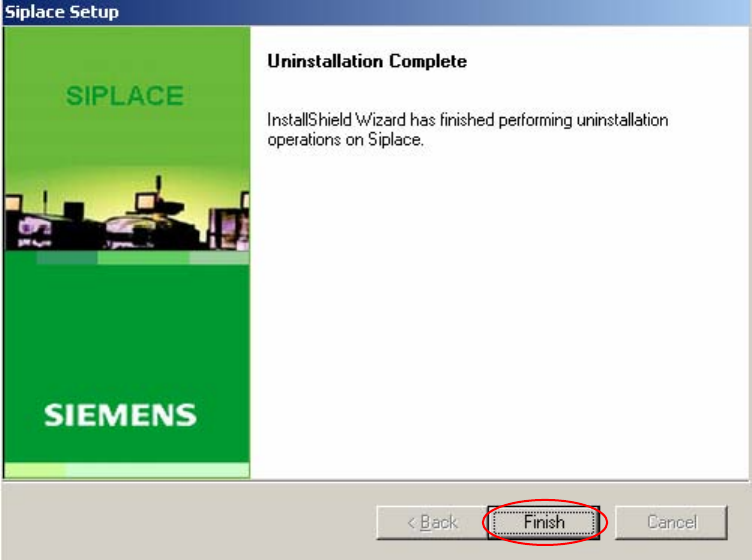
Finalizing uninstallation
Fig. 4-27: Finalizing uninstallation
→ Click the Finish button.
The SIPLACE software and SIPLACE Vision have now been uninstalled correctly.
47 of 62