00194888-01_DE_EN.pdf - 第109页
Installation Manual, Station Software Version 603.01 Issue 11/2006 Finalizing uninstallation Fig. 4-27: Finaliz ing uninstallation → Click the Finish button. The SIPLACE software and SIPLACE Vision have now been uninstal…
Installation Manual, Station Software Version 603.01 Issue 11/2006
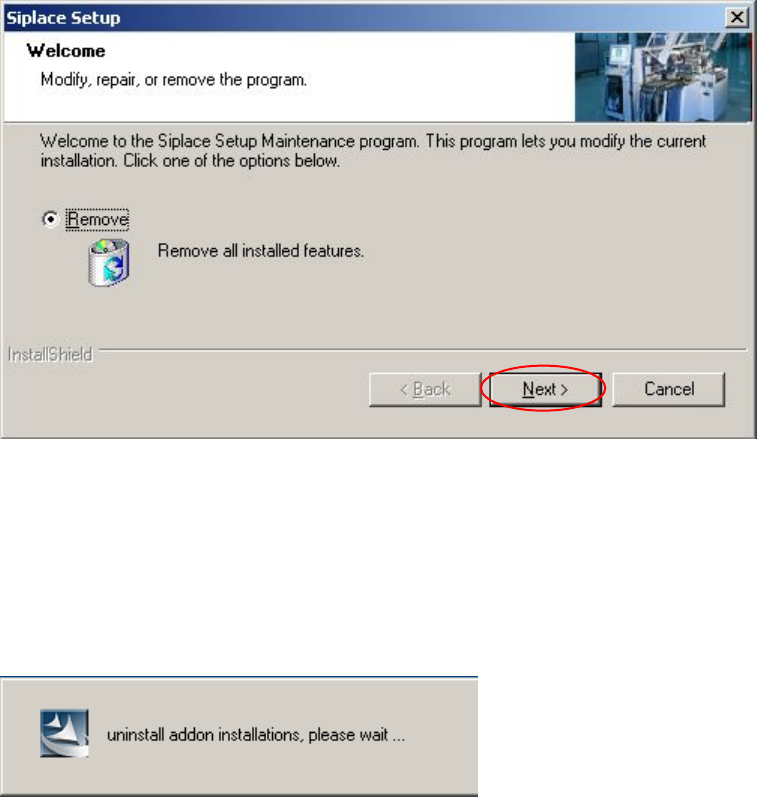
Removing the program
Fig. 4-26: Removing the program
→ Click the Next button.
The installation program now uninstalls the SIPLACE software including the SIPLACE hotfixes, SIPLACE
Language Pack and SIPLACE Vision.
46 of 62
Installation Manual, Station Software Version 603.01 Issue 11/2006
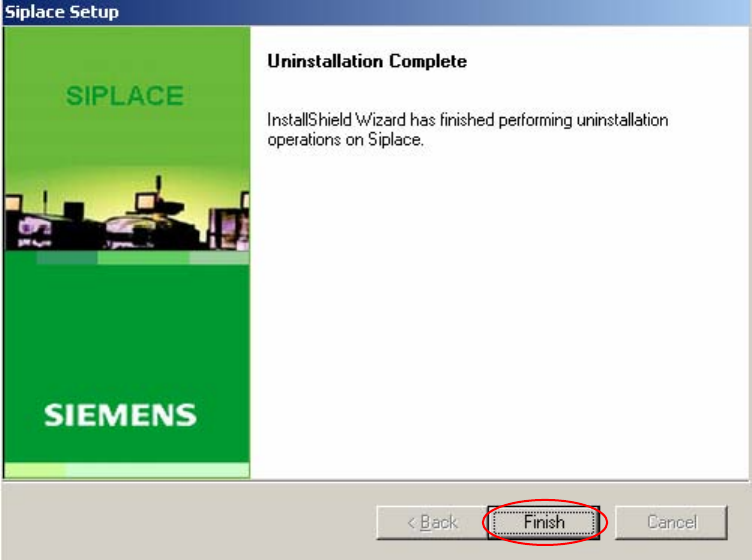
Finalizing uninstallation
Fig. 4-27: Finalizing uninstallation
→ Click the Finish button.
The SIPLACE software and SIPLACE Vision have now been uninstalled correctly.
47 of 62
Installation Manual, Station Software Version 603.01 Issue 11/2006
4.7 Installing the Vision computer software (option)
Notes:
The Vision computer is only required if the optional 3D coplanarity sensor is used.
The installation requires approx. 20 minutes.
4.7.1 Installation procedure
→ Connect the USB keyboard to the Vision computer.
→ Switch the video multiplexer from the station computer to the Vision computer.
→ Switch on the SIPLACE placement machine.
→ Log in to the Vision computer as Administrator.
(Keep the Shift key pressed as soon as the Windows XP logo appears)
→ Insert the installation DVD in the external DVD drive. The DVD is read automatically.
Note:
If autostart has been disabled for the DVD drive, you must start the installation manually
from the Windows Explorer.
→ Open the Explorer and start "setup.exe" under drive E by double clicking it.
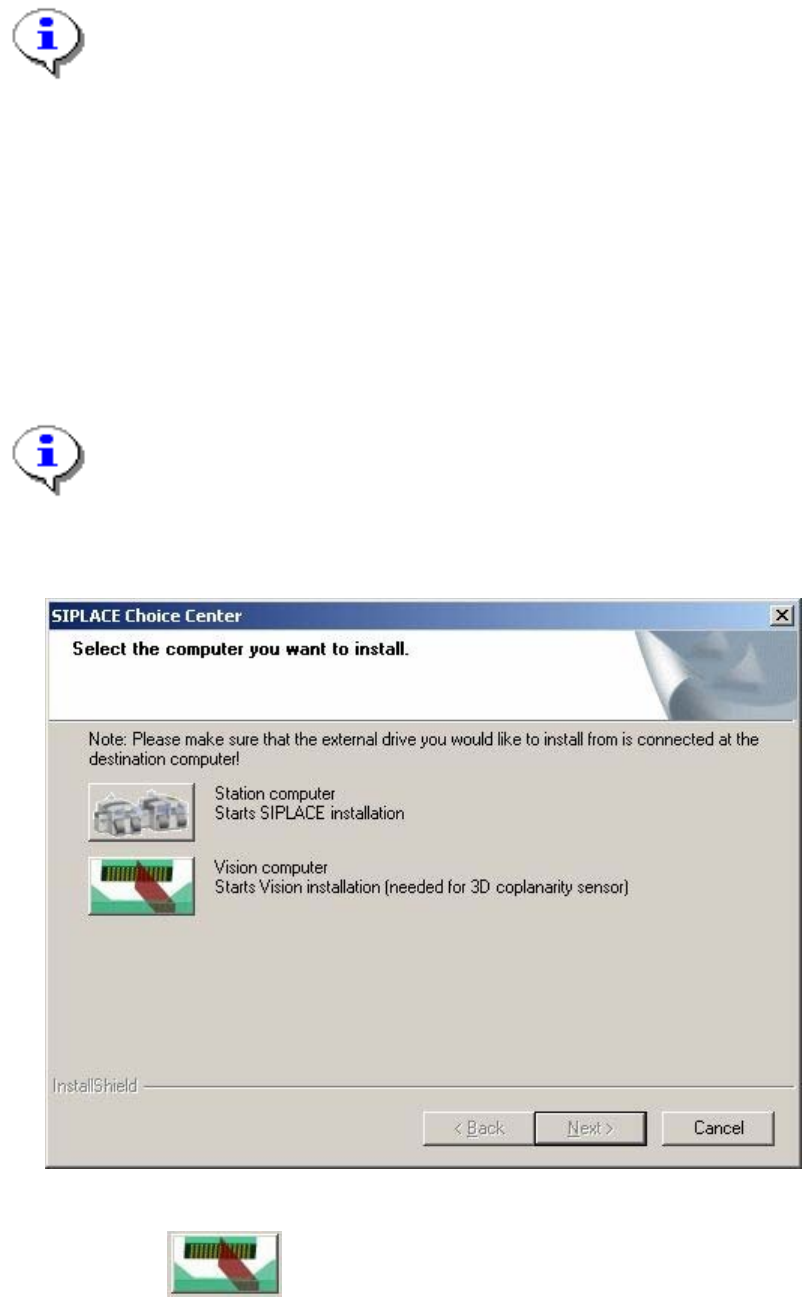
The "SIPLACE Choice Center" dialog box is opened.
Fig. 4-28: "SIPLACE Choice Center" dialog box
→ Click the "Vision computer" button.
48 of 62