00194888-01_DE_EN.pdf - 第117页
Installation Manual, Station Software Version 603.01 Issue 11/2006 4.9 Machine files There are 2 databases in Version 603 of the software, MA-Daten.mdb and MA-Achsen.mdb . Machine-related configuration, measurement and p…
Installation Manual, Station Software Version 603.01 Issue 11/2006
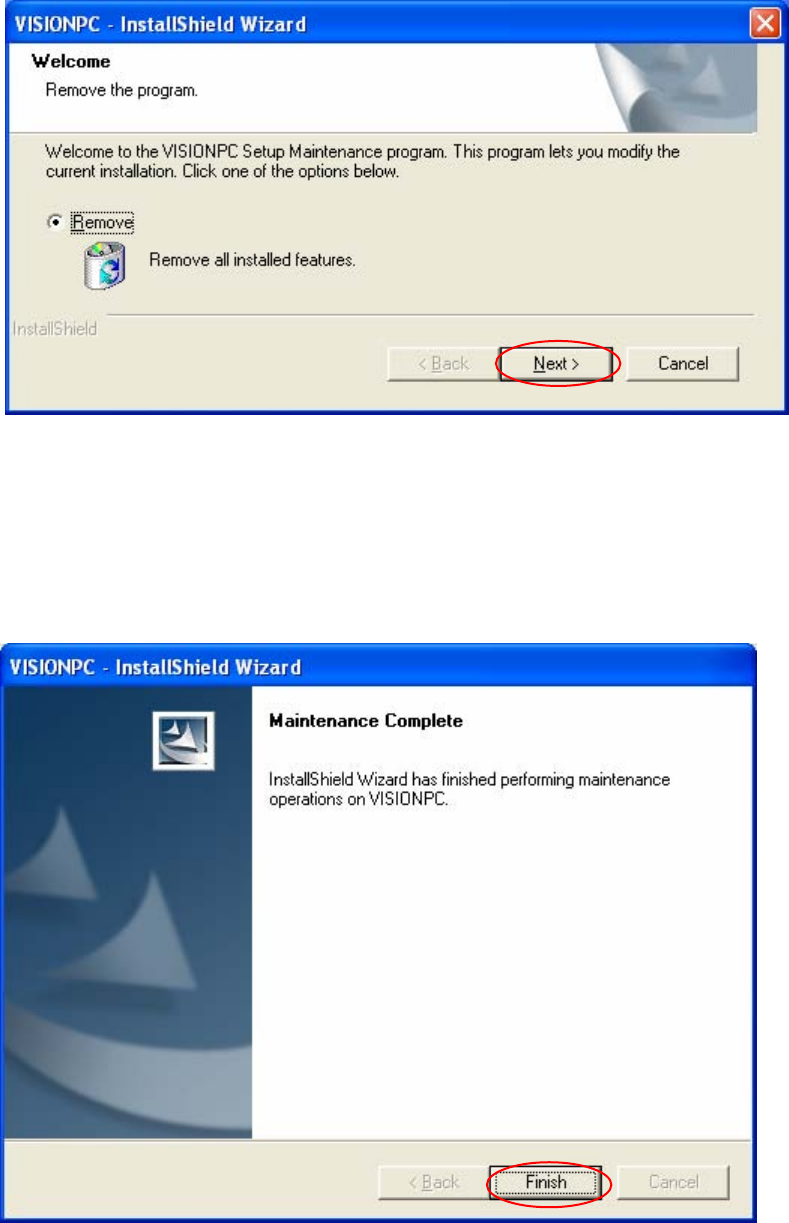
Removing the program
54 of 62
Fig. 4-34: Removing the program
→ Click the Next button.
The installation program now uninstalls the vision computer software.
Finalizing uninstallation
Fig. 4-35: Finalizing uninstallation
→ Click the Finish button.
The Vision computer software has now been uninstalled correctly.

Installation Manual, Station Software Version 603.01 Issue 11/2006
4.9 Machine files
There are 2 databases in Version 603 of the software, MA-Daten.mdb and MA-Achsen.mdb.
Machine-related configuration, measurement and parameter data is stored in *.XML and *.MA files.
The MA-Daten.mdb database contains all standard data except the standard data for the axes. This data is
stored in the MA-Achsen.mdb database.
Note:
All machine data and the database (see machine data database feature) must be of revision
level 70 (version 70.603.01). Current machine data must
not
55 of 62
be replaced by revision levels o
f
an earlier version, either completely or partially, e.g. revision level 60 (version 60.601.03).

Installation Manual, Station Software Version 603.01 Issue 11/2006
4.10 Installing the machine controller
This section describes how to install the machine controller (irrespective of the computer type used as the
machine controller). Since the machine controller computer does not have its own CD/DVD drive, BIOS
updates, automatic BIOS settings and installation of the Windows XP Embedded operating system can
only be carried out from CD/DVD using an external DVD drive connected to the MC computer.
4.10.1 Installation sequence
Preparations for installing the machine
controller
Update BIOS on MC - optional
depending on computer type (only required
when upgrading from Version 601.0x of the
software or when installing the operating
system from scratch)
Install SIPLACE software (station software
including additional programs)
Make BIOS settings on the MC - optional,
depends on computer type (only required
when installing the operating system from
scratch)
Install Windows XP Embedded
on the MC - optional
(only required for initial installation or in the
event of operating system errors)
See section
4.10.2
56 of 62
See section
4.10.3
(optional, only for MC computers with CPU076 and CPU086)
See section
4.10.4
See separate manual for details on installing the Windows XP
Embedded operating system (item no. 00195327-01)
See section
4.4 and 4.5