00194888-01_DE_EN.pdf - 第97页
Installation Manual, Station Software Version 603.01 Issue 11/2006 4.5 Inst alling the SIPLACE sof tware (St ation Software 603.01) Notes: The installation requires approx. 30 minutes. If a predecessor version of the sta…
Installation Manual, Station Software Version 603.01 Issue 11/2006
34 of 62
4.4.5 Definitions
4.4.5.1 Initial installation
The first time the station software is installed on a SIPLACE placement machine is known as the initial
installation.
4.4.5.2 Update
If an initial installation has already been performed and a more recent release version of the station
software is to be loaded, then this procedure is referred to as an update.
The release version is identified by the last two digits of the complete version number.
Example:
603.01 = The number 603 identifies the software functions
The number 01 is the release version 1.
4.4.5.3 Upgrade
The range of functions of the software is indicated by the three digit number contained within the complete
version number.
The installation of a software version with a version number higher than the existing, installed version is
known as an upgrade procedure.
Example:
Changing software from 602.01 to 603.01 = Upgrade
Installation Manual, Station Software Version 603.01 Issue 11/2006
4.5 Installing the SIPLACE software (Station Software 603.01)
Notes:
The installation requires approx. 30 minutes.
If a predecessor version of the station software is already installed on the station computer, it
need not be uninstalled before installing the new version; it can instead be removed during the
installation procedure (see section
4.5.1).
4.5.1 Installation procedure
→ Switch on the SIPLACE placement machine.
→ Log in to the station computer as Administrator.
(Keep the Shift key pressed as soon as the Windows XP logo appears)
→ Insert the installation DVD in the external DVD drive. The DVD is read automatically.
Note:
If autostart has been disabled for the DVD drive, you must start the installation manually
from the Windows Explorer.
→ Open the Explorer and start "setup.exe" under drive E by double clicking it.
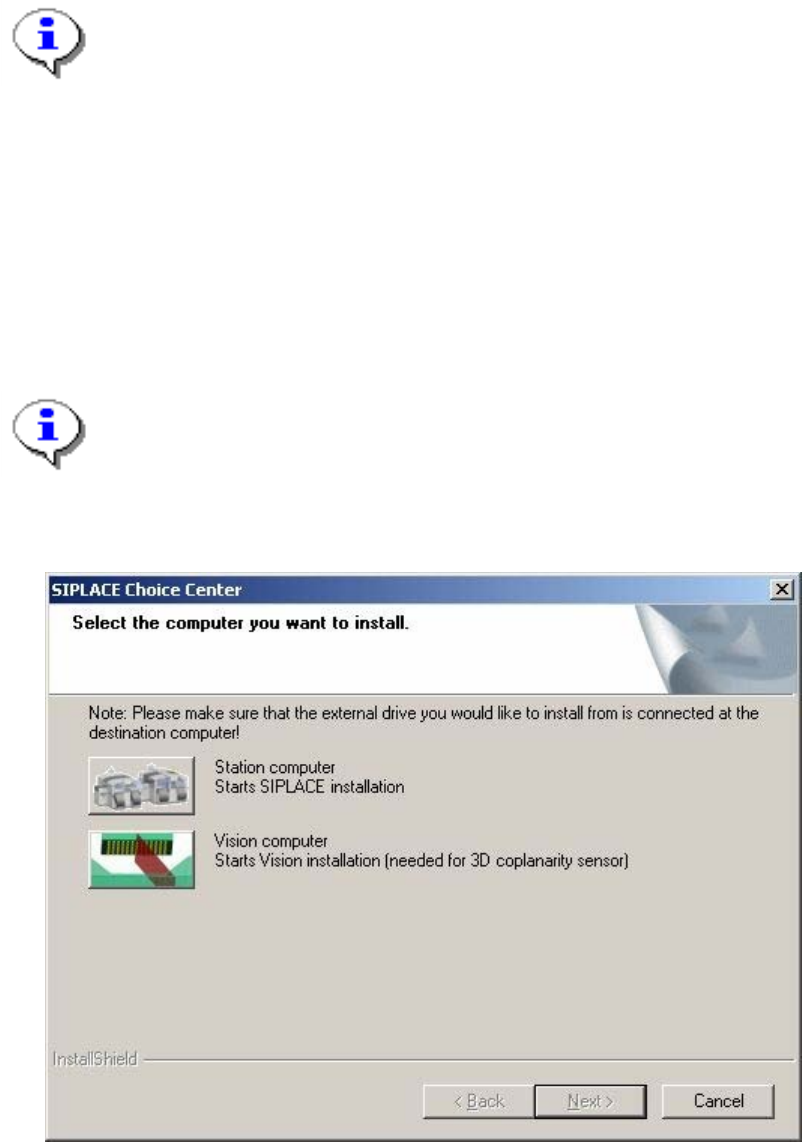
The "SIPLACE Choice Center" dialog box is opened.
Fig. 4-16: "SIPLACE Choice Center" dialog box
35 of 62
Installation Manual, Station Software Version 603.01 Issue 11/2006
→ Click the "Station computer" button.
A check is carried out to determine whether a predecessor version of the 603.01 station software is
installed. If this is the case, the routine for uninstalling the predecessor version is called before actual
installation starts (see "Removing the program" in section
4.8).
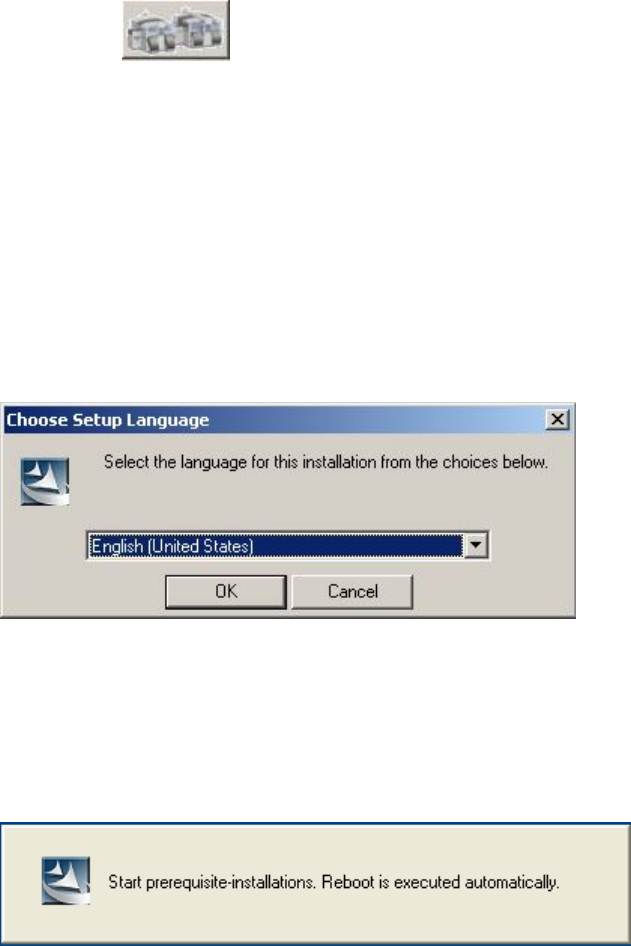
Installation of the station software continues with the selection of the language.
Language selection
→ Select the language to be used during installation.
You can choose between German (Germany) and English (United States).
Fig. 4-17: Language selection
→ Click the OK button.
Installing the system files
The necessary system files are installed if they are not already on the station computer. The station
computer is rebooted automatically after installation. You are automatically logged in as administrator.
36 of 62