00198243-01_AI_BulkFeederX_XS-SX_DE+EN.pdf - 第103页
3 Retrofit kit for SX-Series 3.4 Inserting the cable into the machine Assembly Instructions / Montageanleitung SIPLACE BulkFeeder X Retrofit Kit for SX Series and X Series S 07/2017 103 Location 1 The cable for connectin…
3 Retrofit kit for SX-Series
3.4 Inserting the cable into the machine
102 Assembly Instructions / Montageanleitung SIPLACE BulkFeeder X Retrofit Kit for SX Series and X Series S 07/2017
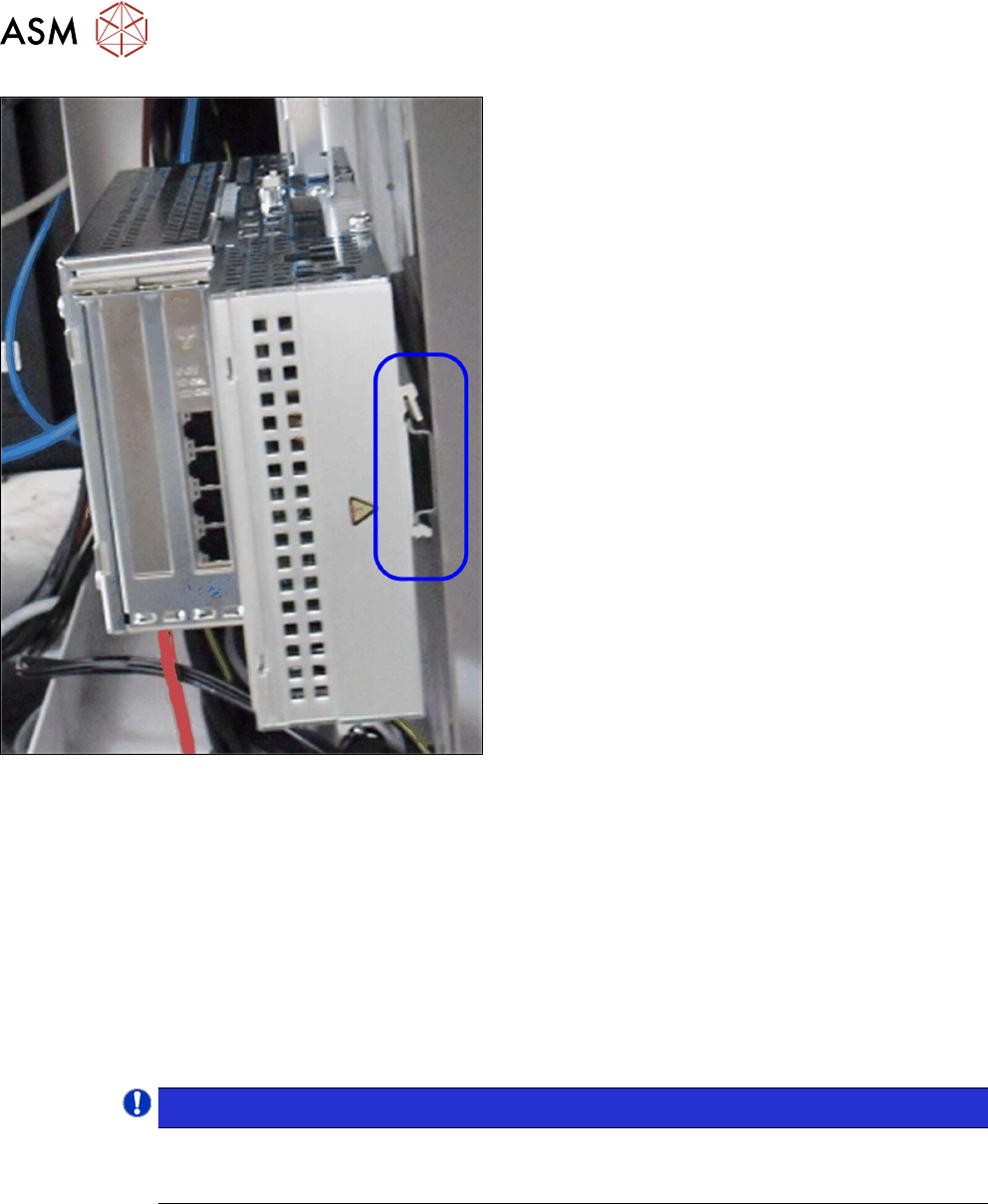
► Push the BulkFeeder X computer along its guide
rail and onto the mounting rail of the mounting
plate.
3.4 Inserting the cable into the machine
To connect the BulkFeeder X to the BulkFeeder X computer and to connect this computer to the
station computer, you need to run cables in the machine.
3.4.1 Cable for connecting the BulkFeeder X to the BulkFeeder X computer
One BulkFeeder X can be connected at each location.
●
At location 2, you can connect the BulkFeeder X directly to the BulkFeeder X computer with
the cable 03112556-xx] (length 1 m).
●
To connect the BulkFeeder X at location 1, you first need to insert the cable [03112557-xx]
(length 2 m) into the machine.
NOTICE!
When inserting the cable, pay attention to the labeling on the cable ends to make sure
you connect correctly: "* BF *" for the BulkFeeder X; "* GigE *" for the BulkFeeder X
computer
.
3 Retrofit kit for SX-Series
3.4 Inserting the cable into the machine
Assembly Instructions / Montageanleitung SIPLACE BulkFeeder X Retrofit Kit for SX Series and X Series S 07/2017 103
Location 1
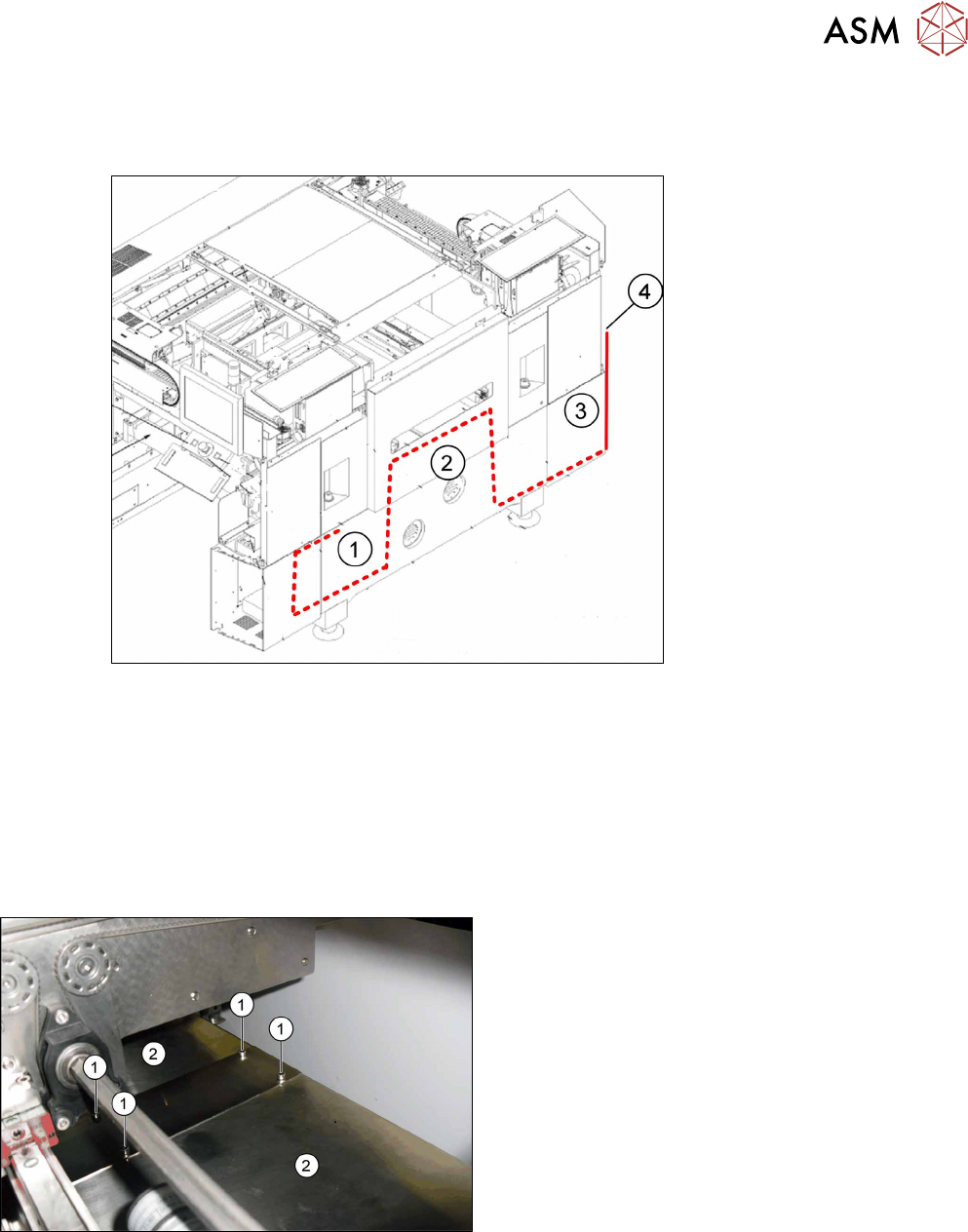
The cable for connecting the BulkFeeder X at location 1 is inserted using the conveyor control. The
following diagram shows the cable insertion.
Fig.7: Running the cable to location 1
1 Infrastructure box with BulkFeeder X
computer
2 Conveyor control
3 Pneumatic unit 4 Connector to BulkFeeder X
To insert the cable, proceed as follows:
► Use the software to move the conveyor sides into a position which allows you best access, to
remove the conveyor control covers.
► Undo the screws (1) fastening the holding plate
and then remove the holding plate.
► Remove the covers (2) from the conveyor control.
3 Retrofit kit for SX-Series
3.4 Inserting the cable into the machine
104 Assembly Instructions / Montageanleitung SIPLACE BulkFeeder X Retrofit Kit for SX Series and X Series S 07/2017
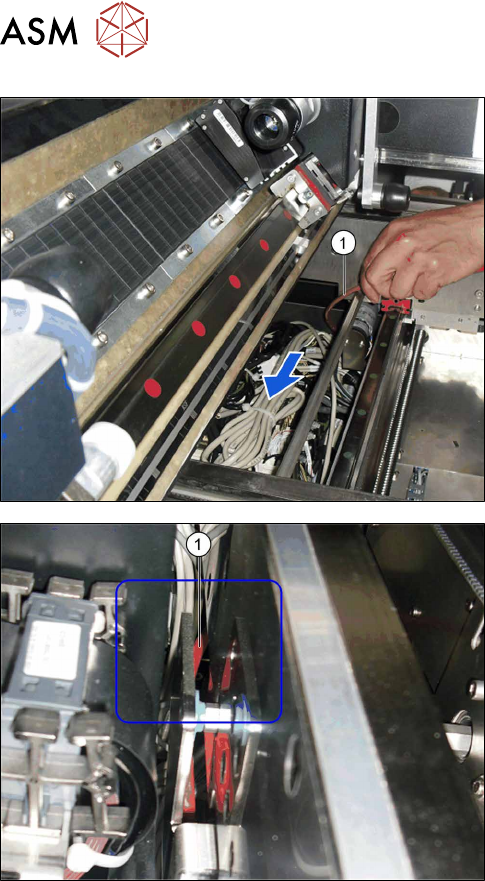
► Run the cable through the conveyor control.
► Run the cable between the conveyor control and
the conveyor side, down to sector 1.