00198243-01_AI_BulkFeederX_XS-SX_DE+EN.pdf - 第116页
4 Retrofit kit for X-Series S 4.3 Fitting the BulkFeeder X computer 116 Assembly Instructions / Montageanleitung SIPLACE BulkFeeder X Retrofit Kit for SX Series and X Series S 07/2017 ► Insert the holder (1) into the ins…
4 Retrofit kit for X-Series S
4.3 Fitting the BulkFeeder X computer
Assembly Instructions / Montageanleitung SIPLACE BulkFeeder X Retrofit Kit for SX Series and X Series S 07/2017 115
4.3 Fitting the BulkFeeder X computer
NOTICE
Number of persons for assembly
If possible, 2 people should be available for the assembly.
The BulkFeeder X computer is fitted behind the corner cover at location 4, under the pneumatic
unit.
4.3.1 Dismantling the lower side cover
To fit the BulkFeeder X computer at location 4, you need to remove the side cover. To do so, pro-
ceed as follows:
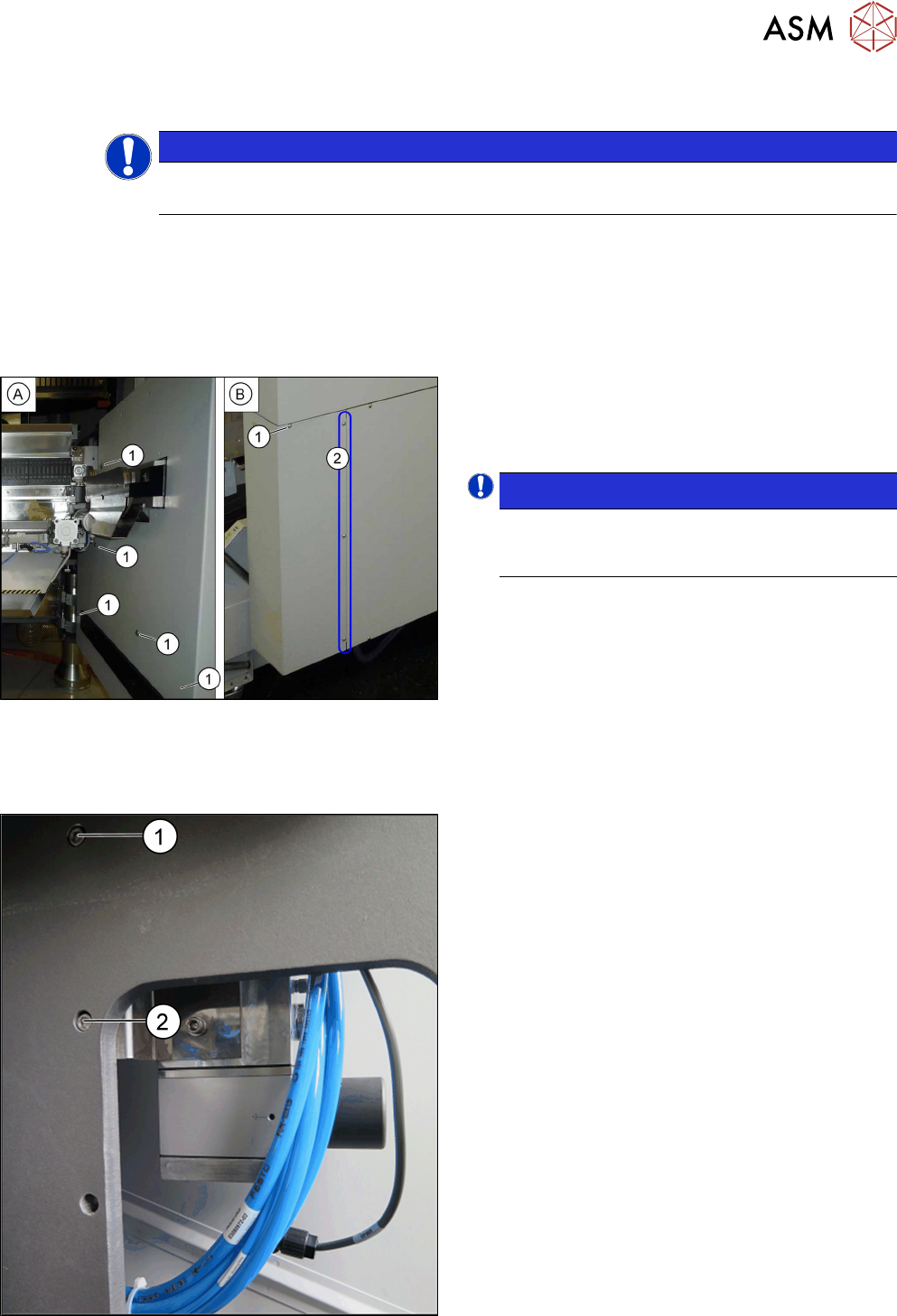
► Loosen the six screws(1) fastening the inside(A)
and outside(B) of the side cover and remove the
side cover. While unscrewing, always hold on to
the side cover, to prevent it falling off.
NOTICE!
The three fastening screws (2) on the outer
side are just loosened. The side cover can be
pulled out here.
.
4.3.2 Fitting the Bulkfeeder X computer
To fit the BulkFeeder X computer behind the corner cover at location 4, you need to fit an additional
holder next to the pneumatic unit. To do so, proceed as follows:
► Remove the top screw (1) for the pneumatic unit.
► Insert the longer screw M6x20 through the open-
ing. Rotate is about twice so that it holds the unit.
► Remove the bottom screw (2) for the pneumatic
unit. The pneumatic unit can now be moved.
4 Retrofit kit for X-Series S
4.3 Fitting the BulkFeeder X computer
116 Assembly Instructions / Montageanleitung SIPLACE BulkFeeder X Retrofit Kit for SX Series and X Series S 07/2017
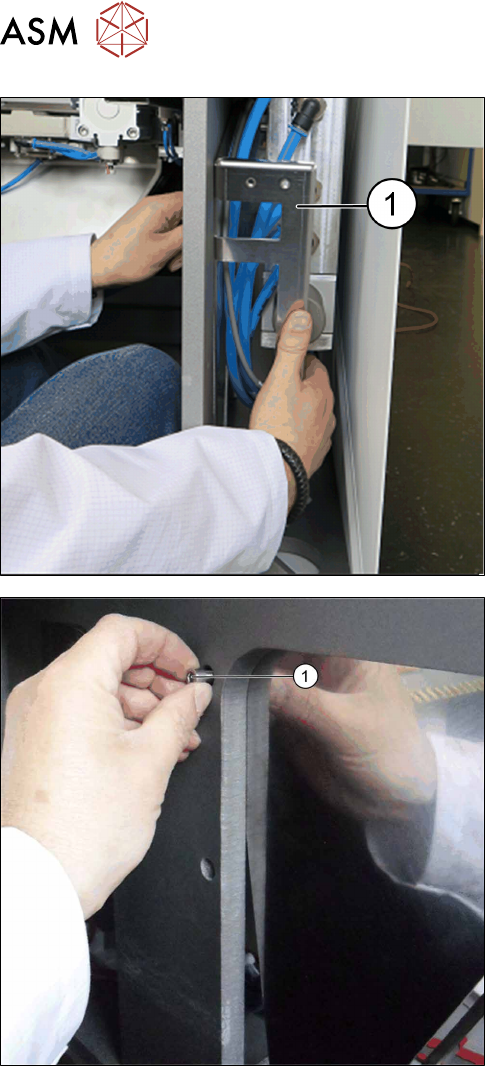
► Insert the holder (1) into the inside. Make sure
that no hoses or cables are trapped.
► Position the holder. Tighten the bottom screw (1).
4 Retrofit kit for X-Series S
4.3 Fitting the BulkFeeder X computer
Assembly Instructions / Montageanleitung SIPLACE BulkFeeder X Retrofit Kit for SX Series and X Series S 07/2017 117
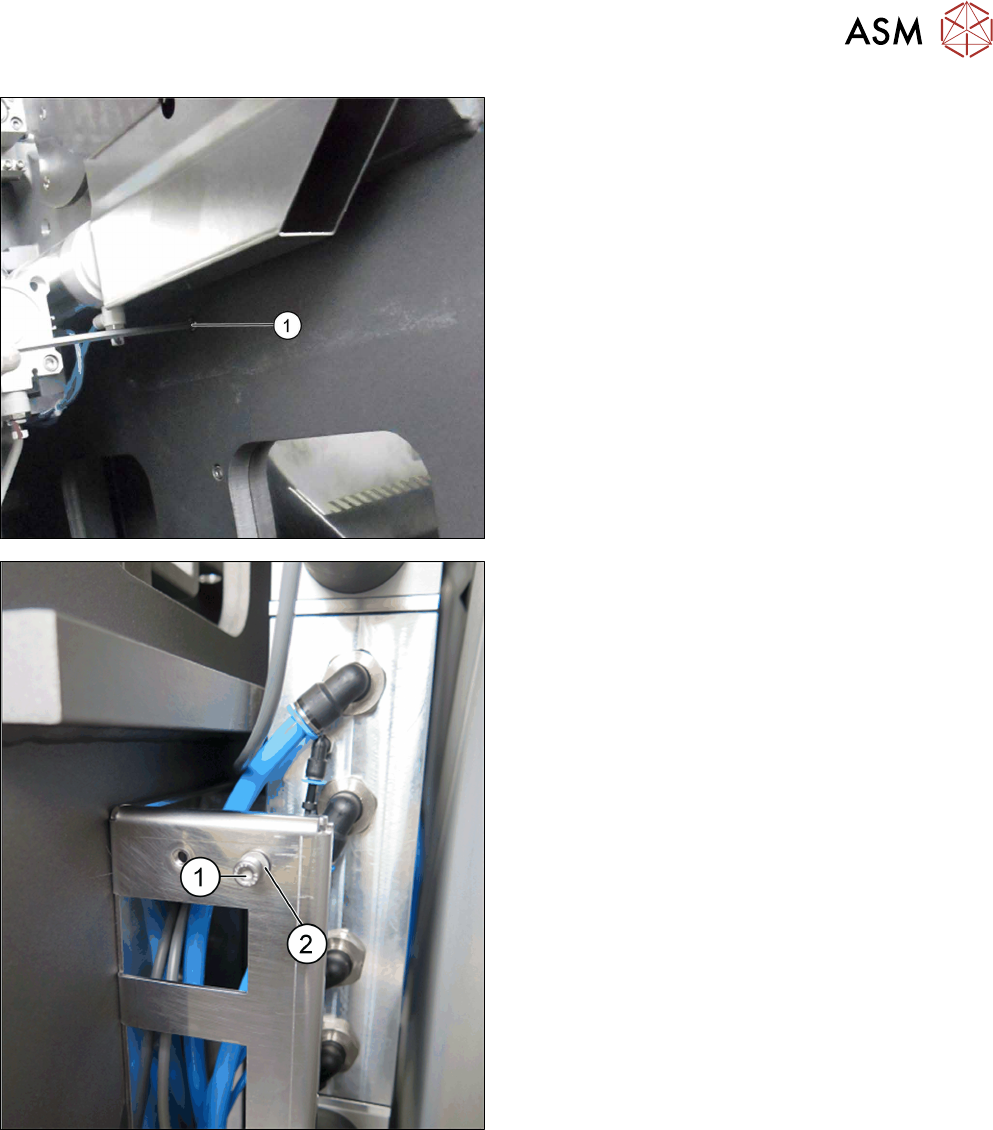
► Remove the top screw (1).
► Position the holder. Tighten the top screw. The
holder for fitting the BulkFeeder X computer is
now fitted.
► To fit the BulkFeeder X computer, fasten the
screws (1) and washers (2) at the 2 top and 2
bottom openings of the holder.
When fitting the BulkFeeder X computer, make
sure that the washers are directly behind the
screws.