00198243-01_AI_BulkFeederX_XS-SX_DE+EN.pdf - 第142页
5 Final work 5.4 Checking the connection to the station computer 142 Assembly Instructions / Montageanleitung SIPLACE BulkFeeder X Retrofit Kit for SX Series and X Series S 07/2017 ► Go to Connection to the SR and you wi…
5 Final work
5.4 Checking the connection to the station computer
Assembly Instructions / Montageanleitung SIPLACE BulkFeeder X Retrofit Kit for SX Series and X Series S 07/2017 141
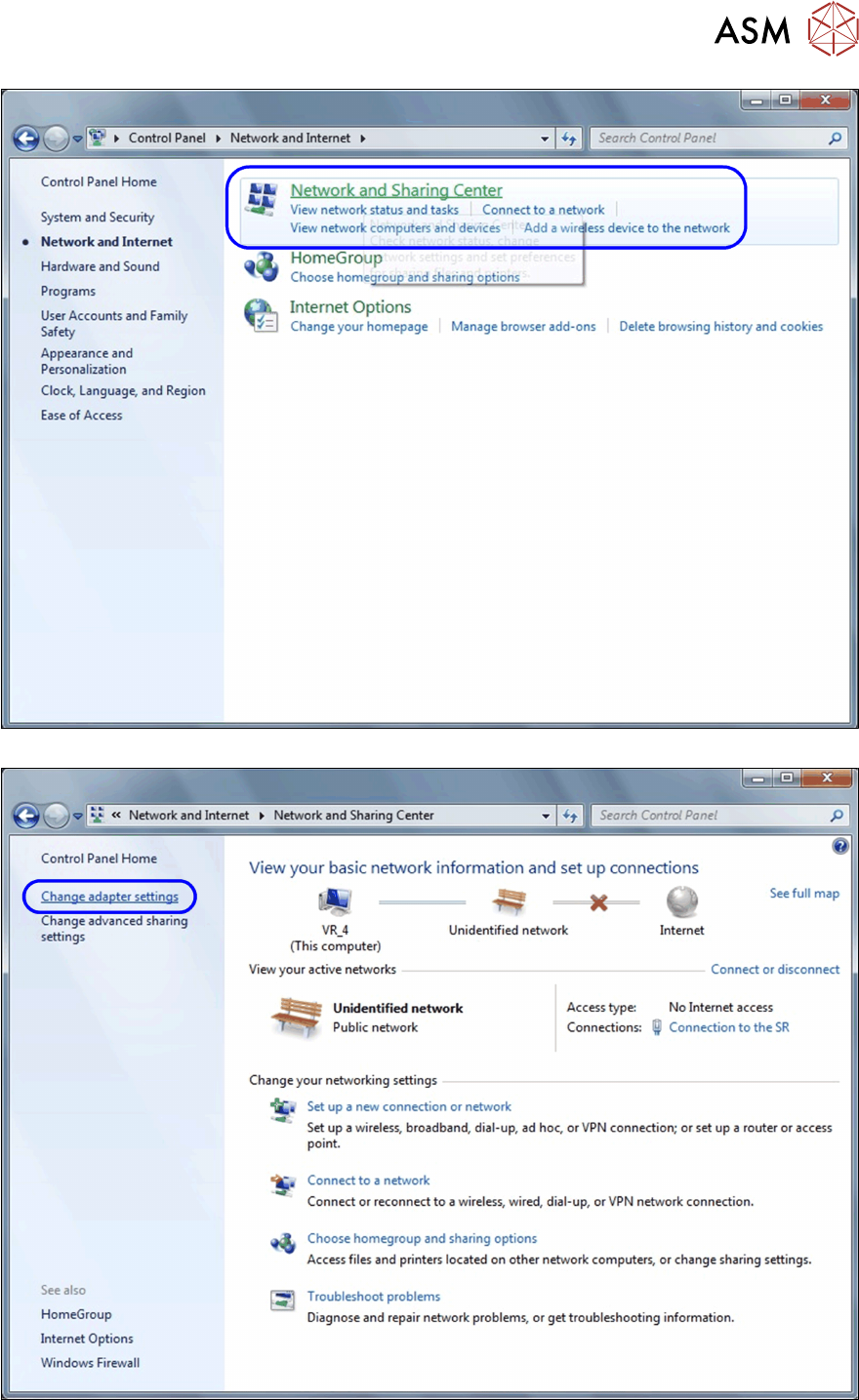
► Select Network and Sharing Center.
► Select Change adapter settings.
5 Final work
5.4 Checking the connection to the station computer
142 Assembly Instructions / Montageanleitung SIPLACE BulkFeeder X Retrofit Kit for SX Series and X Series S 07/2017
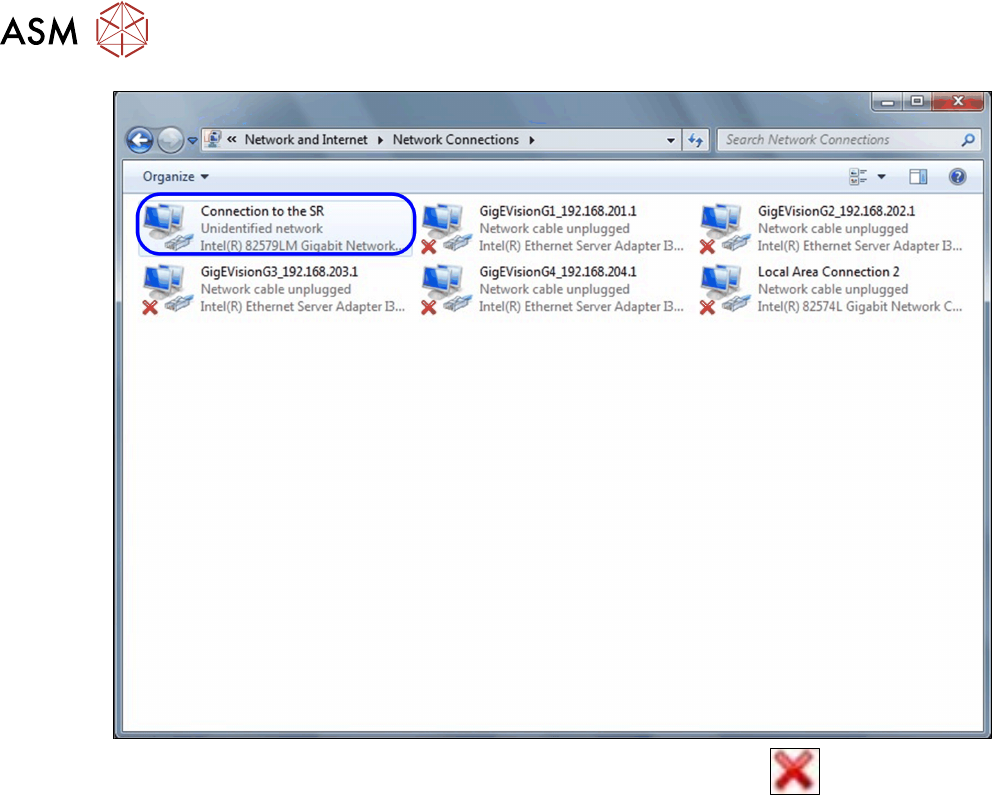
► Go to Connection to the SR and you will see the connection status: indicates that
there is no connection to the station computer.

5 Final work
5.5 Final work to the SX-Series
Assembly Instructions / Montageanleitung SIPLACE BulkFeeder X Retrofit Kit for SX Series and X Series S 07/2017 143
5.5 Final work to the SX-Series
► After the retrofitting, refit all removed covers and waste tape slides.
5.6 Final work to the X-Series S
► After the retrofitting, refit all removed covers and waste tape slides.
5.6.1 Fitting the side cover
► The side cover is fitted by following the above instructions in the reverse order, see4.3.1 "Dis-
mantling the lower side cover" [}115].