00198243-01_AI_BulkFeederX_XS-SX_DE+EN.pdf - 第98页
3 Retrofit kit for SX-Series 3.2 Preparatory steps 98 Assembly Instructions / Montageanleitung SIPLACE BulkFeeder X Retrofit Kit for SX Series and X Series S 07/2017 3.2.2.2 Fitting the LAN card ► Remove the screws (1) f…
3 Retrofit kit for SX-Series
3.2 Preparatory steps
Assembly Instructions / Montageanleitung SIPLACE BulkFeeder X Retrofit Kit for SX Series and X Series S 07/2017 97
3.2.2 Fitting the LAN card in the station computer
In order to fit the LAN card in the station computer, you need to remove the station computer from
the machine.
3.2.2.1 Removing the station computer
To remove the station computer, proceed as follows:
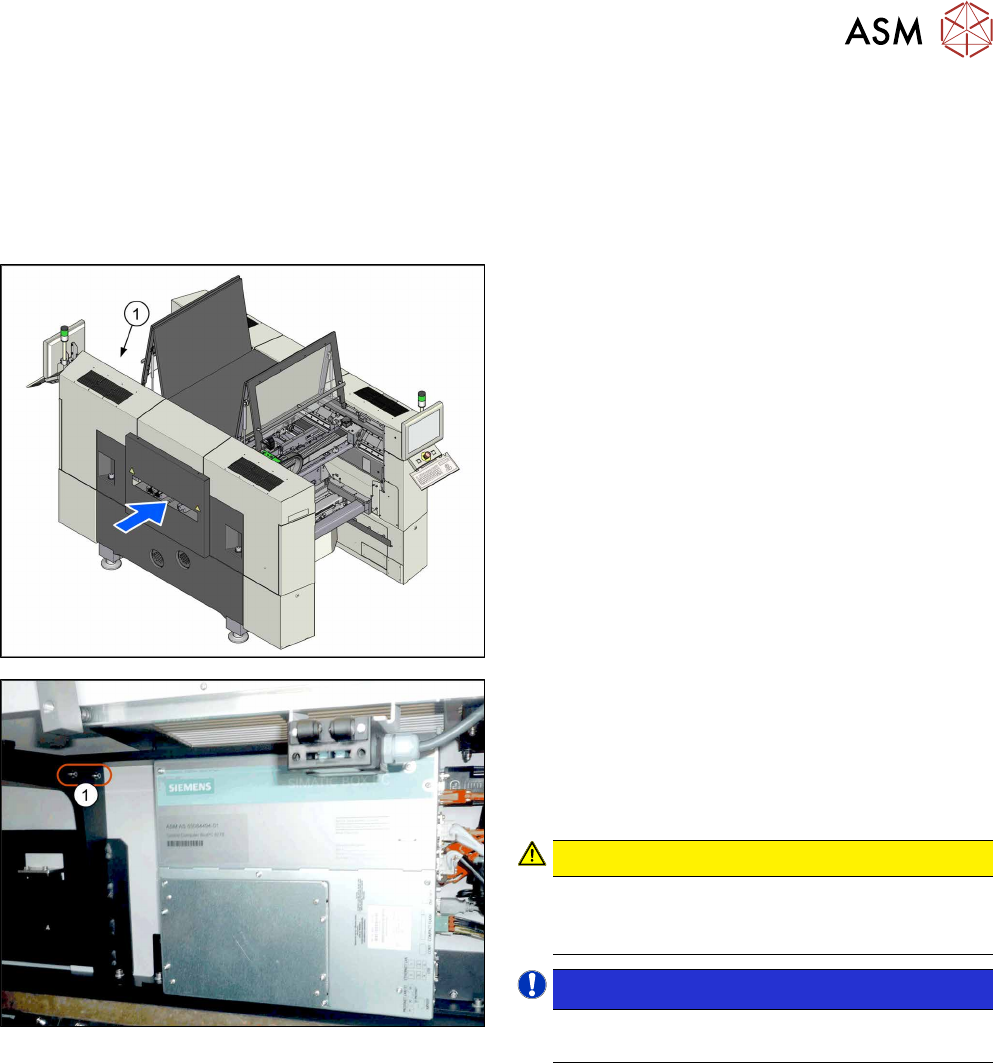
► The station computer (1) is located at the top
right of location 2.
► Unplug all press-fit connections to the station
computer. Mark their positions, to make clear as-
signment easier later on.
► Remove the screws (1) fastening the fixture
bracket for the station computer. You can now
swing the station computer down and away.
CAUTION!
Magnets (magnetic force 400Nm)
Make sure that you do not move the station com-
puter too near to the magnets.
.
NOTICE!
The station computer has rubber feet on its
base. These sit in special recesses.
.
► Unscrew the fixture bracket from the station com-
puter.
3 Retrofit kit for SX-Series
3.2 Preparatory steps
98 Assembly Instructions / Montageanleitung SIPLACE BulkFeeder X Retrofit Kit for SX Series and X Series S 07/2017
3.2.2.2 Fitting the LAN card
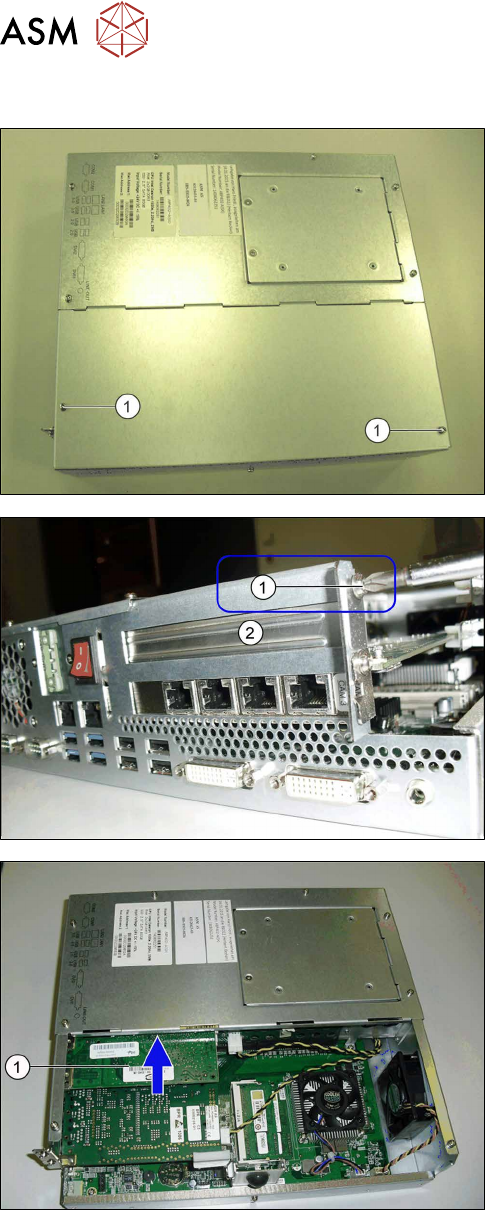
► Remove the screws (1) fastening the cover of the
station computer and remove the cover.
► Remove the holder screw (1).
► Remove the protective cover (2).
► Insert the new LAN card in this place (1).
3 Retrofit kit for SX-Series
3.2 Preparatory steps
Assembly Instructions / Montageanleitung SIPLACE BulkFeeder X Retrofit Kit for SX Series and X Series S 07/2017 99
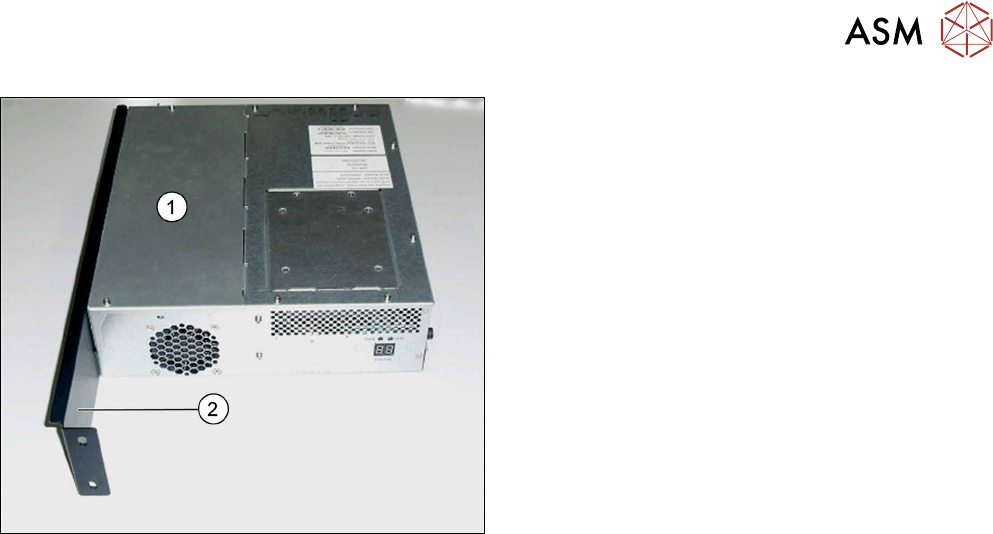
► Fit the cover (1) back in place and screw tight.
► Screw the station computer fixture bracket (2)
tight.
3.2.2.3 Fitting the station computer
► Follow the removal instructions in reverse order for installation.