Vakuum Tooling AMKOR X4 OS Applikation.pdf - 第34页
Installation instructions Vacuum Tooling AM KOR (001885 01-01) SIPLACE X4 / OS Application 03/2006 Edition 34 2 Fig. 2.10 - 1 Conversion board 2 2 2
Installation instructions Vacuum Tooling AMKOR (00188501-01) SIPLACE X4 / OS Application
03/2006 Edition
33
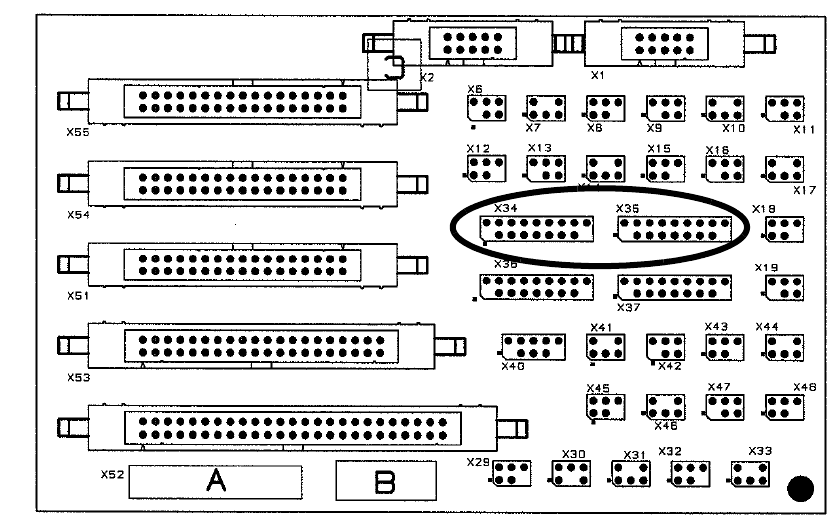
2.5 Working principle with circuit diagrams
If connectors X34 (PA 1) and X35 (PA 2) are plugged in on the conversion board (00359425-xx),
then the option is activated and the signal lines can be evaluated accordingly. 2
2
Fig. 2.5 - 1 Conversion board X4 (part no. 00359425-xx)
2
2
2
2
2
2
2
2
2
2
2
2
Installation instructions Vacuum Tooling AMKOR (00188501-01) SIPLACE X4 / OS Application
03/2006 Edition
34
2
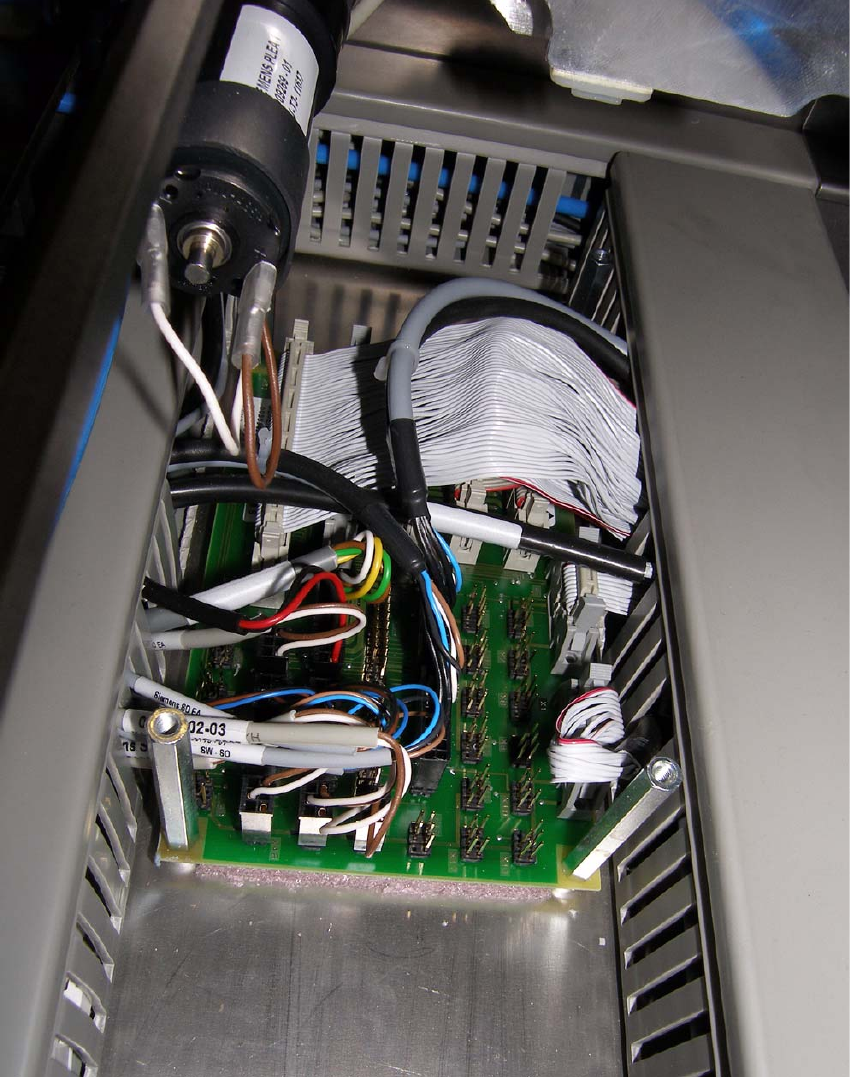
Fig. 2.10 - 1 Conversion board
2
2
2
Installation instructions Vacuum Tooling AMKOR (00188501-01) SIPLACE X4 / OS Application
03/2006 Edition
35
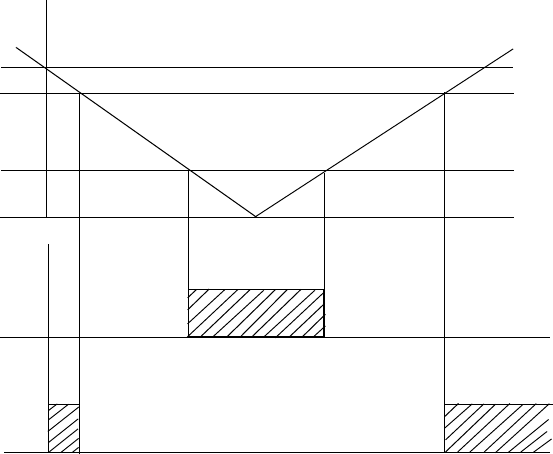
Working principle of the vacuum switch: 2
2
2
For programming, see 1.6.3. 2
If the vacuum threshold cannot be reached, then the placement process cannot be started. 2
Once the placement process has ended, the vacuum must be reduced to the set threshold (150
mbar) so that the lifting table can move down. 2
The vacuum threshold is only checked immediately after the lifting table has moved up. 2
A drop in vacuum during placement cannot be detected. 2
2
2
2
2
2
2
2
2
2
0 bar
- 1 bar
A 2
H 1
Output 1
Output 2
- 150 mbar
- 600 mbar
if 1==>
signal that
placement may start
if 1==>
signal that the lifting
table may be lowered