Vakuum Tooling AMKOR X4 OS Applikation.pdf - 第38页
Installation instructions Vacuum Tooling AM KOR (001885 01-01) SIPLACE X4 / OS Application 03/2006 Edition 38 2.6 Conveyor firmware 2.6.1 HyperT erminal Activate the "V acuum tooling with two vacuum sensors" pr…
Installation instructions Vacuum Tooling AMKOR (00188501-01) SIPLACE X4 / OS Application
03/2006 Edition
37
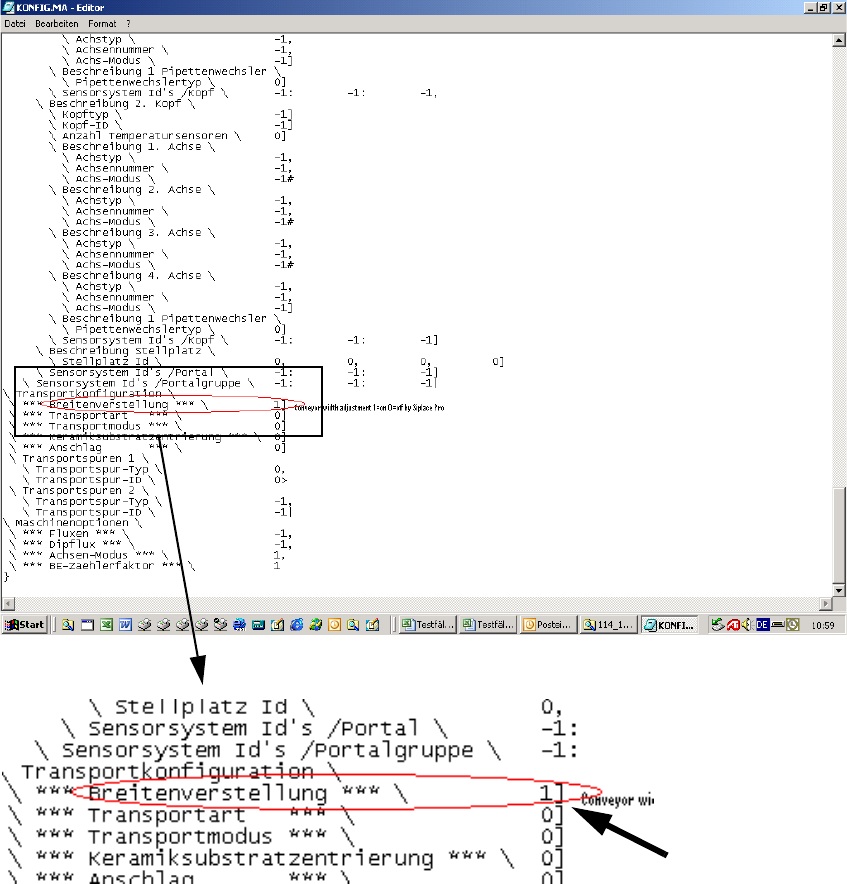
To avoid a crash situation between the conveyor and the vacuum tooling, the automatic width ad-
justment must be deactivated using SIPLACE Pro. 2
This involves changing Config.ma in the SRDaten/SRCMA directory. 2
2
2
2
Change from 1 to 0 2
Installation instructions Vacuum Tooling AMKOR (00188501-01) SIPLACE X4 / OS Application
03/2006 Edition
38
2.6 Conveyor firmware
2.6.1 HyperTerminal
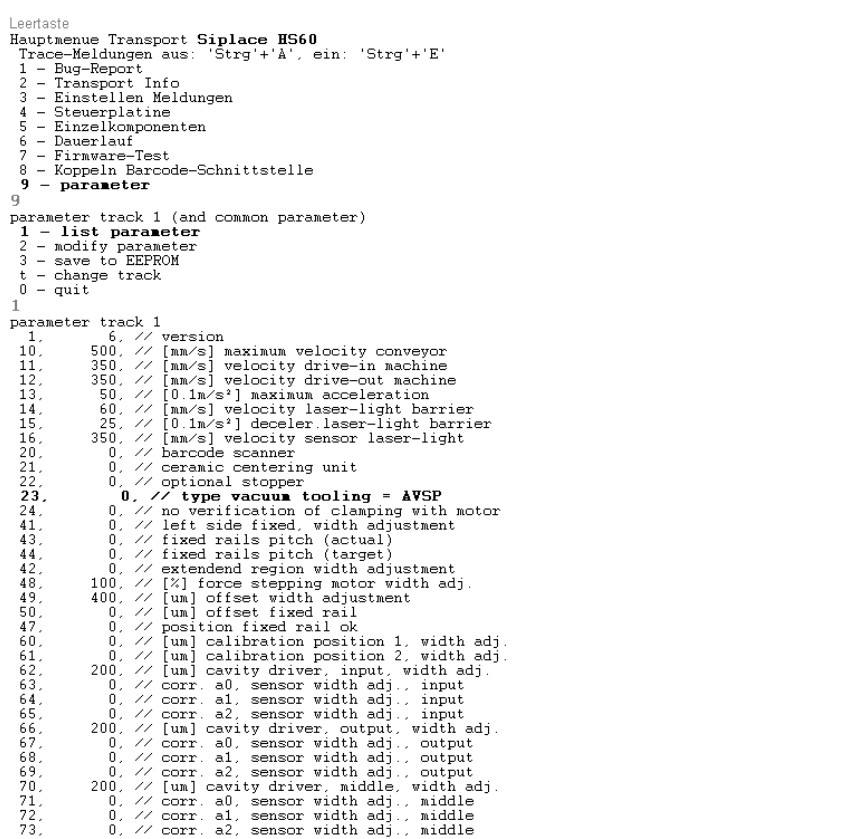
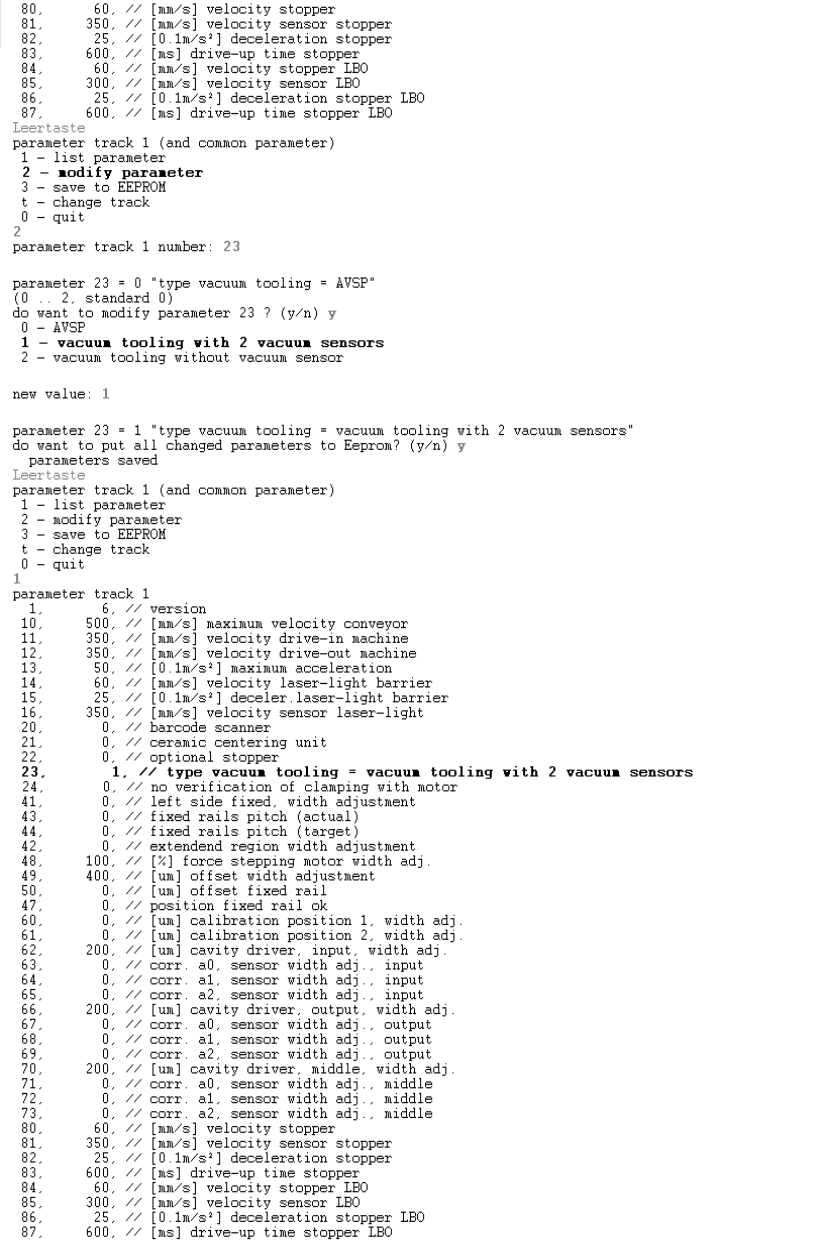
Activate the "Vacuum tooling with two vacuum sensors" program. 2
Use an external computer to connect to the interface cable (RS 232) on the conveyor control via
HyperTerminal. 2
2
: Start the Hyperterminal and select the follwong parameters:
2
2
Installation instructions Vacuum Tooling AMKOR (00188501-01) SIPLACE X4 / OS Application
03/2006 Edition
39
2