00196602-05_SM_SIPLACE_X-Feeder_EN.pdf - 第11页
3 X-Feeder Test Station Service Manual SIPLACE X-Feeder 4 - 88 mm 11/2017 11 3 X-Feeder Test Station The X Feeder Test Station [03076685-xx],consists of an X Feeder Testbox and a Single Slot EDIF (SSE) with base plate,…
2 General
2.3 Equipment Required
10 Service Manual SIPLACE X-Feeder 4 - 88 mm 11/2017
2.3 Equipment Required
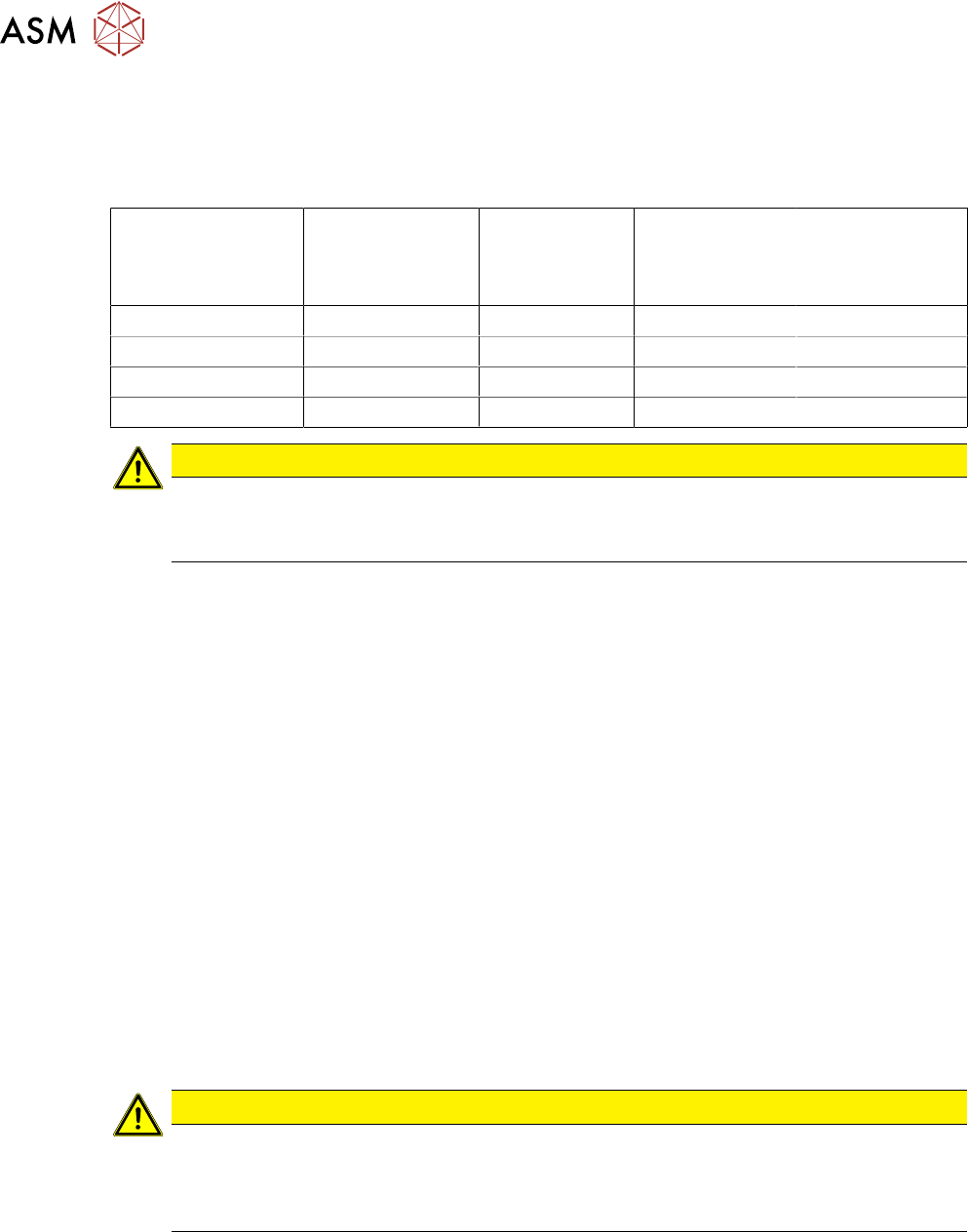
Tools
You need the following tools to remove and fasten the spare parts described in this manual:
Torque screwdriver Phillips inter-
changeable bit
Interchangeable
bit for slotted-
head screws
Interchangeable
bit for hexagon
screws
size 2
TORX
interchangeable
bit
size T8
0.2 Nm X
0.35 Nm X
0.6 Nm X X X
0.9 Nm X
CAUTION
Observe the torque
The torque screwdriver and interchangeable bits are delivered separately.
Make sure that the bits are assigned correctly during assembly work.
●
Flat-bladed (slotted) screwdriver size 1
●
Phillips screwdriver
●
Allen key size 3
●
Tweezers
●
Split pin punch size 1.4
●
Circlip pliers for outer rings 3-10 mm
●
Long clamping wrench item no. 03076659-xx
●
Sliding foil remover item no. 03075421-xx
●
Gauge for tape drive motor /X12-16 V2, item no. 03085120-xx
●
Gauge for foil disposal motor /X12-16 V2, item no. 03085119-xx
Consumables
●
Polylub GLY 801 (grease)
●
Ethanol
●
Double-sided adhesive tape
2.4 Safety Instructions
CAUTION
Observe the ESD regulations!
When working on the feeder module, pay attention to ESD safety.
Before you open the side cover, make sure you are wearing the ESD protection wristband,
to prevent damage to the highly sensitive boards inside the feeder.
3 X-Feeder Test Station
Service Manual SIPLACE X-Feeder 4 - 88 mm 11/2017 11
3 X-Feeder Test Station
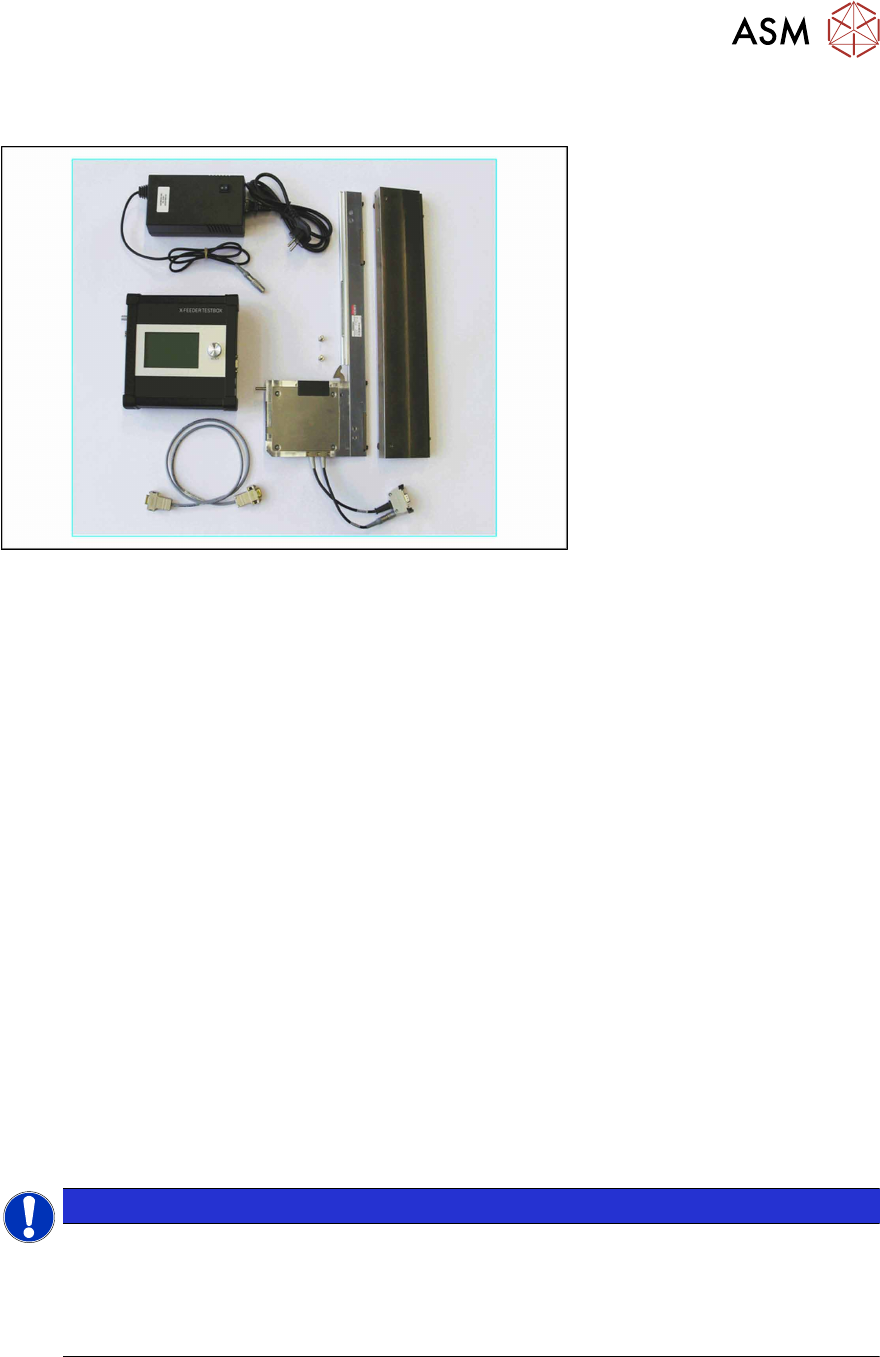
The X Feeder Test Station [03076685-xx],consists of an X Feeder Testbox and a Single Slot EDIF
(SSE) with base plate, on which the relevant X feeder modules are placed for checking. The SSE is
connected to the X Feeder Testbox via a CAN cable and is supplied with power via a power pack.
The X Feeder Testbox can be used to test the following feeder modules:
●
X Feeder 4-88mm
●
SmartFeeder 2x8mmX
●
SmartFeeder 4-16mmX
The X Feeder Testbox has the following functions:
●
Checking the feeder module (test)
The X Feeder Testbox checks the following in one run:
– Whether the feeder has stored an error.
If this is the case, the test will be terminated and the corresponding error number will be
shown on the display. Reset the error and then restart the test.
The documentation supplied includes detailed instructions about how to reset the relevant
error.
– The functionality of the foil rocker
– The functionality of the tape drive
– The functionality of the foil disposal drive
●
Reference run (X feeder modules only)
●
Resetting the service counter (SmartFeeders only)
●
Updating firmware of the feeder module
●
Downloading the feeder module log file
NOTICE
Background illumination
To protect the background illumination and the display of the X Feeder Care Testbox, the
display and the lighting are switched off if the device is not used for more than 15 minutes.
To switch the display and lighting back on, turn or press the knob on the X Feeder Testbox.
The currently active function of this knob will not be executed in this case.
For a detailed description of how to operate the X Feeder Test Station, refer to the Job Guide "X
Feeder Test Station " (German [00196352-xx], English [00196353-xx], other languages on re-
quest).
3 X-Feeder Test Station
3.1 X Feeder Test Station Error Messages
12 Service Manual SIPLACE X-Feeder 4 - 88 mm 11/2017
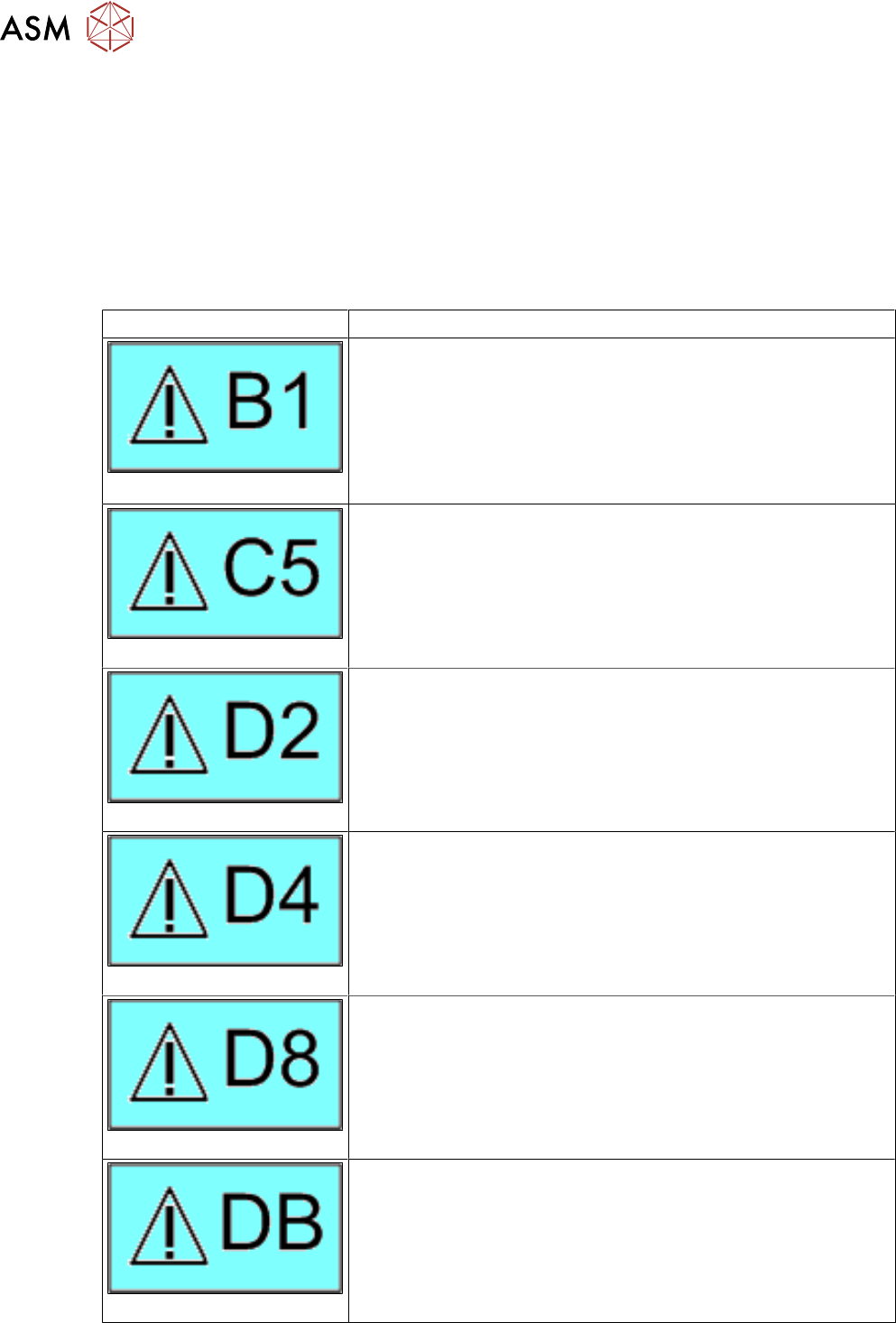
3.1 X Feeder Test Station Error Messages
If an error number is shown on the X-Feeder Testbox, proceed as follows:
► First clean the feeder module and remove all foreign bodies (e.g. foil residues or compon-
ents).
► Then perform the task described for that error number in the Job Guide.
► Repeat the test.
If the error message is shown again, repair work is required. The following table shows which re-
pair tasks need to be performed for each error number.
Error Repair
Handle
If the error remains even when the handle is pushed in, replace the
entire control panel.
Performing a reference run
Perform a reference run.
If the error remains, send the feeder module to the manufacturer
for repair.
Transportation error
If the error remains, send the feeder module to the manufacturer
for repair.
Foil torn
Perform tear down.
Handle
If the error remains even when the handle is pushed in, replace the
entire control panel.
Reference error
Perform a reference run.
If the error remains, send the feeder module to the manufacturer
for repair.