00194576_Install_WinXP_unattended.pdf - 第14页
Installation Manual for Windows XP (unattended setup) 11/2007 US+DE Installationsanleitung für Windows XP (unattended setup) 6.3 Prep aration for the unattended setup Windows XP Fig. 6-1: License Agree ment 14 / 58
Installation Manual for Windows XP (unattended setup) 11/2007 US+DE
Installationsanleitung für Windows XP (unattended setup)
→ After that you have to exit the BIOS setup and save your changes.
6.1.2 SIMATIC Box PC 627
→ Ensure you have the appropriate BIOS version and the corresponding settings, delivered on CDs. The
minimum BIOS version is V05.01.09.
→ Ensure the BIOS setting “Installed O/S” is set to “WinXP/2000” and “SATA Controller Mode” is set to
“Compatible” for the operating system installation
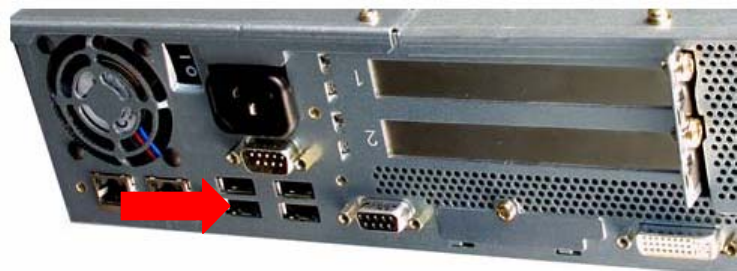
→ To avoid crashes, ensure your USB Hub is connected to Port 0, as shown in the following picture.
Port 0
6.2 Installation procedure
→ Insert the BOOT CD-ROM (Boot CDROM for Windows XP Professional) to start the unattended setup
into the CD ROM drive.
→ Please remove all external drives like USB sticks or USB harddisks. This would confuse the setup.
→ Reboot the computer.
→ Please change the boot devices in your BIOS if the system doesn’t accept the CD ROM drive as the
boot medium.
13 / 58
Installation Manual for Windows XP (unattended setup) 11/2007 US+DE
Installationsanleitung für Windows XP (unattended setup)
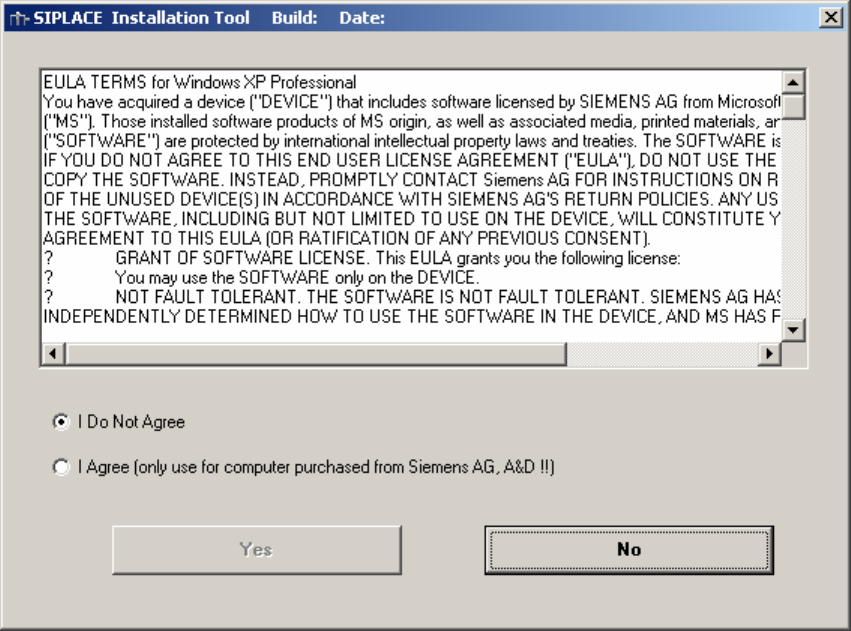
6.3 Preparation for the unattended setup Windows XP
Fig. 6-1: License Agreement
14 / 58
Installation Manual for Windows XP (unattended setup) 11/2007 US+DE
Installationsanleitung für Windows XP (unattended setup)
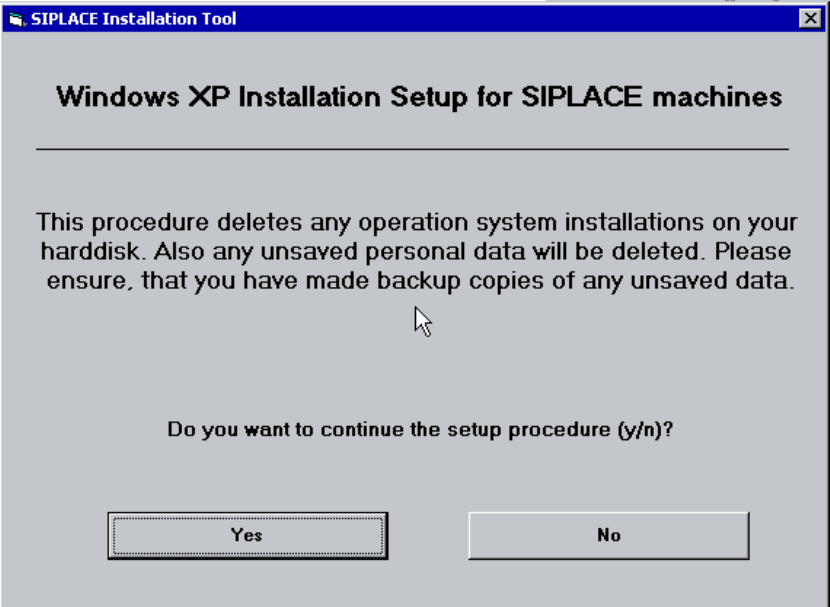
With the following dialog you can start the setup:
Fig. 6-2: Warning
15 / 58