00194576_Install_WinXP_unattended.pdf - 第17页
Installation Manual for Windows XP (unattended setup) 11/2007 US+DE Installationsanleitung für Windows XP (unattended setup) 6.5 Investigation of the SIPLACE inst allation types With this information, setup is able to le…
Installation Manual for Windows XP (unattended setup) 11/2007 US+DE
Installationsanleitung für Windows XP (unattended setup)
6.4 System partition
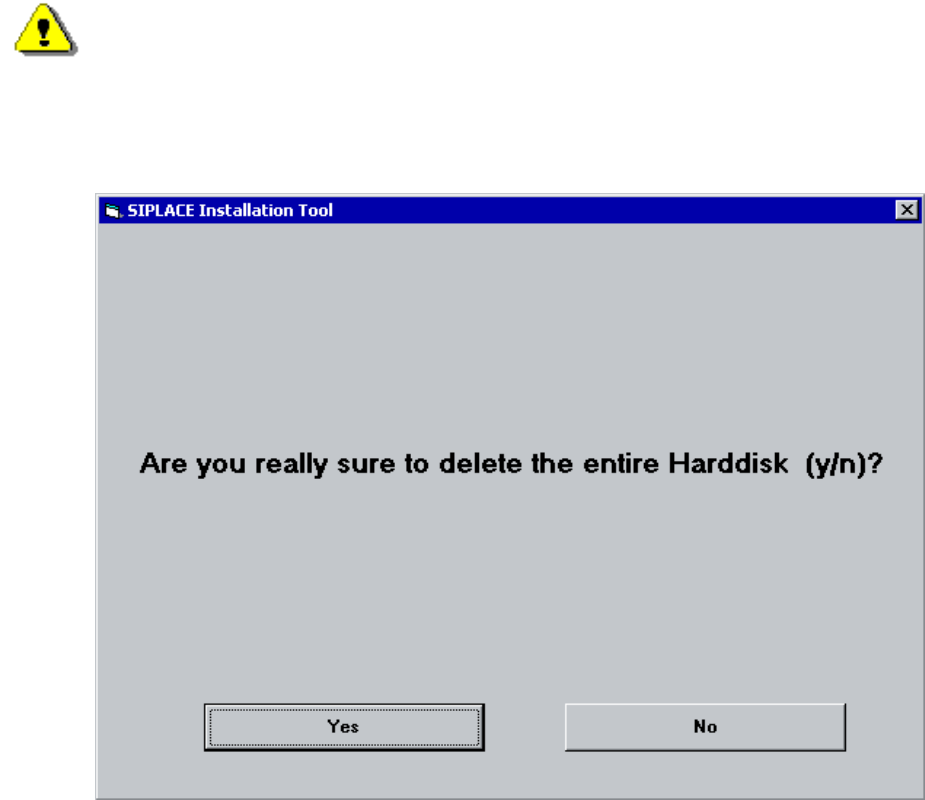
During the setup your hard drive will be partitioned.
Warning:
All data on your hard disk will be destroyed.
→ Please accept the partition:
Fig. 6-3: Warning
16 / 58
Installation Manual for Windows XP (unattended setup) 11/2007 US+DE
Installationsanleitung für Windows XP (unattended setup)
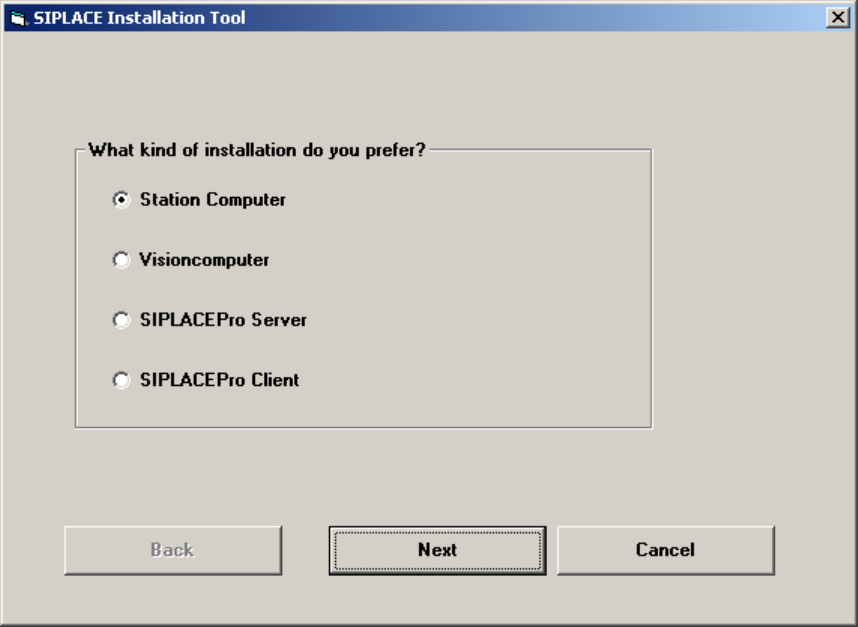
6.5 Investigation of the SIPLACE installation types
With this information, setup is able to lead you through the correct Windows XP Professional installation for
your SIPLACE product.
Fig. 6-4: Kind of installation
→ Select the correct radio button.
→ Click the Next button.
17 / 58
Installation Manual for Windows XP (unattended setup) 11/2007 US+DE
Installationsanleitung für Windows XP (unattended setup)
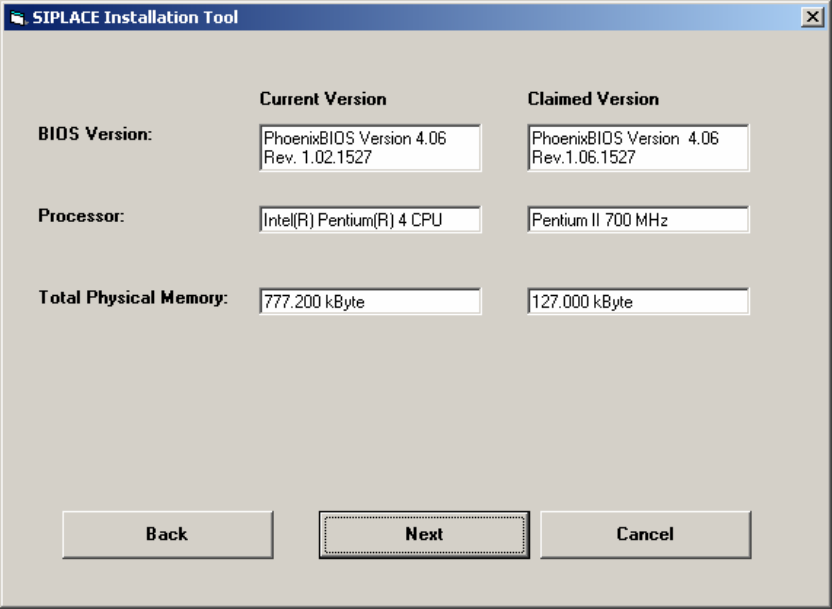
6.6 Checking the hardware requirements
With the information from the previous dialog, a hardware check will start. If there is something wrong, an
error message will appear, but the installation will not stop.
Fig. 6-5: Display of the hardware information (example)
→ Click the Next button.
18 / 58