00194576_Install_WinXP_unattended.pdf - 第25页
Installation Manual for Windows XP (unattended setup) 11/2007 US+DE Installationsanleitung für Windows XP (unattended setup) 6.12 Display of the configured information Here you will find a display with all config ured ne…
Installation Manual for Windows XP (unattended setup) 11/2007 US+DE
Installationsanleitung für Windows XP (unattended setup)
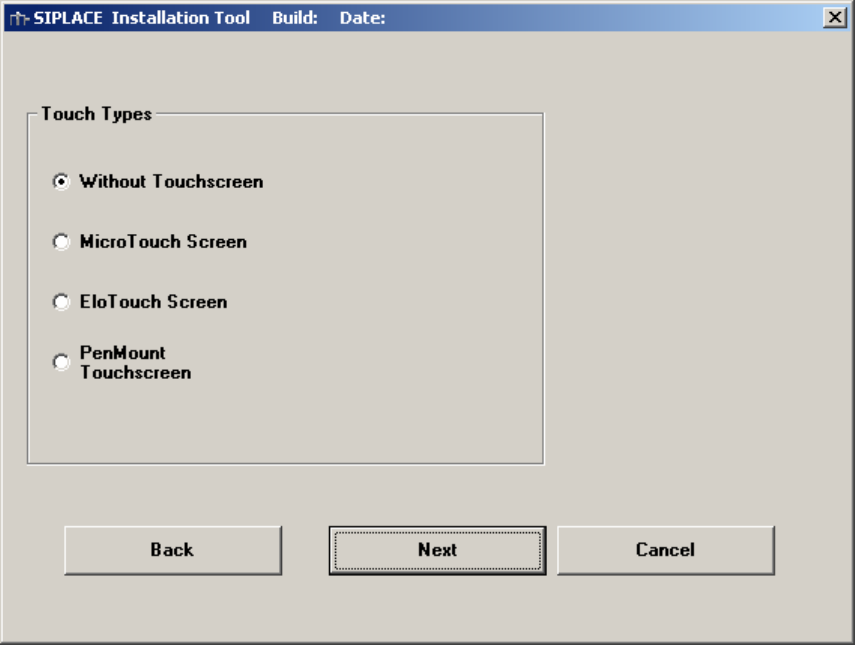
6.11 Touch screen type selection
If you selected the installation for the SIPLACE Product “station computer” you have to configure the Touch
Screen.
Fig. 6-11: Touch screen types
→ Select the correct Type.
→ Click the Next button.
24 / 58
Installation Manual for Windows XP (unattended setup) 11/2007 US+DE
Installationsanleitung für Windows XP (unattended setup)
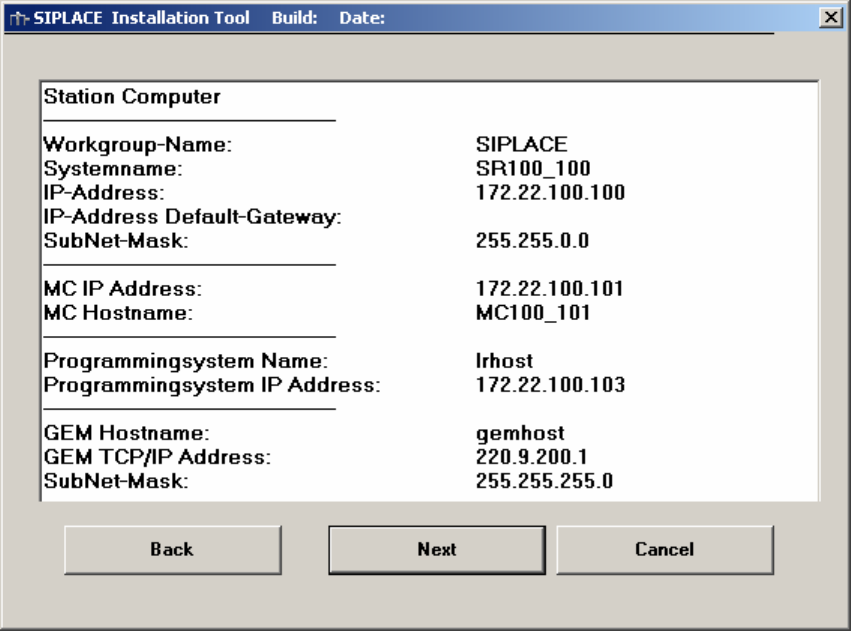
6.12 Display of the configured information
Here you will find a display with all configured network parameters (check display). You can change the
data if necessary.
Fig. 6-12: Configurations
→ Check the information.
→ Click the Next button.
25 / 58
Installation Manual for Windows XP (unattended setup) 11/2007 US+DE
Installationsanleitung für Windows XP (unattended setup)
26 / 58
6.13 Default settings and final administration tasks for the station computer
6.13.1 Default-Settings
Screen area: 1024 x 786, 16777216 Colors, 60 Hz Refresh Frequency
Time Zone: GMT (London, Edinburgh, Lisbon)
Keyboard-Layout: German (Germany)
Network Protocol: TCP/IP
In addition to the default user groups of Windows XP, the following users and user groups will be configured:
→ User: Operator, Siemens-Techniker, Einrichter
→ User groups: _Operator, _Einrichter, _Siemens-Techniker
Hint: If the computer you installed, is equipped with a CRT, please set the refresh frequency to a higher
value. The preset 60 Hz is intended for TFT-displays!
6.13.2 Passwords
Administrator
After the unattended setup, the default password for the local administrator is MS128. Please assign a new
password for your administrator!
Operator
The default user „Operator“ has the default password “operator”. Please do not change the password.
Otherwise the automatic logon is not possible.
Engineer
The user „Einrichter“ will be used for further options. The default password is “einrichter”. This user doesn’t
have further rights!
Administrator Group
The user „ Siemens-Techniker “ is in the local administrator group. Don’t remove this user from the group.
Otherwise the Siemens Personnel can’t perform any maintenance. The SIPLACE Service Personnel knows
the password. Don’t change the password!
Other settings
The passwords never expire!