2.VGOS V30 application software installation_upgrade manual.pdf - 第12页
For Users Serv i ce Information SI090100 2E- 003=VGOS V3 0 applicatio n software installatio n /upgrade manua l 12/24 Step 9 Start installing the application. Review al l your settin gs and change as necessary. Then star…
For Users
Service Information
SI0901002E-003=VGOS V30 application software installation/upgrade manual
11/24
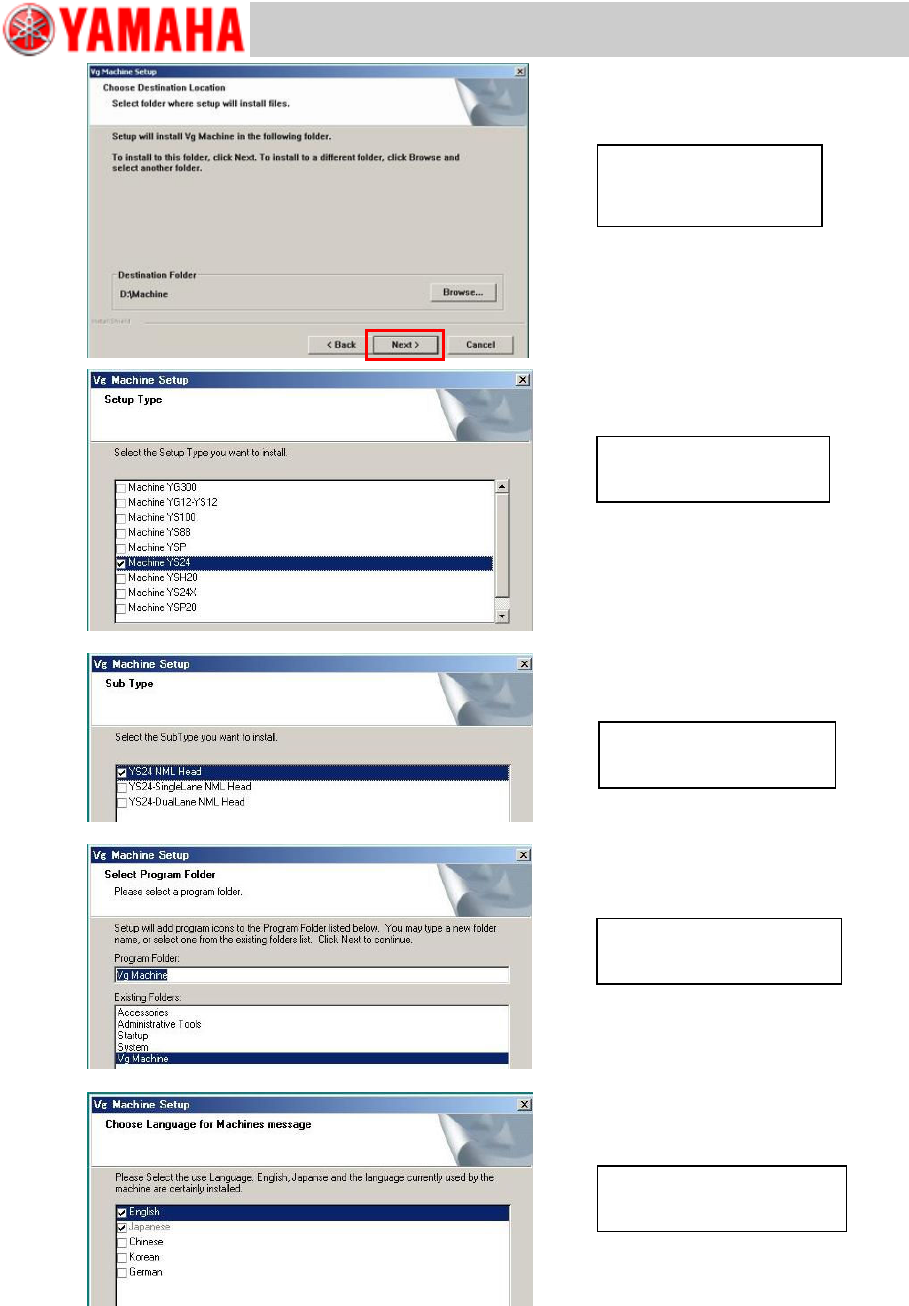
Select languages and select
[Next >].
Select a machine type and
select [Next >].
Select a sub machine model
and select [Next >].
Select a program folder and
select [Next >].
Confirm Destination Folder
(D:/Machine) and select
[Next >].
For Users
Service Information
SI0901002E-003=VGOS V30 application software installation/upgrade manual
12/24
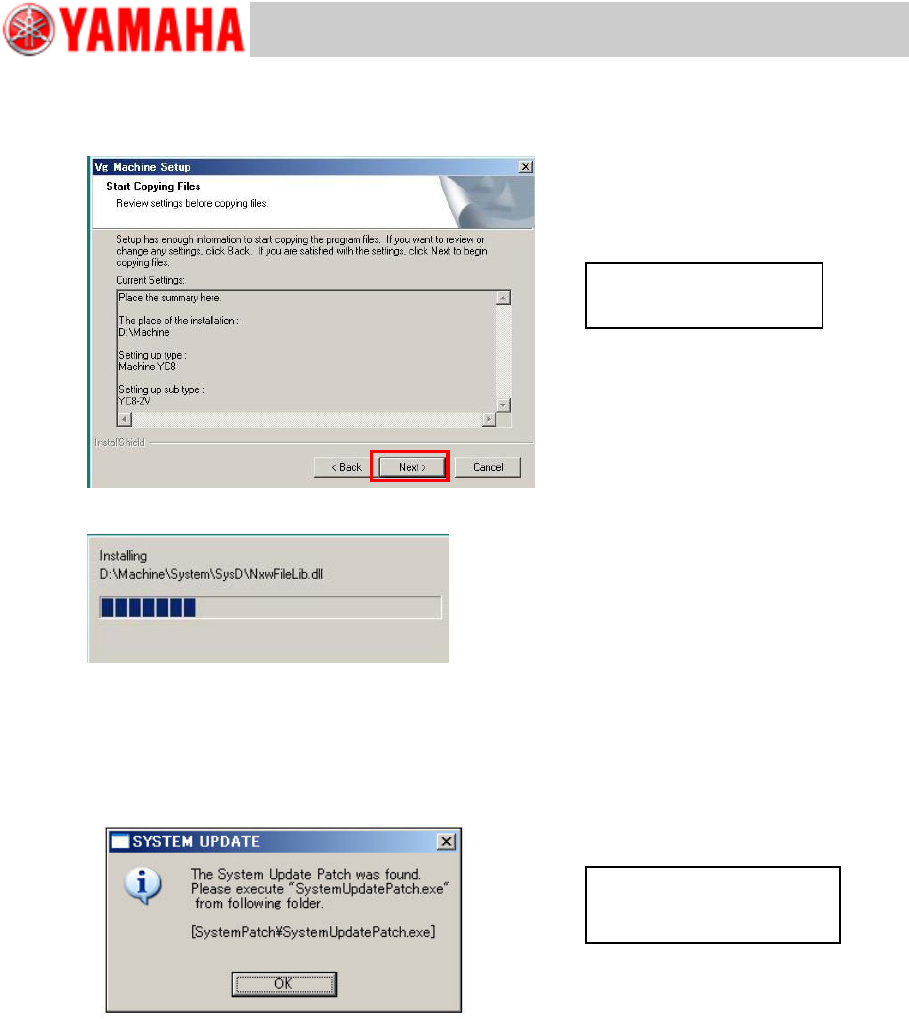
Step 9 Start installing the application.
Review all your settings and change as necessary. Then start installation by selecting [Next
>].
Step 10 If the system software needs to be updated, the below message appears.
Complete the application upgrading first. Then back up the system full back-up data and
execute “V30 System Update”.
Note
For details about the system software updating, see “5 Update the system software”.
Review settings and select
[Next >].
This message appears only
when the system software
needs updating.
For Users
Service Information
SI0901002E-003=VGOS V30 application software installation/upgrade manual
13/24
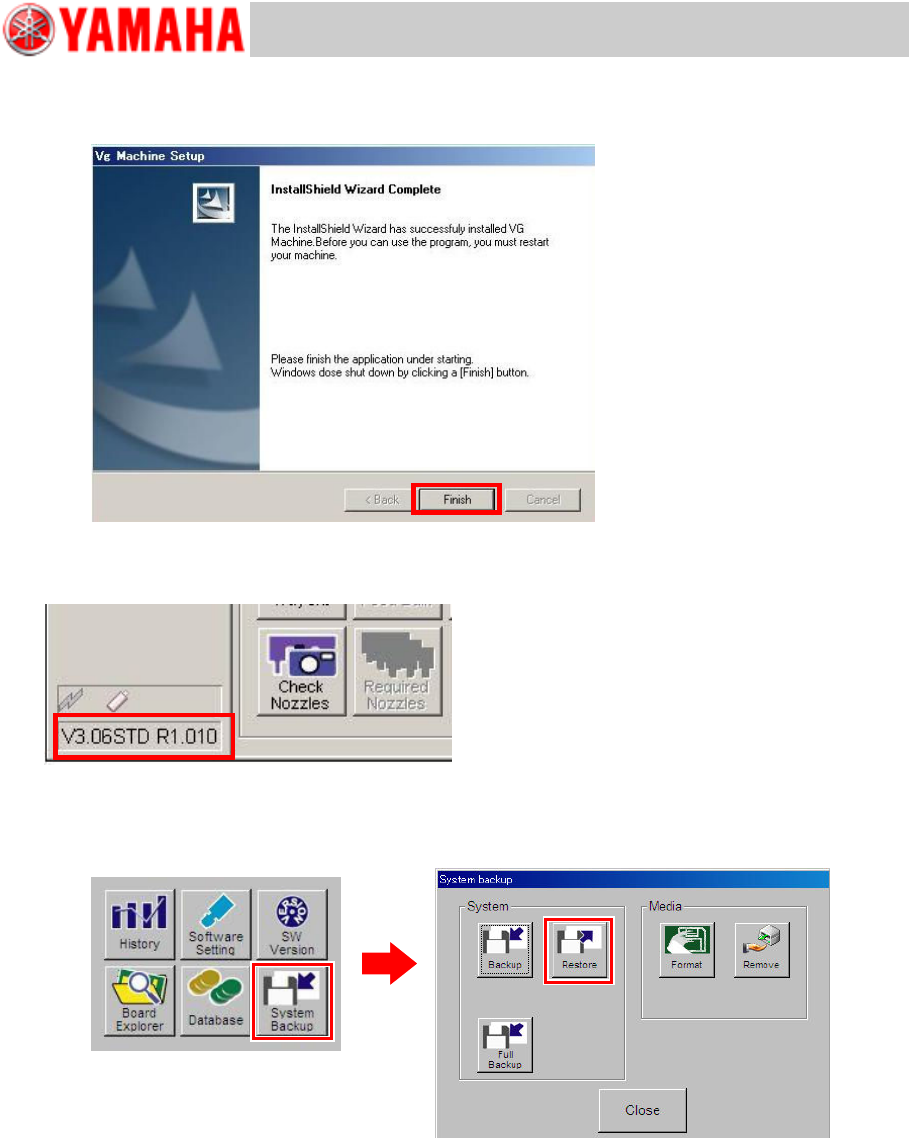
Step 11 Exit the installation wizard.
The InstallShield Wizard Completed window appears. Click the [Finish] button. The machine
automatically executes shutdown process.
Step 12 Restart the machine and check the machine application version displayed at the lower
left of the screen.
Step 13 Restore the system data backup to the application.
See “YS series Programming Manual”, Chapter 6 Managing the data for information.
Note
After restoring the system data, check if any change has been made in the following settings
since backing up the system data and restore the settings as necessary.
· Re-register IP addresses if network connection is established.
· Rename computers and workgroups.
· Restore backed up board data to the machine. If board data is saved in a networked PC,
re-register destination directory to browse for board data.