2.VGOS V30 application software installation_upgrade manual.pdf - 第3页
For Users Serv i ce Information SI090100 2E- 003=VGOS V3 0 applicatio n software installatio n /upgrade manua l 3/24 1 Prep arati on 1.1 Source media for installing/upgrading the application software Application i ns tal…

For Users
Service Information
SI0901002E-003=VGOS V30 application software installation/upgrade manual
2/24
trademarks of their respective owners.
Table of contents
1
Preparation ..................................................................................................................................... 3
1.1
Source media for installing/upgrading the application software ................................................. 3
1.2
Save “system data backup” ........................................................................................................ 3
1.3
System software updating function ............................................................................................ 4
2
Copy contents of installation/upgrade CD to the USB flash drive ............................................ 5
2.1
Required items ........................................................................................................................... 5
2.2
Copy install/upgrade image to the USB flash drive .................................................................... 6
3
Initial installation of the application software ............................................................................. 8
4
Upgrade the application software .............................................................................................. 14
5
Update the system software ....................................................................................................... 20
5.1
System full back-up .................................................................................................................. 20
5.2
V30 System Update.................................................................................................................. 21
5.2.1
Preparation ..................................................................................................................... 21
5.2.2
Execute “V30 System Update” for earlier than V3.41STD R2.000 ................................. 22
5.2.3
Execute “V30 System Update” for V3.41STD R2.000 or later ........................................ 24
For Users
Service Information
SI0901002E-003=VGOS V30 application software installation/upgrade manual
3/24
1 Preparation
1.1 Source media for installing/upgrading the application software
Application installation/upgrade software is provided in a CD.
As some of the machines are not equipped with the CD drive, source media used for
installing/upgrading the application software vary depending on the model.
Model CD drive Source media
YG300 Installed CD (see Note 1 below)
or USB flash drive
YG12(F), YS series, YSH20, YSC1
YC8, YSP20
Not installed USB flash drive
Note 1
As for application V3.41 STD R1.000 or later, please use a USB flash drive. System
software version log files are saved in the USB flash drive.
Note 2
Please be sure to use the USB flash drive that comes with the machine or a designated one
you can purchase from YAMAHA. Other USB flash drives may cause error conditions of the
machine.
1.2 Save “system data backup”
Before installation/upgrading process, make a backup copy of the system data just in case.
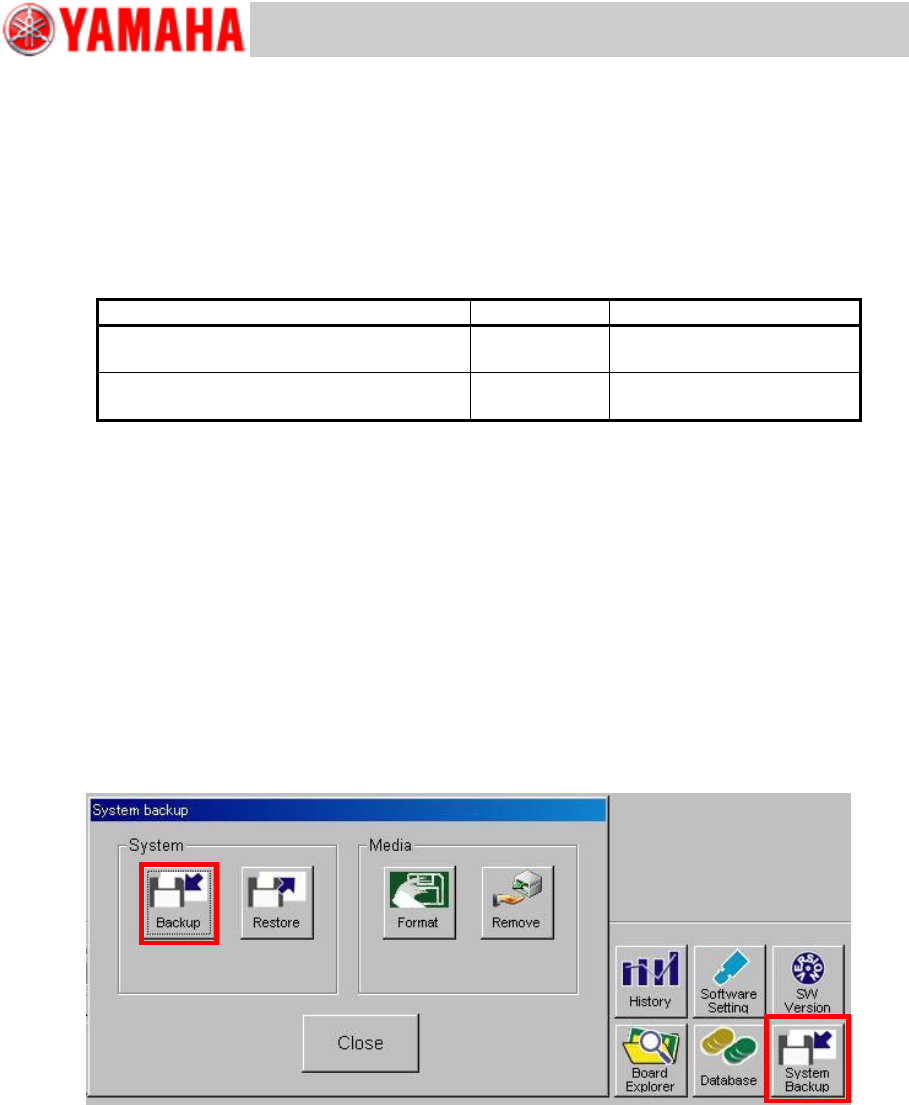
Click the [System Backup] button on the [Setup] window to display the “System Backup”
window. Insert the USB flash drive into the USB port of the machine and click the [Backup]
button and then the [Yes] button to start copying.
Note
For further information, see “YS series Programming Manual”, Chapter 6 Managing the
data.
For Users
Service Information
SI0901002E-003=VGOS V30 application software installation/upgrade manual
4/24
1.3 System software updating function
From application V3.41 STD R1.000, at the end of application upgrading process, current
system software version is automatically checked to see if the system software needs
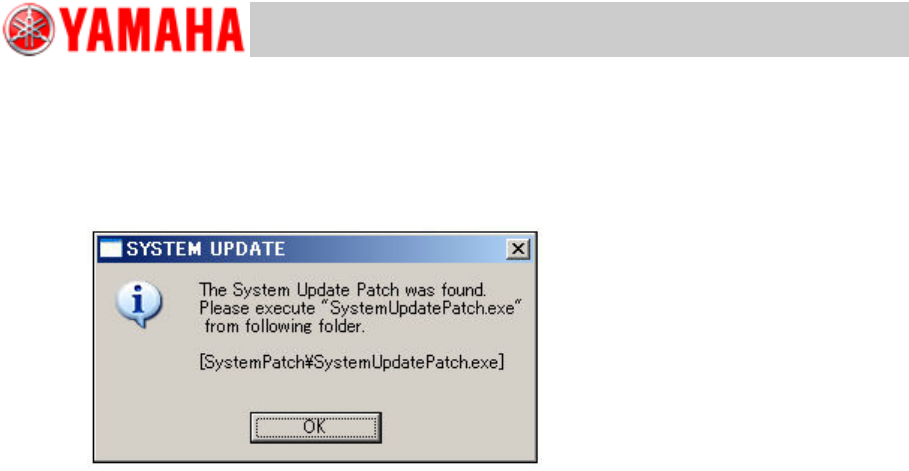
updating. If it is determined that the system software needs updating, the below message
appears.
In this case, update the system software after the application upgrading is complete. The
system software updating file “SystemUpdatePatch.exe” is stored in the application
installation/upgrade CD, under the SystemPatch folder. The CD’s installation/upgrade image
is to be copied to a USB flash drive for use.
Note
See “5 Update the system software” for further information.