YG100R_Ope_E - 第30页
1-2 1 Part names and functions n S i g n a l l i g h t I n d i c a t e s c u r r e n t o p e r a t i n g c o n d i t i o n s o f t h e m o u n t e r w i t h a g r e e n , y e l l o w a n d r e d l i g h t e x p l a i n e…
1-1
1
Part names and functions
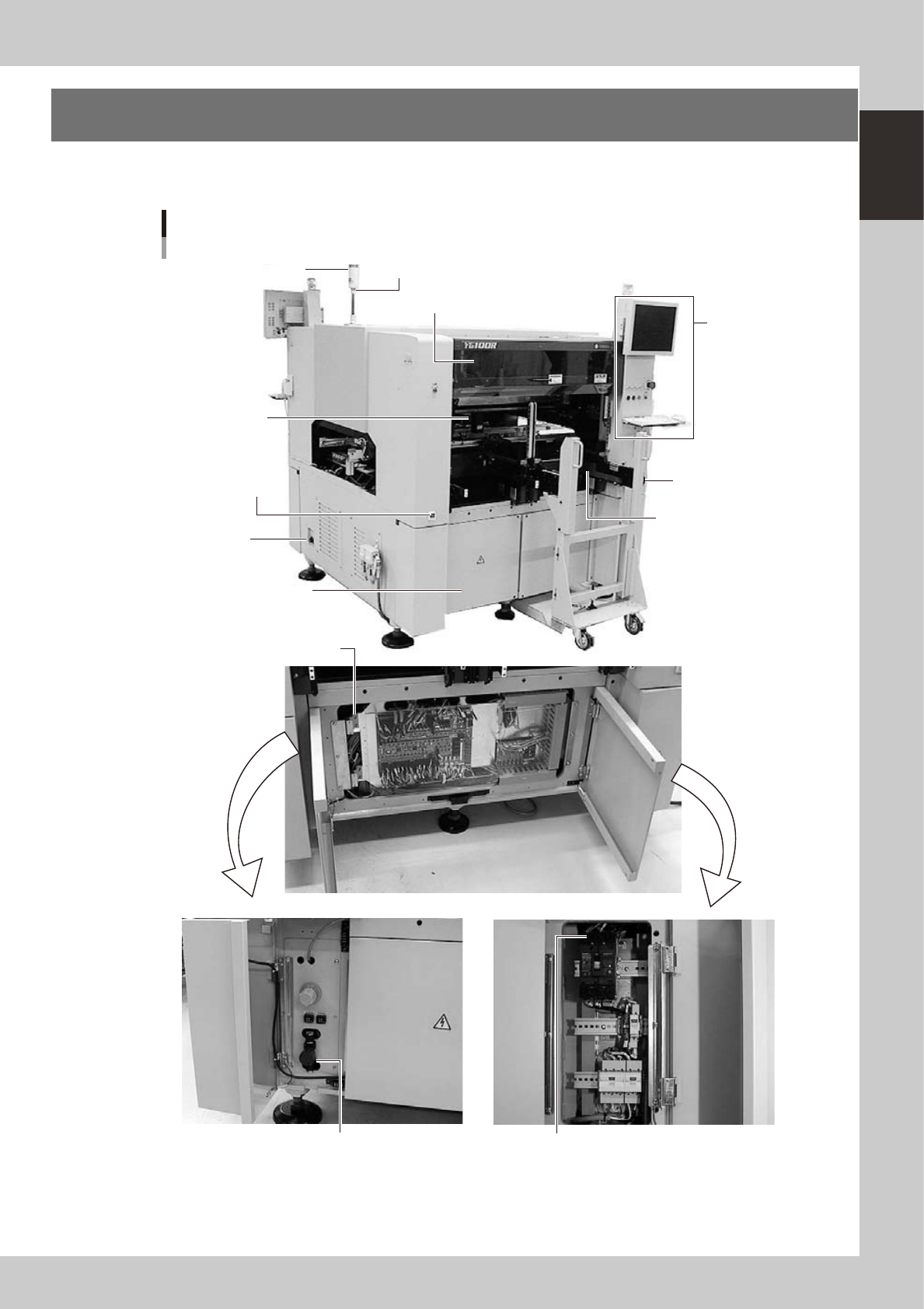
1. Machine main unit
A standard machine has the following configurations after installation is complete. Names and functions of
major parts of the main unit are illustrated below.
Signal light
Operation panel and
data input unit
Power switch
I/O signal
connectors
Alarm buzzer
Safety cover
Feeder setup section
CD-ROM drive
Pressure
gauge
Front panel
Head assembly
Air pressure supply/
shutoff switch
Power connection terminals
Machine main unit
23100-M1-00
1-2
1
Part names and functions
n
Signal light
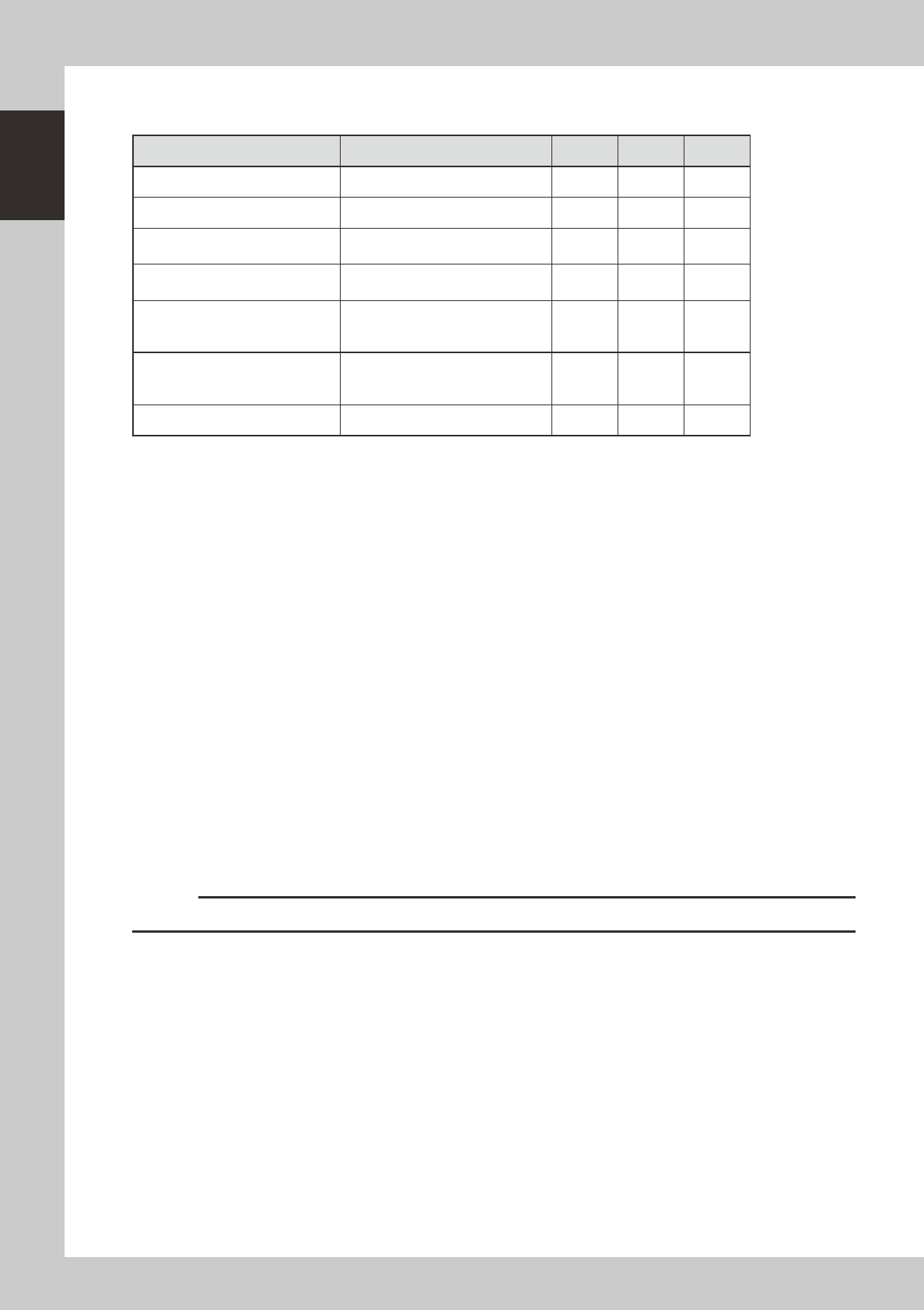
Indicates current operating conditions of the mounter with a green, yellow and red light explained below.
Machine status Example Green Red Yellow
Warm-up or automatic operation ON ----- -----
Emergency stop ----- ON -----
System error
(with buzzer ON)
• Excessive current
• Secondary limit over
----- ON -----
Operation or board data error
(with buzzer ON)
• Pickup error, recognition error
• Data check error, etc.
----- ----- ON
Components cannot be used.
• Components run out.
Tray changer door is opened.
• Non-stop exchange carriage is off.
----- ----- Flashing
Non-stop exchange carriage is in
lowered position
(operation is in progress).
(When the option is installed) ----- ----- Flashing
Dump station is full. (When the option is installed) ----- ----- Flashing
n
Alarm buzzer
This buzzer sounds if an error or abnormal operation occurs. (Volume can be adjusted by turning the buzzer ring right or
left.)
n
Safety cover
This cover must be closed during operation. If opened, emergency stop is triggered.
n
Pressure gauge
Shows the supply air pressure (upper display) and pressure-drop detection level (lower display). Use the pressure
regulator knob and the pressure-drop detection level adjust buttons on the pressure gauge to set each pressure value as
follows:
• Supply air pressure (upper display) : 0.55 MPa
• Pressure-drop detection level (lower display) : 0.45 MPa
n
Head assembly
Picks up and mounts components with the nozzles at the tip. Also has a camera for recognizing marks on board. (See "3.
Head assembly" in this chapter.)
n
Front panel
Installed behind this panel are the system mother board, power supply board, servo control board, vision board and
CD-ROM drive.Keep this panel closed during operation.
n
Power switch
Turns on or off the power to the machine. The power is on when turned to the right.
c
CAUTION
Wait about 2 seconds before turning the power switch back on after turning it off.
1-3
1
Part names and functions
n
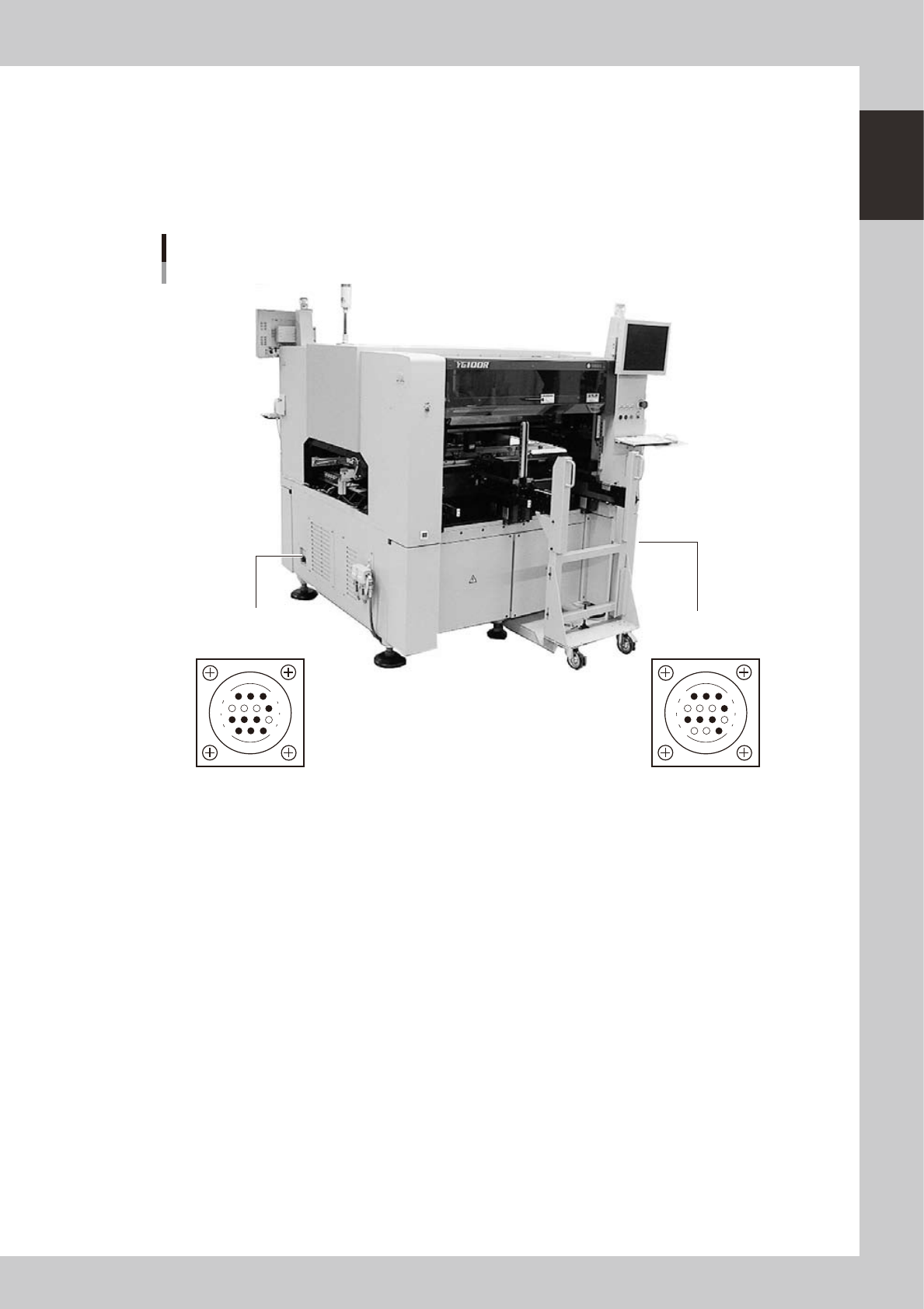
Connection between machines (input/output signals between machines)
The mounter ejects the finished board when it receives a signal from the machine in the next process, and then sends a
signal to the machine in the preceding process to request another board. The interface connector labeled "NEXT
INTERFACE" connects to the machine in the next process, and the interface connector labeled "PREVIOUS INTERFACE"
connects to the machine in the preceding process.
In the case of standard machines of right-to-left flow, the PREVIOUS INTERFACE connector is located on the right side of
the machine, and the NEXT INTERFACE connector on the left side.
PREVIOUS INTERFACE
(For connection to
upstream machine)
NEXT INTERFACE
(For connection to
downstream machine)
Connector : AMP 206043-1 (14-pin receptacle)
Machine-to-machine interface connectors
14
11
12
7
4
8
3
1
14
11
12
7
4
8
1
3
23004-M1-00
n
Feeder setup section
Mainly tape feeders are installed here. (See "4.1 Supplying components from feeder plates" for details.
n
Component supply indicator (option)
Indicates the position (front or rear) where an error has occurred or components should be supplied.