COU2000 PRO计数器英文说明书 Operaton Manual-en(1).pdf - 第43页
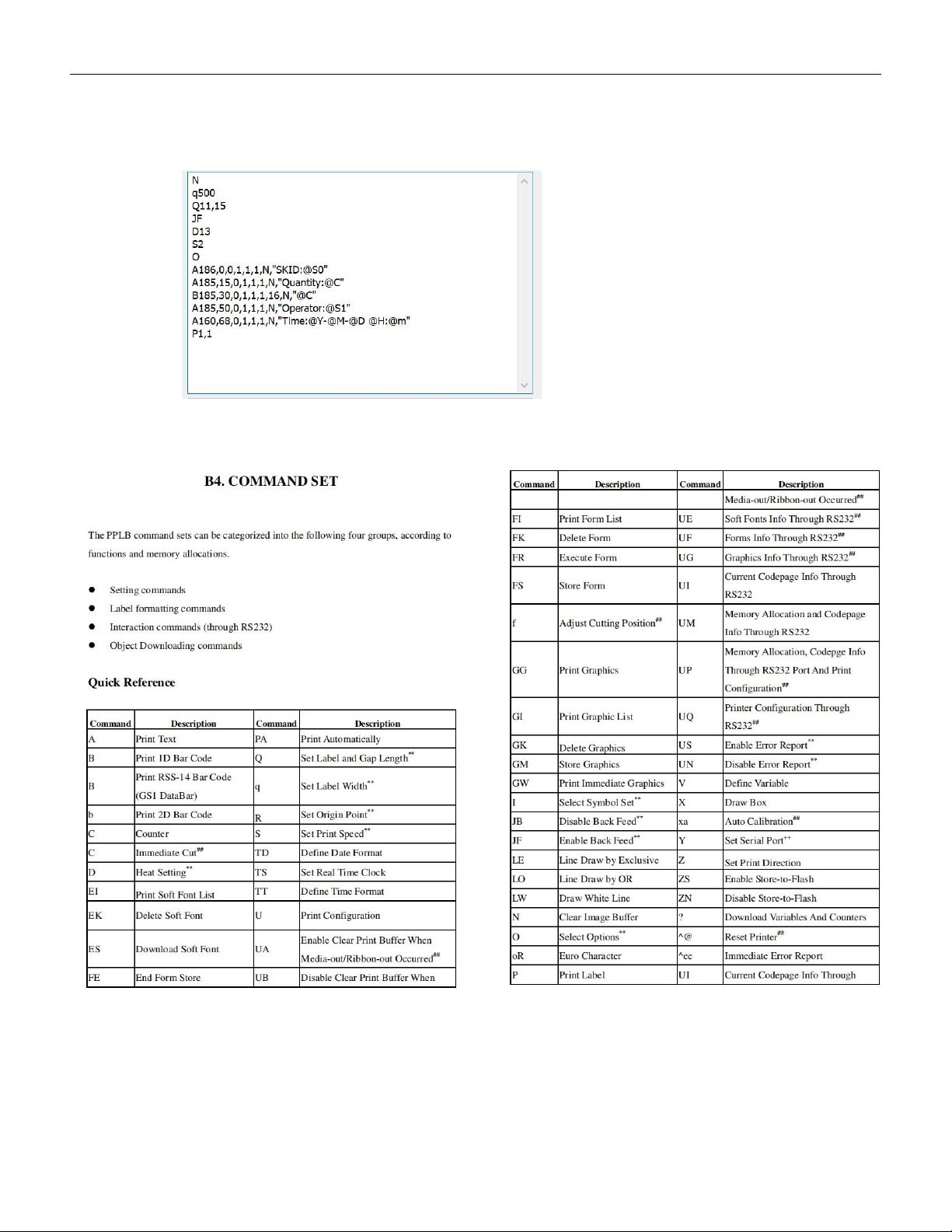
VERSION: .1.01 E 43 / 52 Q11,15 (Q: Label length,gap between 2 labels) JF (JF:Enable label return) D13 (D: Prin t definiti on) S2 (S: Print spee d) O (O:Op tion) A186,0,0,1,1,1,N,"SKID:@S0" A185,15,0,1,1,1,N,&q…
VERSION: .1.01 E
42 / 52
5.4.2 Label font settings
In the font setting area for printing, we can follow the PPLB programming
Instructions to set the label content, as shown below:
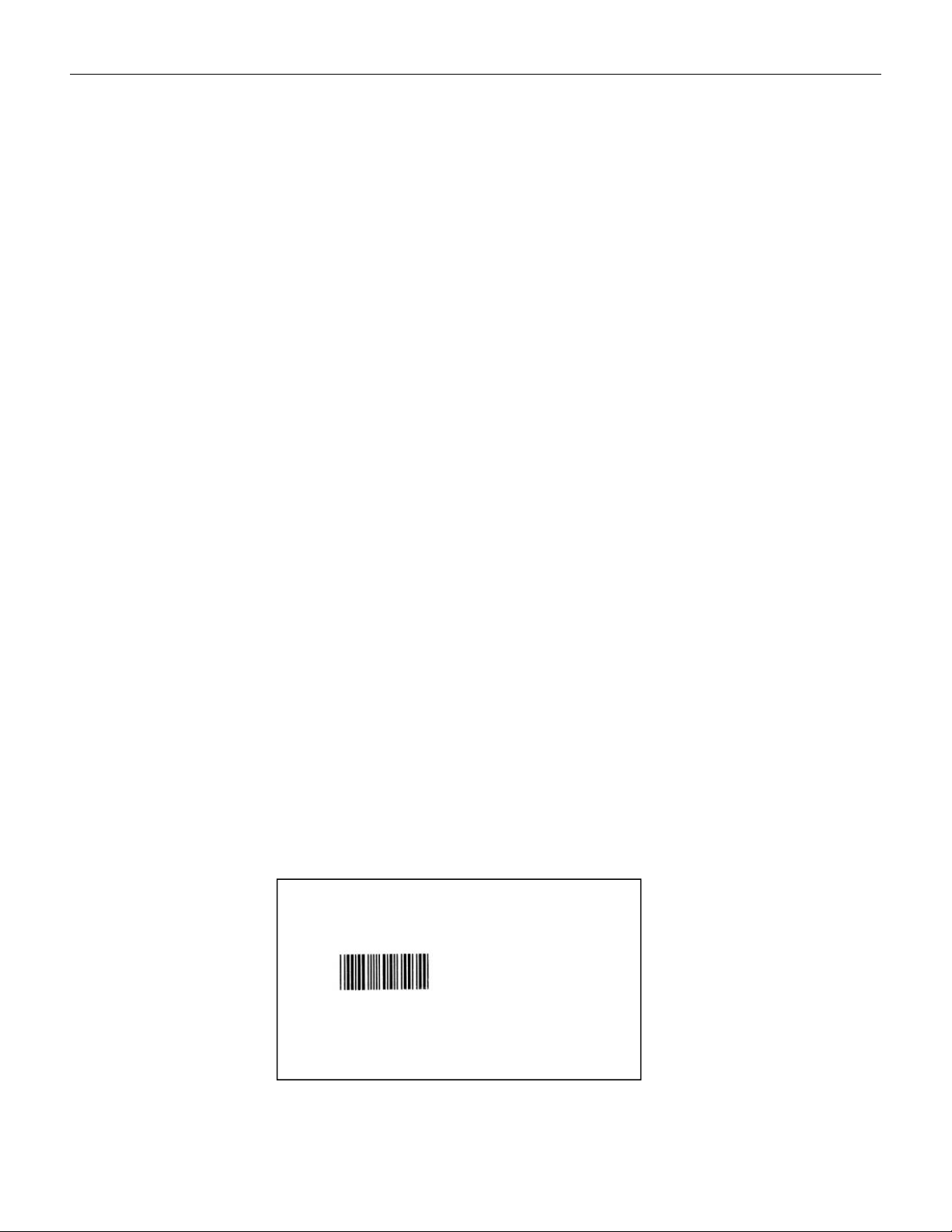
The printer supports PPLA/B programming instructions, and the meaning of
main program code are shown as below:
Taking the Zebra printer ZD888 printer as an example, we describe the code as below:
N (N:Clear cache)
q500 (q: Print width )
VERSION: .1.01 E
43 / 52
Q11,15 (Q: Label length,gap between 2 labels)
JF (JF:Enable label return)
D13 (D: Print definition)
S2 (S: Print speed)
O (O:Option)
A186,0,0,1,1,1,N,"SKID:@S0"
A185,15,0,1,1,1,N,"Quantity:@C"
B185,30,0,1,1,1,16,N,"@C"
A185,50,0,1,1,1,N,"Operator:@S1"
A160,68,0,1,1,1,N,"Time:@Y-@M-@D @H:@m"
P1,1 (P:Label number,number of copies)
Please see below for more information about the long sentence:
A:Print text
B:Print 1D barcode
N:Do not print barcode text (change the 8th digit 'N' to 'B' to print barcode
with text)
The six digit numbers represent: horizontal coordinate, vertical coordinate,
text rotation direction, barcode width, barcode height, and font style
(default is Style 1)
“”:The content to be printed is enclosed in double quotation marks.
@S0 : The content when scan at the first time.
@S1 : The content when scan at the second time.
@C :Quantity after counting.
@Y-@M-@D @H:@m :Date&Time.
The printing effect of the above code content is as below:
SKID:C0805ZKY5V6BB
Quantity:347
Operator:ZHANG SAN
Time:2024-01-01 12:00
VERSION: .1.01 E
44 / 52
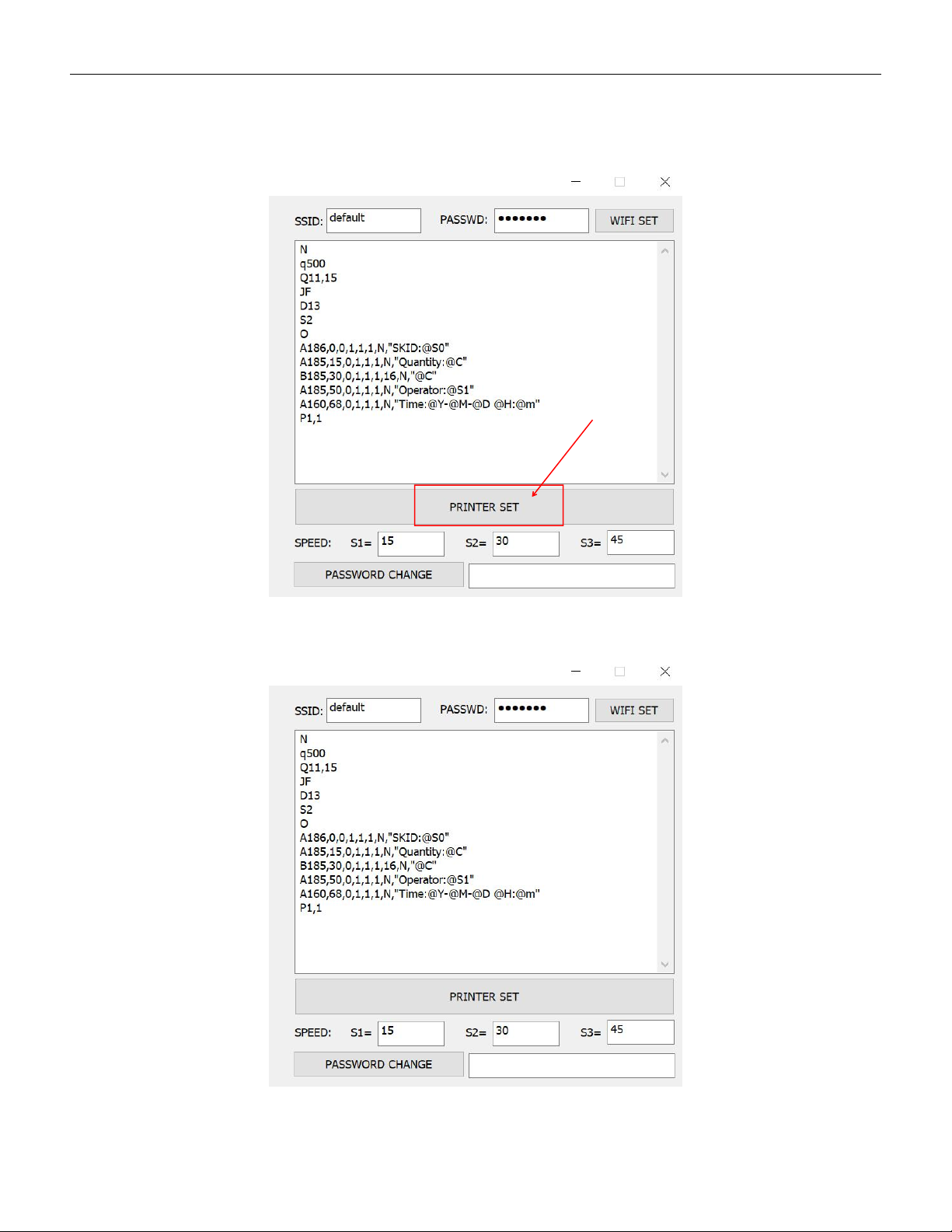
When the print code is set, click "PRINTER SET" and the device gives a "beep"sound, the
print format setting is successful and the settings are permanently saved unless it is
changed next time.
5.4.3 Set the rotating speed of counting motor