00197961-01_UM_JTF-MW_on_SIPLACE_E_en_FINAL - 第45页
Tasks on the Machine Setting the JEDEC Tray Delay User Manual JTF-MW on SIPLACE E 45 5.4 5 . 4 S e t t in g t h e J E D E C T r a y D e la y Setting the JEDEC Tray Delay The JEDEC tr ay delay is a djusted by two potentio…
Tasks on the Machine
Loading and Unloading Trays
44 User Manual JTF-MW on SIPLACE E
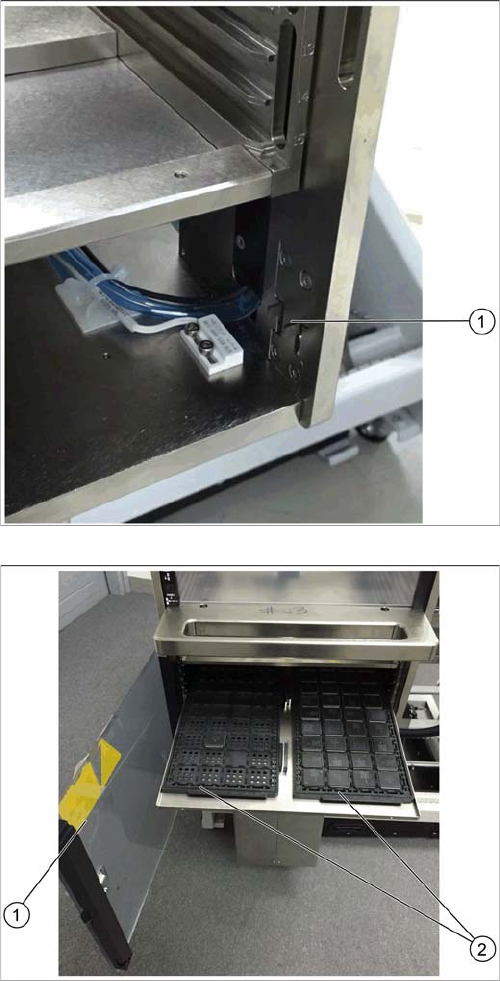
The latch mechanism of the door is unlocked (1).
► Open the door (1).
► Pull the tray carrier out.
► Place the JEDEC trays (2) onto the tray carrier.
► Close the door (1).
Tasks on the Machine
Setting the JEDEC Tray Delay
User Manual JTF-MW on SIPLACE E 45
5.4
5.4 Setting the JEDEC Tray Delay
Setting the JEDEC Tray Delay
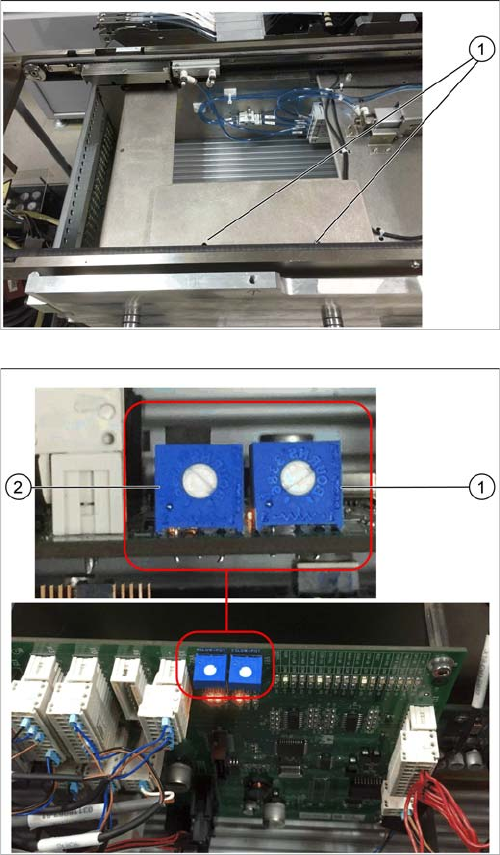
The JEDEC tray delay is adjusted by two potentiometers on the control board.
► Open the cover above the control board by loosening
the two screws (1).
1. Potentiometer for setting the speed of the forward
slow down sensor
2. Potentiometer for setting the speed of the return slow
down sensor
The factory setting for both potentiometers is 6. This set-
ting should not be changed.
► Ensure that the potentiometers are set to 6.
► Replace the cover.
Tasks on the Machine
Operating the JEDEC Tray Feeder in the Station Software (SW708)
46 User Manual JTF-MW on SIPLACE E
5.5
5.5 Operating the JEDEC Tray Feeder in the Station Software (SW708)
Operating the JEDEC Tray Feeder in the Station Software
(SW708)
SIPLACE JTF-MW feeders are available from station software version 708.0. Previous versions do not
support this feeder family.
The, SIPLACE JTF-MW is not displayed at the station until a job has been defined.
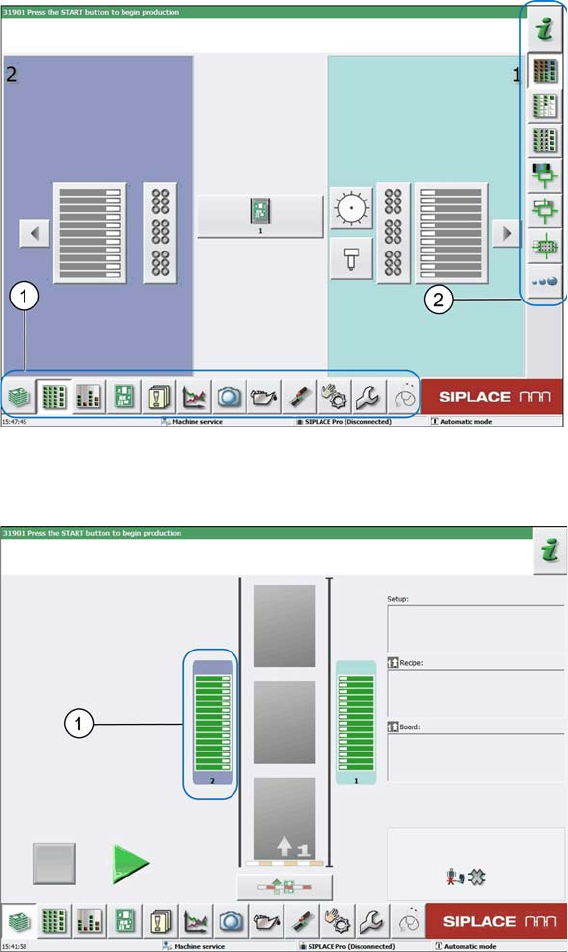
The following terms are used in the sections:
1. Menu
2. Submenu
Main view
5.5.1
5.5.1 SIPLACE JTF-MW Configured in SIPLACE Pro and Defined at Machine
SIPLACE JTF-MW Configured in SIPLACE Pro and Defined at Machine
Location view
1. Location 2