M3plus_OperationManual_e.pdf - 第114页
3 - 49 4. Creating the component information 3 Creating the PCB data 4.10 Using component feeders other than tape feeders 4.10.1 Setting the stick feeder component data When using stick feeder components (except for mult…

3 -48
3
Creating the PCB data
4. Creating the component information
9
Discard the component.
To discard the component at the dumping position, press the [Dump] button. If you
do not want to dump the component, follow the procedure below.
1.Press the [Pick Up] button.
2.When the head stops completely at the component pickup position, press the
emergency stop button and remove the component by hand from the nozzle.
3.Press the [Dump] button to stop vacuum generation.
0
Quit the Parts Adjust mode.
Press the [OK] button on the Parts Adjust screen to quit the Parts Adjust mode.
e
3 -49
4. Creating the component information
3
Creating the PCB data
4.10 Using component feeders other than tape feeders
4.10.1 Setting the stick feeder component data
When using stick feeder components (except for multi-stick feeders), make the following
settings in the component information.
1
Set the stick feeder on the feeder plate.
Install the stick feeder on the feeder plate, at a position that meets the following two
conditions.
1.Within the working range of the moving camera
The moving camera is used for teaching of the component pickup point.
2.On the front feeder plate
The component information is specified based on the component supply from the
front feeder plate.
2
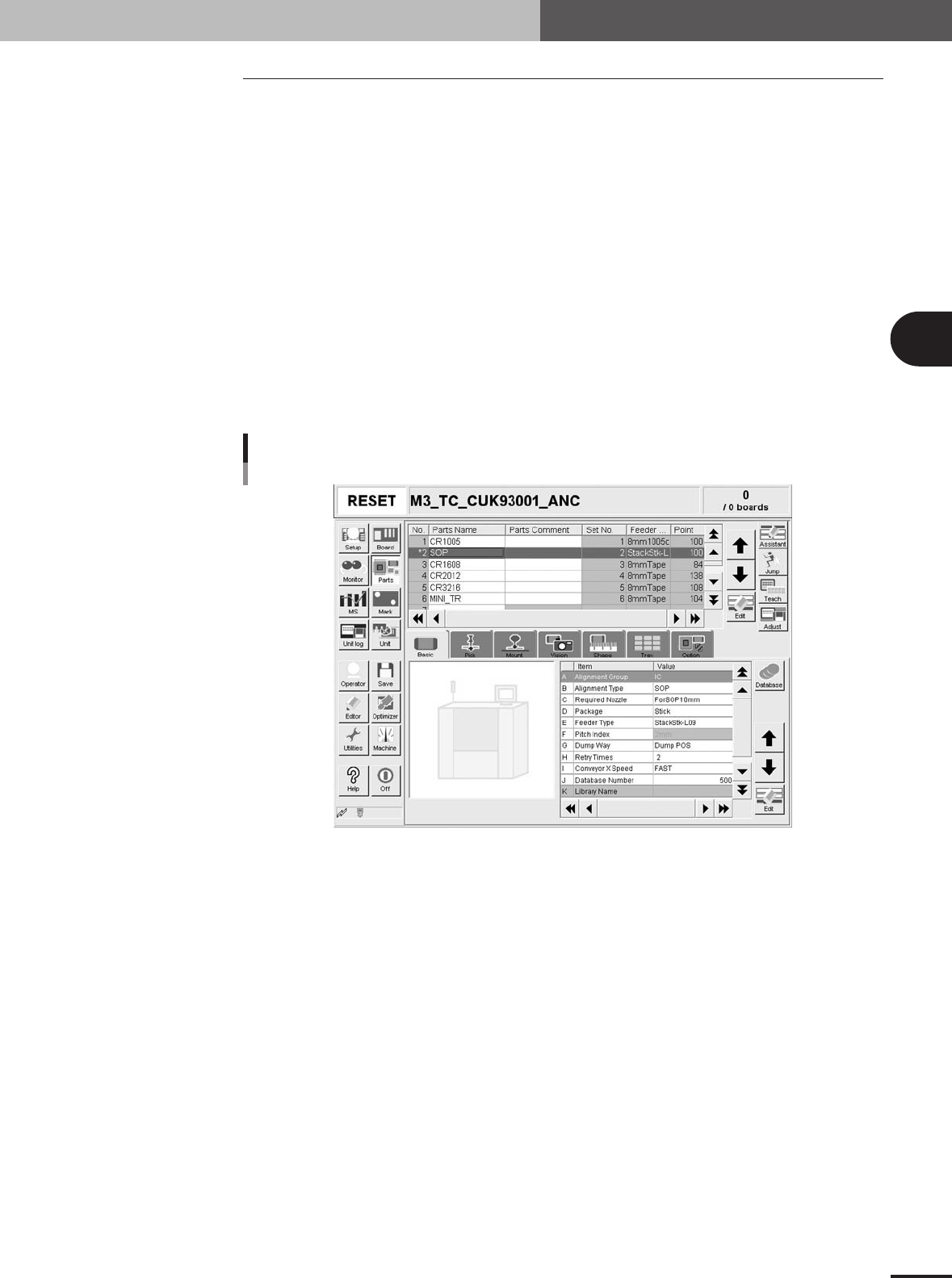
Select the component data.
Open the [Parts] screen, and line up the cursor with the data line of the component
which is supplied by the stick feeder.
Selecting the component
27432-5E-20
3
Set "Package" of the Basic parameters to "Stick".
On the [Basic] tab screen, set the "Package" parameter item to "Stick".
3 -50
3
Creating the PCB data
4. Creating the component information
4
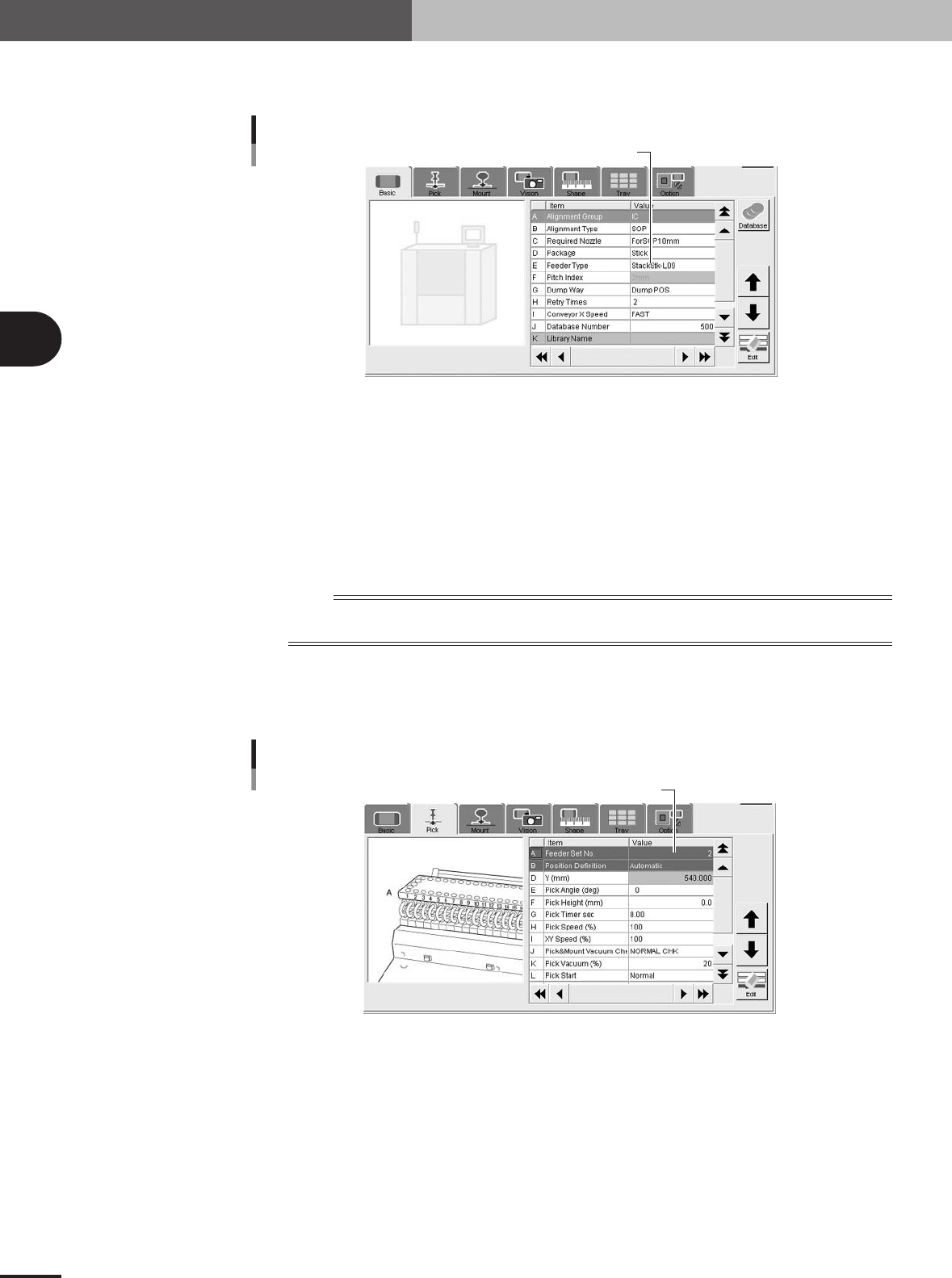
Set "Feeder Type" of the Basic parameters.
Set "Feeder Type" according to the stick feeder type you will use.
Select "Feeder Type".
Select "Feeder Type".
27433-5E-20
High-speed stick feeder
Select from among "HS-Stick-L06", "HS-Stick-L09", "HS-Stick-L13", "HS-Stick-L16", "HS-Stick-
L20" and "HS-Stick-L26". (Each number indicates the length of the component.) For other high-
speed stick feeders, select from "HS-Stick-A" to "HS-Stick-D".
Stacked stick feeder
Select from among "StackStk-L06", "StackStk-L09", "StackStk-L13", "StackStk-L16", "StackStk-
L20" and "StackStk-L26". (Each number indicates the length of the component.) For other stacked
stick feeders, select from "StackStk-A" to "StackStk-D".
n
NOTE
Stack stick feeders can only be used with machines designed for large tape feeders. Mutli-stick feeders are not
supported.
5
Set "Feeder Set No." of the Pick parameters.
Enter the number of the feeder set position at which the stick feeder knockpins are
inserted into the feeder plate.
Enter the feeder set position.
Enter the feeder set position
27434-5E-20