M3plus_OperationManual_e.pdf - 第118页
3 - 53 4. Creating the component information 3 Creating the PCB data 4.10.2 Tray shuttle feeder When supplying components from a tray shuttle feeder (called "TSF1"), make the follow- ing settings. 1 Set the TSF…
3 -52
3
Creating the PCB data
4. Creating the component information
8
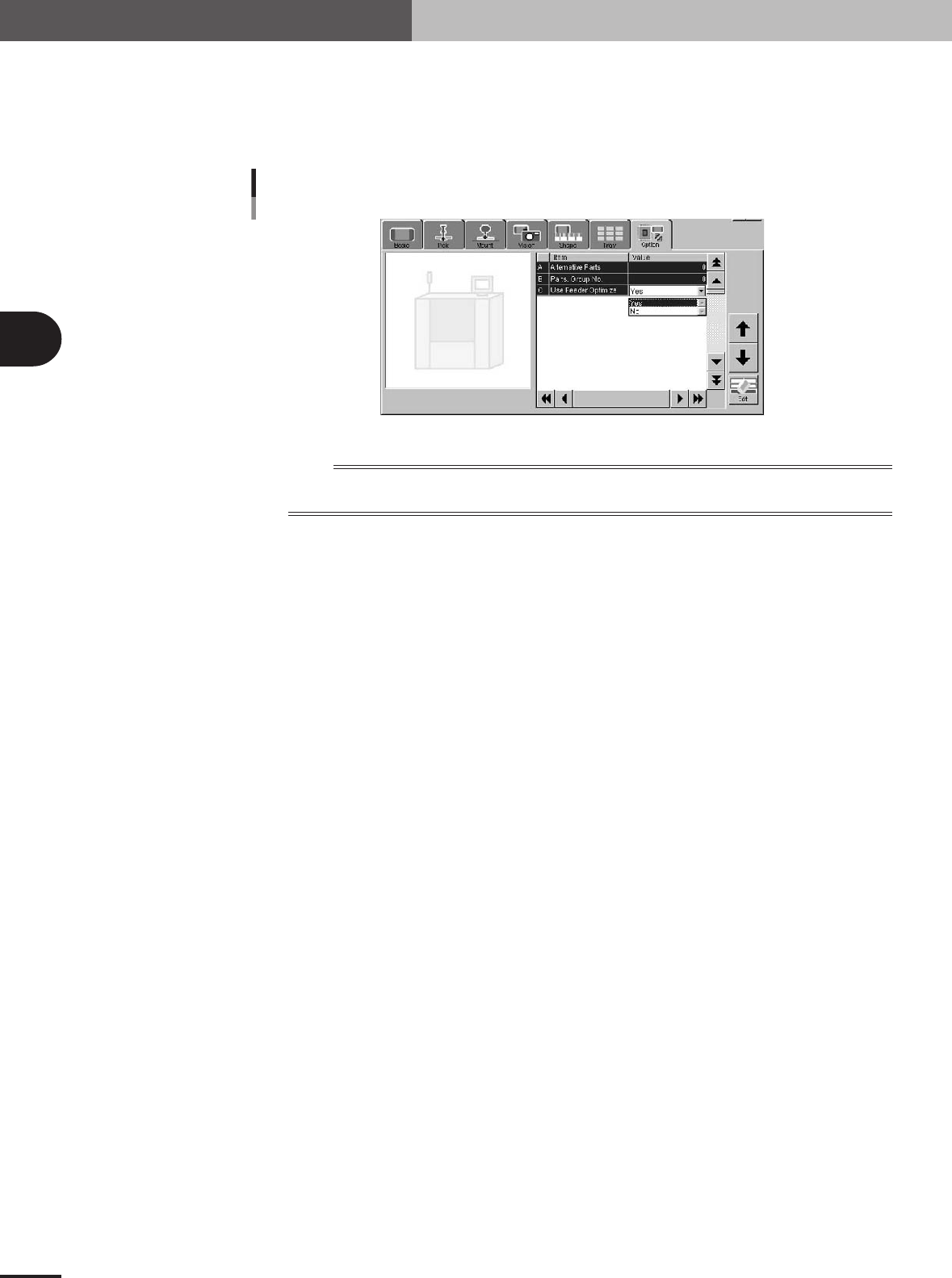
Set the data optimization.
Open the Option tab screen, and set "Use Feeder Optimize" to "Yes" or "No".
Set to "Yes" when optimizing the feeder set positions after creating the PCB data.
Set to "No" when not optimizing the feeder set positions after creating the PCB data
(to set the feeder should at a particular position).
"Use Feeder Optimize" parameter setting
27438-5E-20
n
NOTE
When the stick feeder needs to be installed at a particular position, you cannot make off-line settings. Be sure to
use teaching to enter the correct pickup point.
3 -53
4. Creating the component information
3
Creating the PCB data
4.10.2 Tray shuttle feeder
When supplying components from a tray shuttle feeder (called "TSF1"), make the follow-
ing settings.
1
Set the TSF1 on the feeder plate.
Install the TSF1 on the feeder plate and then set tray components.
n
NOTE
The TSF1 can be installed in position 1 or position 2, each of which occupies the following width on the feeder
plate.
Position 1: Occupies a width from feeder set positions 1 to 7.
Position 2: Occupies a width from feeder set positions 8 to 14.
c
CAUTION
It is not possible to install the TSF1 in position 2 only. For details on how to handle the TSF1
and set tray components, refer to the TSF1 manual at the end of this manual.
2
Select the component and set the alignment type.
Open the [Parts] screen and line up the cursor with the component that should be
supplied from the TSF1. Set "Alignment Group", "Alignment Type" and "Required
Nozzle" in the [Basic] tab grid.
3
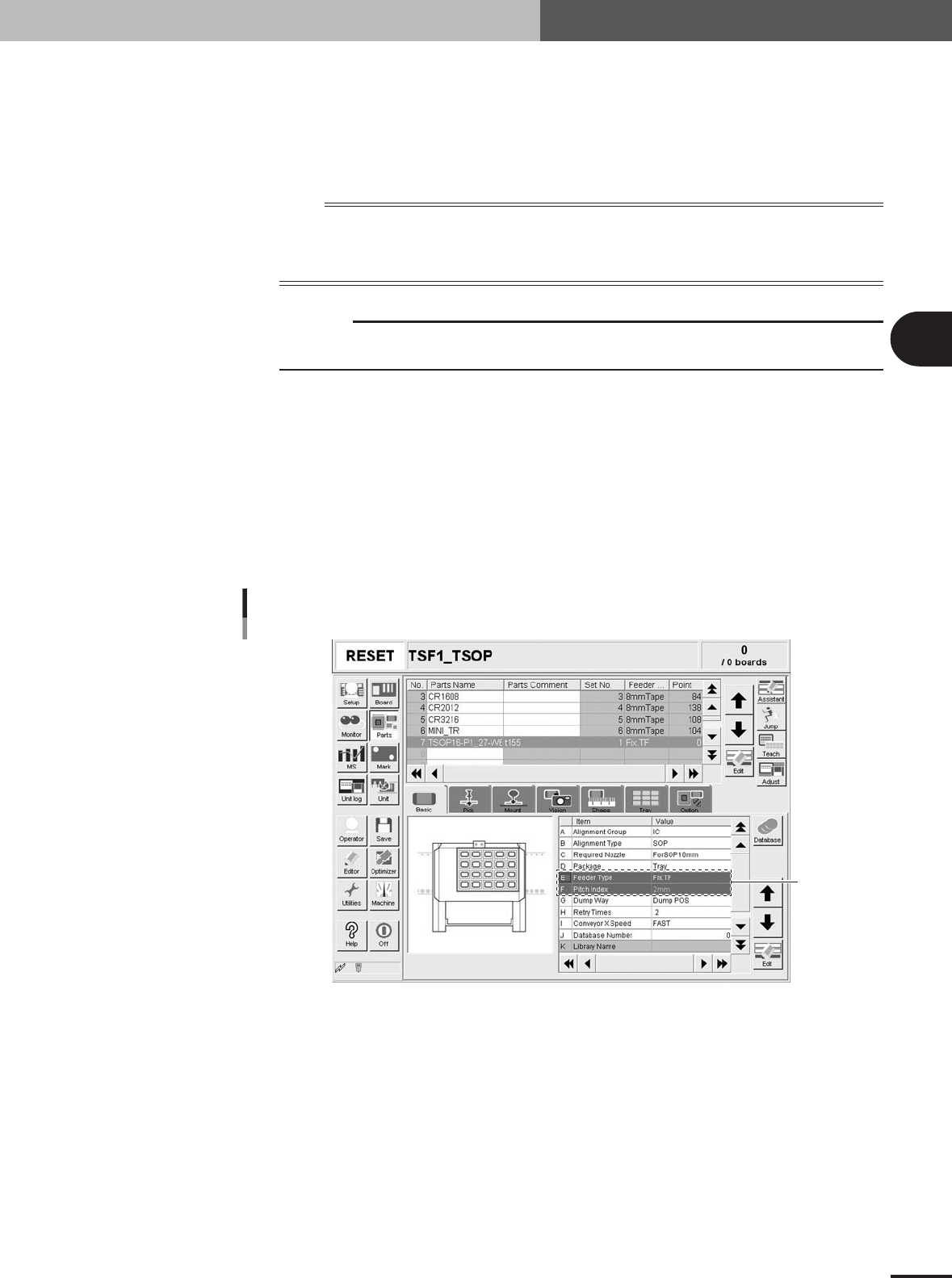
Set "Package" of the Basic parameters.
In the [Basic] tab grid, set "Tray" to "Package".
4
Set "Feeder Type" of the Basic parameters.
In the [Basic] tab grid, set "Fix. TF" to "Feeder Type".
Basic parameters
Set these
parameters.
27442-5E-20
3 -54
3
Creating the PCB data
4. Creating the component information
5
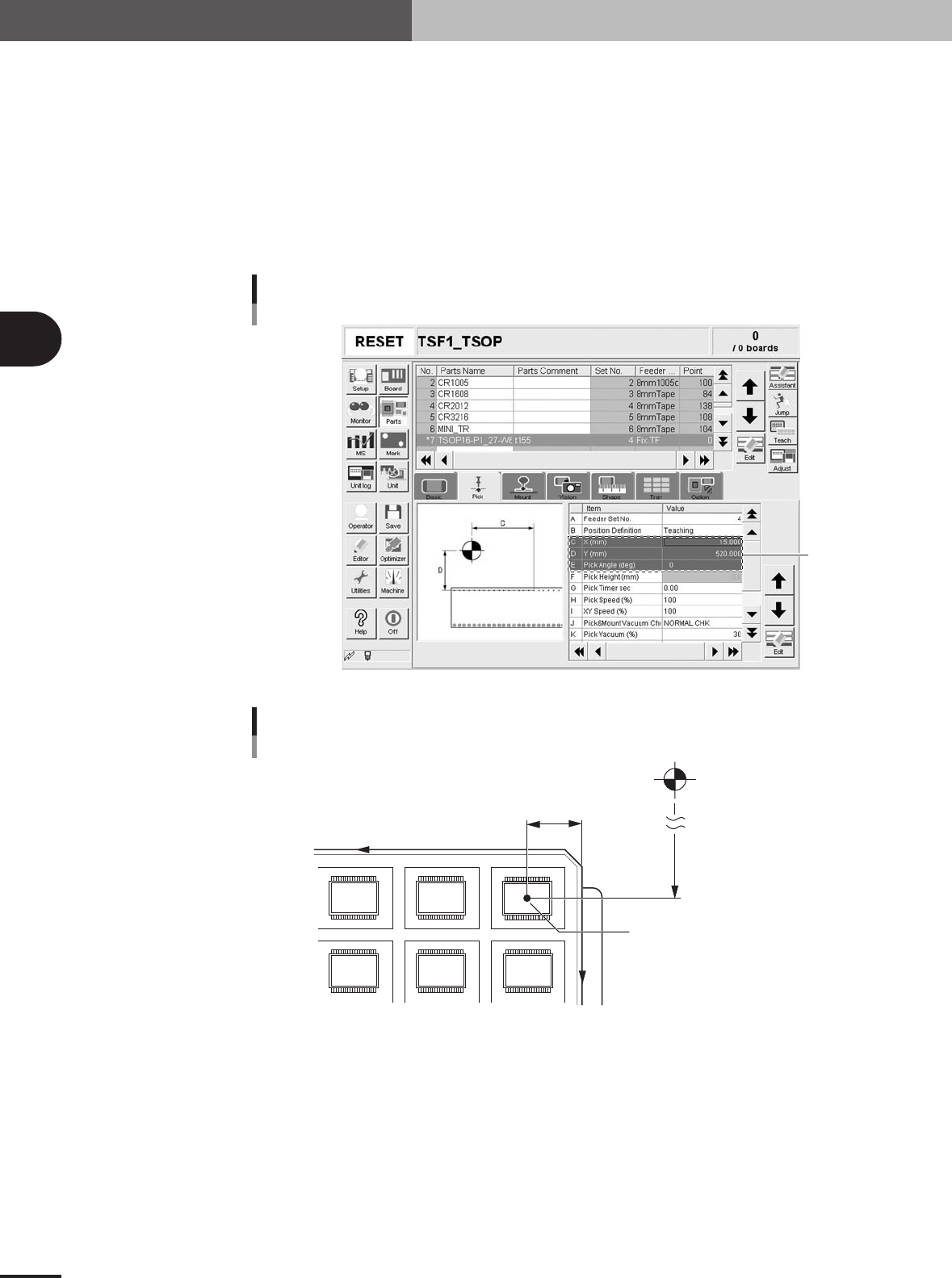
Set "Feeder Set No." of the Pick parameters.
Open the [Pick] tab and set "4" to "Feeder Set No." when you have installed the
TSF1 in position 1 or set "11" when you have installed the TSF1 in position 2.
6
Set "Position Definition" of the Pick parameters.
In the [Pick] tab grid, set "Teaching" to "Position Definition".
7
Set "X (mm)" of the Pick parameters.
Measure the distance to the tray reference position from the tray origin with a vernier
caliper or measuring tape, and then enter it in the "X (mm)" field of the [Pick] tab
grid.
Pick parameters
Set these
parameters.
27443-5E-20
Pickup position
X
Y
Pickup position X mm
(Enter this value manually.)
Pickup position Y mm
(Enter this value by teaching.)
Tray reference position (1st pickup point)
Machine origin
23434-5E-20
8
Set "Y (mm)" of the Pick parameters.
Referring to the procedure below, perform teaching for the coordinates of the compo-
nent pickup position.
1.Press the [Teach] button to open the teach window.
2.Press the emergency stop button on the TSF1 and then open the upper safety cover.
3.Move the shuttle by hand to near the pickup position (where a component on the
tray is roughly aligned with the axis of the moving camera.)
e