M3plus_OperationManual_e.pdf - 第140页
4 - 5 4 Using the adv anced functions 2. Parts parameters 2.1.2 Setting the alternative components The following steps explain how to set the alternative components using tape feeders. 1 Open the [Parts] - [Option] tab s…
4
Using the advanced functions
4-4
2. Parts parameters
2.1 Alternative components
When components in a feeder is used up during operation, the alternative component
function allows the machine to pick up components from another feeder specified as
alternative components.
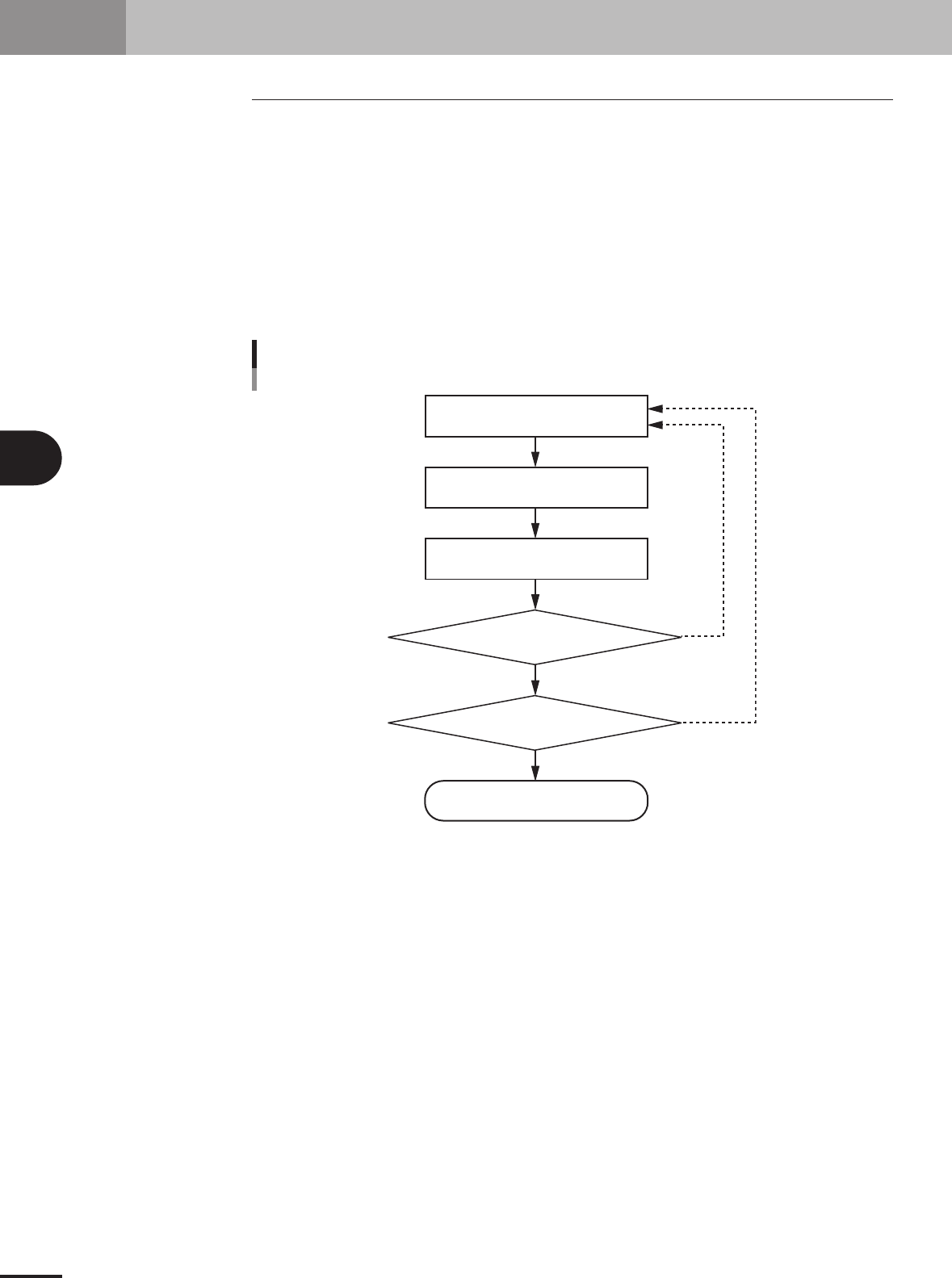
2.1.1 Component switching flow
In the Alternative component function, component feed is switched in the operation flow
explained below.
When the components in the current feeder run out, the machine allows automatic switch-
ing to the alternative component feeder without interrupting operation. When one cycle
using alternative components is complete, the machine stops and a message asking you to
resupply the components then appears.
YES
YES
NO
NO
Component switch flow
Tape feeder/stick feedercomponents
Out of components
Running
Machine stops
Automatically switches
to alternative components
Is one cycle
using alternative component group
complete?
Were components
resupplied during running?
23448-5E-20
4 -5
4
Using the advanced functions
2. Parts parameters
2.1.2 Setting the alternative components
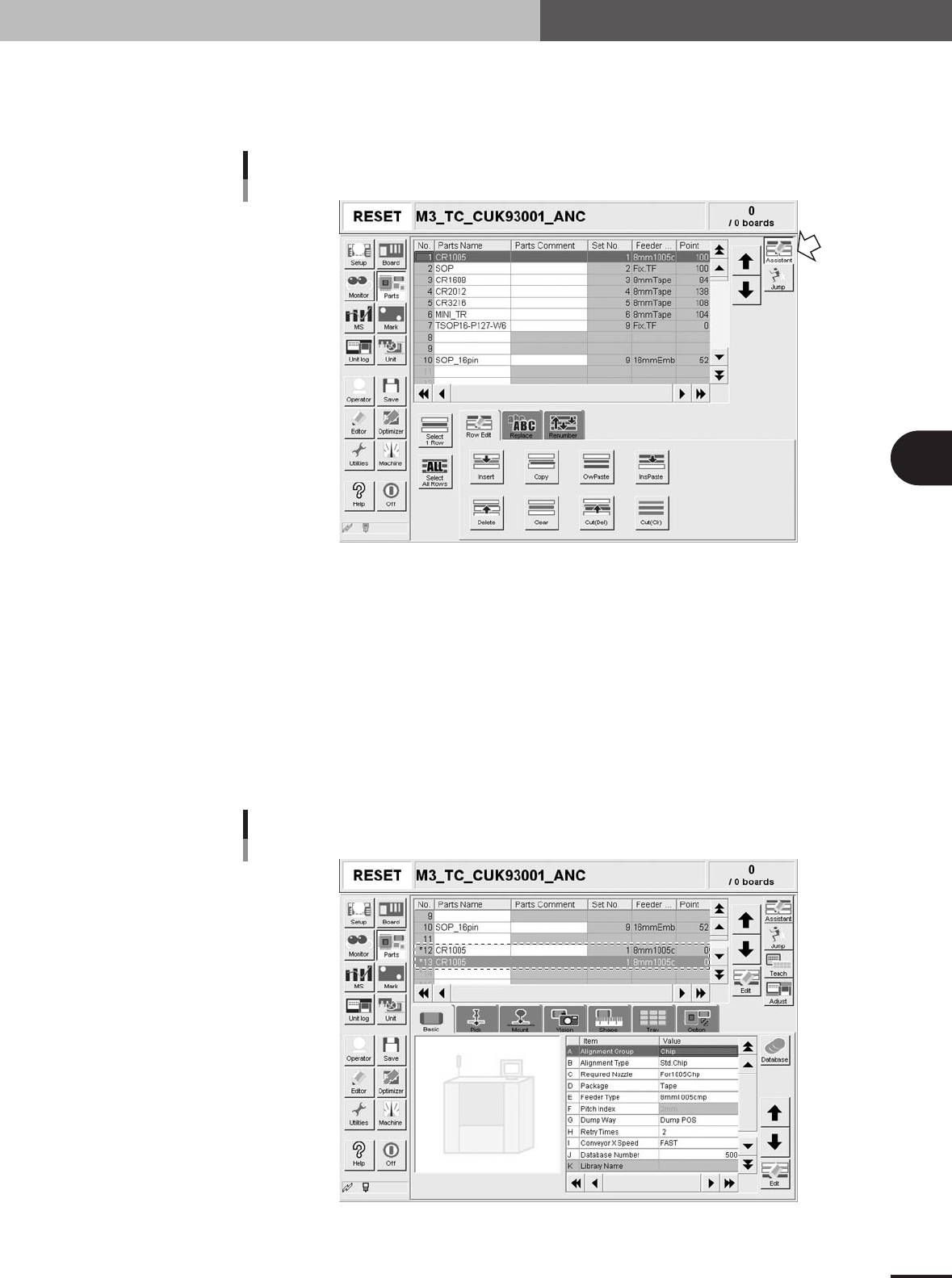
The following steps explain how to set the alternative components using tape feeders.
1
Open the [Parts] - [Option] tab screen
Parts Information screen
Edit Assistant mode
27474-5E-20
1
Select the source component.
In the upper grid display, select the source component to create the alternative
component data.
2
Enter the Edit Assistant mode and press the [Copy] button.
Press the [Assistant] button at the upper right to enter the Edit Assistant mode and
then press the [Copy] button on the [Row Edit] tab that appears.
3
Paste the data.
Select an empty row in the grid display and press the [InsPaste] button. For example,
paste the data onto data rows No. 12 and No. 13 to use two tape feeders as alterna-
tive components.
Pasting the data as alternative components
27476-5E-20
4 -6
4
Using the advanced functions
2. Parts parameters
4
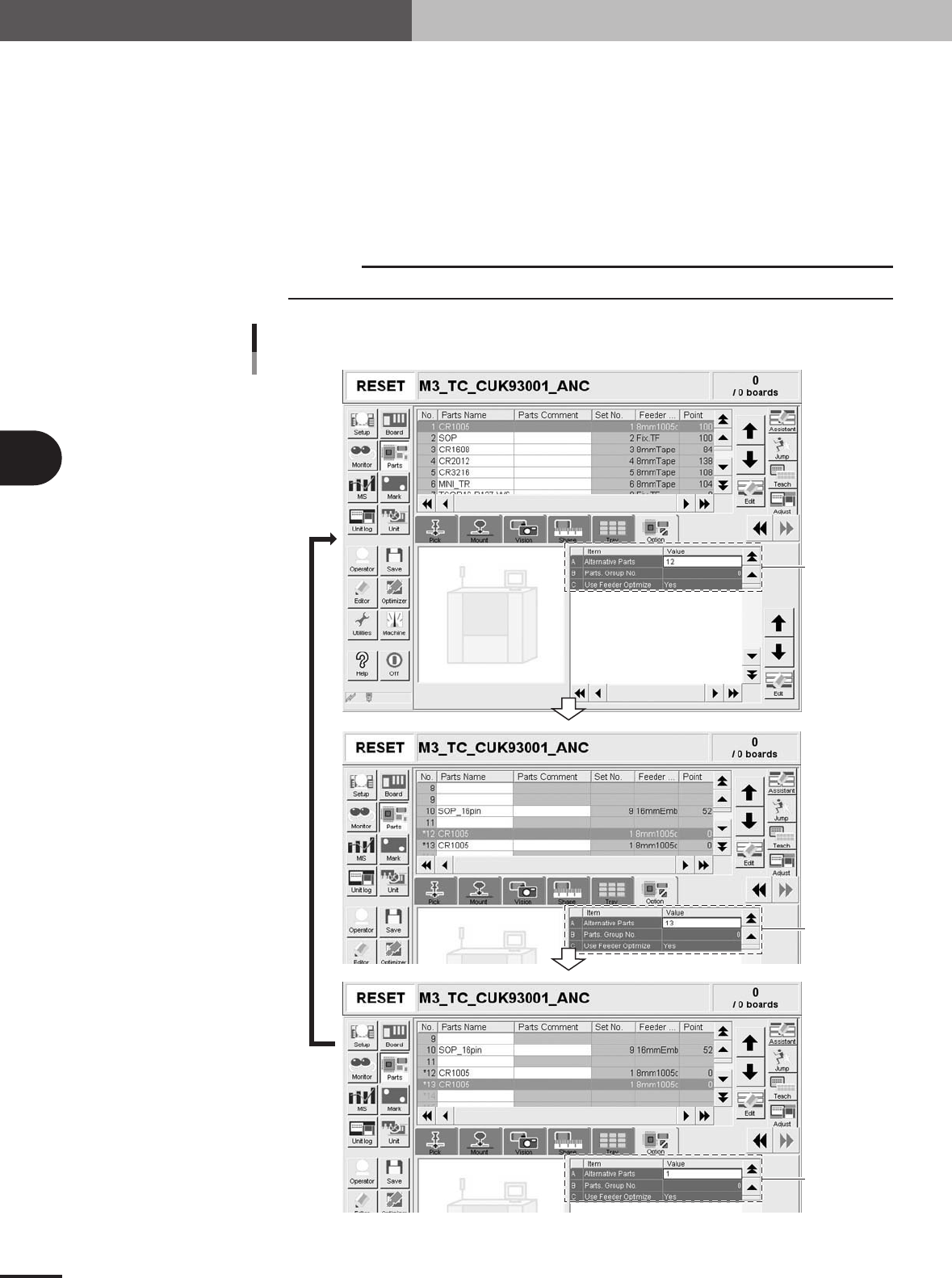
Specify the alternative component numbers.
When data No. 12 and No. 13 in the data list are used as alternative components for
data No. 1, make the settings as follows.
1.Select data No. 1 and set the "Alternative Parts" parameter to "12".
2.Select data No. 12 and set the "Alternative Parts" parameter to "13".
3.Select data No. 13 and set the "Alternative Parts" parameter to "1".
The settings above mean that the alternative component for No. 1 is No. 12, that
for No. 12 is No. 13, and that for No. 13 is No. 1, just like making a loop as an
alternative component group.
c
CAUTION
Data No. for alternative components must make a loop.
Set to "12".
Set to "13".
Set to "1".
Alternative component number settings
27477-5E-20