M3plus_OperationManual_e.pdf - 第156页
4 - 21 4 Using the adv anced functions 6. Recognition image check and save function This function allows you to check and save the image that was recognized immediately before the machine stopped during automatic operati…
4 -20
5. Edit Assistant function
4
Using the advanced functions
5.5 Renumber
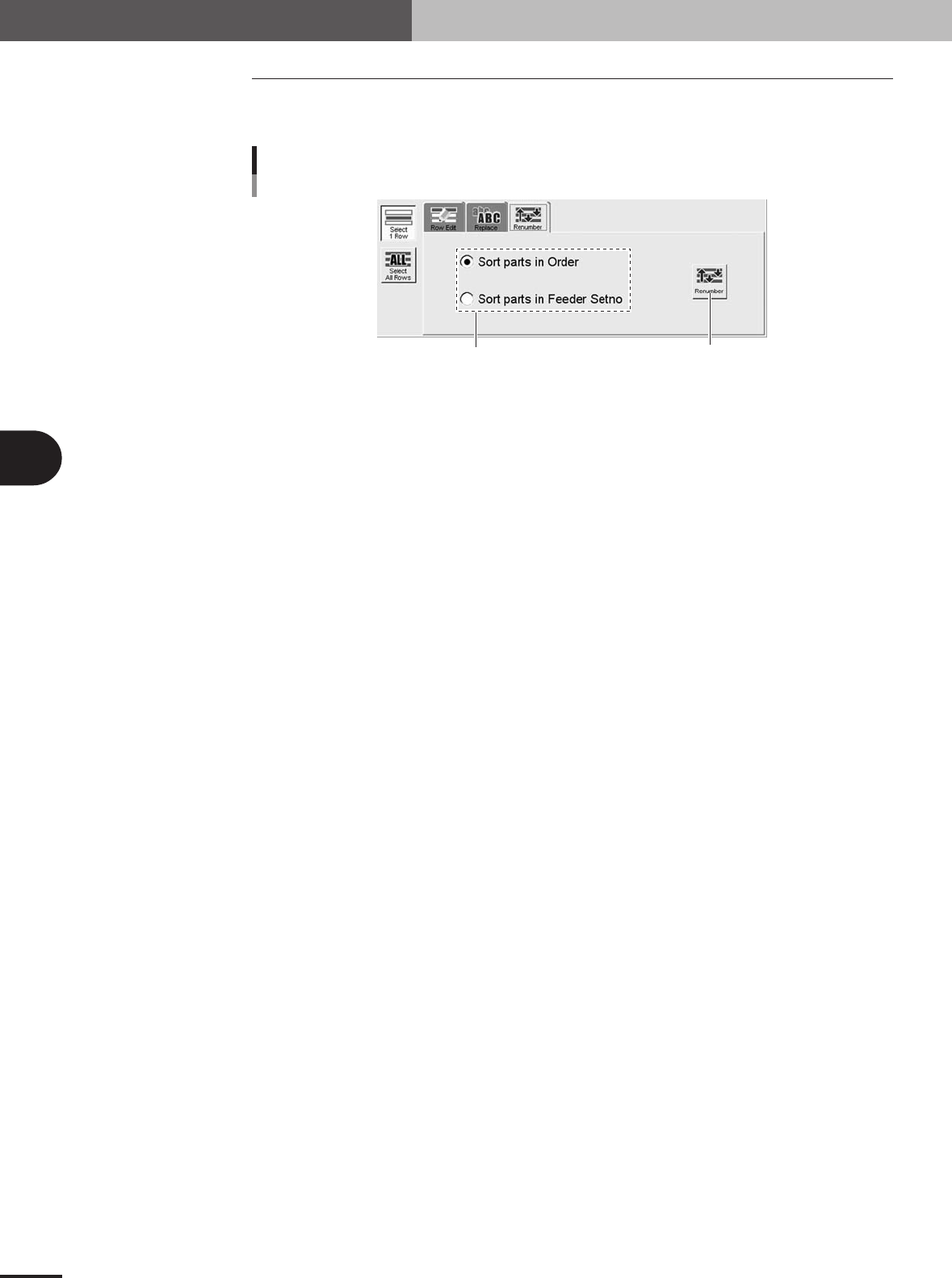
The [Renumber] button on the Renumber tab sorts the data according to the conditions
selected with the option button.
Select the sort conditions.
[Renumber] button
[Renumber] button
27484-5E-20
■ Sort parts in order
Renumbers all rows while removing blank rows.
■ Sort parts in Feeder Set No.
Rearranges the data into the rows with the same number as feeder set No.
4 -21
4
Using the advanced functions
6. Recognition image check and save function
This function allows you to check and save the image that was recognized immediately before the
machine stopped during automatic operation. You can use the saved image data to analyze recogni-
tion errors that stopped the machine.
■ How to use
1
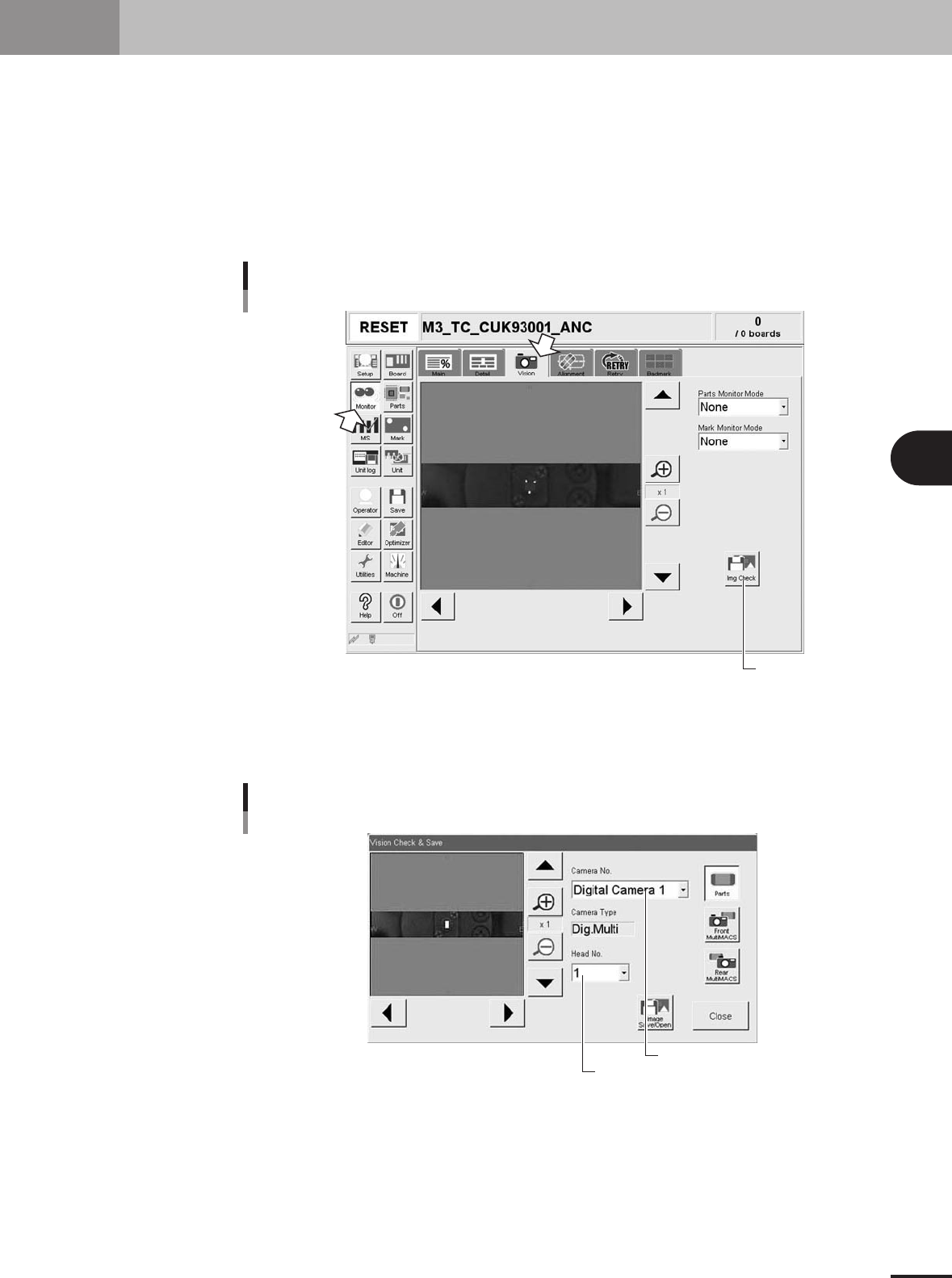
Press the [Img Check] button.
On the [Vision] tab of the [Monitor] screen, press the [Img Check] button. The "Vision
Check & Save" dialog box appears.
Press this button.
[Img Check] button
27485-5E-20
2
Select the image.
Select the image you want to check or save, by specifying the camera No. from the
"Camera No." drop-down list and the head No. from the "Head No." drop-down list.
Select the camera.
Select the head.
Selecting the image
27486-5E-20
4 -22
4
Using the advanced functions
6. Recognition image check and save function
3
Save the image.
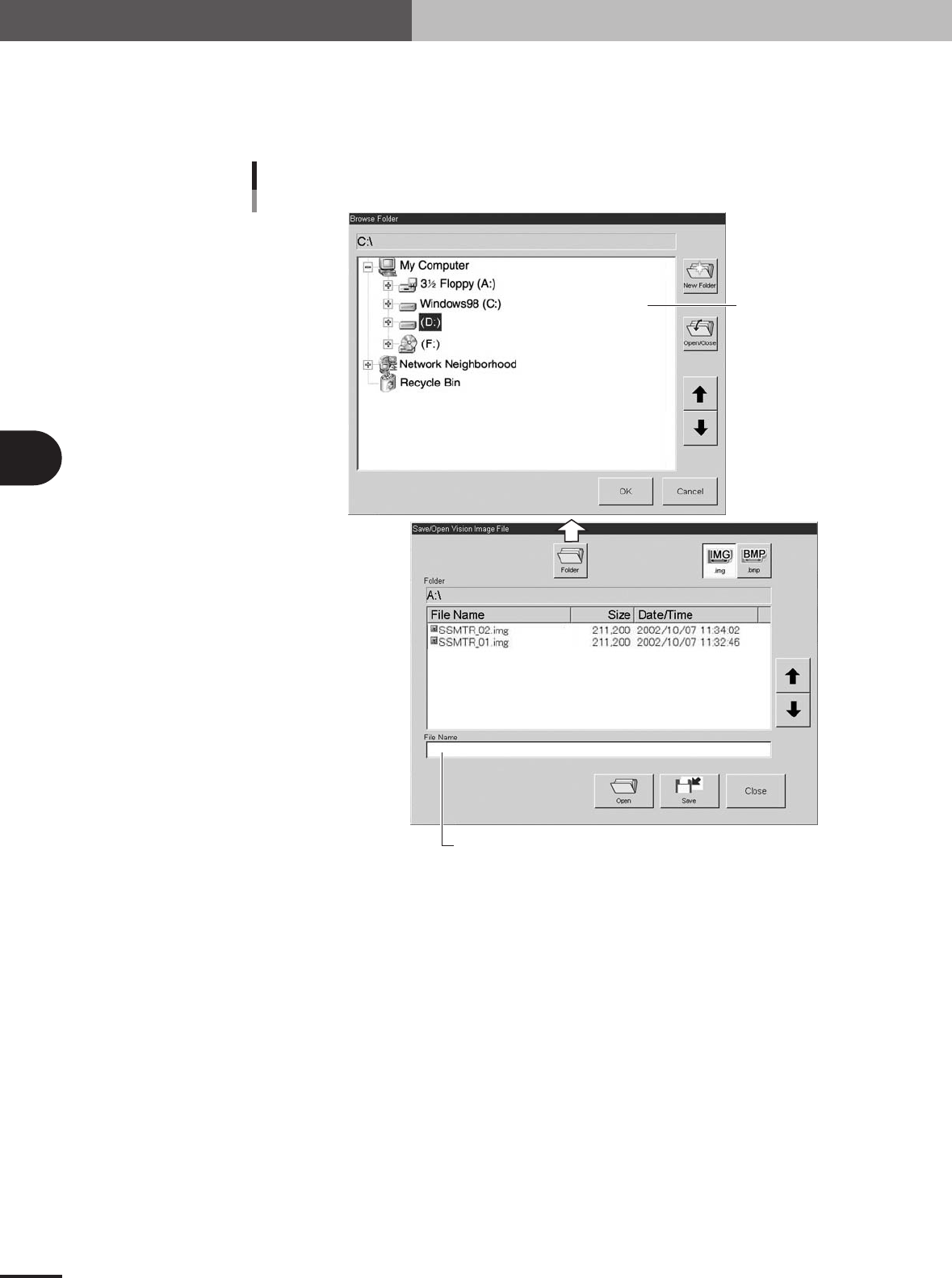
1.Press the [Image Save/Open] button in the "Vision Check & Save" dialog box.
2.Select the folder and enter the file name.
3.Press the [Save] button.
Enter the file name to save the image.
Select the folder.
Saving the image
27487-5E-20