M3plus_OperationManual_e.pdf - 第169页
5 - 4 5 Editing the PCB data 1. Using the Editor 1.1.4 Copying and pasting the data To copy and paste data lines, proceed as follows. 1 Select the data lines to be copied. 1. Click the top line of the data lines to be co…
5 -3
5
Editing the PCB data
1. Using the Editor
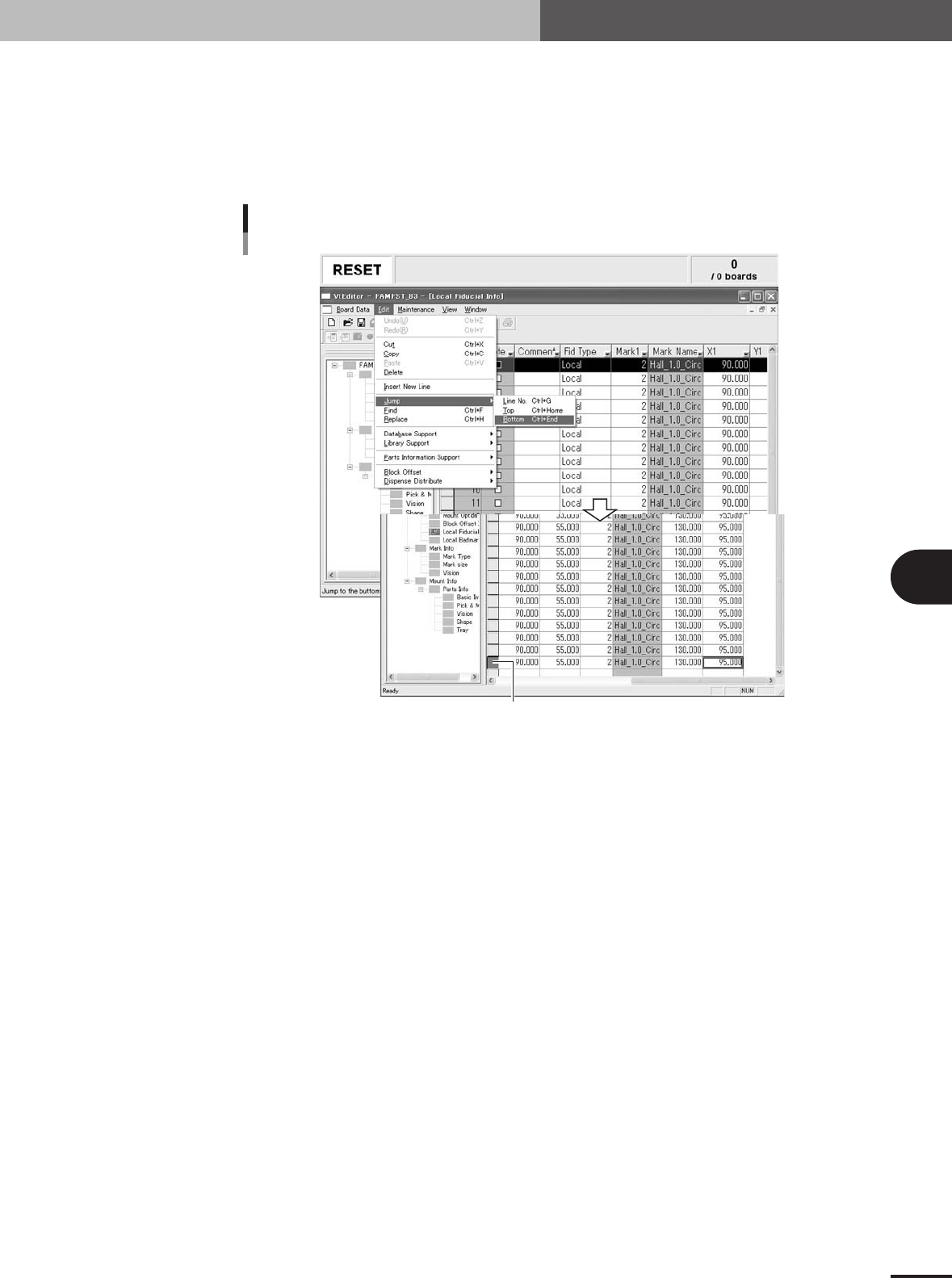
1.1.3 Jump to the bottom line
To jump to the bottom line, proceed as follows.
1
Place the cursor at any position in the main view window.
2
Select "Jump" - "Bottom" from the Edit menu.
The cursor will jump to the bottom line.
"Jump" - "Bottom" command
The cursor jumps to the last line.
27508-5E-20
5 -4
5
Editing the PCB data
1. Using the Editor
1.1.4 Copying and pasting the data
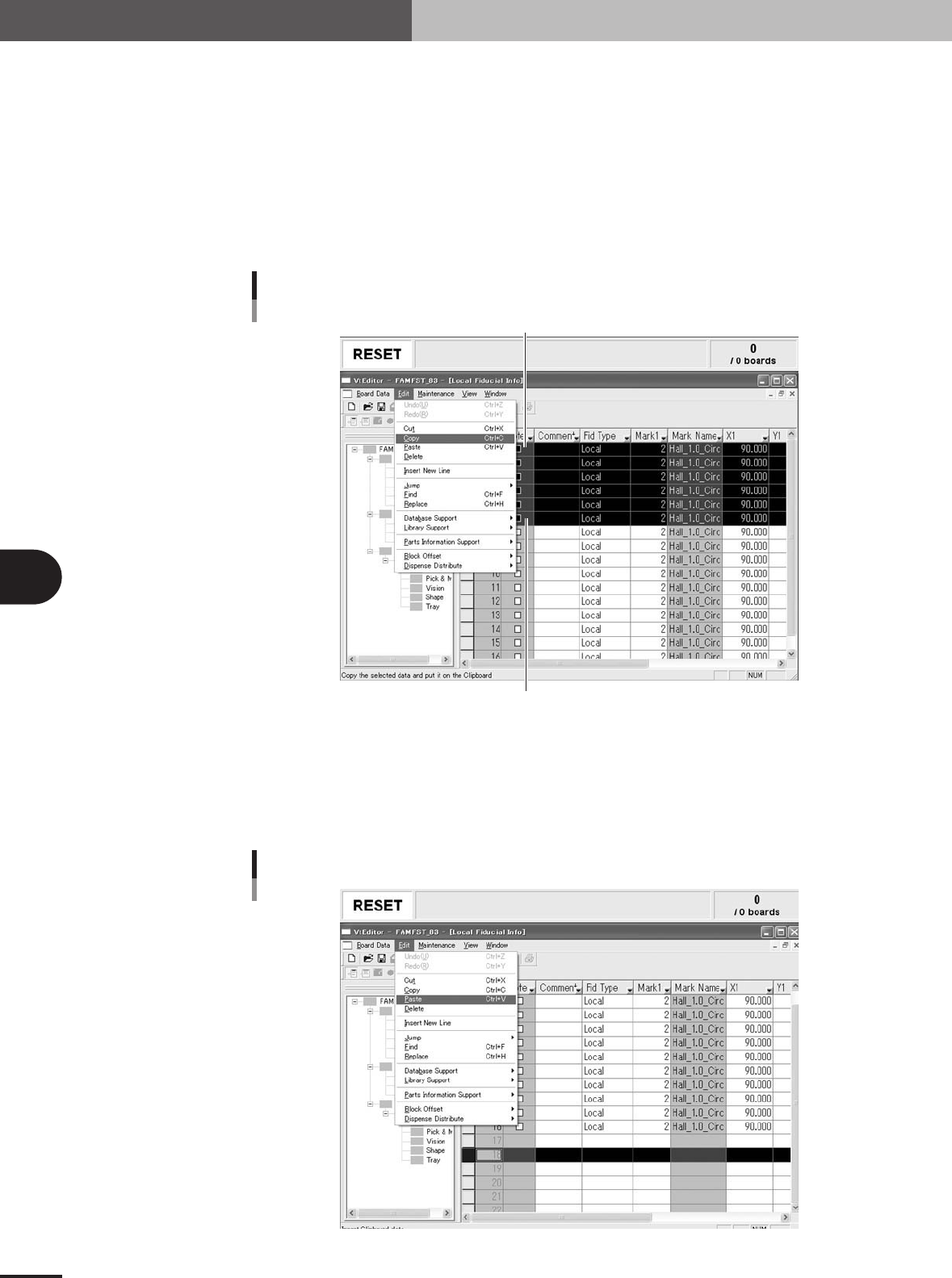
To copy and paste data lines, proceed as follows.
1
Select the data lines to be copied.
1.Click the top line of the data lines to be copied.
The selected line is highlighted.
2.While holding down the [Shift] key, click the last line of the data lines to be copied.
All data lines between the two specified lines are highlighted.
2
Select "Copy" from the Edit menu.
"Copy" command
Click here while holding down the Shift key.
Top of selected range
27509-5E-20
3
Click the line where you want to paste the copied data.
The selected line is highlighted.
4
Select "Paste" from the Edit menu.
The "Paste" dialog box appears asking how to paste the data.
"Paste" command
27510-5E-20
5 -5
5
Editing the PCB data
1. Using the Editor
5
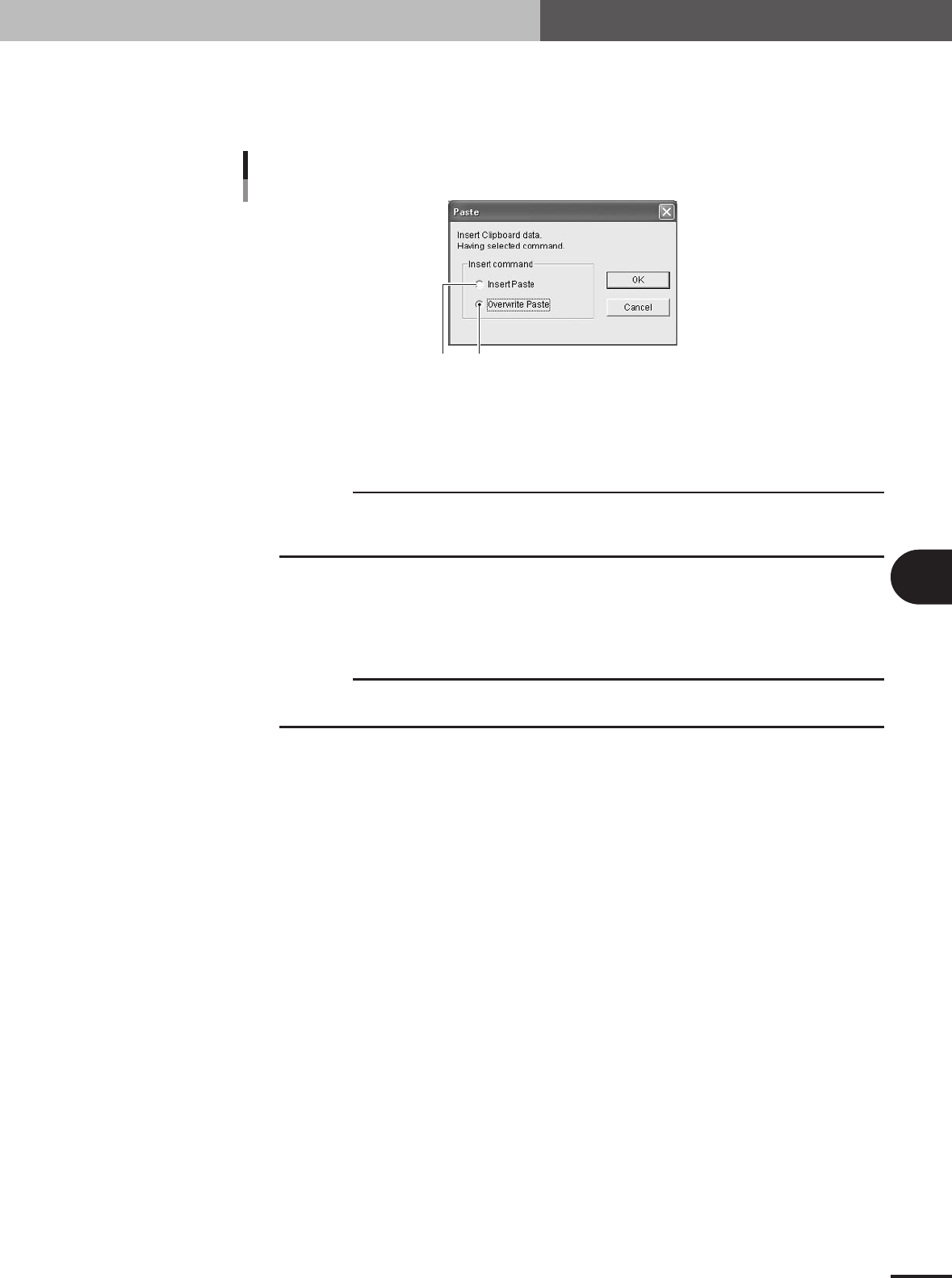
Select the method for pasting the data.
On the "Paste" dialog box, select "Insert Paste" to insert the data or "Overwrite
Paste" to paste over the selected lines, and then click the [OK] button to paste the
data.
"Paste" dialog box
12
27511-5E-20
1 When "Insert Paste" is selected:
The data is inserted just prior to the selected line, so the data lines after the insertion position are
shifted down by the number of lines equal to the inserted lines.
c
CAUTION
When the data is pasted in "Insert Paste" mode, the current data numbers after the insertion
position will be shifted. This may cause a data mismatch when the data line number is used in
other locations, resulting in an error. So use caution.
2 When "Overwrite Paste" is selected:
The data is pasted while replacing the data by the number of lines equal to the pasted lines, starting
from the selected line. For this reason, a warning message appears. Click the [OK] to paste the data,
or click the [NO] button if canceling the paste.
c
CAUTION
When the data is pasted in "Overwrite Paste" mode, the current data in the specified line range
will be replaced. So use caution.