M3plus_OperationManual_e.pdf - 第186页
5 - 21 5 Editing the PCB data 3. Optimizing the data 3.1 Setting the optimizing conditions This section explains the methods for setting the conditions to optimize the PCB data. 1 Press the [Optimizer] button. The Optimi…
5
Editing the PCB data
5-20
3. Optimizing the data
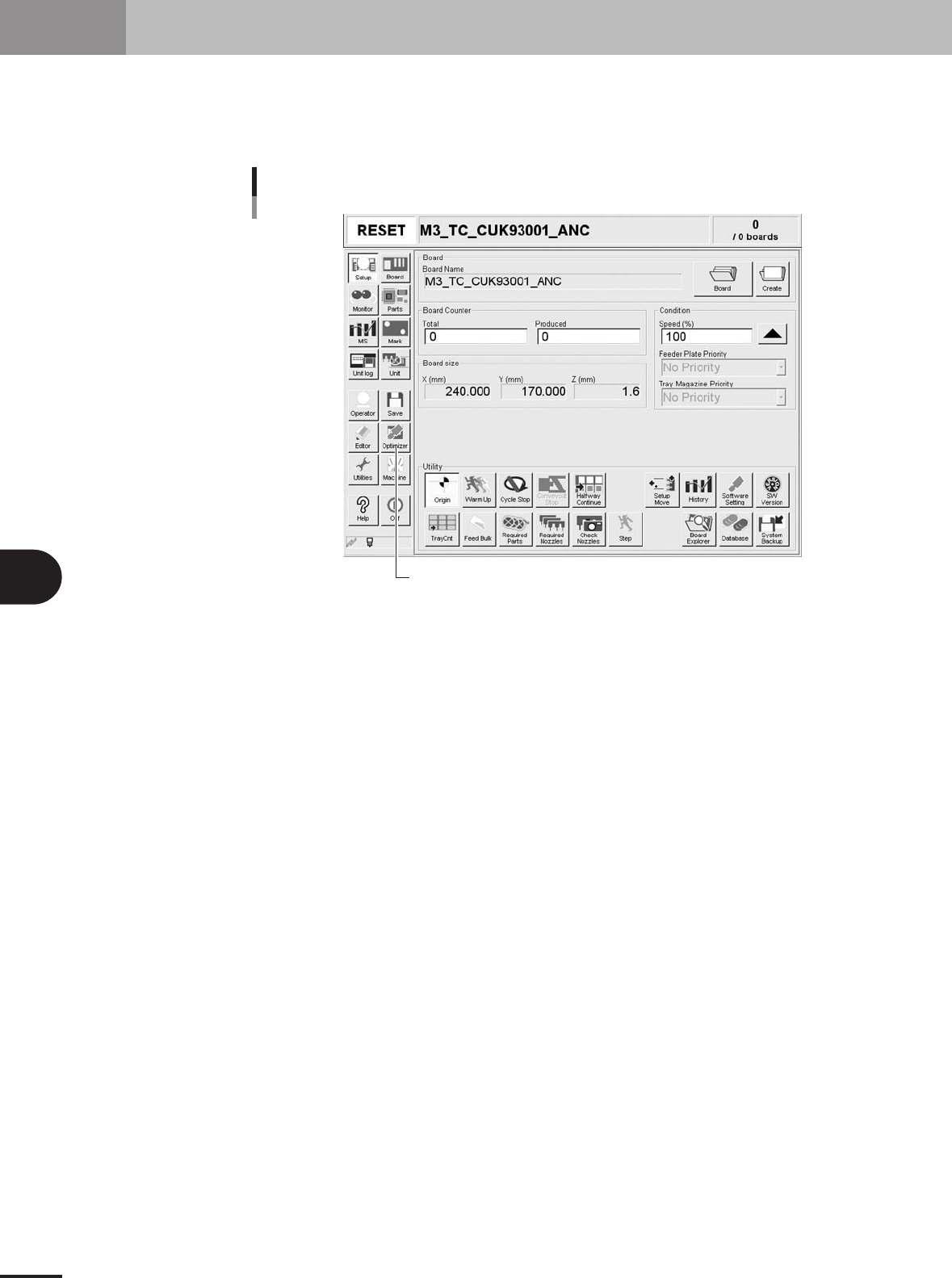
The production PCB data can be automatically rewritten into more efficient data by carrying out
optimization. The methods for optimizing the "feeder set position", "head No." and "mounting order"
are explained in this section. Press the [Optimizer] button in the main menu button area to carry out
optimization.
[Optimizer] button
[Optimizer] button
27201-5E-2E
5 -21
5
Editing the PCB data
3. Optimizing the data
3.1 Setting the optimizing conditions
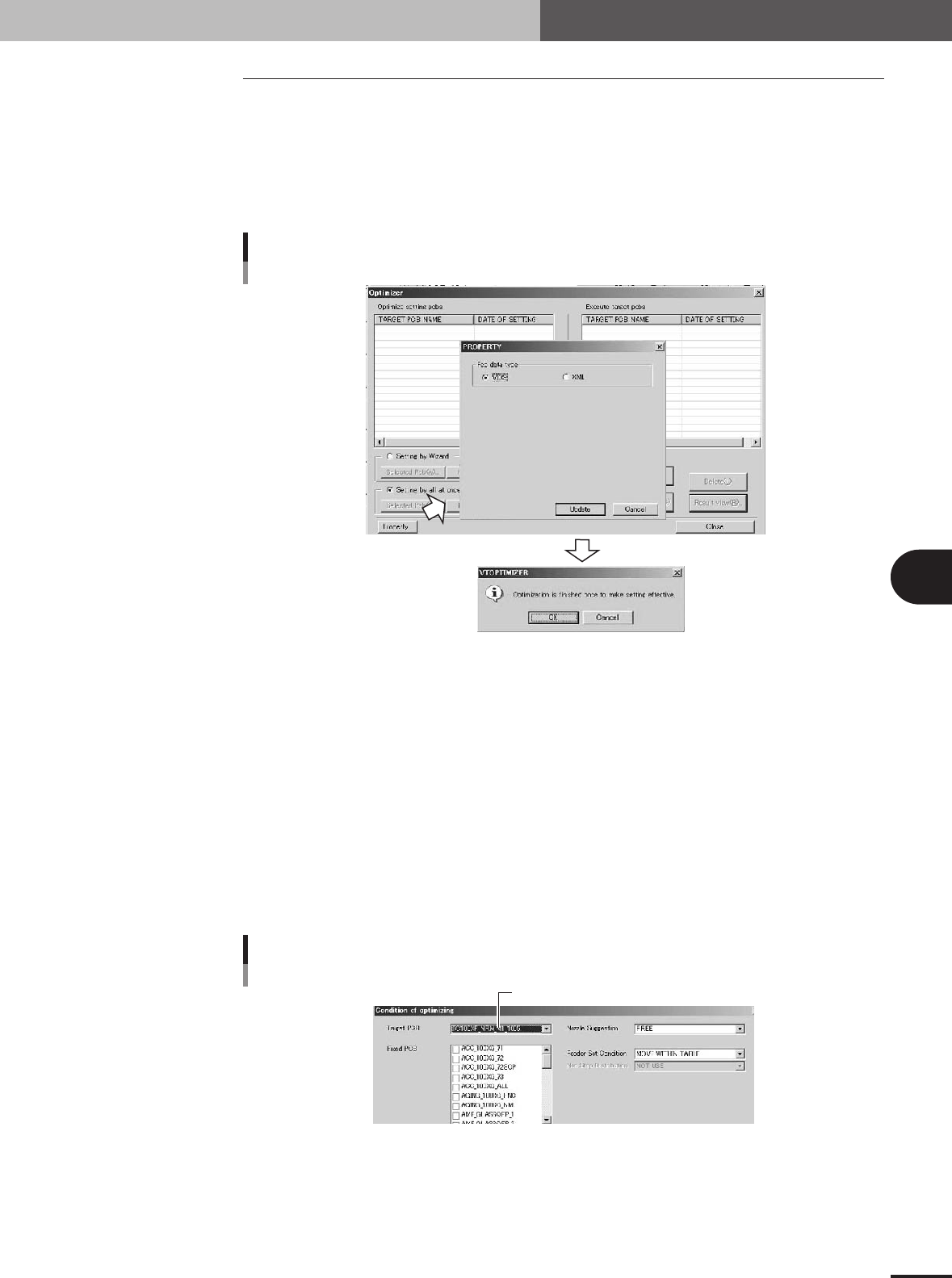
This section explains the methods for setting the conditions to optimize the PCB data.
1
Press the [Optimizer] button.
The Optimizer window appears as shown below.
2
Press the [Property] button.
The Property dialog box appears for selecting “VIOS" or "XML".
Selecting the data to be optimized
27456-5E-20
3
Select "VIOS" or "XML" and press the [Update] button.
When a check dialog box appears, press the [OK] button.
You will then exit Optimizer mode to enable the setting.
4
Press the [Optimizer] button again.
The Optimizer window appears again.
5
Select the PCB to be optimized.
When "VIOS" was selected in step 3:
1. Press the [New Pcb] button.
The optimizer condition setting screen for "VIOS" will open.
2. Select the PCB from the "Target PCB" dropdown list.
Select the PCB data.
Selecting VIOS PCB data
27459-5E-20
5 -22
5
Editing the PCB data
3. Optimizing the data
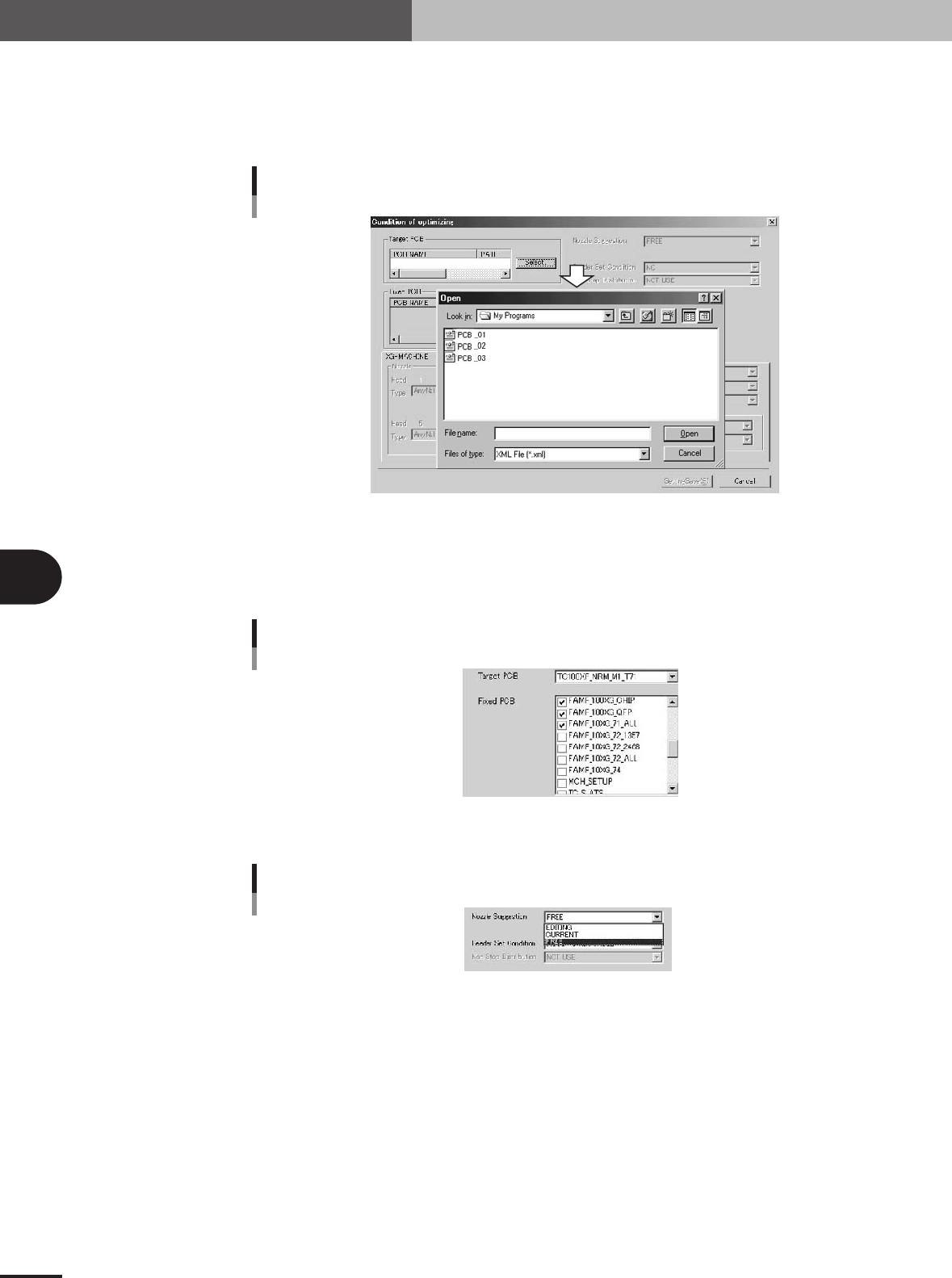
When "XML" was selected in step 3:
1. Press the [New Pcb] button.
The optimizer condition setting screen for "XML" will open.
2. Press the [Select] button to select the PCB to be optimized.
Selecting XML PCB data
27460-5E-20
6
Select the fixed PCB.
The fixed PCB refers to PCB data using the feeder set positions which are not to be
changed with data optimization. Data optimization will be carried out without
changing the setup of the PCB data checked here.
Selecting the fixed PCB (VIOS)
27461-5E-20
7
Select "Nozzle Suggestion".
Nozzle Suggestion
27462-5E-20
FREE
The nozzle is automatically set so that the cycle time is the shortest.
EDITING
When this is selected, data can be input in the bottom left "Nozzle" boxes, and the
nozzle used for each head can be manually set.
CURRENT
The settings applied before data optimization are used.