M3plus_OperationManual_e.pdf - 第190页
5 Editing the PCB data 5 - 25 4. PCB file format conversion Follow the procedure explained below to perform data conversion between VIOS format PCB data into XML format PCB data. 4.1 Converting VIOS into XML 1 Select the…
5 -24
5
Editing the PCB data
3. Optimizing the data
3.2 Executing
Optimize the PCB data after setting the optimization conditions.
1
Load the PCB data to be optimized.
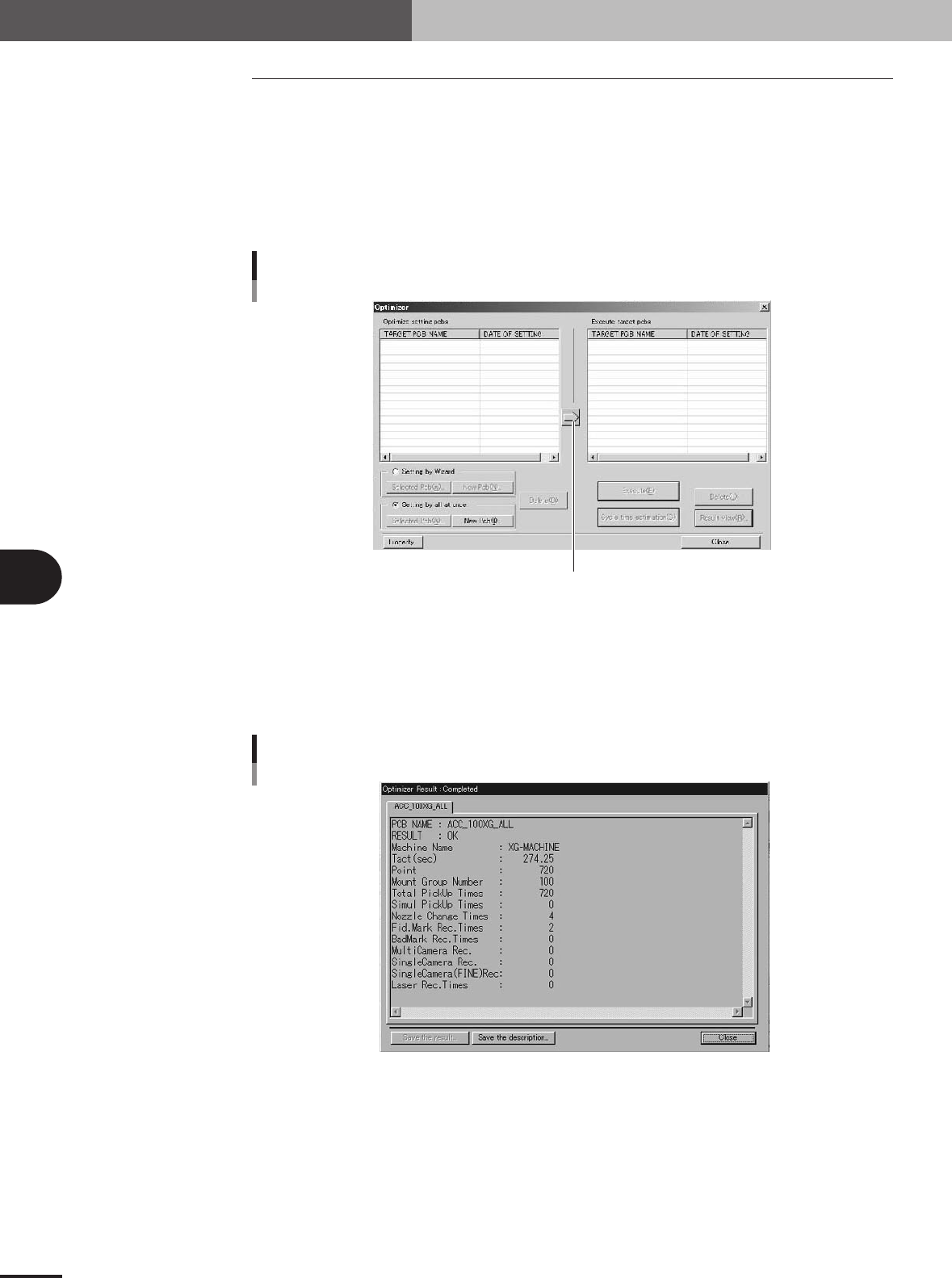
The "List of boards for which optimization conditions are set" will appear at the left
of the screen. Set the cursor to the PCB to be optimized, and press the [Right arrow]
button. The PCB data will be loaded in, and the PCB name will appear in the "List of
optimization boards" on the right side. When the [Cycle Time Estimation] button is
pressed, the estimated time cycle after optimization can be confirmed.
Press this button to load the PCB data from the left list into the right list.
Selecting the PCB data to be optimized
27457-5E-20
2
Press the [Execute] button and start optimization.
All of the selected board data will be optimized, and the results will be displayed.
3
Check the results.
Press the [Result View] button, and check the results.
Optimization result display
27465-5E-20
4
Save the data.
Press the [Save the result] button, and save the data. If the data is not to be saved,
press the [Close] button and quit optimization.
5
Editing the PCB data
5 -25
4. PCB file format conversion
Follow the procedure explained below to perform data conversion between VIOS format PCB data
into XML format PCB data.
4.1 Converting VIOS into XML
1
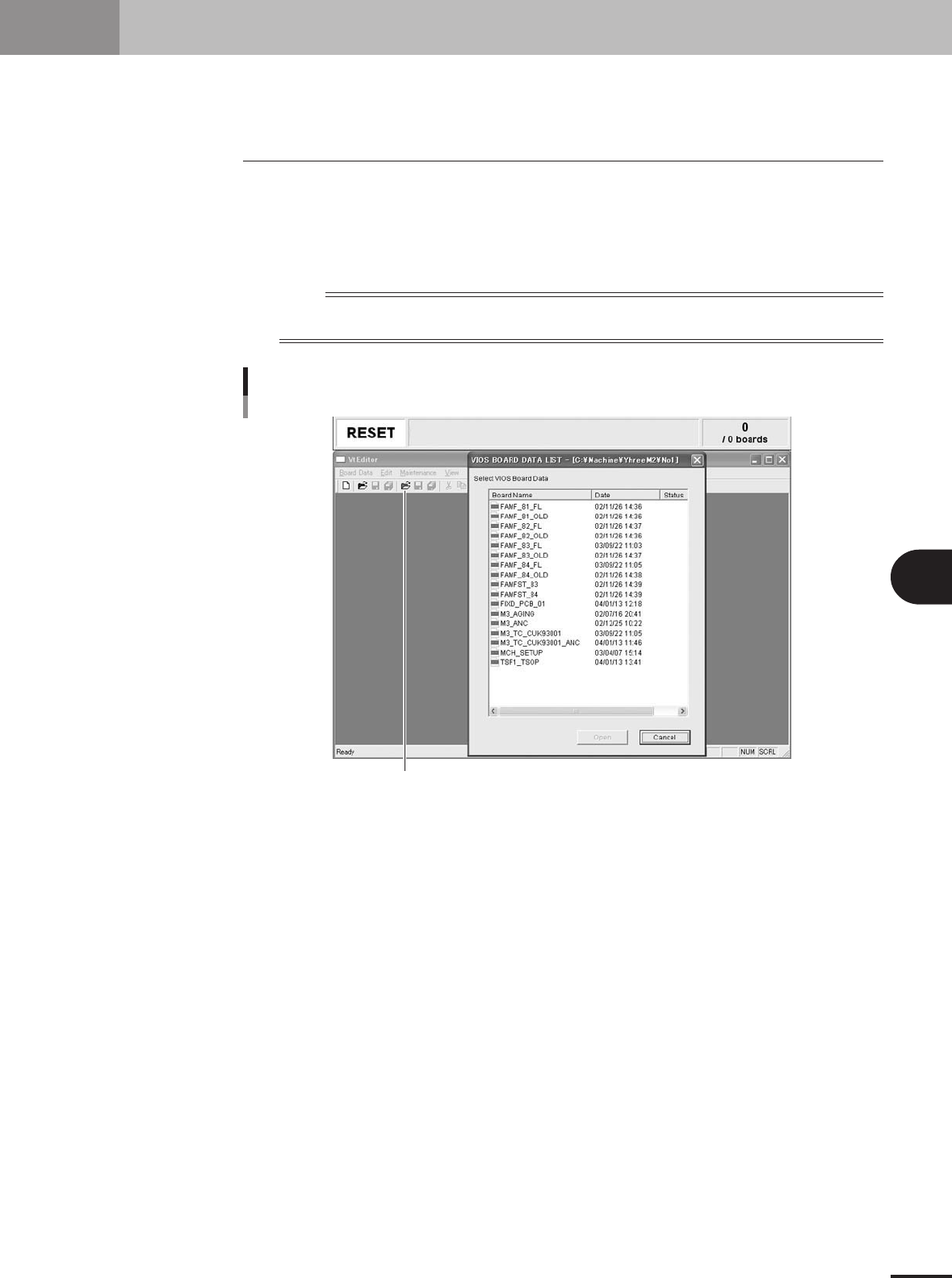
Select the VIOS PCB data.
1.Click the [Editor] button.
2.A list of VIOS PCB data appears. Select the VIOS PCB data to convert into XML data
and click the [Open] button.
n
NOTE
When a list of XML PCB data appears, close this list and then select "Open PCB Data of VIOS" from the PCB
Data menu or click the [Open] button (green) on the Editor toolbar.
Click this button to open the VIOS PCB data list.
Opening VIOS data list
27530-5E-20
5 -26
5
Editing the PCB data
4. PCB file format conversion
2
Save the PCB data in an XML format.
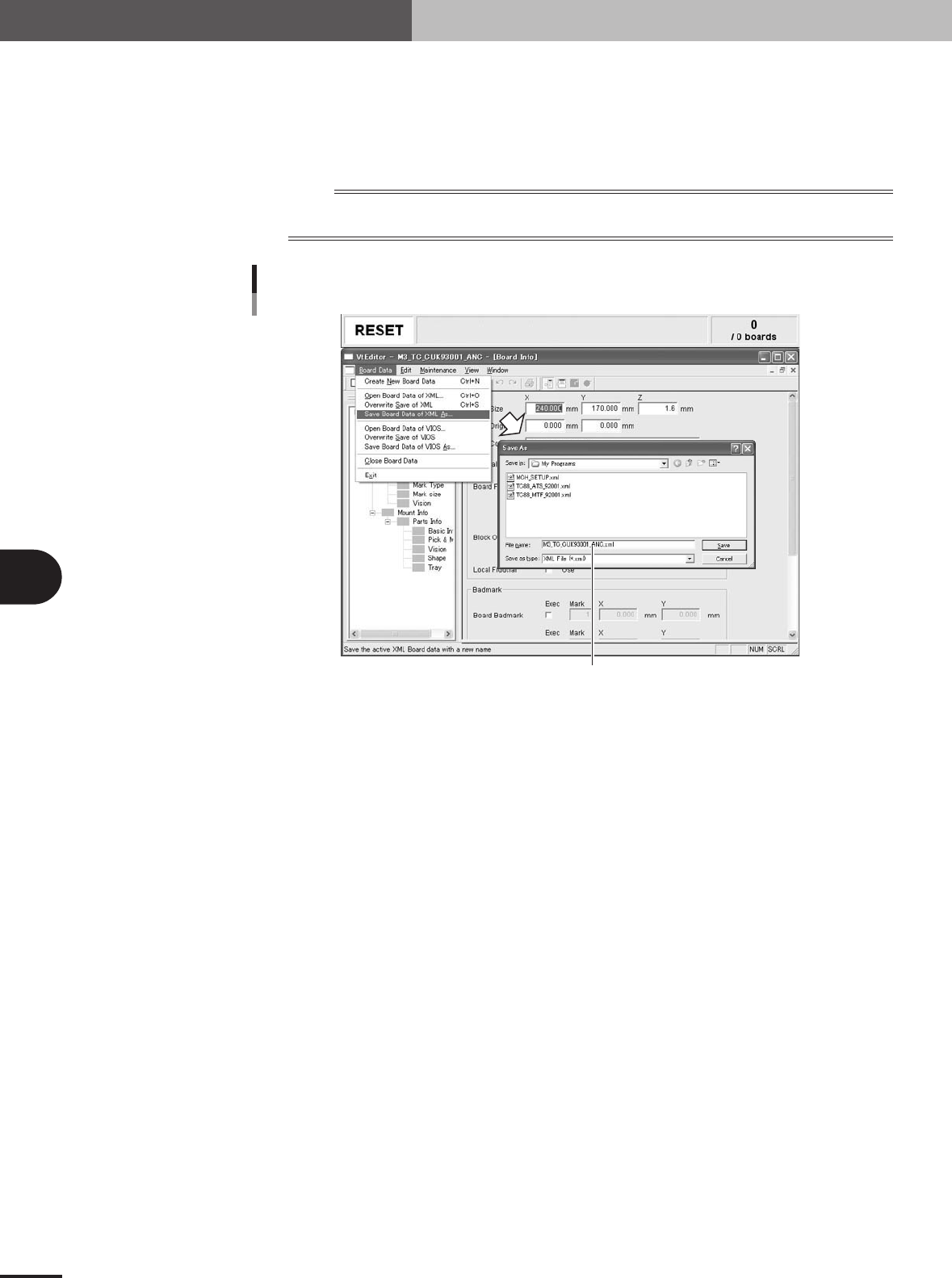
1.Select "Save Board Data of XML As" from the PCB Data menu.
2.Designate the folder to store the PCB data and enter the file name in the "File
Name" box.
The extension ".xml" is automatically attached to the file name.
n
NOTE
XML data can be stored in any folder unless write-protected. A folder named "My Programs" is provided to store
XML data in the machine.
Enter a file name for XML PCB data.
Entering a file name for XML PCB data
27531-5E-20
VIOS PCB data now has been converted into XML PCB data.