M3plus_OperationManual_e.pdf - 第204页
6 - 9 6 Managing the data 3. Creating XML library 4 Enable the link. Place a checkmark in the "Link" checkbox on the dialog box and press the [OK] button. Enabling the link Place a checkmark here. 27603-5E-20
6 -8
6
Managing the data
3. Creating XML library
3.2 Setting the PCB data links
This section explains how to establish links with the "Parts" and "Mark" libraries. There
are two ways of setting links from the VGOS or from the Editor.
3.2.1 Setting links from the VGOS
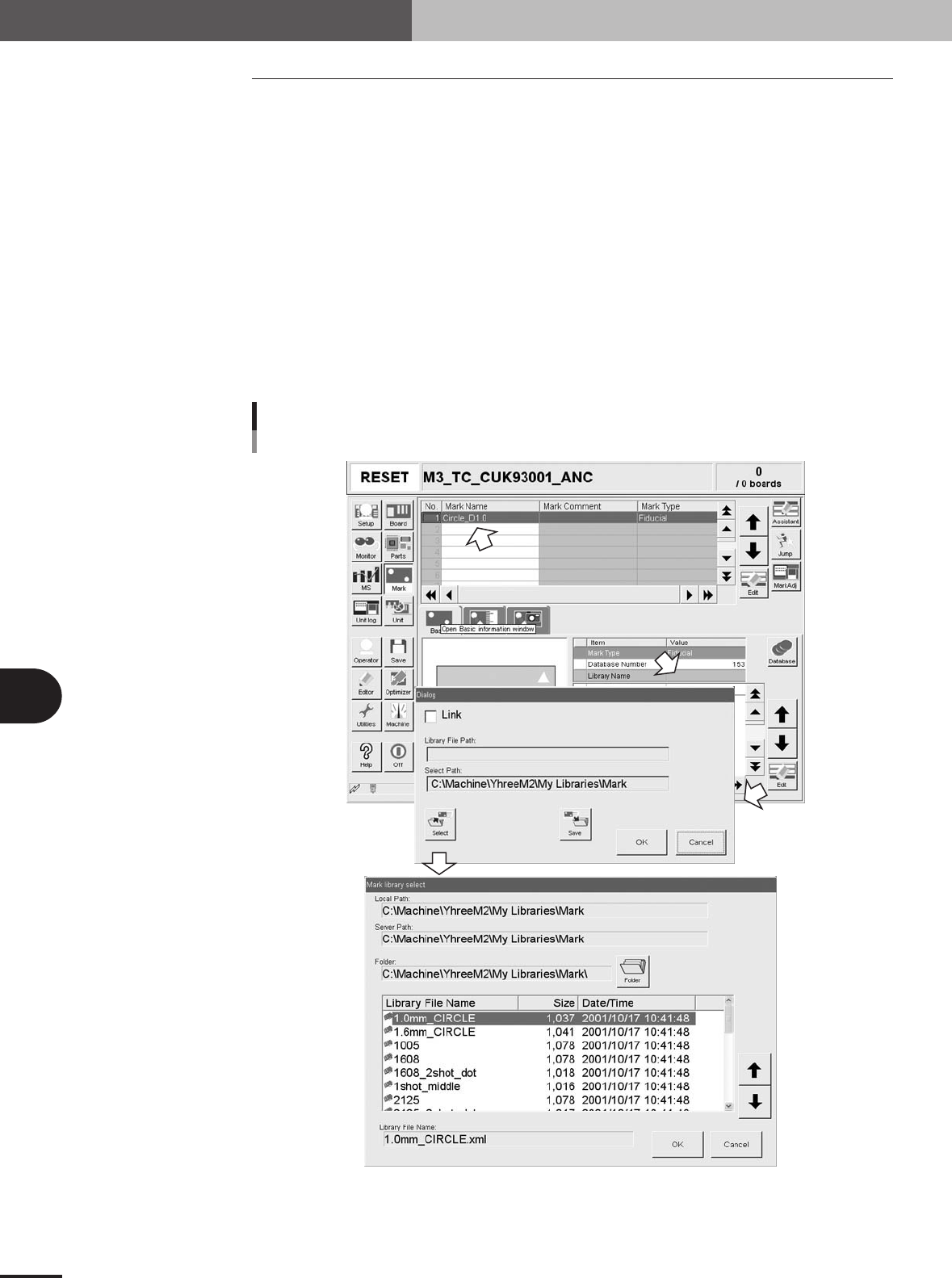
1
Line up the cursor with the mark or component data to be linked.
On the Mark or Parts screen, line up the cursor with the data to be linked. The mark
name or component name should be input beforehand.
2
Open the Mark or Parts Basic Information dialog box.
Select "Library Name" on the [Basic] tab and press the [Edit] button.
A dialog box appears for link setting.
3
Press the [Select] button to select a library file.
A list of mark or parts library file names appears. Select the applicable file name and
press the [OK] button.
Manual link setting
VGOS side
27602-5E-20
6 -9
6
Managing the data
3. Creating XML library
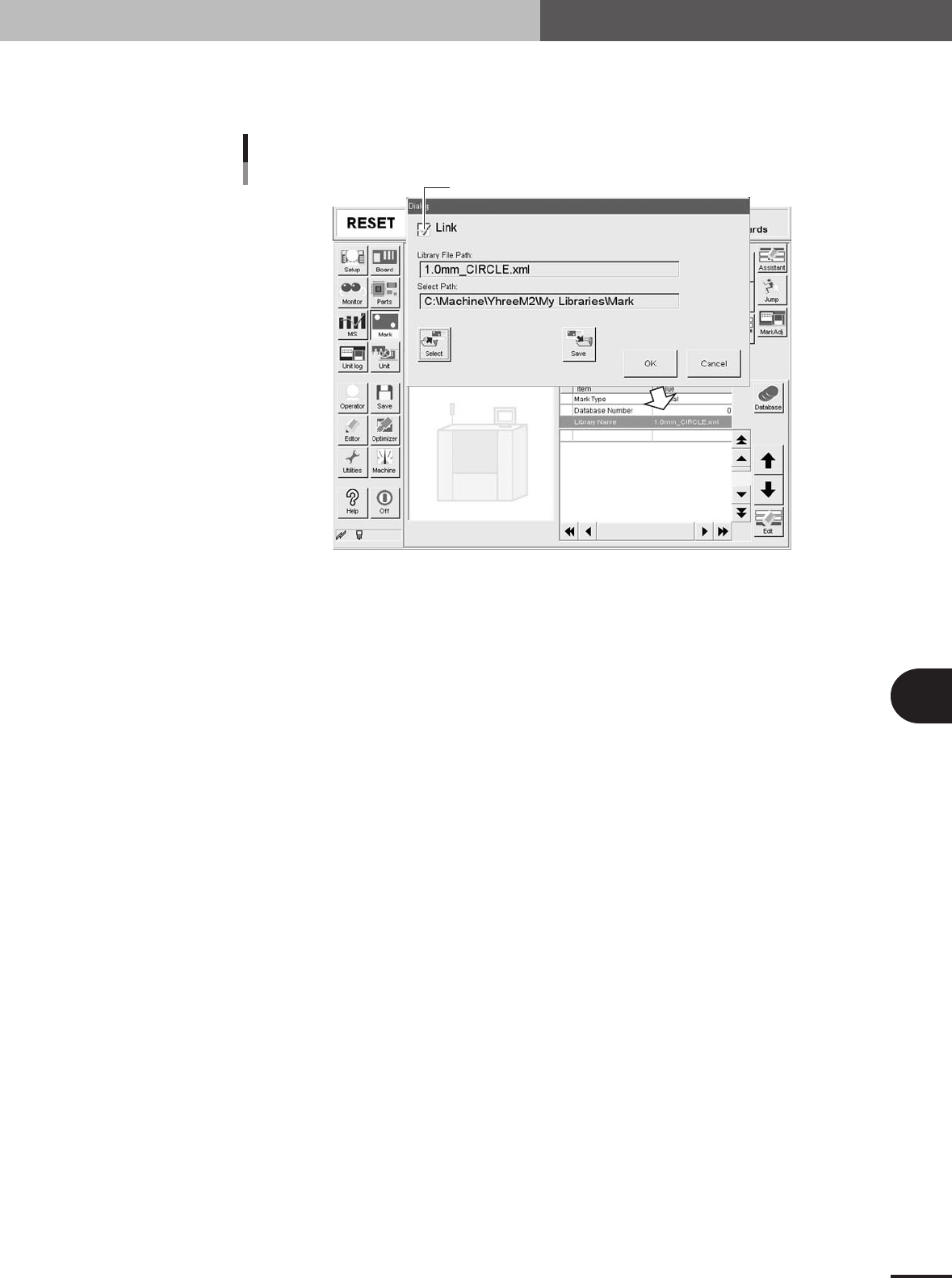
4
Enable the link.
Place a checkmark in the "Link" checkbox on the dialog box and press the [OK]
button.
Enabling the link
Place a checkmark here.
27603-5E-20
6 -10
6
Managing the data
3. Creating XML library
3.2.2 Setting links from the Editor
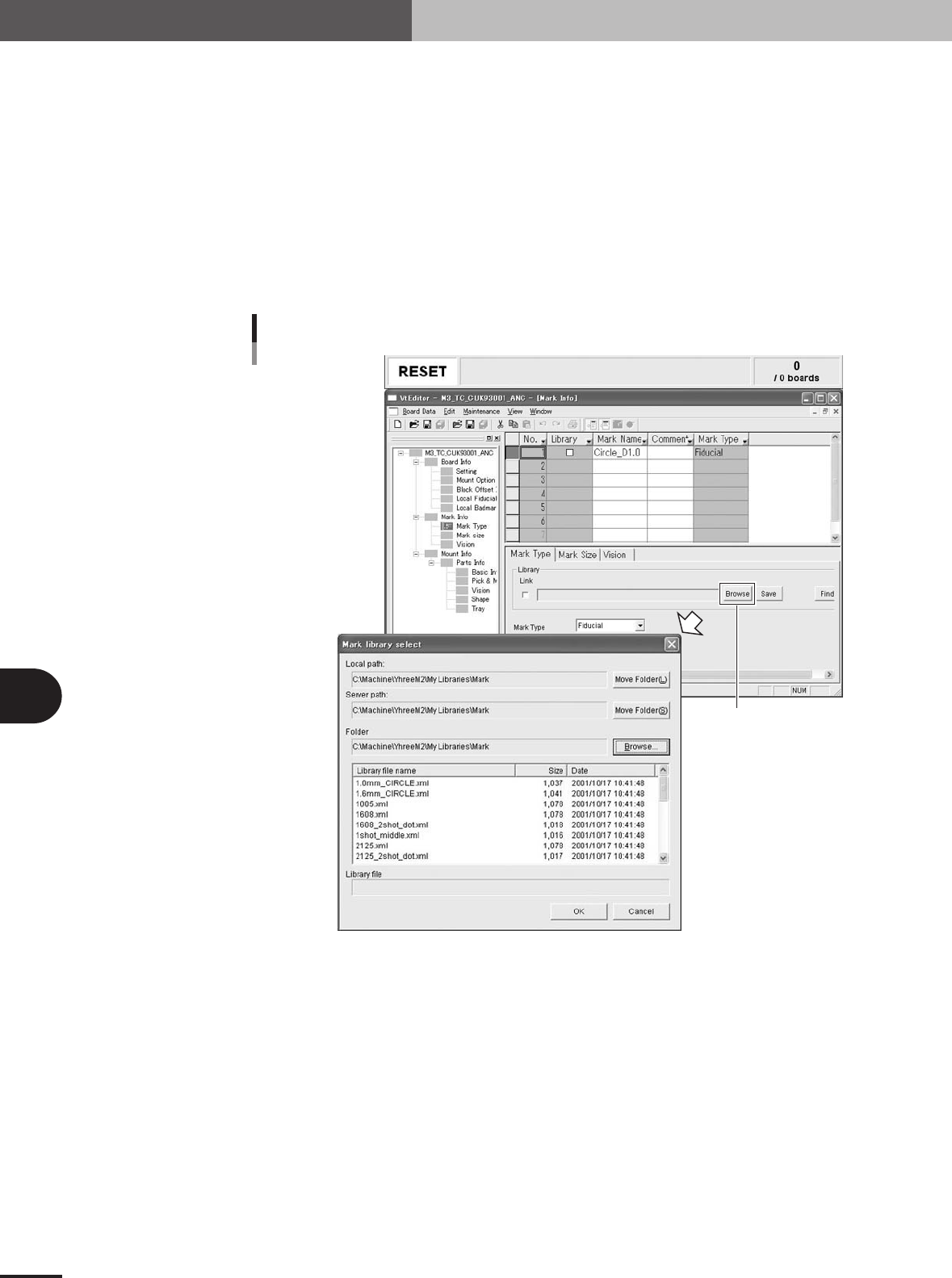
1
Line up the cursor with the mark or component data to be linked.
In the Mark or Parts Info window of the Editor, line up the cursor with the data to be
linked. The mark name or component name should be input beforehand.
2
Open the [Mark Type] tab or [Basic] tab to set a link.
• Select the [Mark Type] tab to set a link with the Mark library.
• Select the [Basic] tab to set a link with the Parts library.
3
Press the [Browse] button to set the path to the library.
A list of mark or parts library file names appears. Select the applicable file name and
press the [OK] button. A checkmark is automatically placed in the "Link" checkbox.
[Browse] button
Manual link setting
Editor side
27604-5E-20