M3plus_OperationManual_e.pdf - 第210页
6 - 15 6 Managing the data 3. Creating XML library When using the VGOS: After checking and adjusting the library data in the Adjust mode, save the library data as explained below. 1 Select "Library Name". Line …
6 -14
6
Managing the data
3. Creating XML library
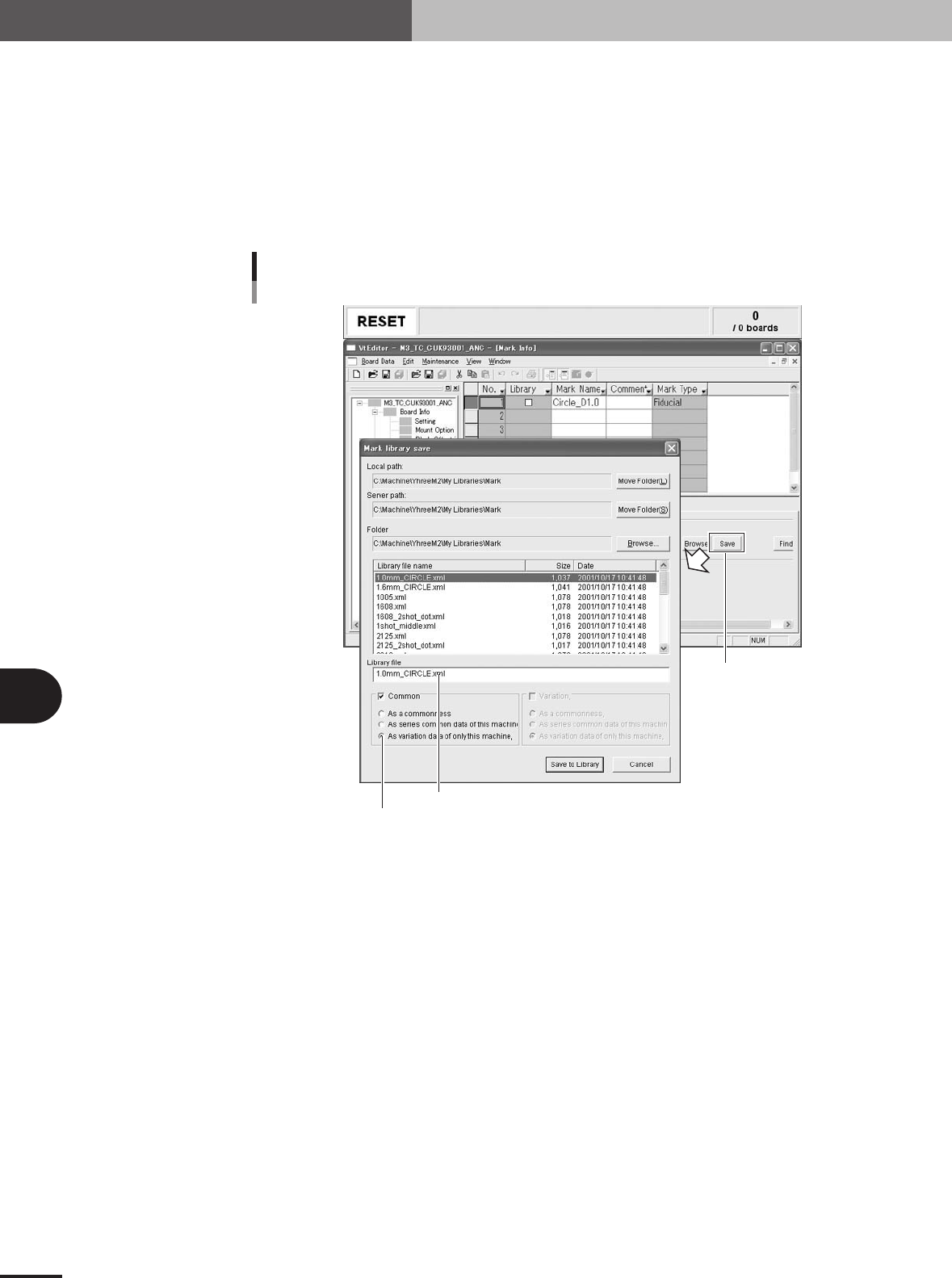
When using the Editor:
After checking and adjusting the library data in the Adjust mode, save the library data as
explained below.
1
Click the [Save] button.
After selecting the library data, press the [Save] button.
2
Enter the library file name.
3
Select the machine difference information.
[Save] button
Enter the library file name.
Saving the library
Editor
Select the machine difference.
27606-5E-20
4
Press the [Save to Library] button.
The selected library data has now been saved.
6 -15
6
Managing the data
3. Creating XML library
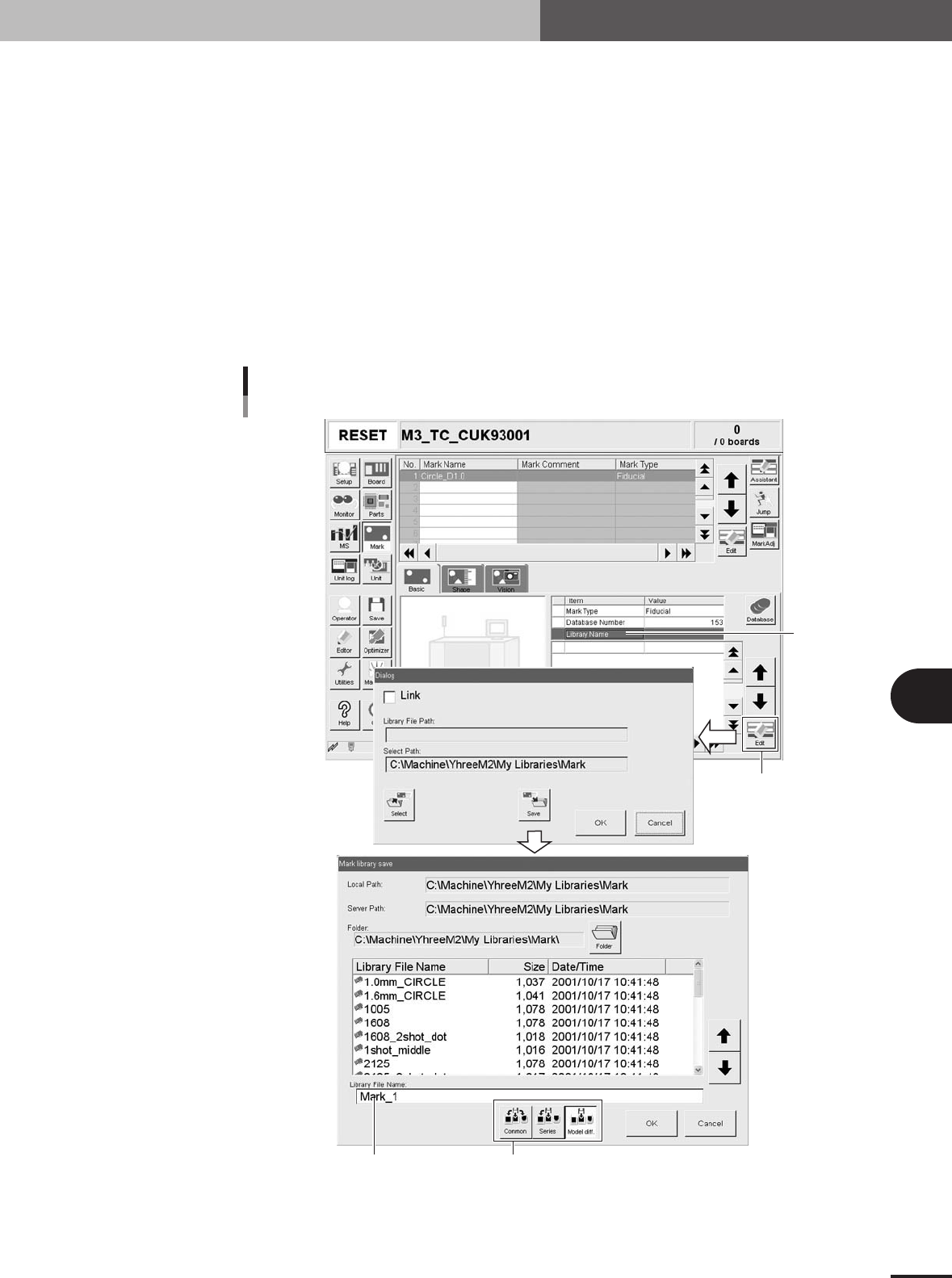
When using the VGOS:
After checking and adjusting the library data in the Adjust mode, save the library data as
explained below.
1
Select "Library Name".
Line up the cursor with "Library Name" on the [Parts]-[Basic] or [Mark]-[Basic] tab.
2
Press the [Edit] button.
A dialog box appears to save the library data.
3
Press the [Save] button.
The "Parts library Save" or "Mark library Save" dialog box appears.
4
Enter the library file name.
5
Select the machine difference information.
"Library Name"
[Edit] button
[Model diff.] (machine difference) buttonEnter the library file name.
Saving the library
VGOS
27607-5E-20
6
Press the [OK] button and follow the instruction that appears on the
screen.