M3plus_OperationManual_e.pdf - 第225页
B - 12 B Alignment T ype glossar y 2. Alignment T ype glossary 2. Algorithm: Special 1 (Components with 1 shape) Component center and tilt are detected utilizing several lines. The overall center-of-gravity and tilt of t…
B -11
B
Alignment Type glossary
2. Alignment Type glossary
2.2.4 Mark recognition mode
Several special recognition algorithms are available for mark recognition mode.
1. Alignment Type: AsMark (components comprised of 1 section)
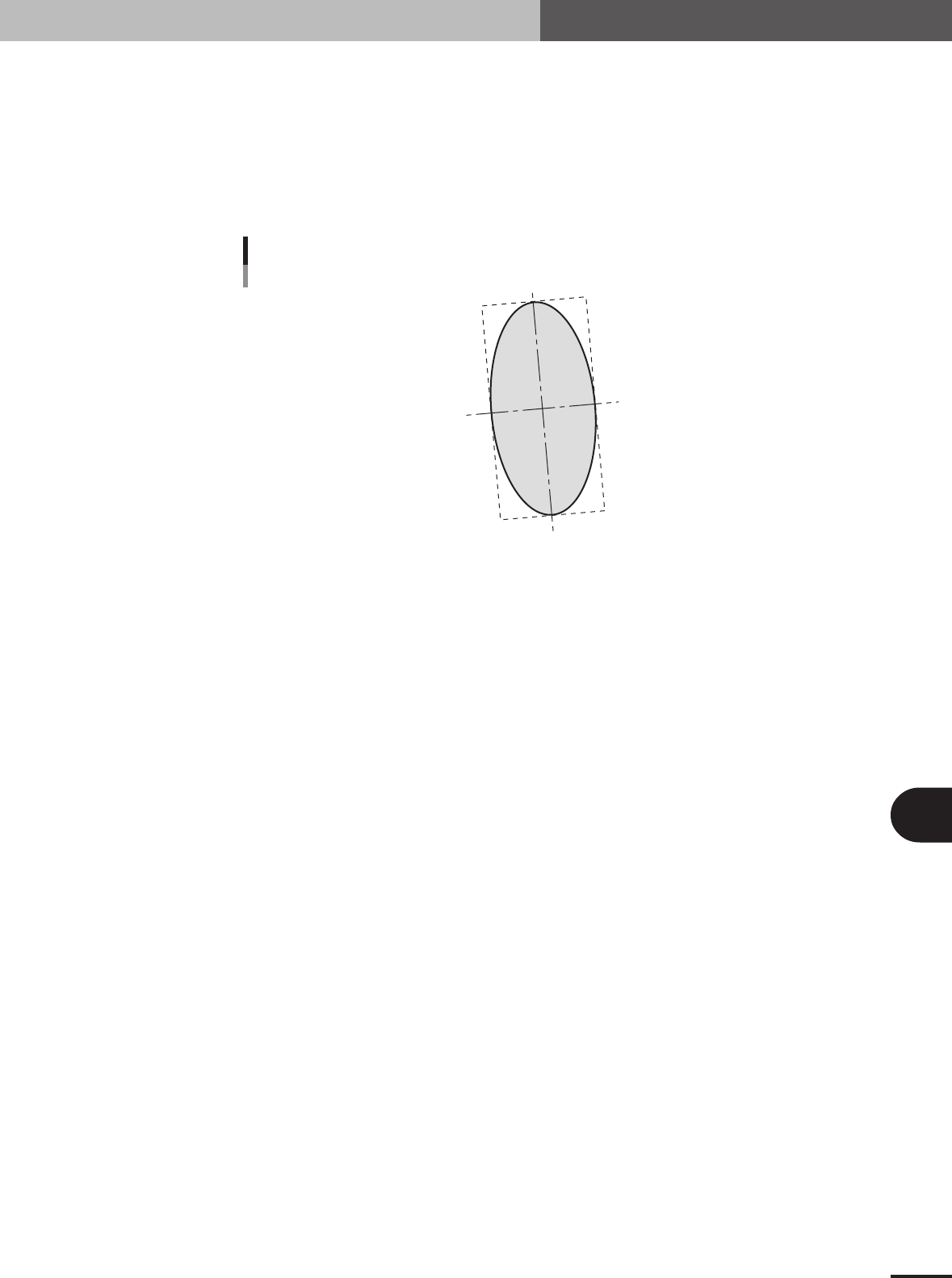
Algorithm for recognizing components comprised of 1 section with a shape as shown below. This
algorithm is used for recognizing irregular shaped components. The component center is the
center-of-gravity position and the tilt is the main axis tilt. So the tilt cannot be found for circular or
square components since these have no main axis.
C
Alignment Type : Mark
23B02-5E-20
■ Mark type components
Alignment Group Special
Alignment Type AsMark
Comp. Threshold Set the binary level. (If set to 0, the binary level is set
automatically.)
Comp. Tolerance Set the shape dimension tolerance.
Search Area Set the detection range.
Body Size X Set the component size.
Body Size Y Set the component size.
Body Size Z Set the component thickness.
Surface Type Select "Reflect" (reflective surface) or "NonReflect" (mat
surface). If component appears whitish, select "Reflect".
Select "NonReflect" if component does not appear whitish.
Cut Outer Noise Select from 0 to 7.
Cut Inner Noise Select from 0 to 7.
Noise Cut Order Select "Inner" or "Outer".
B -12
B
Alignment Type glossary
2. Alignment Type glossary
2. Algorithm: Special 1 (Components with 1 shape)
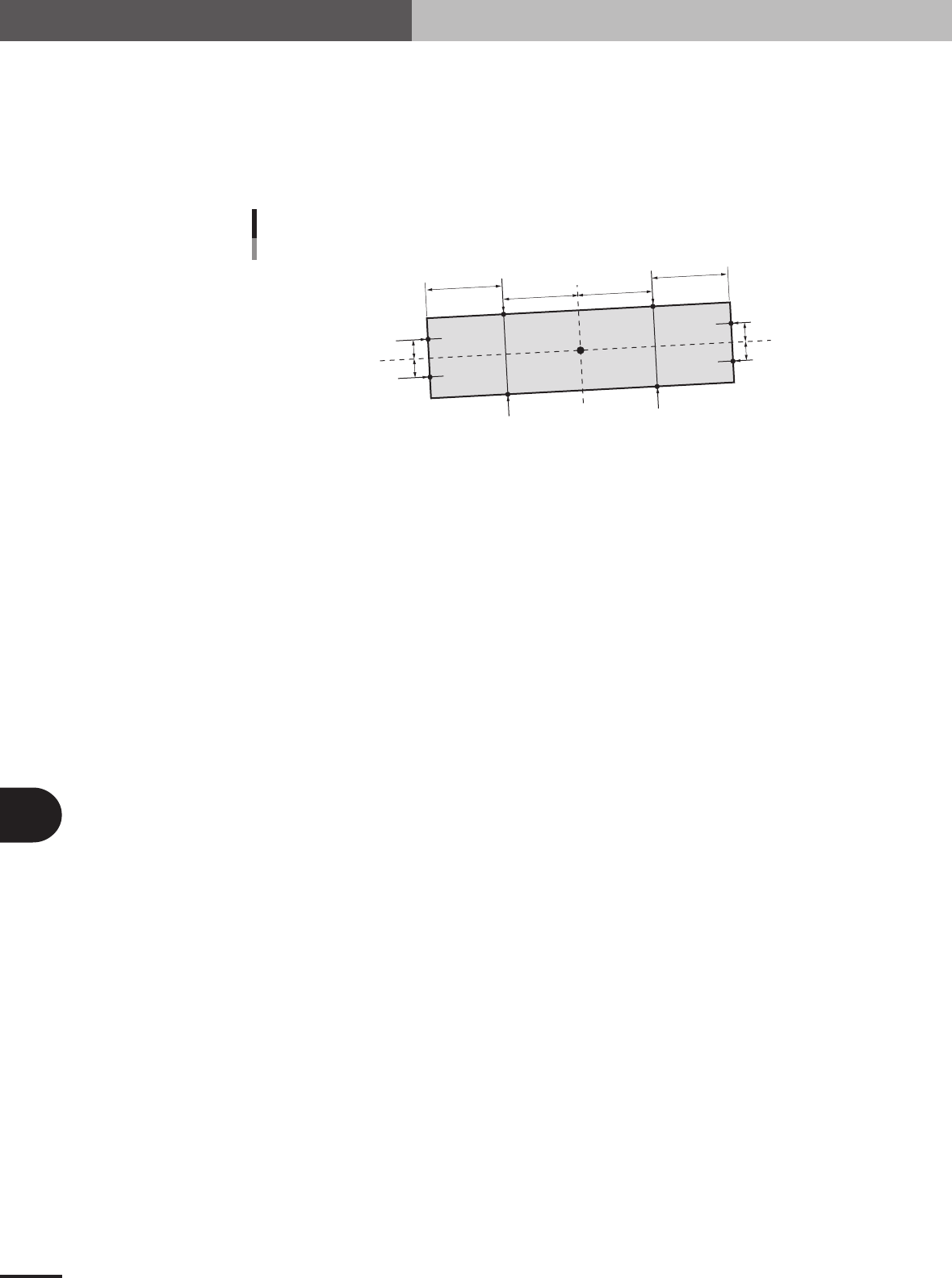
Component center and tilt are detected utilizing several lines.
The overall center-of-gravity and tilt of the component are found as a feature amount. Lines 1 and
2 are set based on this feature amount and the edge positions P1 to P4 found on those lines. The tilt
of line 3 connecting the center points of P3 and P4 and the center points of P1 and P2 is taken as
the component tilt. Lines 5, 6, 7 and 8 are set in parallel with line 3 and edge positions P5 to P8
found. The component center is found by taking the average of these points.
P1
P7
P8
P5
P6
P2
G
P3
P4
Line 3
Line 4
Line 1
Line 2
Line 7
Line 8
Line 5
Line 6
Mark: Special 1
23B03-5E-20
■ Special components (Special: AsMark)
Alignment Group Special
Alignment Type Special
Comp. Threshold Set the binary level. (If set to 0, the binary level is set
automatically.)
Comp. Tolerance Specify the shape dimension tolerance.
Search Area Set the detection range.
Body Size X Set the component size.
Body Size Y Set the component size.
Body Size Z Set the component thickness.
Algorithm Special 1
Base Alignment AsMark
Vision Option 1 Set the detection direction. 0: Auto, 1: Left side/upper side
only, 2: Right side/lower side only, 3: Both sides
When set to 0 (Auto), the component is not detected in the
direction where it crosses the frame of the search window.
Vision Option 2 Set to 0.
Vision Option 3 Set to 0.
Vision Option 4 Specify a numeric value representing the Cut Inner Noise
and Cut Outer Noise levels, and also the sequence to
execute them. For example, when the Cut Outer Noise
level is set as n1 and the Cut Inner Noise level is set as n2,
set a value of "n2 × 8 + n1" here. When executing in the
sequence from Cut Outer Noise to Cut Inner Noise, set a
value obtained by subtracting 128 from "n2 × 8 + n1".
Lead Group W When this parameter is set to 0 or 10, a line 1 is
automatically set at a position 1/4th of the detection length
from the center-of-gravity. Lines 7 and 8 are set at a
position 1/4th of the detection width.
Lead Number W1 (mm) Set to 0.
ReflectLL W1 (mm) Set to 0.
Lead Width W1 (mm) Set to 0.
Lead Pitch W1 (mm) Set to 0.
Find PosX W1 (mm) Enter a numeric value to set the detection position. When
Lead Group is 1, line 1 is set to a position offset by this
value from the edge position.
Find PosY W1 (mm) Enter a numeric value to set the detection positions. When
Lead Group is 1, lines 7 and 8 are set to positions offset by
this value from line 3.

B -13
B
Alignment Type glossary
2. Alignment Type glossary
Lead Group E When this parameter is set to 0 or 10, a line 1 is
automatically set at a position 1/4th of the detection length
from the center-of-gravity. Lines 5 and 6 are set at a
position 1/4th of the detection width.
Lead Number E1 (mm) Set to 0.
ReflectLL E1 (mm) Set to 0.
Lead Width E1 (mm) Set to 0.
Lead Pitch E1 (mm) Set to 0.
Find PosX E1 (mm) Enter a numeric value to set the detection position. When
Lead Group is 1, line 2 is set to a position offset by this
value from the edge position.
Find PosY E1 (mm) Enter a numeric value to set the detection positions. When
Lead Group is 1, lines 5 and 6 are set to positions offset by
this value from line 3.