M3plus_OperationManual_e.pdf - 第260页
3 - 7 3 Setup Machine setting 1 Set here. 77310-5V-00 c CAUTION If the "Option" - "Special Function" parameter is set to "None" (TSF1 is not used), the "Tray Shuttle Feeder" parame…
3 -6
3
Setup
3.2.2 Changing back to the initial setups that do not use TSF1
1
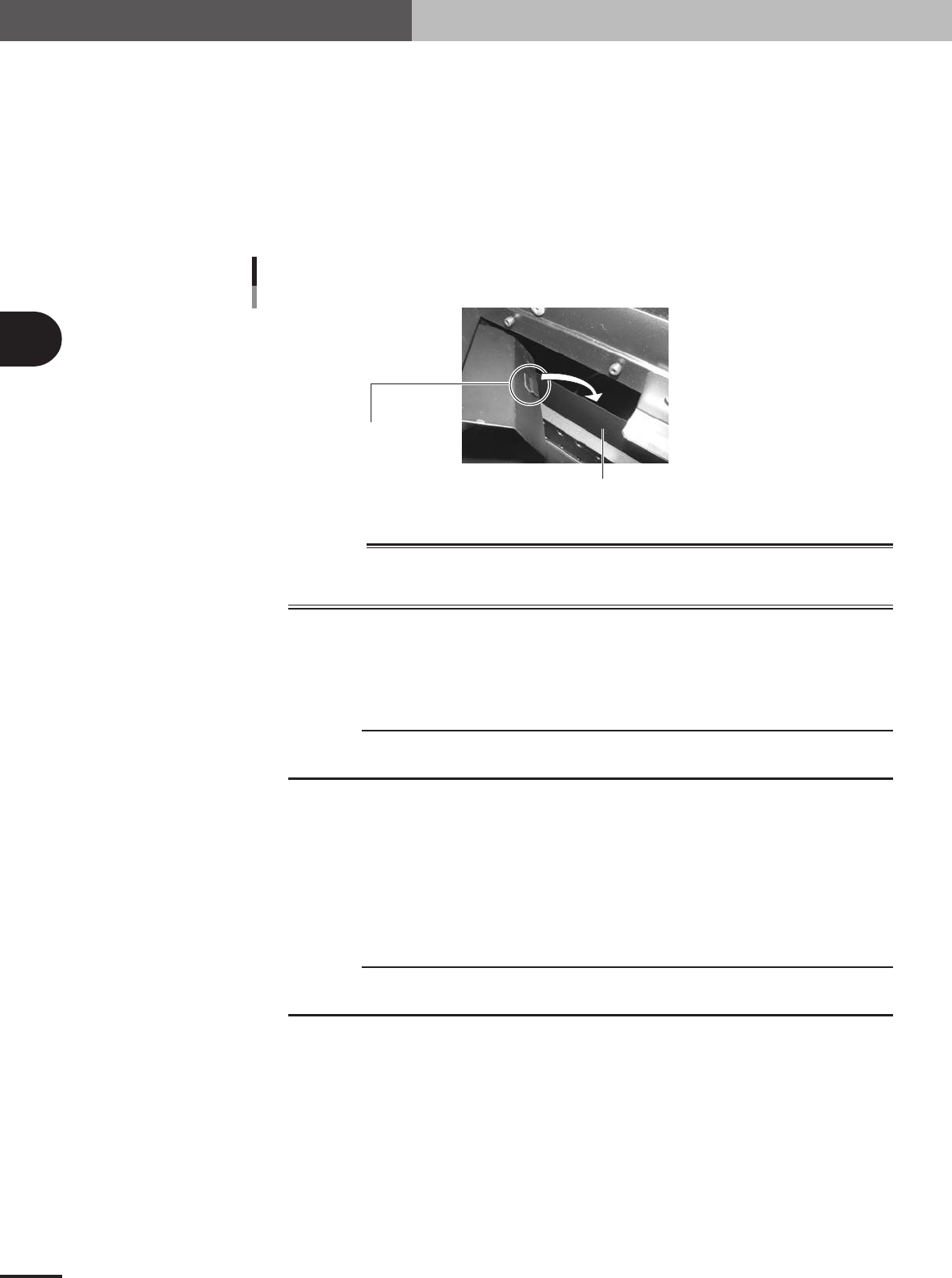
Reattach the feeder plate safety hoods to the mounter.
Reattach the safety hoods in the reverse of the procedure for removing them.
2
Reattach the tape guide plates to the mounter.
Reattach the tape guide plates in the reverse of the procedure for removing them.
Tighten the screws to secure the tape guide plate, being careful so that the pushing
piece on the backside of the tape guide plate holds the metal plate on the mounter
side.
Changing the mounter setup 3
Pushing piece
Metal plate on mounter side
73309-5V-00
w
WARNING
WHEN NOT USING THE TSF1, ALWAYS ATTACH THE FEEDER PLATE SAFETY HOODS AND
TAPE GUIDE PLATES TO ENSURE SAFETY. OPERATING THE MOUNTER WHILE THEY ARE
LEFT REMOVED MIGHT CAUSE AN ACCIDENT OR FAULTY OPERATION.
3.2.3 Checking the machine settings
To operate the TSF1 correctly, check that the following machine settings are correct.
c
CAUTION
When changing the machine settings, you must log in with an operator name having privileges
to change the machine settings.
1
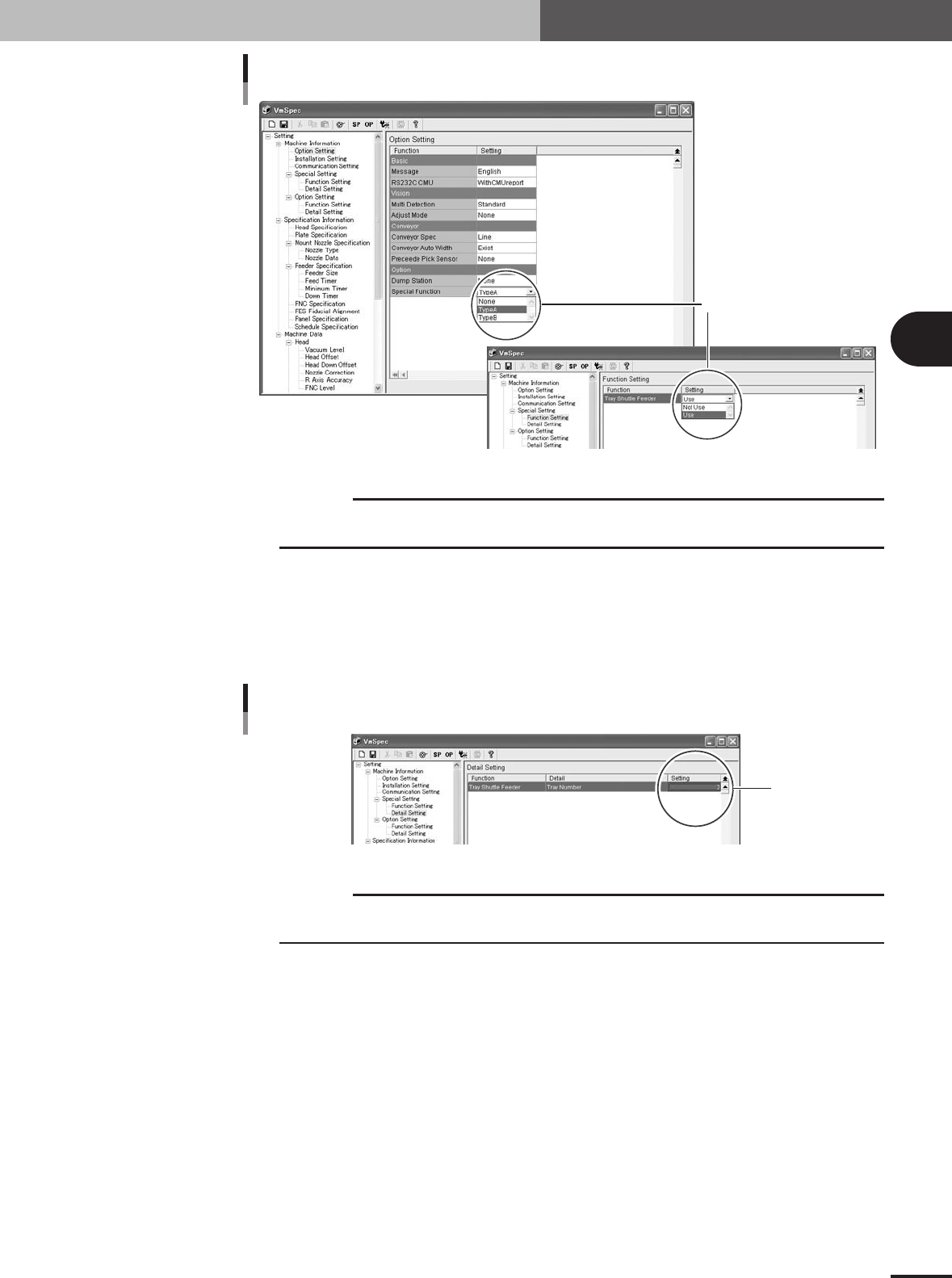
Set the "Special Function" parameter.
1.Press the [Machine] button on the Setup screen.
The "VmSpec" window opens.
2.In the left pane (tree view), select "Option Setting" from under "Setting" - "Ma-
chine Information".
3.Set the "Special Function" parameter in the right pane to "Type A". If not using the
TSF1, set to "None".
c
CAUTION
Even if not using the TSF1, set the "Special Function" parameter to "Type A" when the mounter
is equipped with a custom device.
4.In the left pane, select "Function Setting" from under "Machine Information" -
"Special Setting".
5.Set the "Tray Shuttle Feeder" parameter to "Use". If not using the TSF1, set to
"NotUse".
3 -7
3
Setup
Machine setting 1
Set here.
77310-5V-00
c
CAUTION
If the "Option" - "Special Function" parameter is set to "None" (TSF1 is not used), the "Tray
Shuttle Feeder" parameter setting will be disabled.
2
Set the number of TSF1 units to be used.
1.In the left pane, select "Detail Setting" from under "Machine Information" - "Spe-
cial Setting".
2.In the "Setting" field of the "Tray Shuttle Feeder" parameter, set "1" when using
one TSF1 unit or set "2" when using two TSF1 units.
Machine setting 2
Set here.
77311-5V-00
c
CAUTION
If the "Option" - "Special Function" parameter is set to "None" (TSF1 is not used), the "Tray
Shuttle Feeder" parameter setting will be disabled.
3 -8
3
Setup
3
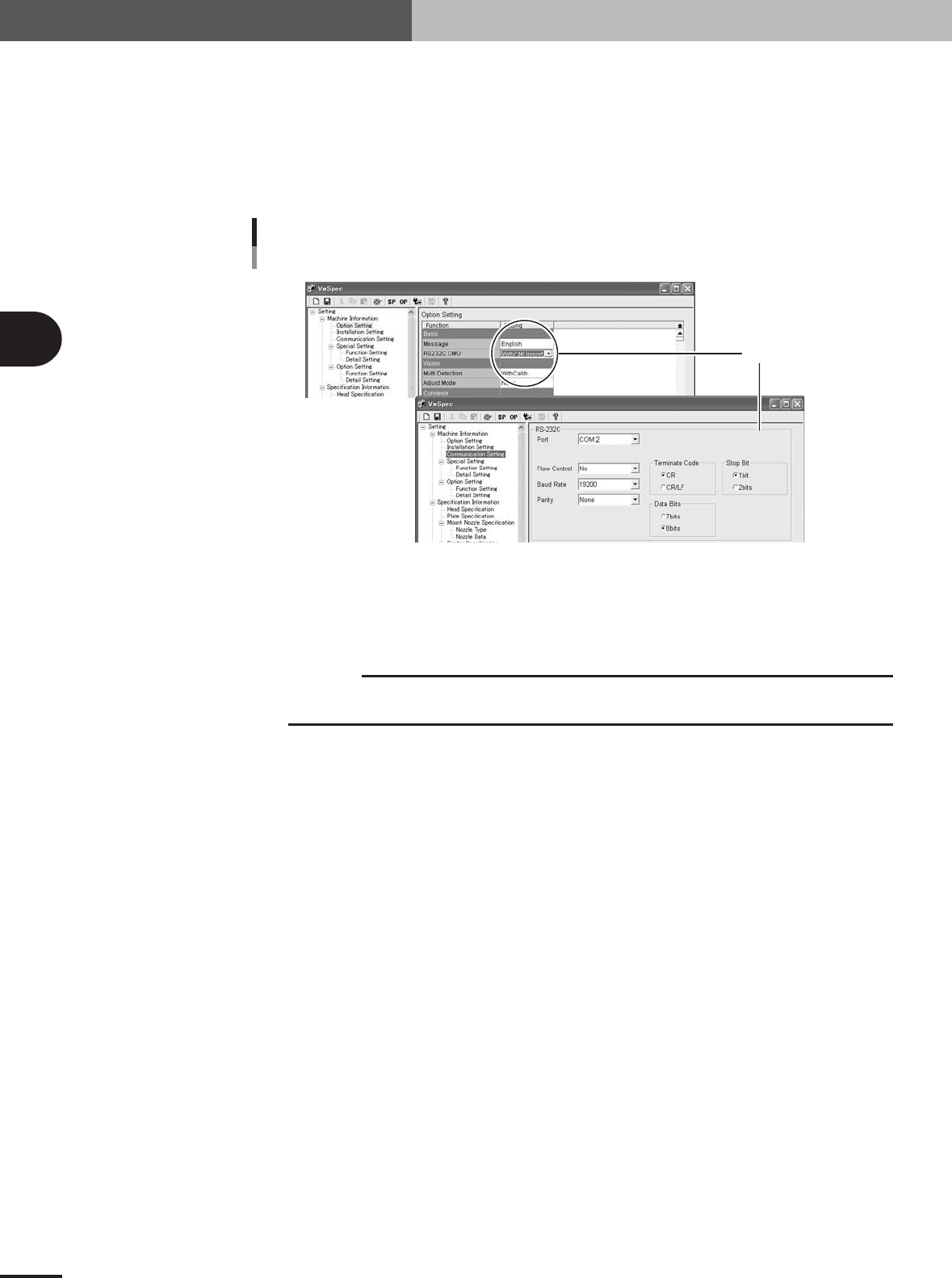
Set the communication parameters.
1.In the left pane, select "Option Setting" from under "Machine Information".
2.Check that the "RS232C CMU" field is set to "WithCMUreport" whether the TSF1 is
used or not.
3.Select "Communication Setting" from under "Machine Information".
The current communication settings are displayed in the right pane.
4.Make the settings in the RS-232C group box as shown below.
Machine setting 3
Set here.
77312-5V-00
4
Save the settings when you have made changes.
Click the [Save] button (floppy disk icon button) on the toolbar to save the settings.
5
Close the "VmSpec" window.
c
CAUTION
When the machine settings have been changed, shut down the mounter and then turn it back
on to enable the changes.