M3plus_OperationManual_e.pdf - 第264页
4 - 3 4 Inspection and maintenance w ork 4.3.2 Applying grease To apply grease to the shuttle axis ball screw and linear guide, proceed as follows. 1 Turn off the mounter power switch. 2 Detach the TSF1 from the mounter.…
4 -2
4
Inspection and maintenance work
4.3 Inspection and maintenance
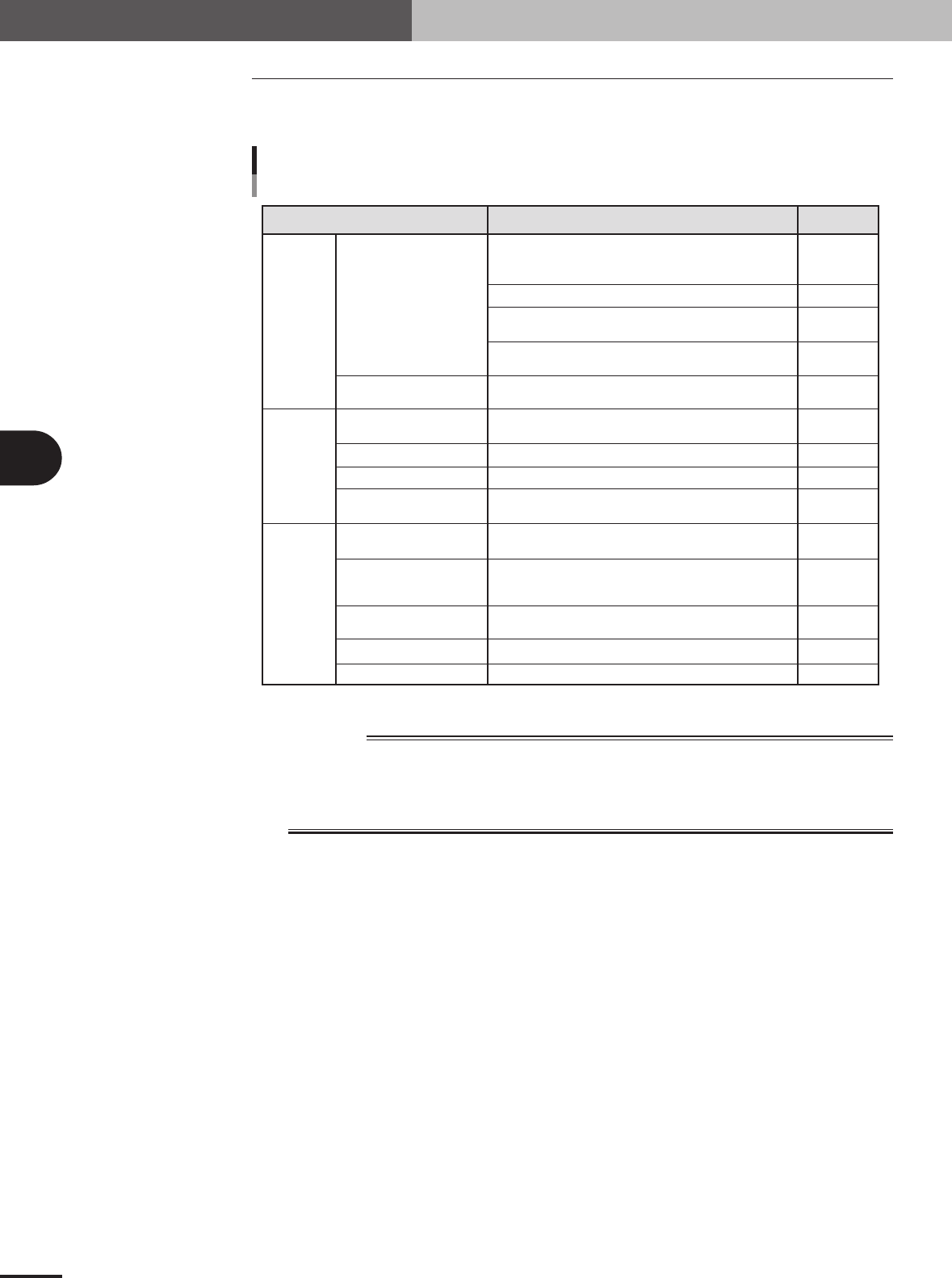
4.3.1 Inspection location and period
Inspection location and procedure WhenInspection point
Inspection location and period
Drive parts
Electrical
parts
Mechanical
parts
Ball screw
Linear guide
Parts around ball screw and
linear guide
Overrun sensor (±)
Origin sensor
Emergency stop button
Cover limit switch
Signal cable/connectors
Upper safety cover
Clamp/unclamp lever
Positioning pin
Hold knob
Tray guide F/R
Visually check the surface for dust and debris deposition.
Also check if grease is spread evenly. If debris is found,
remove it.
Apply a thin coat of grease by hand to the surface.
Check that no abnormal noise is heard or no vibration
occurs by JOG operation.
Check that no abnormal noise is heard or no vibration
occurs during return-to-origin.
Visually check for dust and debris deposition. If found,
remove it.
Visually check for dust buildup. Clean with a cotton swab
stick if necessary.
Check that it works correctly.
Check that it works correctly.
Visually check that the cables and connectors are not
damaged or deformed.
Check that there is no play or looseness by opening and
closing the cover.
Check that the clamp works correctly by detaching the
TSF1 from the feeder plate and then attaching it to the
feeder plate.
Visually check that the pins are not damaged or deformed.
Check that the tray is securely locked in place.
Check that the tray is securely locked in place.
Before operation
Monthly
Monthly
Before operation
Before operation
Monthly
Monthly
Monthly
Before operation
Monthly
When installing
TSF1
When installing
TSF1
When using tray
When using tray
75400-5V-00
w
WARNING
IF YOU BLOW AIR TO REMOVE DEBRIS AND FOREIGN MATTER (SUCH AS CHIPS THAT HAVE
FALLEN INTO THE TSF1), THEY MIGHT GET INTO A NARROWER SPACE. AVOID USING AIR
BLOW, BUT USE TWEEZERS OR SIMILAR TOOLS TO REMOVE DEBRIS OR FOREIGN MATTER.
CONTINUED OPERATION WITH DEBRIS OR CHIPS ADHERING TO THE INTERIOR MIGHT
CAUSE THE TSF1 TO MALFUNCTION.
4 -3
4
Inspection and maintenance work
4.3.2 Applying grease
To apply grease to the shuttle axis ball screw and linear guide, proceed as follows.
1
Turn off the mounter power switch.
2
Detach the TSF1 from the mounter.
3
Open the TSF1 upper safety cover.
4
Remove debris from the ball screw and linear guide.
1.Move the shuttle to one end of the axis and wipe clean the ball screw surface and
lead groove and the linear guide surface and sliding grooves with a shop cloth.
2.While moving the shuttle to the opposite end of the axis, wipe the ball screw
surface and lead groove and the linear guide surface and sliding grooves with a
shop cloth.
c
CAUTION
Use a clean, lint-free shop cloth to wipe the ball screw and linear guide. Check that there is no
lint residue on the wiped area.
5
Apply grease to the ball screw and linear guide.
Apply grease by hand uniformly over the ball screw surface and lead groove and the
linear guide surface and sliding grooves.
6
Remove excess grease.
After moving the shuttle back and forth a few times between the ends of the shuttle
axis, wipe away excess grease.
7
Install the TSF1 to the mounter.
8
Spread the grease over the entire sliding area.
Start the mounter, perform return-to-origin and move the TSF1 shuttle in JOG mode to
spread the grease over the entire sliding area.
c
CAUTION
Check that no abnormal noise is heard during return-to-origin and JOG operation.
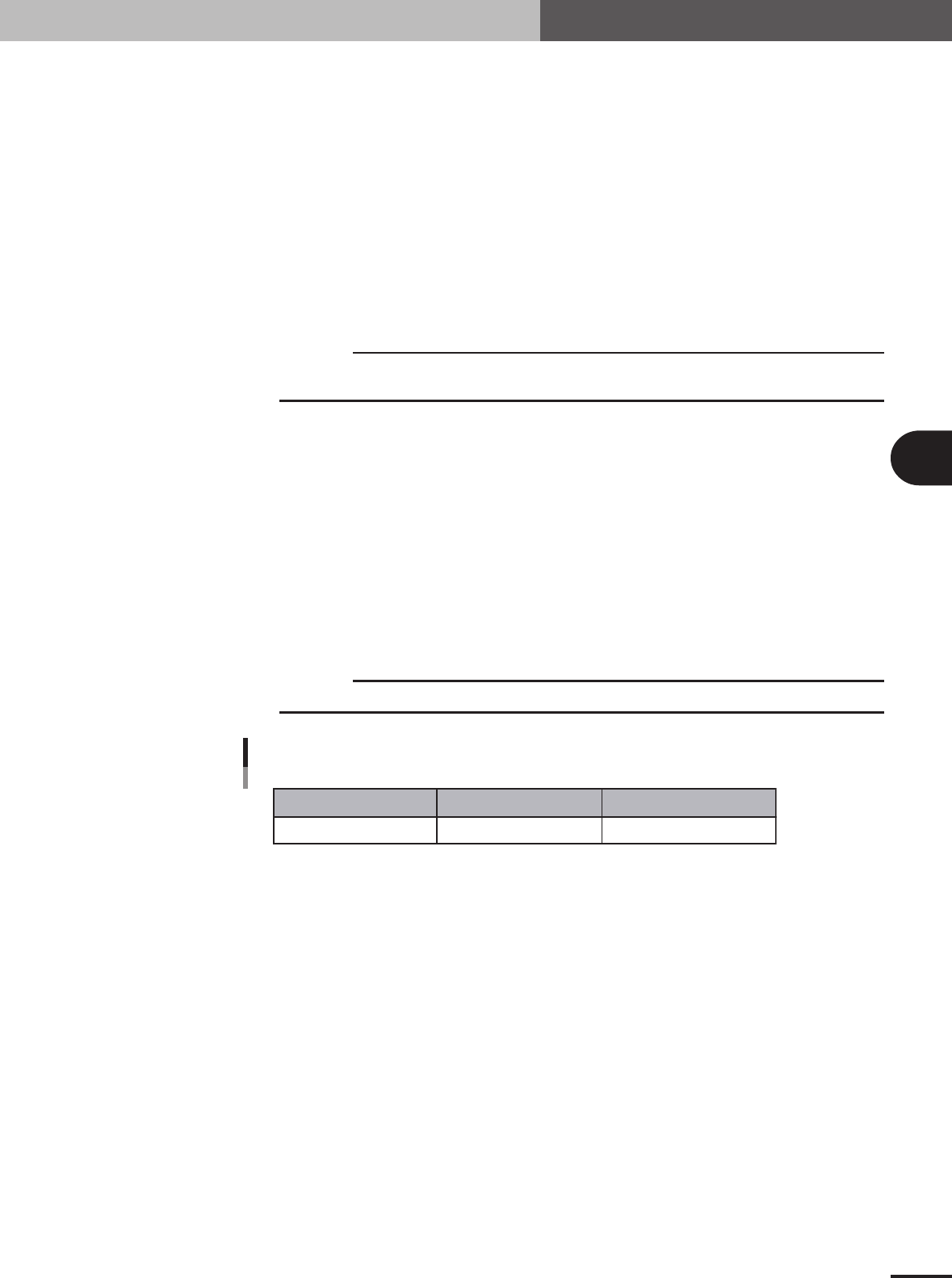
Recommended grease
Name
Part name Part No.
AFB grease GREASE, AFB LG0-M86A4-00X
75401-V5-00
4 -4
4
Inspection and maintenance work
4.3.3 Supplementary description of the overrun sensors and origin
sensor
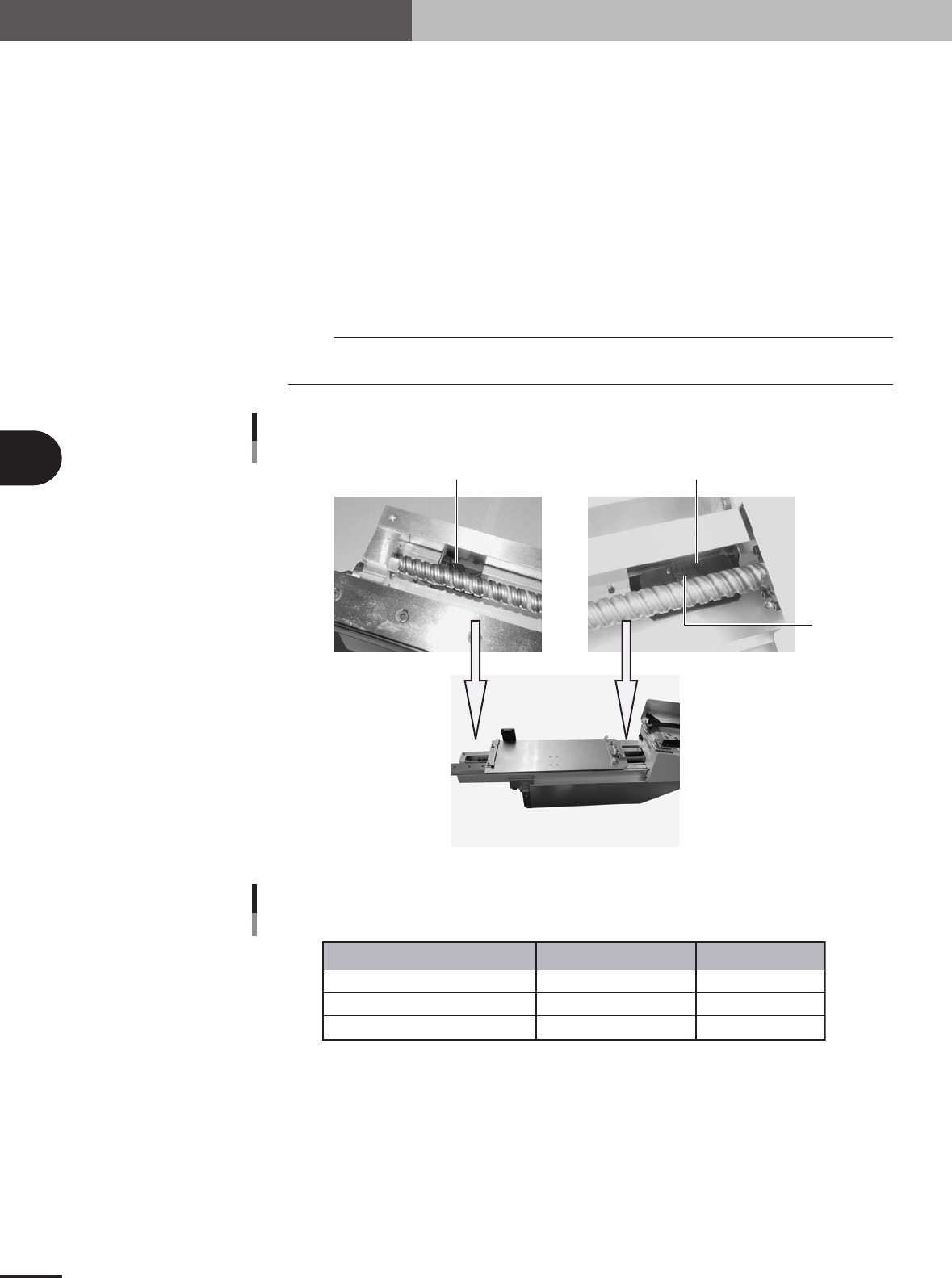
Visually check whether the overrun sensors (+/-) and origin sensor get dirty as explained
below.
1. Press the emergency stop button on the TSF1.
2. Open the TSF1 upper safety cover.
3. Move the shuttle by hand to the axis end on the operation switch panel side.
4. Check that the overrun sensor (+) works correctly.
5. Move the shuttle by hand to the axis end on the mounter side.
6. Check that the overrun sensor(-) and the origin sensor works correctly.
n
NOTE
If the sensor does not work correctly due to dust deposition on the sensor, then wipe clean the sensor with a
cotton swab stick.
Sensor position
Origin sensor
Overrun sensor (-)
Overrun sensor (+)
73402-5V-00
Sensor list
Name Part name Part No.
Overrun sensor (+)
Overrun sensor (-)
Origin sensor
SENSOR,1 Assy
SENSOR,2 Assy
HNS,PB MOTOR PI
LC2-M5 1F4-00X
LC2-M5 1F5-00X
LC2-M5 1FA-00X
75403-5V-00
e