M3plus_OperationManual_e.pdf - 第33页
在线预览 M3plus_OperationManual_e.pdf PDF 文档。

Table of Contents
1. Before operation . . . . . . . . . . . . . . . . . . . . . . . . . . . . . . . . 2-1
1.1 Canceling emergency stop . . . . . . . . . . . . . . . . . . . . . . . . . . . . . . 2-1
1.2 Clearing an error . . . . . . . . . . . . . . . . . . . . . . . . . . . . . . . . . . . . . 2-2
2. Operation monitor and buttons . . . . . . . . . . . . . . . . . . . . 2-3
2.1 Basic configuration of operation screen . . . . . . . . . . . . . . . . . . . 2-3
2.2 Various buttons and parameter input boxes . . . . . . . . . . . . . . . . 2-4
3. Starting and stopping the machine. . . . . . . . . . . . . . . . . 2-7
3.1 Inspection before operation . . . . . . . . . . . . . . . . . . . . . . . . . . . . . 2-8
3.2 Starting the machine . . . . . . . . . . . . . . . . . . . . . . . . . . . . . . . . . . 2-9
3.3 Starting and warming up the machine . . . . . . . . . . . . . . . . . . . . 2-11
3.4 Changing the conveyor unit setup . . . . . . . . . . . . . . . . . . . . . . . 2-13
3.4.1 Conveyor width . . . . . . . . . . . . . . . . . . . . . . . . . . . . . . . . . . . . . . 2-14
3.4.2 Push-up pins . . . . . . . . . . . . . . . . . . . . . . . . . . . . . . . . . . . . . . . . 2-15
4. Starting and finishing production . . . . . . . . . . . . . . . . . 2-16
4.1 Starting production . . . . . . . . . . . . . . . . . . . . . . . . . . . . . . . . . . 2-16
4.2 Finishing PCB production . . . . . . . . . . . . . . . . . . . . . . . . . . . . . 2-28
Chapter 2 Basic operation
2
Basic operation
2 -1
1. Before operation
The following explains how to cancel emergency stop and clear errors. Read before operating the
machine.
1.1 Canceling emergency stop
Follow these steps to cancel emergency stop.
1
Release the emergency stop button.
Turn the emergency stop button clockwise to release it.
2
Check safety.
Before continuing the procedure, check the surrounding area for safety.
3
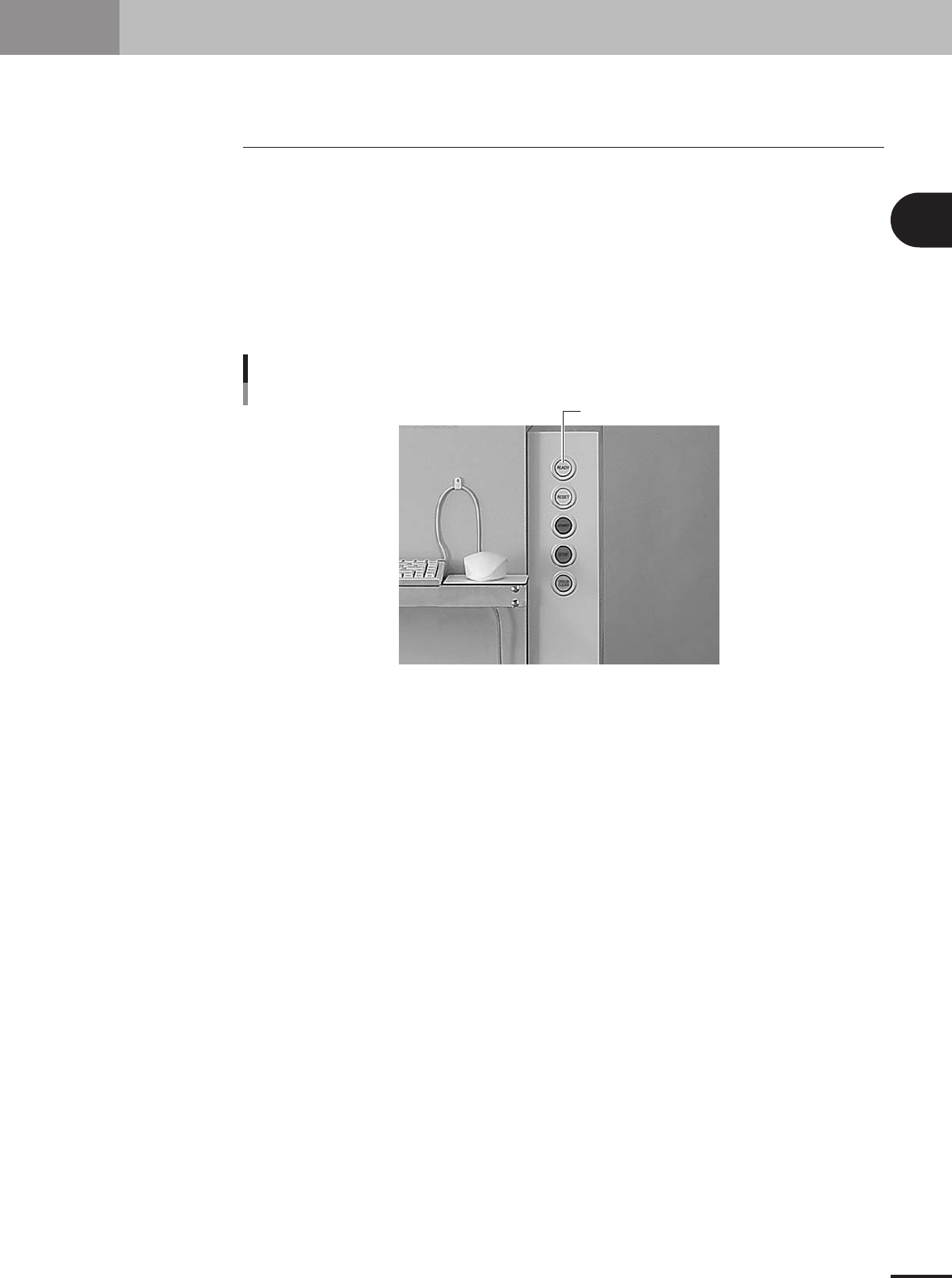
Press the [READY] button.
Pressing the [READY] button on the operation panel turns on the servomotors.
Press the [READY] button to turn on the servo.
[READY] button
23103-5E-2A
4
Check the signal light and screen display.
Check that the red lamp of the signal light is off and the emergency stop sign on the
operation screen is now off.