M3plus_OperationManual_e.pdf - 第45页
2 - 12 2 Basic oper ation 3. Starting and stopping the machine 4 Press the [Start] button to start warm-up. The warm-up progress time and bar will appear on the Warm-up screen. Warm-up screen 27302-5E-20 c CAUTION If an …
2 -11
2
Basic operation
3. Starting and stopping the machine
3.3 Starting and warming up the machine
After starting up the machine, we recommend warming it up for about 10 minutes in most
cases. If less than two hours has elapsed after the machine was last used, no warm-up is
necessary.
1
Make pre-operation checks and then start up the machine.
For pre-operation checks and starting up the machine, see "3.1 Inspection before
operation" in this chapter.
2
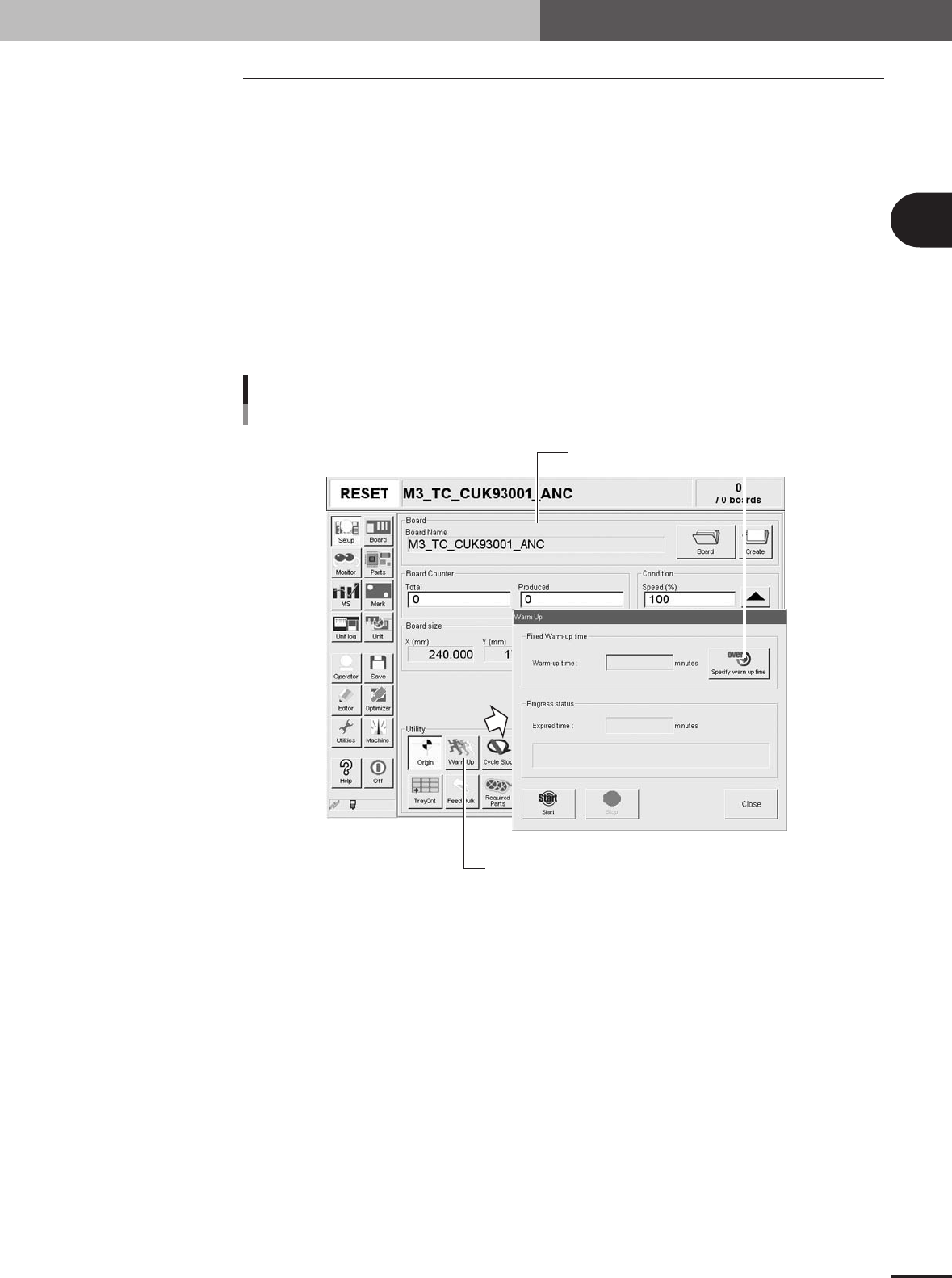
Press the [Warm Up] button on the Setup screen.
The Warm-up screen then appears.
3
Enter a warm-up time.
Press the [Stop after time over] button and enter the warm-up time. Warm-up will
automatically stop when the warm-up time you set has elapsed. Normally, a warm-up
time of about 10 minutes is recommended.
[Warm Up] Button
Setup screen
Warm-up time setting screen
Press this button
to set warmup time.
27301-5E-20
2 -12
2
Basic operation
3. Starting and stopping the machine
4
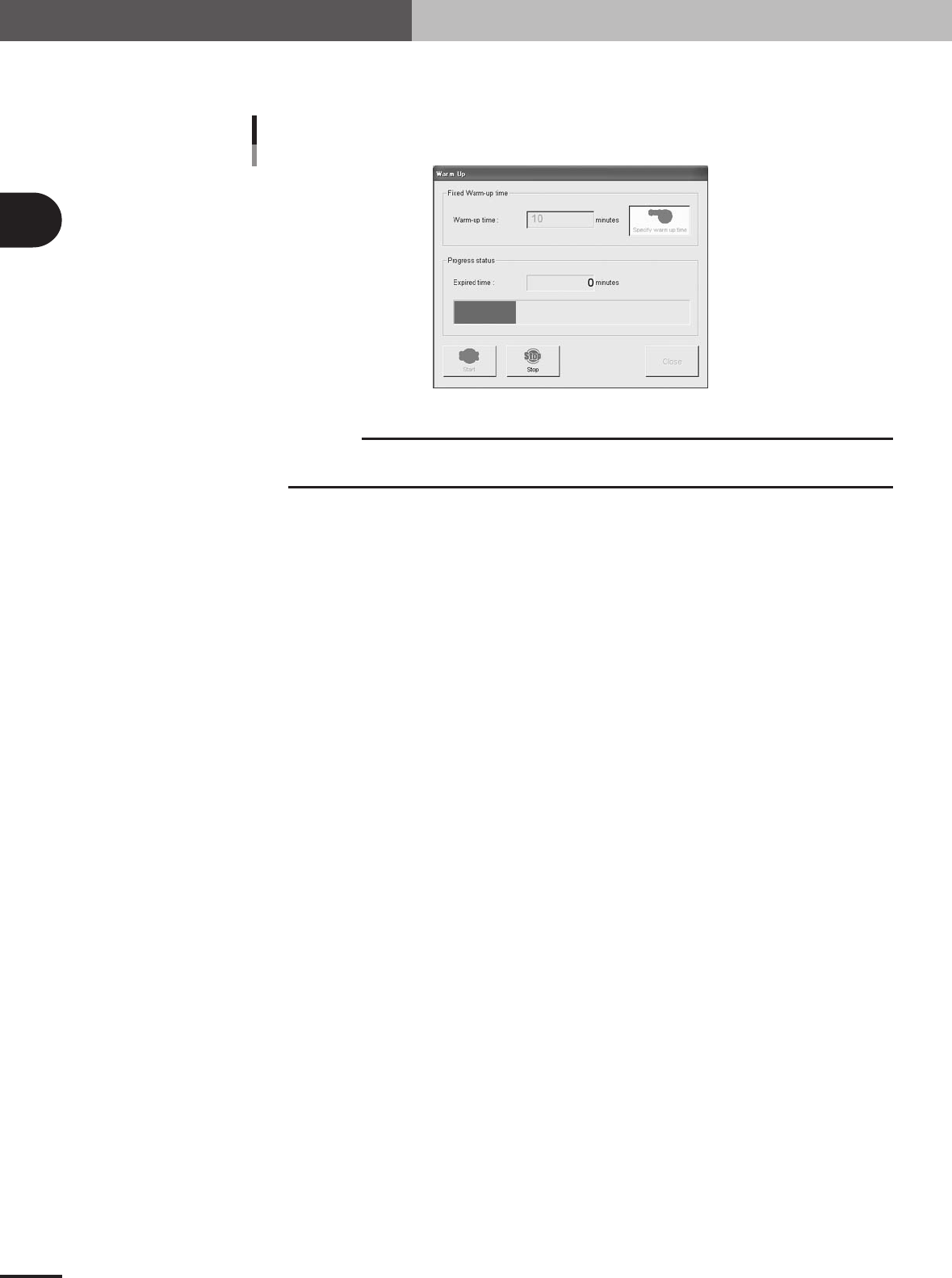
Press the [Start] button to start warm-up.
The warm-up progress time and bar will appear on the Warm-up screen.
Warm-up screen
27302-5E-20
c
CAUTION
If an abnormality occurs during warm-up, press the [Stop] button to stop operation
immediately, check the cause of the problem and eliminate it.
5
Finish the warm-up.
Warm-up will automatically stop when the warm-up time you set is reached. Press the
[Close] button, and return to the previous screen.
2 -13
2
Basic operation
3. Starting and stopping the machine
3.4 Changing the conveyor unit setup
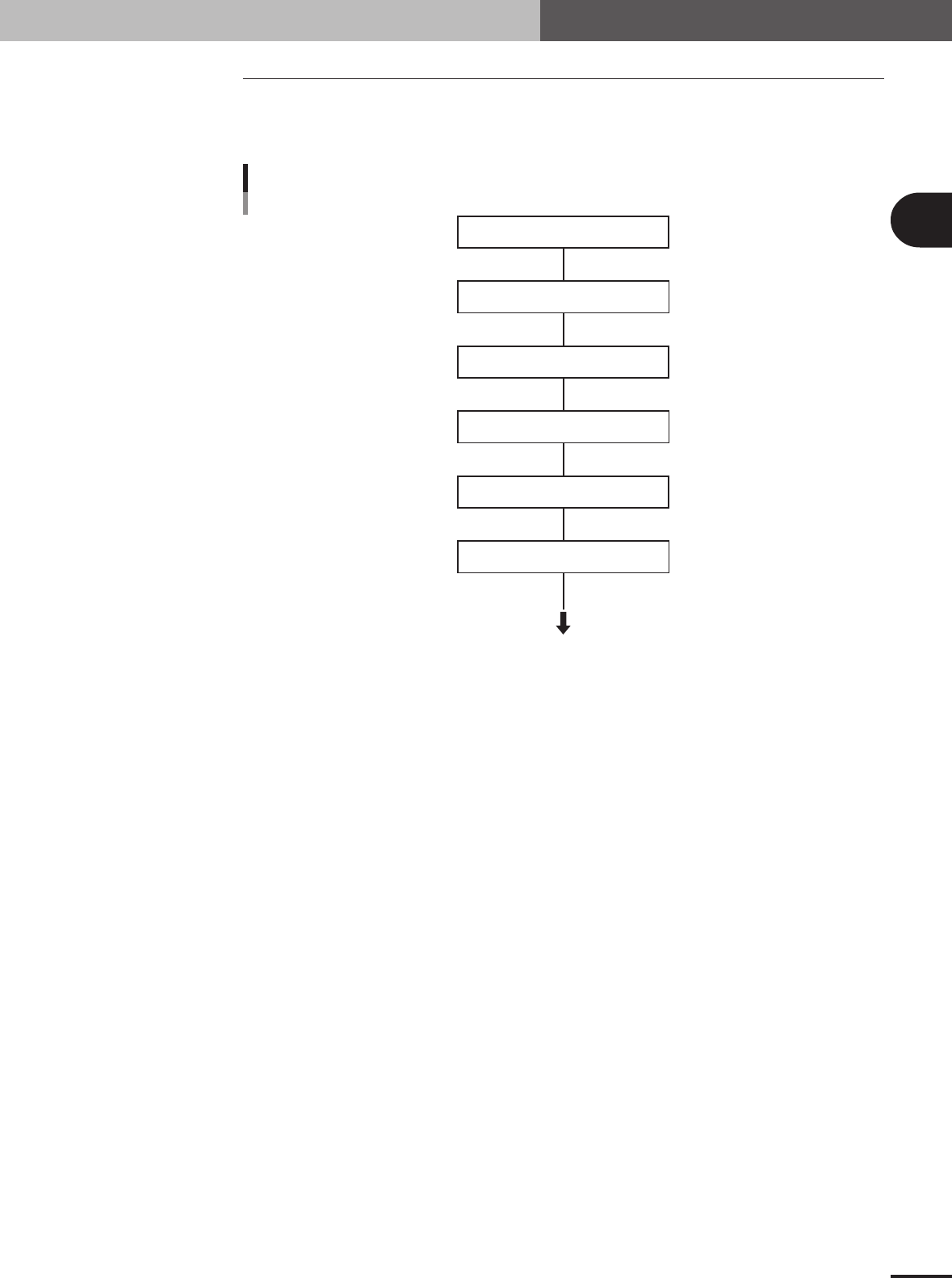
When the PCB type to be produced is changed, the conveyor unit must be set up correctly
according to that PCB type. This section describes how to change the conveyor unit
setups.
Adjust conveyor width
Press emergency stop button
Place PCB on working position
Check if PCB is securely clamped
Raise main stopper
Adjust push-up pin
Start
Flow chart for changing the conveyor units
See the description of
"3.4.1 Conveyor width" in chapter 2.
See the description of
"3.4.2 Push-up pins" in chapter 2.
23302-5E-20