M3plus_OperationManual_e.pdf - 第46页
2 - 13 2 Basic oper ation 3. Starting and stopping the machine 3.4 Changing the conveyor unit setup When the PCB type to be produced is changed, the conveyor unit must be set up correctly according to that PCB type. This…
2 -12
2
Basic operation
3. Starting and stopping the machine
4
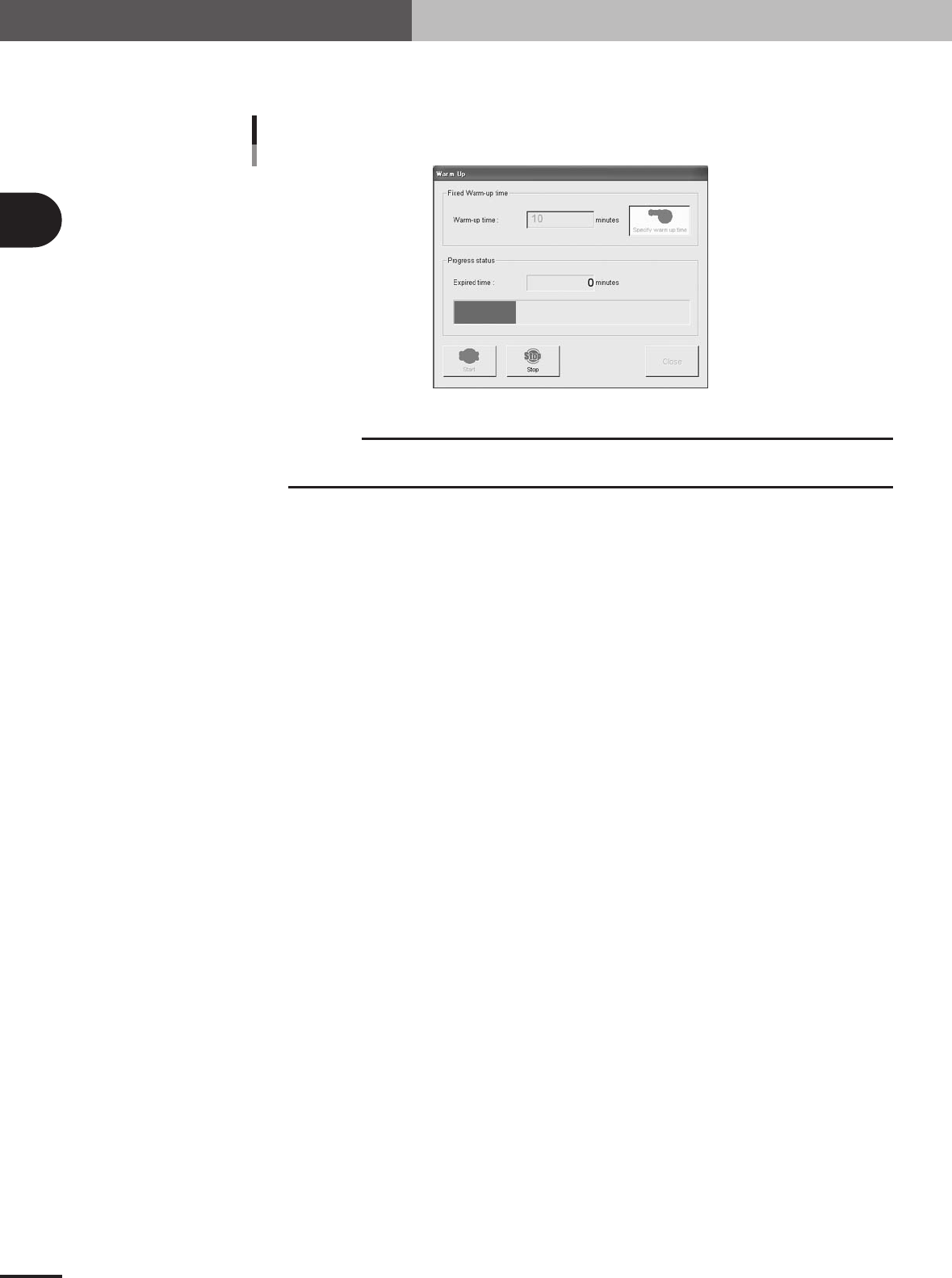
Press the [Start] button to start warm-up.
The warm-up progress time and bar will appear on the Warm-up screen.
Warm-up screen
27302-5E-20
c
CAUTION
If an abnormality occurs during warm-up, press the [Stop] button to stop operation
immediately, check the cause of the problem and eliminate it.
5
Finish the warm-up.
Warm-up will automatically stop when the warm-up time you set is reached. Press the
[Close] button, and return to the previous screen.
2 -13
2
Basic operation
3. Starting and stopping the machine
3.4 Changing the conveyor unit setup
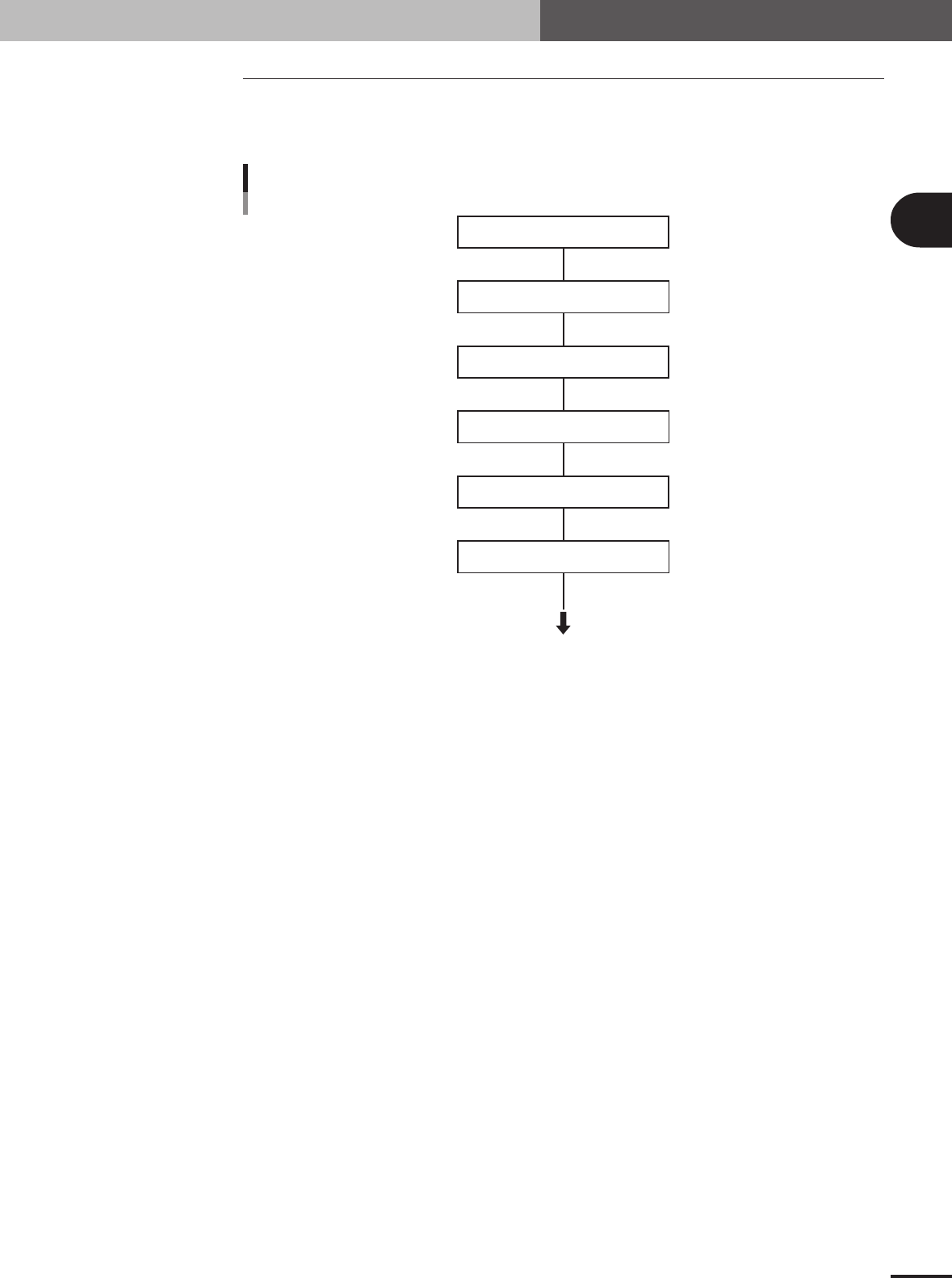
When the PCB type to be produced is changed, the conveyor unit must be set up correctly
according to that PCB type. This section describes how to change the conveyor unit
setups.
Adjust conveyor width
Press emergency stop button
Place PCB on working position
Check if PCB is securely clamped
Raise main stopper
Adjust push-up pin
Start
Flow chart for changing the conveyor units
See the description of
"3.4.1 Conveyor width" in chapter 2.
See the description of
"3.4.2 Push-up pins" in chapter 2.
23302-5E-20
2 -14
2
Basic operation
3. Starting and stopping the machine
3.4.1 Conveyor width
First adjust the conveyor width to match the PCB width to be produced.
1
Select the PCB data.
See the description of "2.2 Selecting the PCB data" in chapter 3.
2
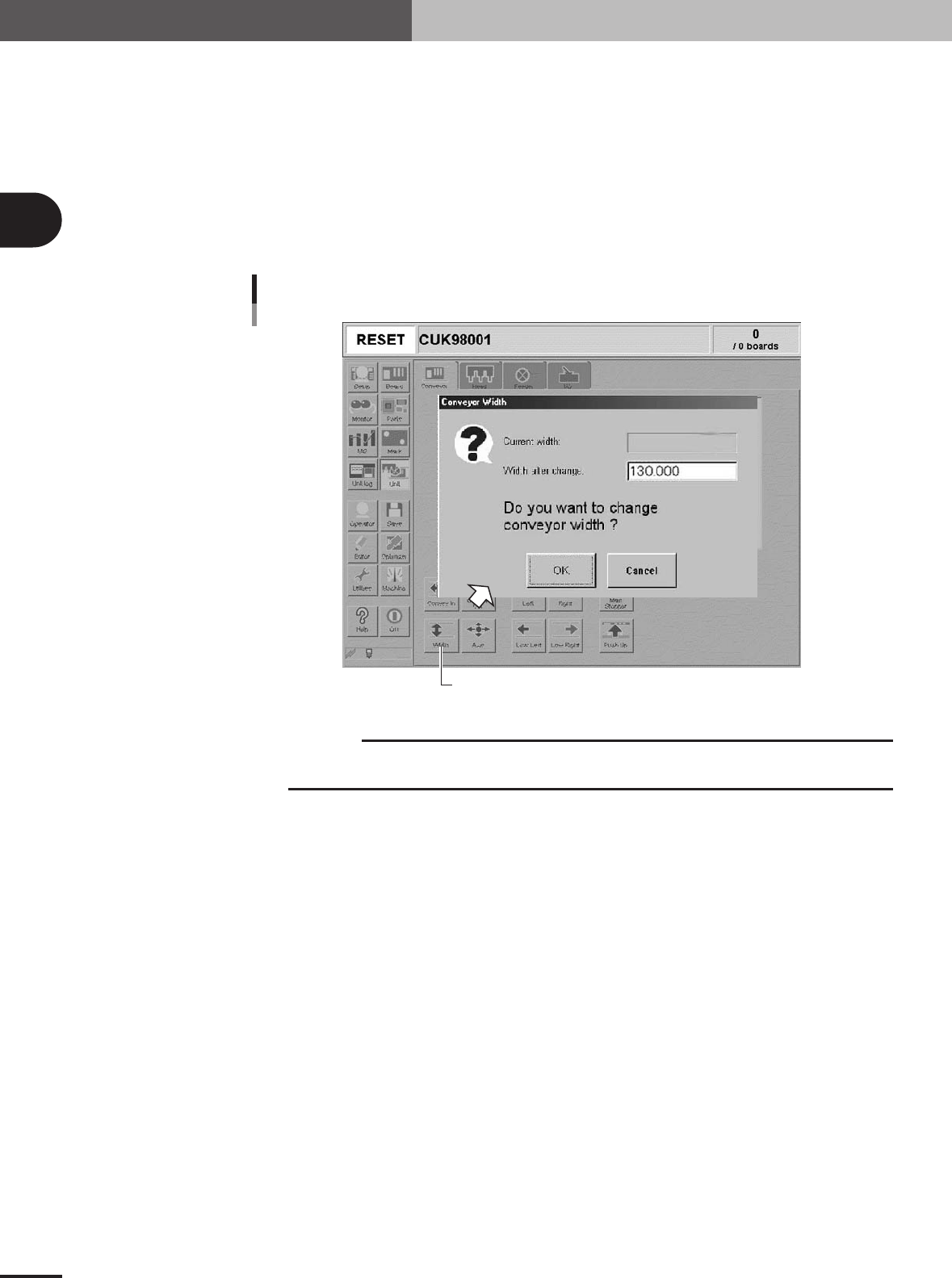
Open the [Unit]-[Conveyor] tab screen.
3
Press the [Width] button.
The Conveyor Width dialog box appears. Check the conveyor width and press the
[OK] button. The conveyor rail automatically changes to the specified width.
[Width] button
Conveyor Width dialog box
27311-5E-20
c
CAUTION
When adjusting the conveyor rail width, make sure that the conveyor rails do not make contact
with push-up pins attached on the push-up plate.