M3plus_OperationManual_e.pdf - 第62页
2 - 29 2 Basic oper ation 4. Starting and finishing production 4 Press "Yes" when the confirmation dialog box appears. Press [Yes]. Shutdown confirmation dialog bo x 27208-5E-20 5 Press [OK] when the move-to-or…
2 -28
2
Basic operation
4. Starting and finishing production
4.2 Finishing PCB production
To finish PCB production, follow these steps.
1
Stop machine operation.
There are four methods for stopping the machine.
1. Emergency stop button:
Press this button to trigger emergency stop. Do not use this button in normal
operation.
2. [STOP] button (operation panel):
Pressing the [STOP] button stops the machine immediately. To resume operation,
press the [START] button on the operation panel.
3. [Cycle Stop] button:
Pressing this button stops the machine operation just after component mounting on
the current PCB has been completed.
4. [Convey-out stop] button:
Use this button when you want to finish production just after components have
been mounted on the PCB currently on the conveyor. All PCBs on the conveyor are
carried out after component mounting, but new PCBs are not carried in from the
upstream side
c
CAUTION
Do not press the emergency stop button during operation except in case of emergency.
2
Reset the operation.
Press the [RESET] button on the operation panel. The machine returns to the PCB
production standby status.
3
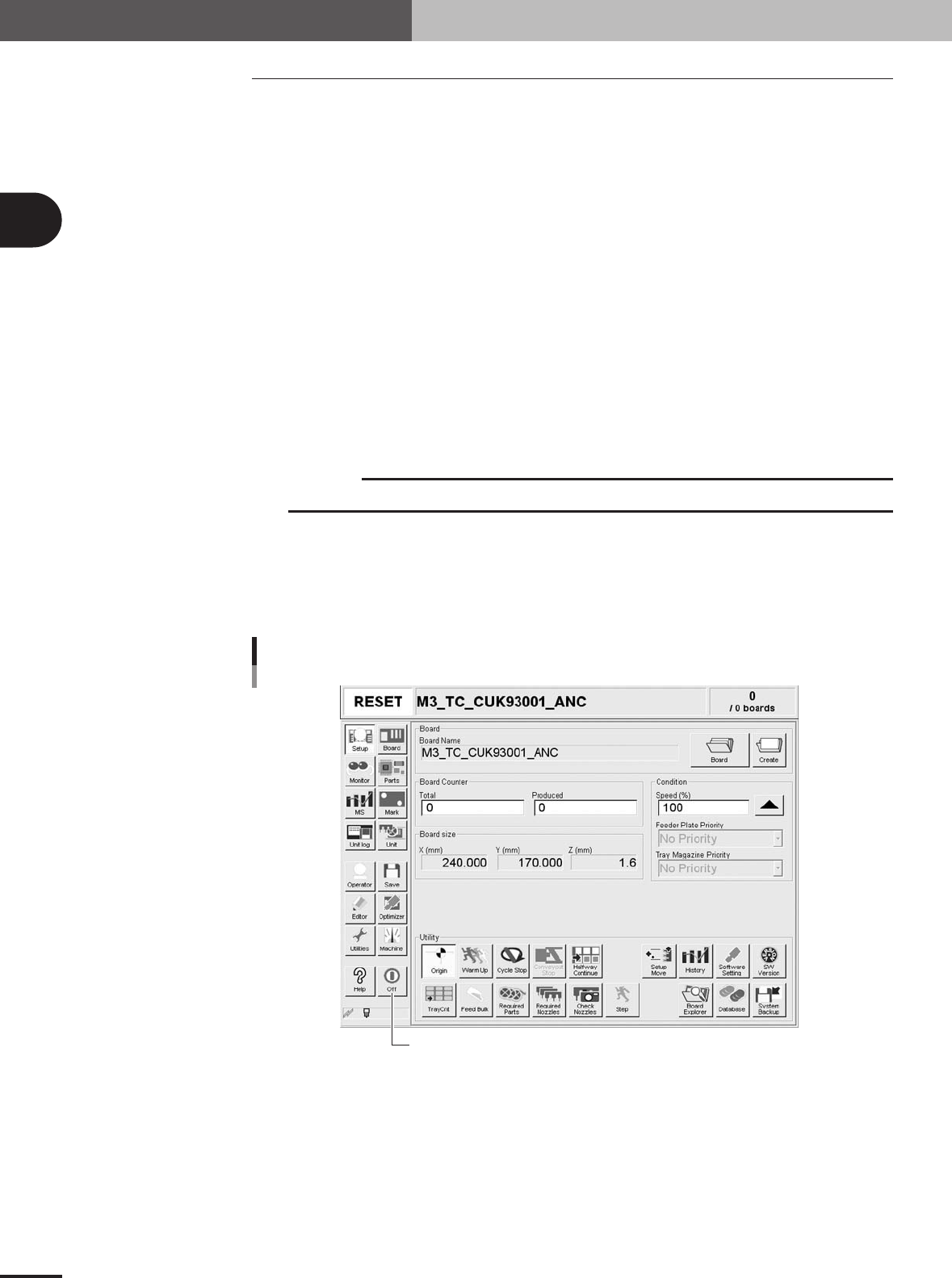
Press the [Off] button on the screen.
[Off] button
[Off] button
27201-5E-2A

2 -29
2
Basic operation
4. Starting and finishing production
4
Press "Yes" when the confirmation dialog box appears.
Press [Yes].
Shutdown confirmation dialog box
27208-5E-20
5
Press [OK] when the move-to-origin dialog box appears.
6
Press the [OK] button when another shutdown confirmation dialog
box appears.
7
Press the emergency stop button.
When the emergency stop dialog box appears, press the emergency stop button and
then press the [OK] button.
8
Turn off the power switch on the machine.
When the message "Ready to shut down" appears, press the [OK] button and then
turn off the power switch on the lower right of the machine.
c
CAUTION
If you turn off the power without following the correct sequence, the data may be damaged.
e