M3plus_OperationManual_e.pdf - 第69页
3 - 4 3 Creating the PCB data 2.2 Selecting the PCB data Proceed as follows to select the PCB data you already registered. 1 Press the [Board] button on the Setup screen. The "Board data select" dialog box appe…
3 -3
3
Creating the PCB data
2
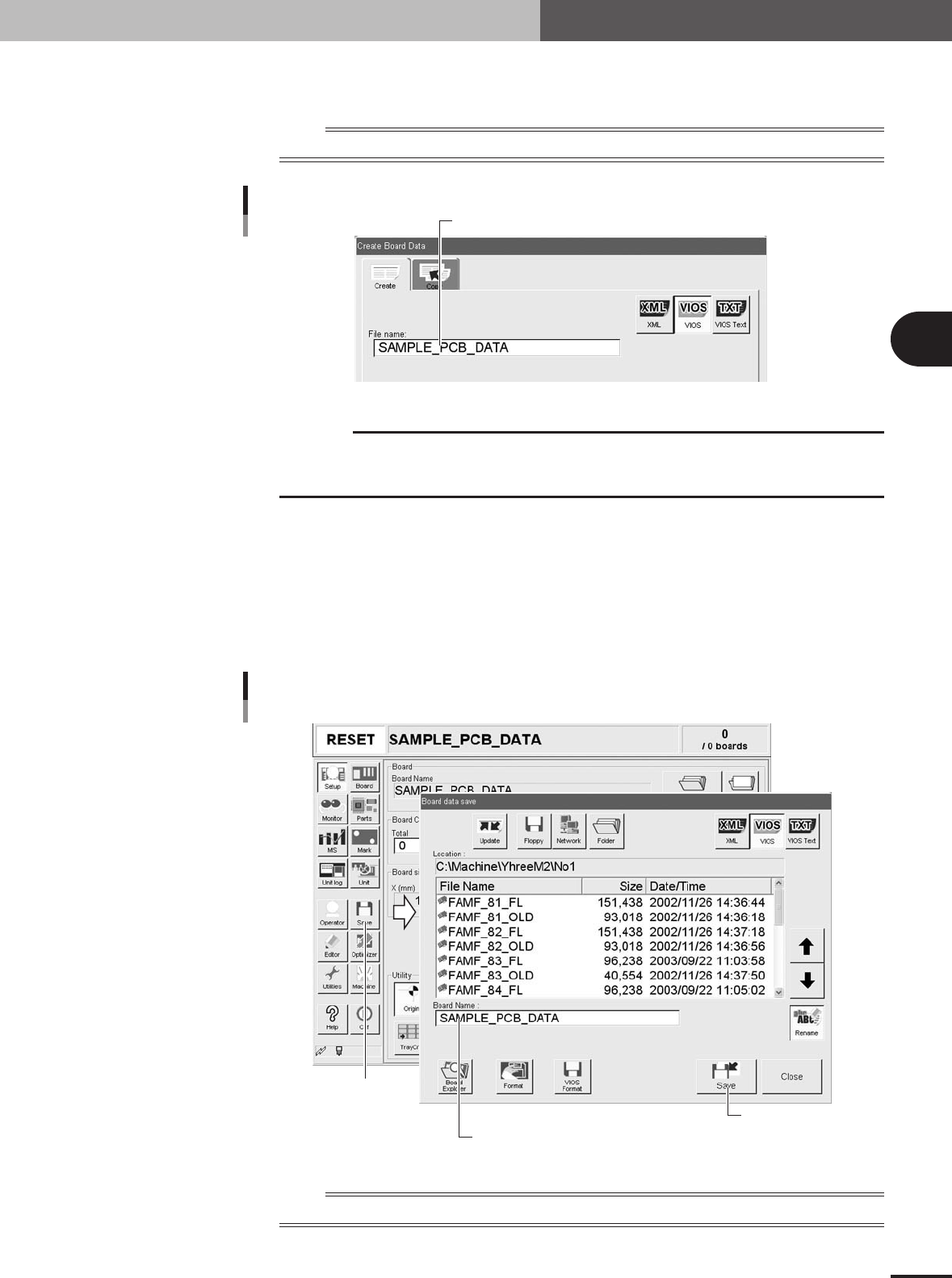
Enter a PCB name in the "File name" box on the Create tab screen.
Enter a PCB name within 20 alphanumeric characters from the keyboard.
n
NOTE
A space cannot be included in a PCB name. Use underbars instead.
Enter the PCB name and press [OK].
Entering a PCB name
27402-5E-20
c
CAUTION
An alert dialog appears if a PCB data with the same name has already been registered. Register
it with another PCB name in this case. Pressing the [OK] button on the alert dialog box will
overwrite the existing PCB data.
3
Press the [OK] button.
The display returns to the Setup screen.
4
Save the new PCB data.
1.Press the [Save] button in the main menu button area.
The Save dialog box appears showing the PCB list.
2.Check the drive, folder and file type to save the PCB data and press [Save] button.
Saving the PCB data
[Save] button
[Save] button
Check that the PCB name to be saved is displayed.
27403-5E-20
n
NOTE
VIOS format data should be saved in the "No 1" folder and XML format data in the "My Programs" folder.
2. Registering and selecting the PCB name
3 -4
3
Creating the PCB data
2.2 Selecting the PCB data
Proceed as follows to select the PCB data you already registered.
1
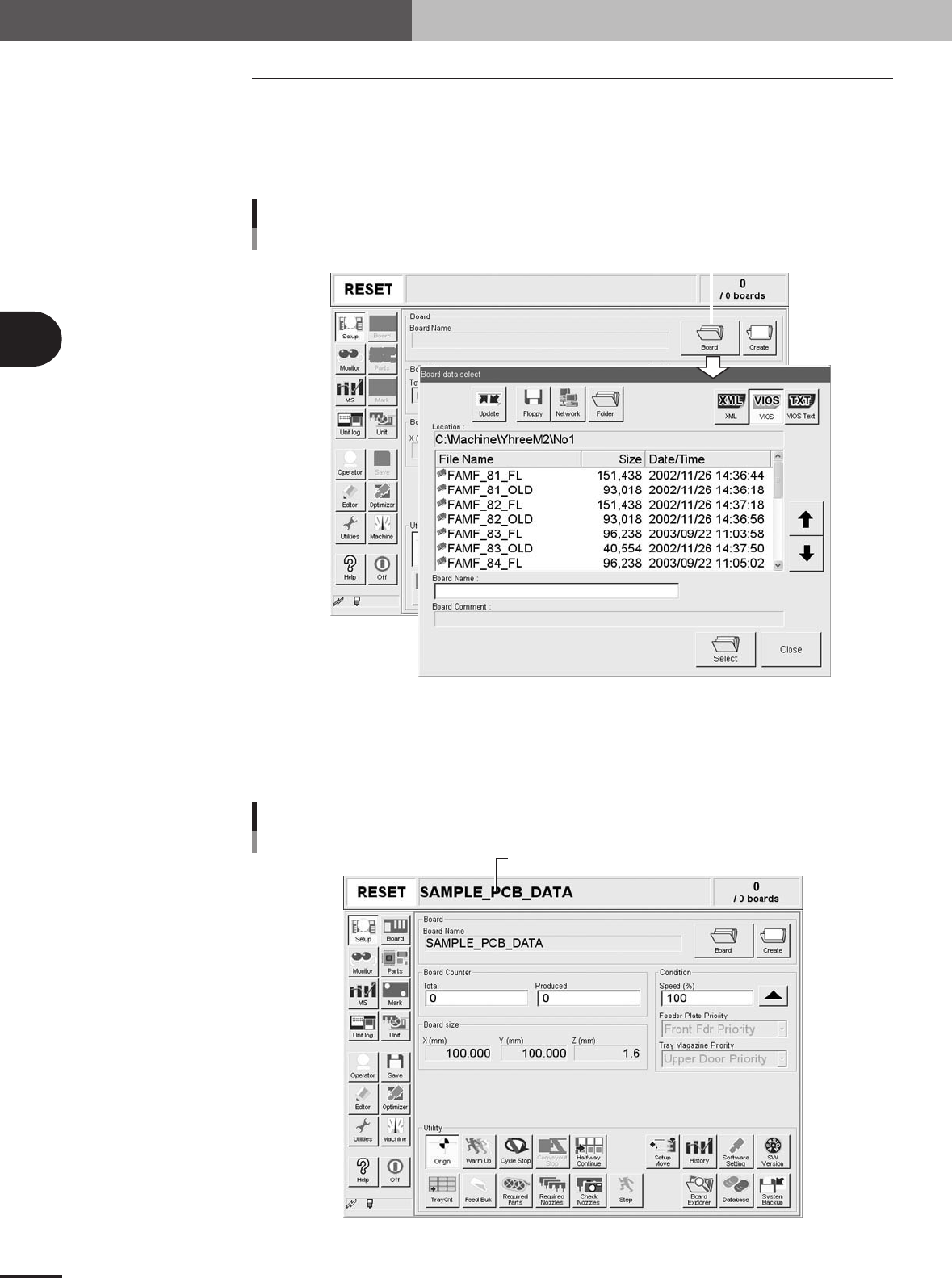
Press the [Board] button on the Setup screen.
The "Board data select" dialog box appears as shown below, showing the registered
PCB list.
[Board] button
[Board] button
27404-5E-20
2
Select the PCB name.
Line up the cursor with the PCB data you want to select and press the [Select] button.
The selected PCB data is loaded and its name is displayed on the status bar of the
operation screen.
Selected PCB name
Selected PCB name
27405-5E-20
2. Registering and selecting the PCB name
3
Creating the PCB data
3-5
3. Creating the PCB information
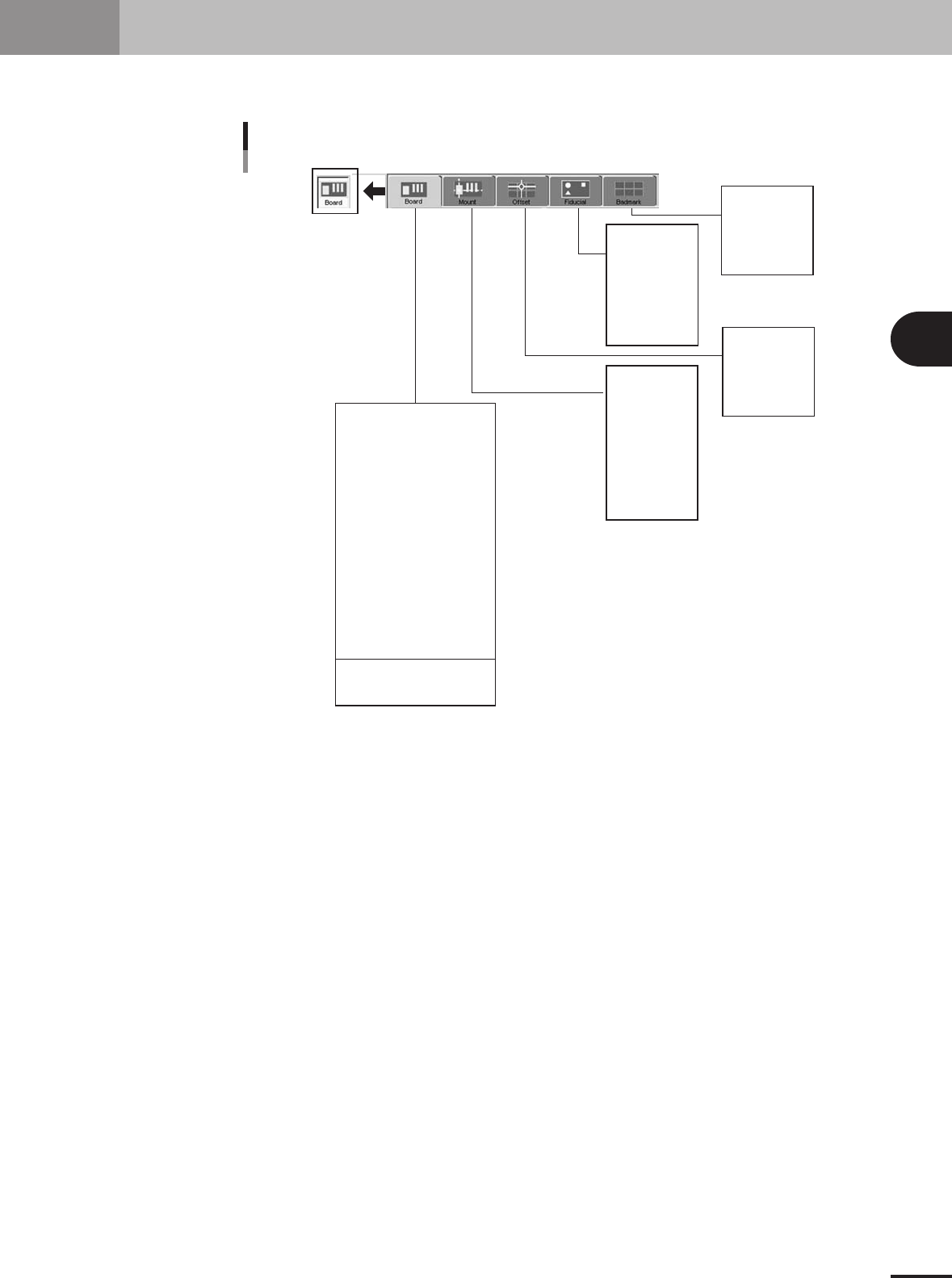
This section describes how to create PCB information such as for PCB size and production methods.
PCB information parameter
Data No.
Pattern Name
Skip
X, Y, R
P. N o .
Part Name
Head
Bad.
Fid.
Data No.
Pattern Name
Type
Skip
X, Y, R
Data No.
Pattern Name
Type
X1, Y1
Mark 1
X2, Y2
Mark 2
Data No.
Pattern Name
Ty p e
X, Y
Mark
Board Size XY
Board Size Height
Comment
Prod. Board Counter
Prod. Board Count Max.
Prod. Block Counter
Unloader Counter
Unloader Count Max.
Board Fix Device
Pre Fix Timer
Tra ns Height
Alignment
Vacuum Check
Retry Sequence
Precede Pick
Conveyor X Speed
Conveyor motor speed
23402-5E-20