M3plus_OperationManual_e.pdf - 第80页
3 - 15 3 Creating the PCB data 3. Creating the PCB information 3.3.2 Block distribution function This function copies the mount data for the reference block and distributes it over all other blocks. The distributed mount…
3 -14
3
Creating the PCB data
3. Creating the PCB information
4
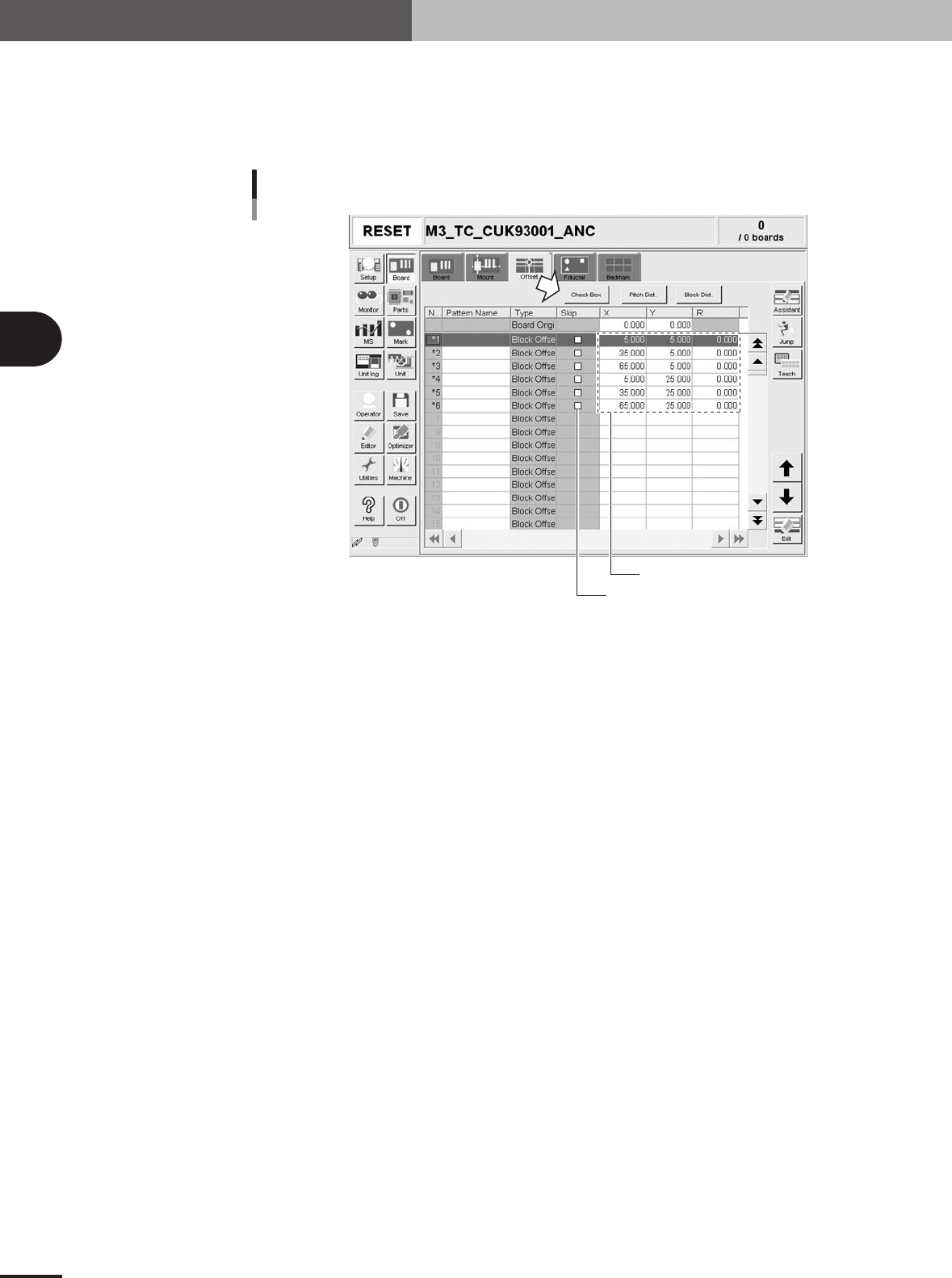
Check the distributed block offset data.
After pitch distribution is complete, the offset data distributed over the blocks is
displayed, so check the offset data. The "Skip" check boxes are all cleared after pitch
distribution. If there are blocks where you want to skip mounting components, press
the [Check Box] button and then mark the "Skip" check box.
Block offset data after pitch distribution
Distributed block offset data
"Skip" check box
27316-5E-20
3 -15
3
Creating the PCB data
3. Creating the PCB information
3.3.2 Block distribution function
This function copies the mount data for the reference block and distributes it over all
other blocks. The distributed mount data is automatically entered and displayed on the
mount information screen according to the blocks or mount data.
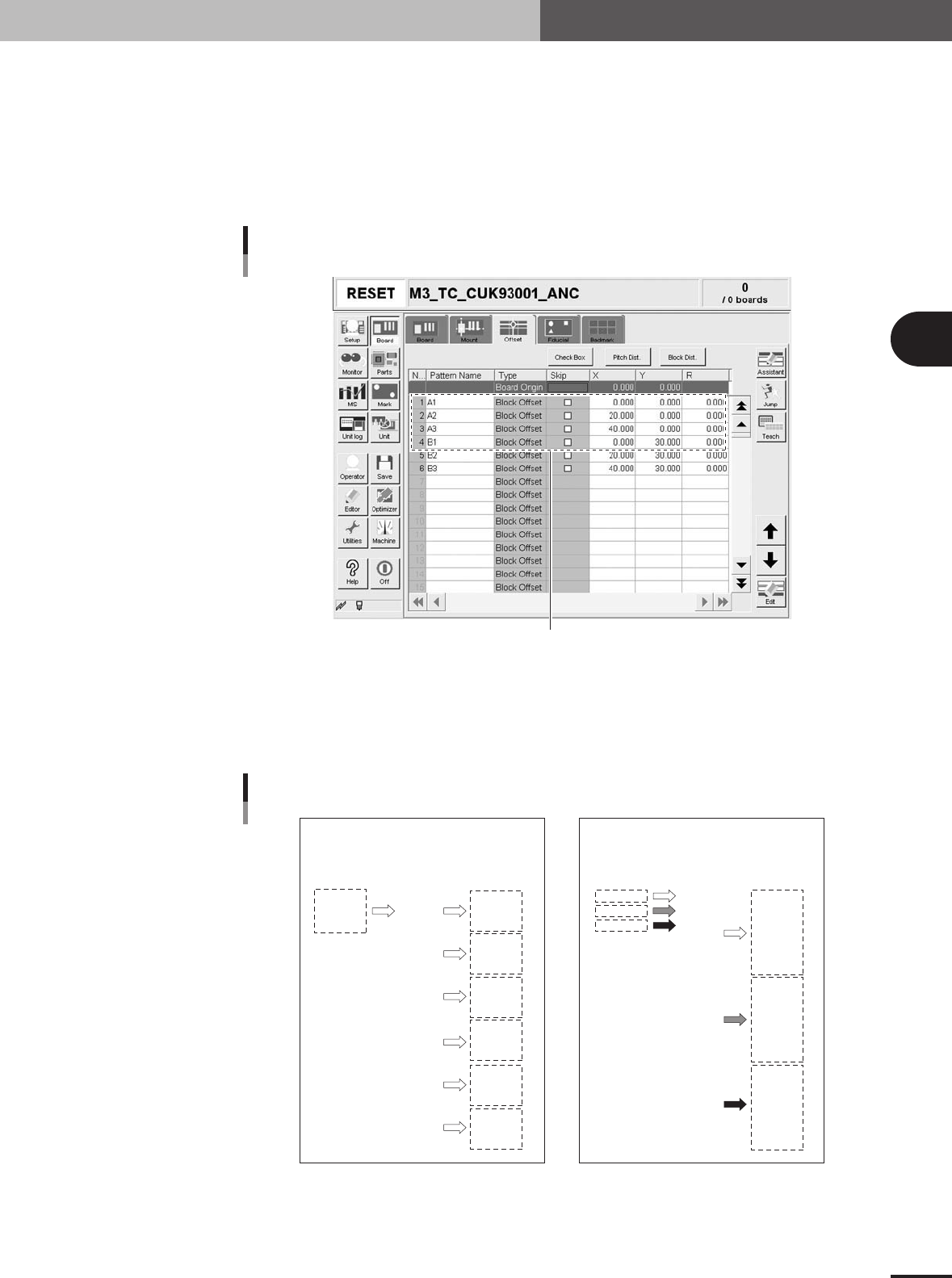
1
Check the block offset data.
At least one item of block offset data must have been entered to perform the "block
distribution" function.
Checking the block offset data
At least one item of block offset data must have been entered.
27317-5E-20
2
Press the [Block Disp.] button and select the type of block
distribution.
Pressing the [Block Disp.] button opens a dialog box for selecting the type of block
distribution. Select "Block Repeat" or "Column Repeat" and press the [OK] button.
All mount data are copied and distributed
over each block, and then displayed according
to the blocks.
Before distribution After distribution
Before distribution After distribution
P01
P02
P03
1
2
3
4
5
6
7
8
9
10
11
12
13
14
15
16
17
18
P01
P02
P03
1
2
3
4
5
6
7
8
9
10
11
12
13
14
15
16
17
18
P01
P01
P01
P01
P01
P01
P02
P02
P02
P02
P02
P02
P03
P03
P03
P03
P03
P03
1
2
3
4
5
6
7
8
9
10
11
12
13
14
15
16
17
18
P01
P02
P03
P01
P02
P03
P01
P02
P03
P01
P02
P03
P01
P02
P03
P01
P02
P03
1
2
3
4
5
6
7
8
9
10
11
12
13
14
15
16
17
18
Mount data in each row is sequentially copied
and distributed over each block, and then
displayed according to the mount data.
"Block Repeat"
"Column Repeat"
Block distribution type
23432-5E-20
3 -16
3
Creating the PCB data
3. Creating the PCB information
3
Check the message and press the [OK] button.
c
CAUTION
Data that has undergone block distribution cannot be restored to the original state.
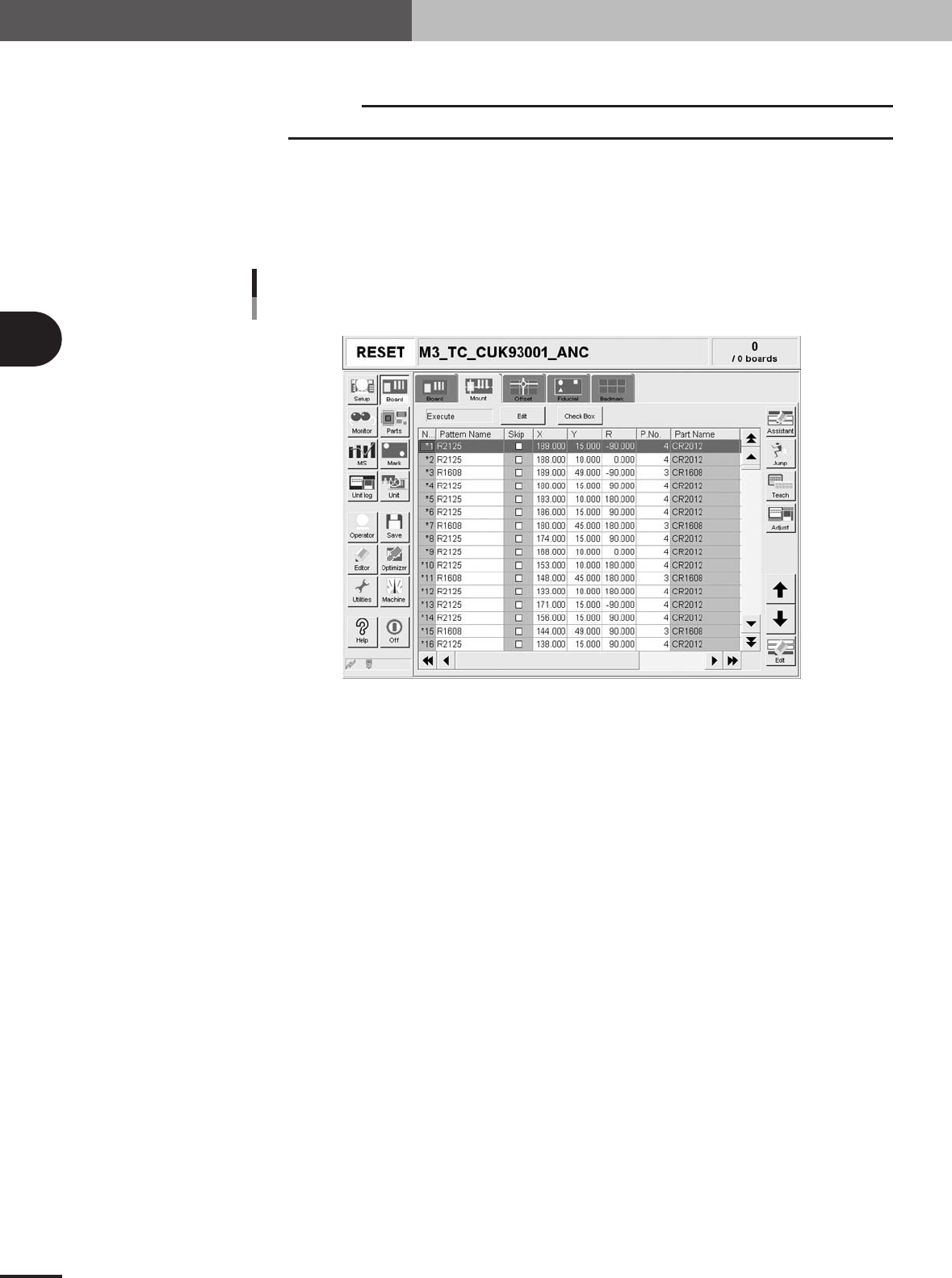
4
Check the distributed block offset data.
After block distribution is complete, the block offset data distributed for mount
information is displayed, so check the offset data. The "Skip" check boxes are all
cleared after block distribution. If there are blocks where you want to skip mounting
components, press the [Check Box] button and then mark the "Skip" check box.
Block offset data after block distribution
Example of "Block Repeat" distribution type
27318-5E-20