00192156-04.pdf - 第24页
Maintenance Maintenance Instr uctions F 6 Maintenance work every week 03/2003 US E dition 24 6

Maintenance Instructions F Maintenance
03/2003 US Edition 6 Maintenance work every week
23
6
You will need the following tools and consumables for the weekly maintenance. 6
– Vacuum cleaner
– Collecting container
–Brush
–Scissors
–Pliers
– Lint-free cloths
– Ethyl alcohol
– Set of cleaned ceramic nozzles or new nozzles
– If necessary, Viledon filter mat, 225 x 362 (from article no. 00304048-01).
6
There must be no PCBs in the placement machine during the following maintenance steps. 6
: Select “Block manually” (status closed) on the station computer and click on OK (for dual con-
veyor track 1 / track 2).
Wait until the last PCB has been produced and has left the placement machine.
The working area is now clear. 6
: Press the Stop button.
: Open the protective hood.
To move the gantry, take hold of the handle and push gently and carefully. 6
6
6
6
: Push the gantry over the component feeder table. This will stop it outside your working area.
6
Vacuum the PCB conveyor / sonar sensors 6
a Unscrew the barrel of the sonar sensor on the PCB stopper and remove any loose parts. Then
screw the barrel hand-tight back onto the sonar sensor.
s Use the vacuum cleaner to remove all loose components on and around the PCB conveyor.
Loose components on the PCB conveyor and in the barrel of the sonar sensor can cause malfunc-
tions. 6
6
6
6
6
6
Maintenance Maintenance Instructions F
6 Maintenance work every week 03/2003 US Edition
24
6

Maintenance Instructions F Maintenance
03/2003 US Edition 6 Maintenance work every week
25
Clean the X/Y scales 6
a Use a lint-free cloth dipped in ethyl alcohol to clean the incremental scales for the X and Y
axes.
6
Dirty scales can cause counting errors on the X and Y axes, and thus lead to incorrect or inaccu-
rate placing. 6
6
6
6
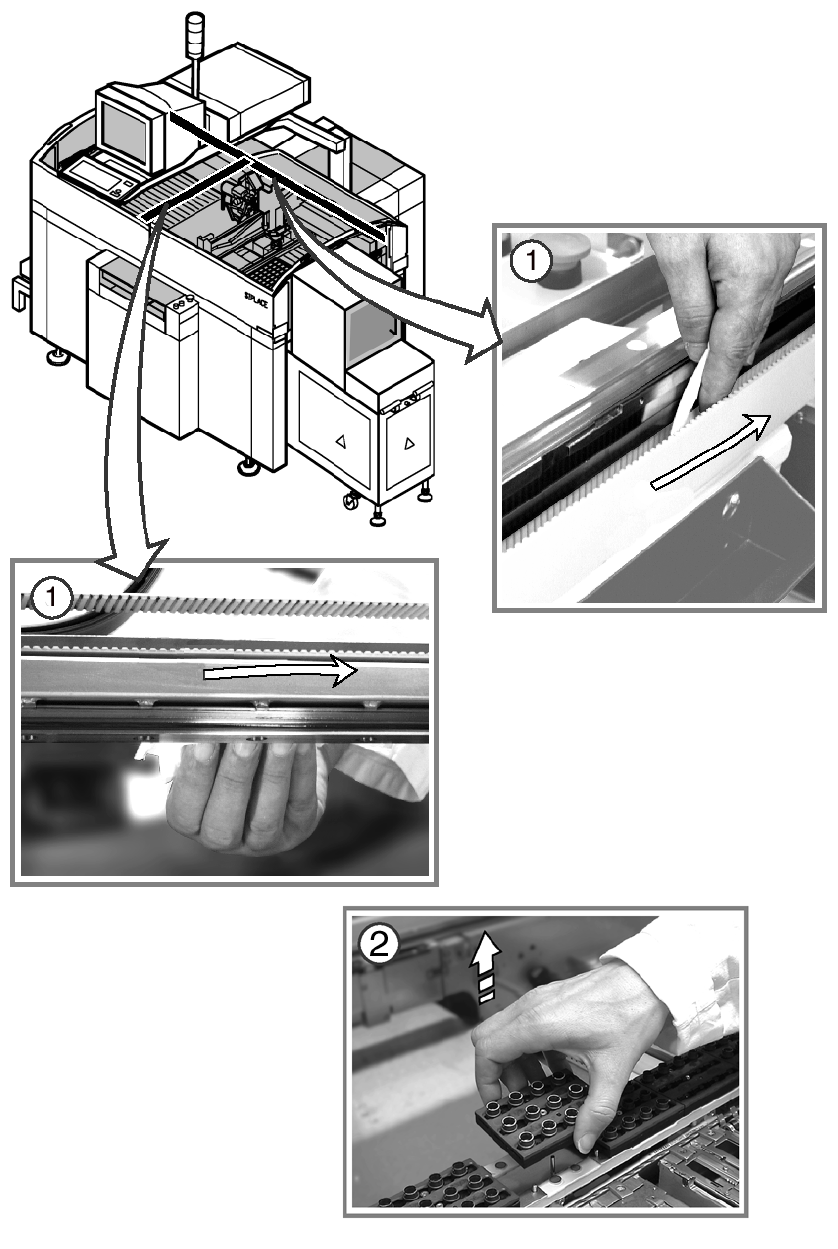
Change the nozzle changer magazines 6
: Use the "Single Functions" menu to return the nozzles of the Collect&Place head to the nozzle
changers.
s Remove the nozzle changer magazines and replace them with magazines with cleaned ce-
ramic nozzles or new nozzles.
: Use the Single Functions menu to pick up the nozzles of the Collect & Place head.
6
6
: Empty the nozzle reject bin.
: Repeat the job at the other location.
6
6
6
6
6
6
6
6
6
6