00192156-04.pdf - 第40页
Maintenance Maintenance Instr uctions F 7 Monthly m aintenance work 03/2003 US E dition 40 7
Maintenance Instructions F Maintenance
03/2003 US Edition 7 Monthly maintenance work
39
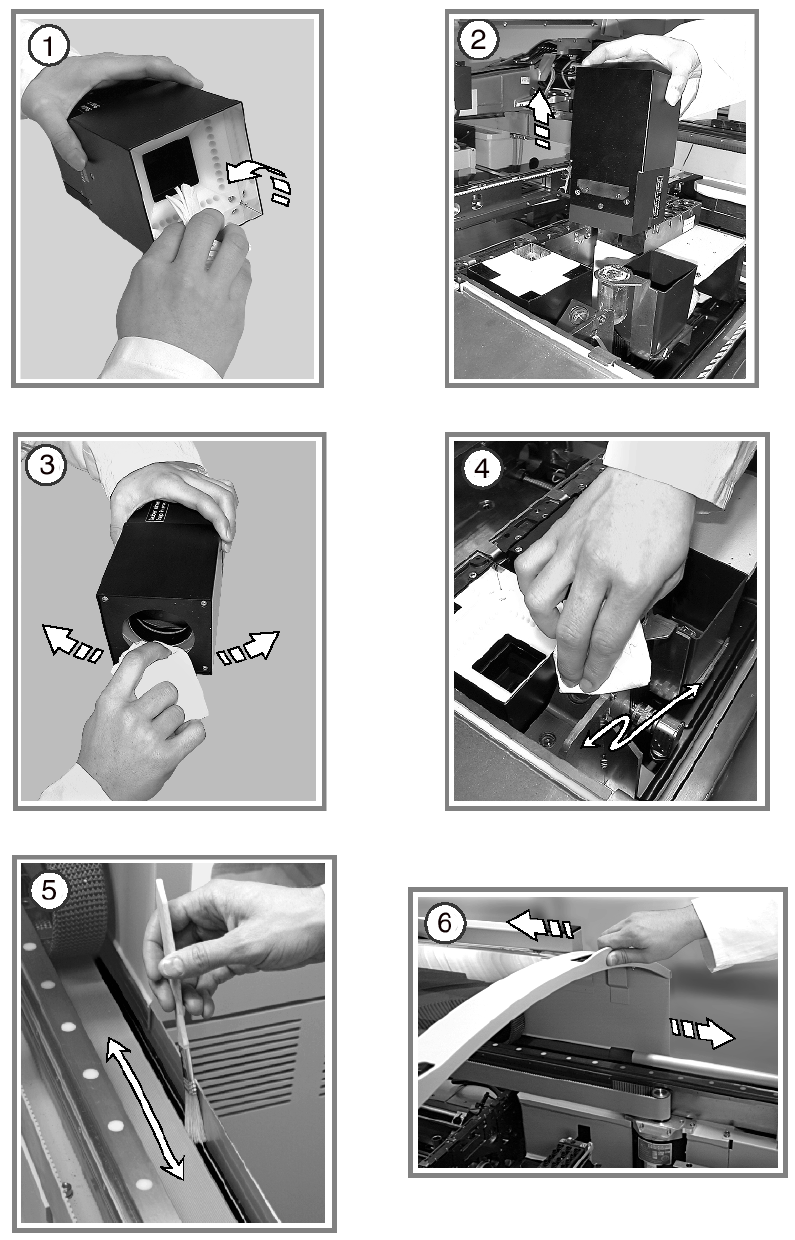
Clean the linear guides for the X and Y axes 7
a Use the SIPLACE cleaning cloth to clean the linear guides for the X and Y axes thoroughly
along their entire length.
s Use a lint-free cloth to remove any remaining dirt from the linear guides.
: Preserve the linear guides using a new SIPLACE cleaning tissue.
7
7
: Switch the placement system off at the main switch.
7
7
Clean the IC camera 7
d Carefully pull the top part of the IC camera up and off.
This will enable you to remove loose components from the IC camera.
f Loosen and remove the two slotted screws from the mapping plate.
g Remove the glass disk.
7
7
7
7
7
7
7
7
7
7
7
Maintenance Maintenance Instructions F
7 Monthly maintenance work 03/2003 US Edition
40
7

Maintenance Instructions F Maintenance
03/2003 US Edition 7 Monthly maintenance work
41
a Clean the mirrored surfaces of the camera and the glass disk using a lens cleaning cloth.
: Insert the glass disk once more.
: Insert the top part of the IC camera.
When you insert the top part of the IC camera, make sure that it lies flat against the bottom part
and does not move.
7
Clean the FC camera
s Remove the top part of the FC camera in the same way.
d Clean the mirrored surfaces of the FC camera.
: Insert it again as described above.
7
Clean the coplanarity module 7
f Use lens cleaning paper to clean the lenses of the coplanarity module.
7
7
Clean the guides for the protective hoods 7
g Use a brush dipped in ethyl alcohol to clean the guides for the protective hoods.
: Grease the protective hood guides using a brush and ISOFLEX TOPAS NCA 52.
h Close and open the protective hoods to distribute the grease evenly.
7
7
7
7
7
7