00192156-04.pdf - 第82页
Maintenance Maintenance Instr uctions F 10 Annual maintenance work 03/2003 US E dition 82 10

Maintenance Instructions F Maintenance
03/2003 US Edition 10 Annual maintenance work
81
10
You will need the following tools, equipment and consumables for the annual maintenance. 10
– Vacuum cleaner
– Set of hexagon socket spanners
– SIPLACE cleaning tissue (article no. 00315253-02)
– Grease cartridge with Urethyn E/M2 (article no.: 02101696-01)
10
: Select “Block manually” (status closed) on the station computer and click on OK (for dual con-
veyor track 1 / track 2).
The placement machine will continue to produce until the last PCB is complete and has left the
PCB conveyor.
: Switch the placement system off at the main switch.
: Open the protective hood.
10
10
: Move the gantry over the feeders. This will stop it outside your working area.
10
To move the gantry, take hold of the handle and push gently and carefully. 10
10
10
Vacuum beneath the lifting table 10
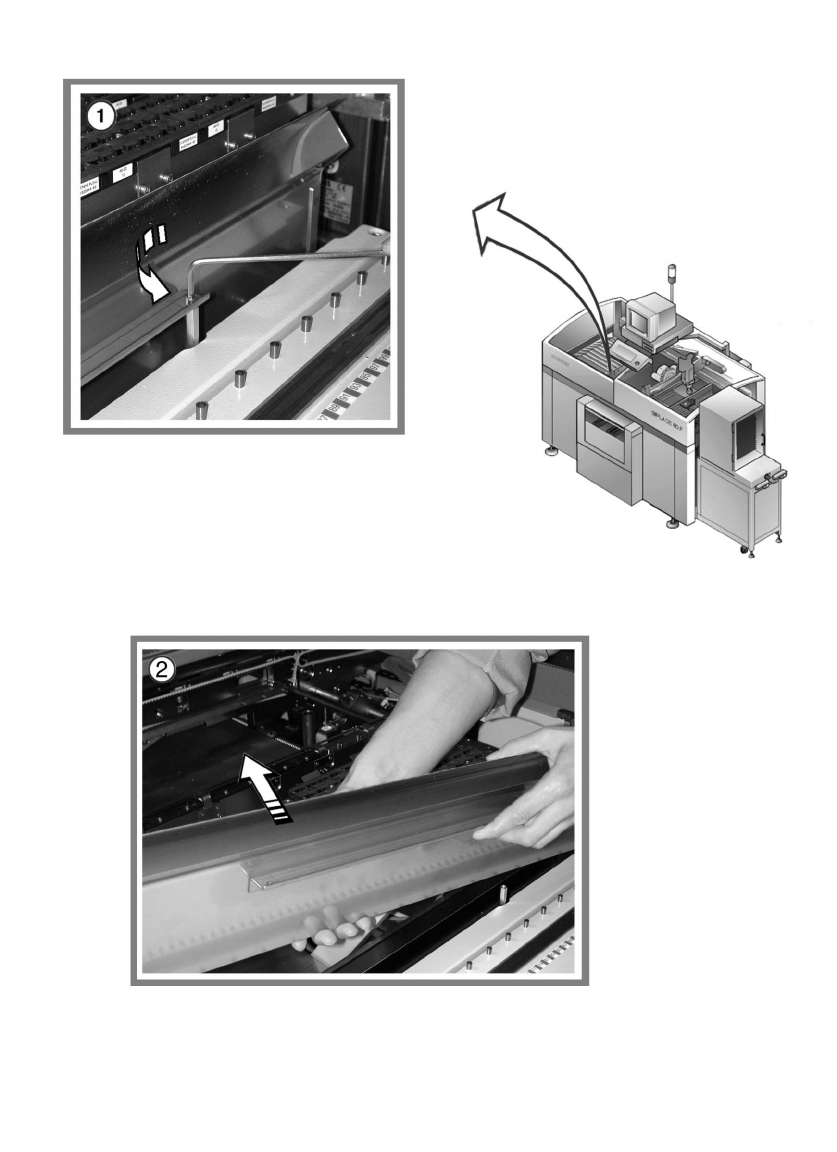
: Lift the lifting table out of the placement machine.
: Carefully vacuum the area beneath the lifting table.
10
10
Clean and preserve the PCB conveyor 10
a Preserve the recirculating ball screw by running a SIPLACE cleaning tissue along the thread
of the screw.
s Preserve the sliding surfaces of the guide rails using a SIPLACE cleaning tissue.
d Preserve the hexagonal shafts using a SIPLACE cleaning tissue.
f Preserve the guide shafts of the PCB stopper using a SIPLACE cleaning tissue.
10
Maintenance Maintenance Instructions F
10 Annual maintenance work 03/2003 US Edition
82
10
Maintenance Instructions F Maintenance
03/2003 US Edition 10 Annual maintenance work
83
Check the used tape cutter 10
10
a Undo the 2 screws of the used tape channel.
s Take off the used tape channel.
: Check that the cutting blade is cutting correctly.
Turn the cutting blade if there are any irregularities on the cutting surfaces. A cutting blade
must be replaced if it has already been turned once.
Contact SIPLACE Service.
10
: Reverse the above sequence to fit the used tape channel.
10
: Select “Block manually” (status open) on the station computer and click on OK (for dual con-
veyor track 1 / track 2).
10
10
: Repeat these tasks at every placement machine on the line.
: Switch the placement system on again at the main switch.
: Repeat these tasks on both sides of the machines on the placement line.
10
10
10
10
10
10