00196624-04_Service Manual WPC5_6_EN_01-2019.pdf - 第133页
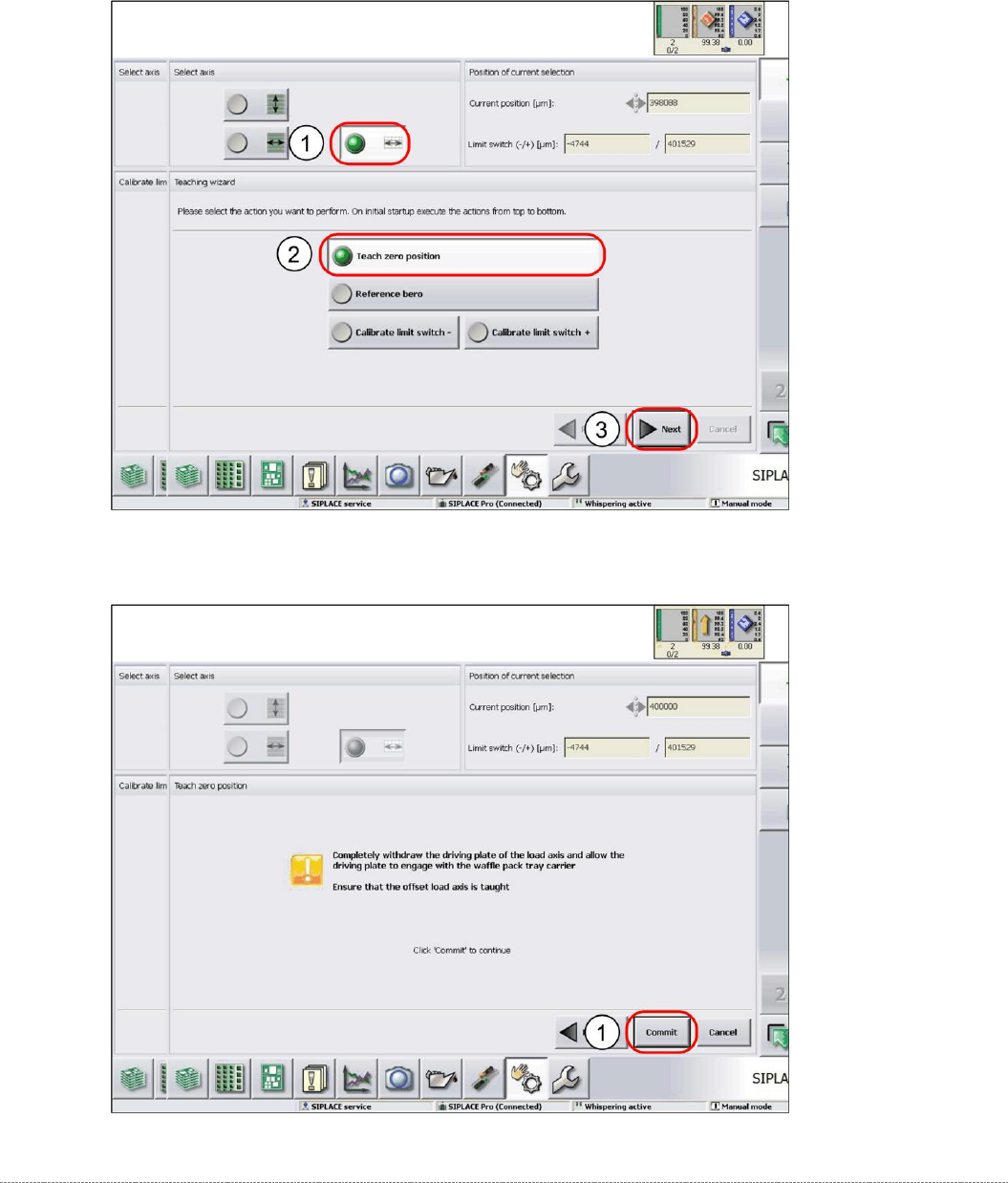
Service Manua l WPC5 / WPC6 Page 4-133 4.3.1 Teaching the Zero Point Position ➢ Select the load axis (1). ➢ Select the function Teach zero position (2). ➢ Select Next (3). ➢ Follow the instruction show n and continu e …
Service Manual WPC5 / WPC6
Page 4-132
4.3 Calibrating the Load Axis (WPC6 only)
Before calibration, remove all waffle-pack tray carriers (WPTCs) from the WPC.
Calibration of the load axis includes the following functions:
• "4.3.2 Teaching the Zero Point Position" [
➙
4-133]
• "4.3.3 Reference Proximity Switch (Bero)" [
➙
4-135]
• "4.3.4 Calibrating the Limit Switch" [
➙
4-137]
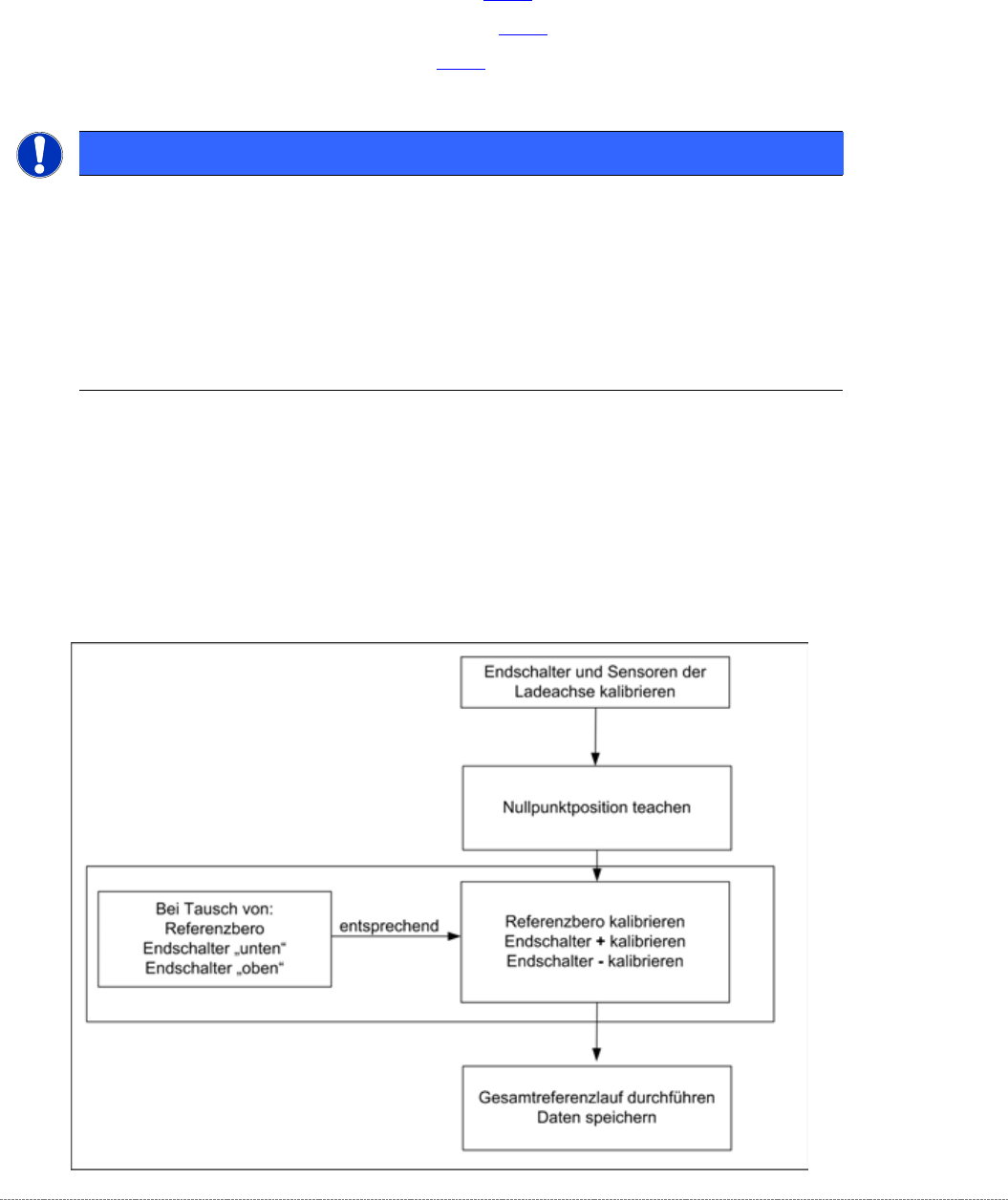
Load axis – order of settings
If the limit switches or sensors are replaced, you will need to recalibrate or reset these
accordingly.
A complete recalibration is only needed if the zero point position is changed.
The function for the
limit switch +
and
limit switch –
specified in the software is assumed by the
end position stoppers (bumpers) at the machine end and tower end.
NOTICE
Crash Light Barrier Component Height
The crash light barriers for height checks must not trigger during calibration
During calibration of the reference sensors and the limits switches, make sure that the
crash light barriers do not trigger without good reason. If this does happen, the
calibration process will stop and no values or invalid values will be calculated.
➢
During calibration, make sure that the light beam of the crash light barriers is not interrupted by
objects etc.
Service Manual WPC5 / WPC6
Page 4-133
4.3.1 Teaching the Zero Point Position
➢ Select the load axis (1).
➢ Select the function
Teach zero position
(2).
➢ Select
Next
(3).
➢ Follow the instruction shown and continue with
Commit
(1).
Service Manual WPC5 / WPC6
Page 4-134
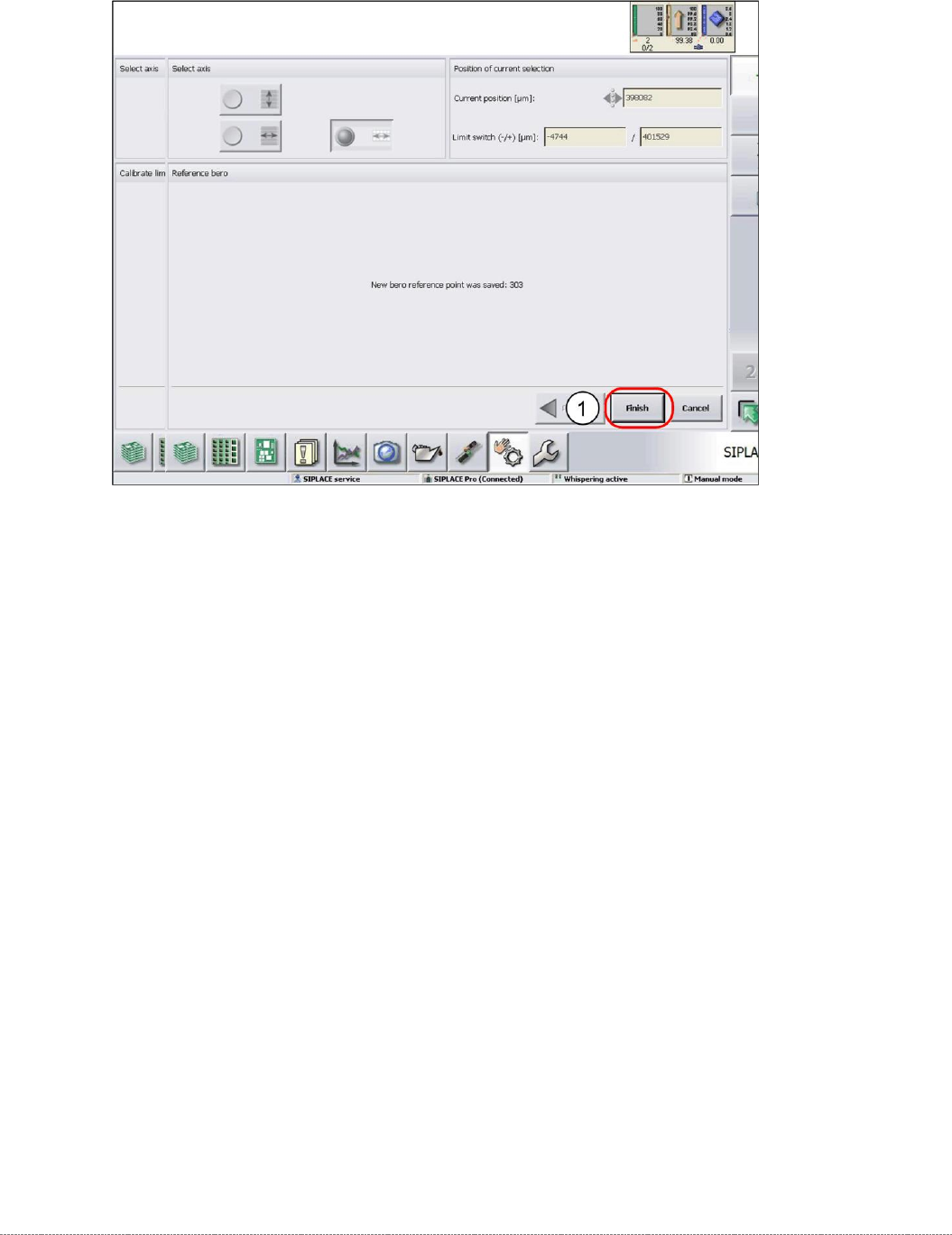
➢ Confirm the new zero point position with
Finish
(1).