182049 Viking Installation Manual.pdf - 第13页
semi automatic SAFETY FE ATURES EMERG ENCY SHU TDOWN Chapter Issue 1 Oct 02 Instal lation Manual 2.3 EMERGENCY SHUT DOWN The machin e is fitted with t wo emergency stop push butt on control switches (one at the f ront ri…

semi automatic
SAFETY FEATURES
PRINTHEAD COVER
2.2 Installation Manual Chapter Issue 1 Oct 02
PRINTHEAD COVER
Access to the machine printhead, stencil and optional under screen cleaner is
achieved by raising the printhead cover at the front of the machine.
The front printhead cover is fitted with a cam safety switch to protect personnel
from moving mechanisms during normal operations, opening the cover cuts
power to all motors and selected actuators, via the PNOZ system safety relay
module, to all machine modules.
A metal side safety cover is fitted to the machine side to protect personnel from
inadvertent access to the machine around the board entry/exit area.
Recovery When the cover is closed, normal working condition is restored and the machine
may be restarted. Pressing one of the two machine system buttons enables
resumption of operations, where this is allowed by the control system.
semi automatic
SAFETY FEATURES
EMERGENCY SHUTDOWN
Chapter Issue 1 Oct 02 Installation Manual 2.3
EMERGENCY SHUTDOWN
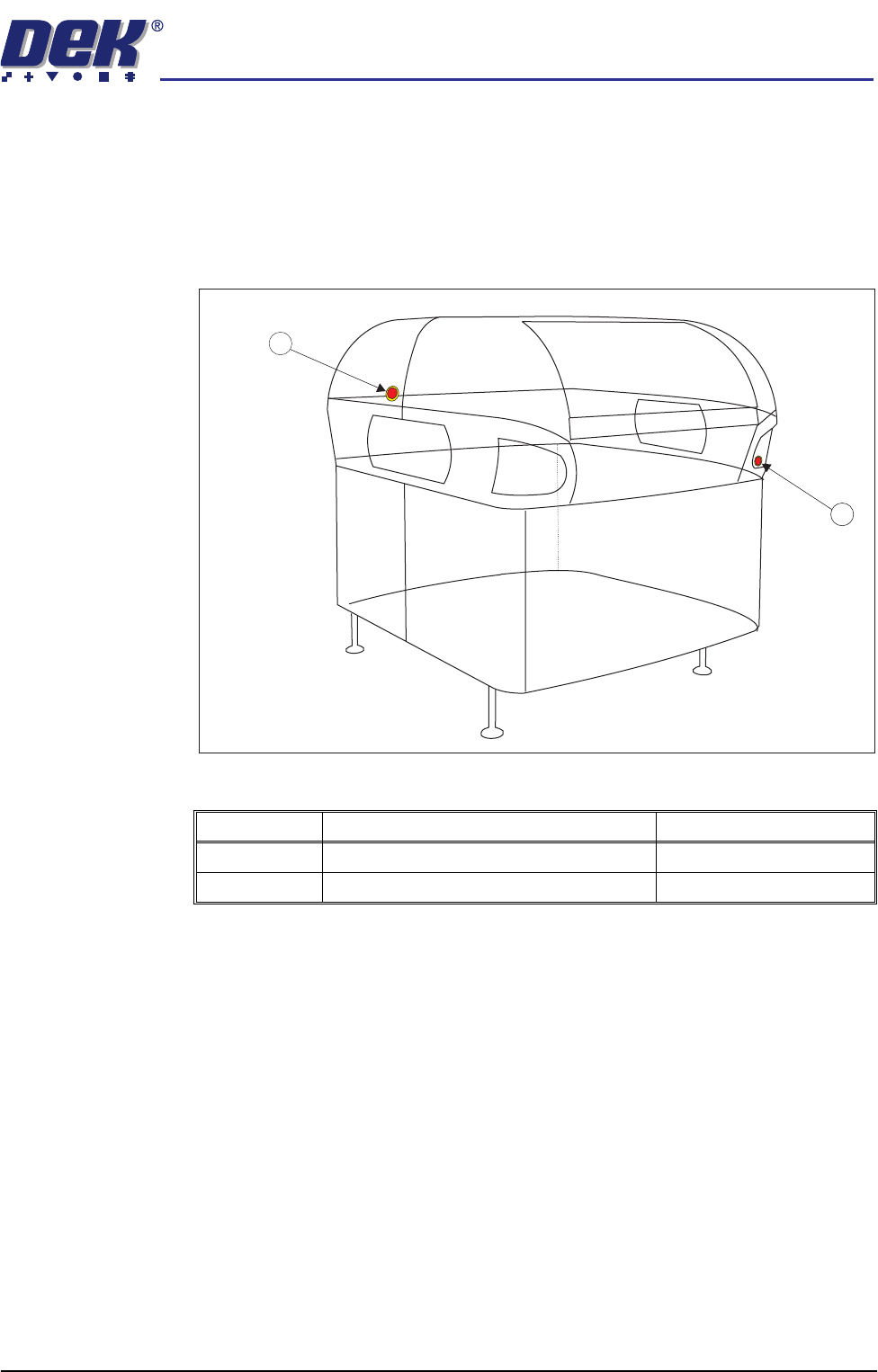
The machine is fitted with two emergency stop push button control switches
(one at the front right corner of the machine and one on the left side of the
machine above the rails). Pressing either of these push-buttons (or opening the
machine access covers) cuts the power supply to all motors and selected
actuators. A warning of this condition is reported on the machine monitor.
Figure 2-1 Emergency Stop Push Button Control Switches
Item Description Location
1 Emergency Stop Button Front Cover
2 Emergency Stop Button Left Side Cover
2
1
semi automatic
SAFETY FEATURES
FRAME COVERS
2.4 Installation Manual Chapter Issue 1 Oct 02
FRAME COVERS
In order to protect personnel and prevent damage to the machine, six panels
are fitted around the base of the machine. These panels (listed below) may be
removed to assist maintenance.
• Front Panel
• Side Panels - Front (2 positions)
• Side Panels - Rear (2 positions)
• Rear Panel
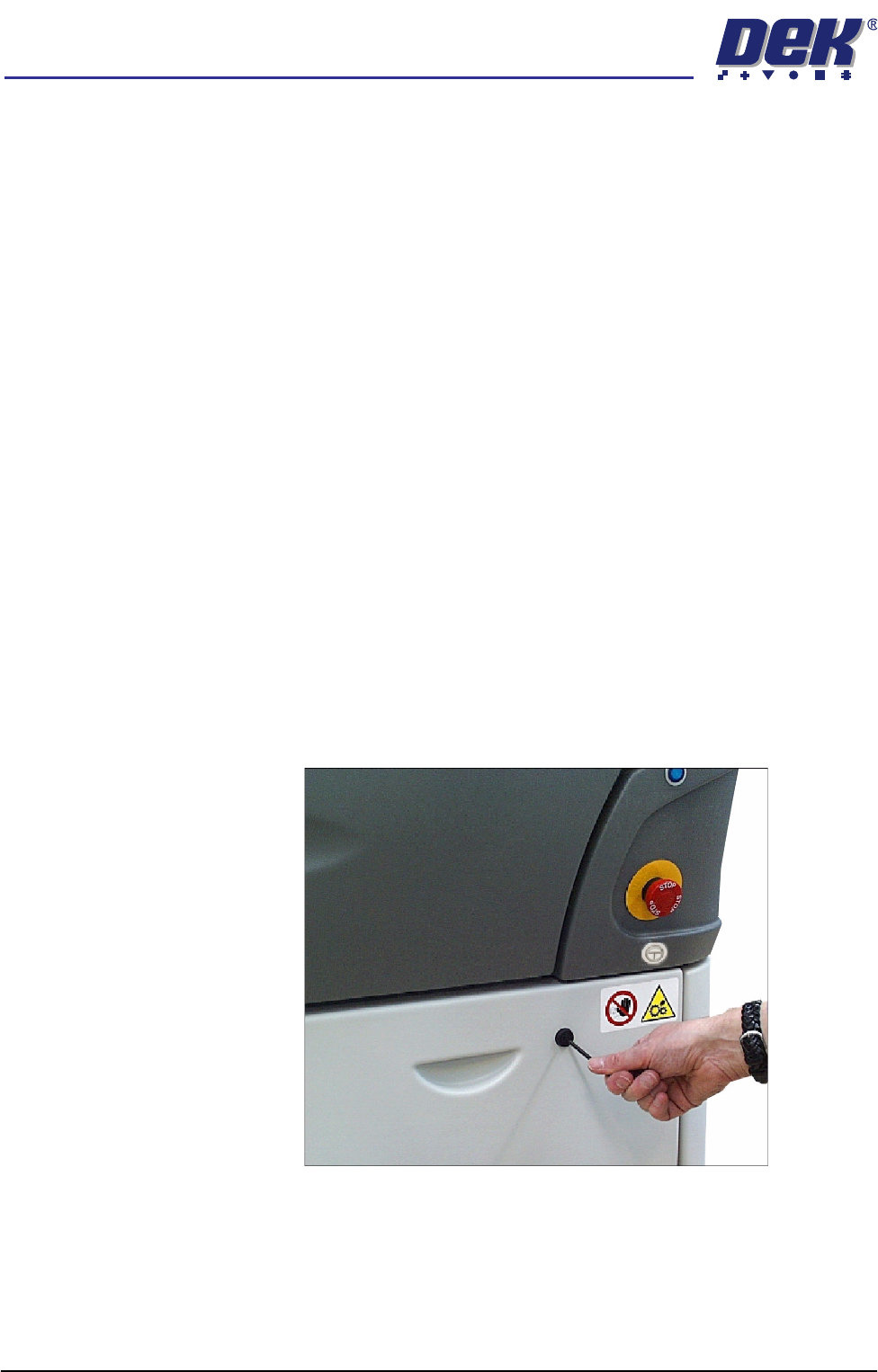
Removal of the front and rear panels requires a maintenance key to release two
locking mechanisms located externally at the top corners of each panel (Panel
Locking Mechanism figure refers).
The two side front panels on each side of the machine are slid forward of their
internal support lugs at the bottom of the machine, (providing that both the
individual internal quick release fasteners have been released).
NOTE
The front left side panel cannot be removed with the MMI Assembly in place.
For removal of the ergo arm mount, see Removal of the MMI Assembly - Major
Relocation - Transport chapter of the Technical Reference Manual.
The two side rear panels on each side of the machine are slid to the rear of their
internal support lugs at the bottom of the machine, (after the rear panel has been
removed) and their individual internal quick release fasteners (2 positions) have
been released.
Figure 2-2 Panel Locking Mechanism
Enclosures Enclosures are not fitted with a safety interlock. Inadvertent access to such
enclosures is prevented by the presence of the enclosure panels and the frame
covers. However within enclosures, care has been taken to ensure that
electrically live components are covered.