182049 Viking Installation Manual.pdf - 第33页
semi automatic MACHI NE PREPARAT ION REMOVAL PROC EDURES Chapter Issue 1 Oct 02 Instal lation Manual 5.7 Actuator Rest rainer Bracket s CAUTION INST ALLING/REMOVING SCREEN A CTUATOR BRACKETS. Extreme care must be t aken …
semi automatic
MACHINE PREPARATION
REMOVAL PROCEDURES
5.6 Installation Manual Chapter Issue 1 Oct 02
Paste Dispense Transit Bracket
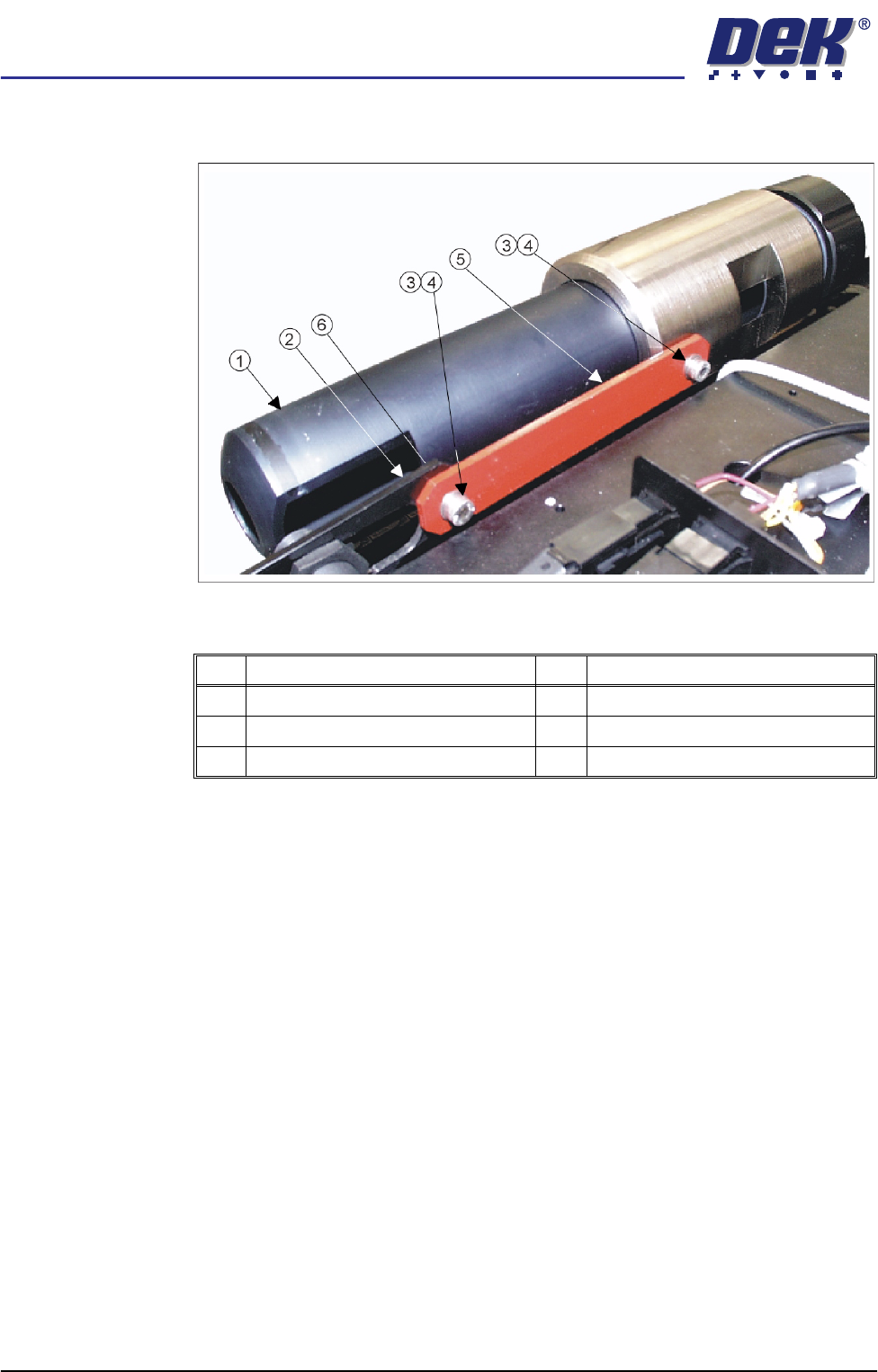
Figure 5-4 Paste Dispenser Transit Bracket
1. Remove the M5 cap head screw, M5 washer (Items 4, 3 and 6) and M5 nut
securing the left hand side of the transit bracket (Item 5) to the paste low
sensor mounting bracket (Item 2).
2. Remove the remaining M5 cap head screw and M5 washer (Items 4 and 3)
securing the right hand side of the transit bracket (Item 5) to the paste
dispenser and remove the transit bracket.
Item Description Item Description
1 Paste Dispenser 4 M5 Cap Head Screw
2 Paste Low Sensor Mounting Brackets 5 Paste Dispenser Transit Bracket
3 M5 Washer 6 M5 Nut (concealed from view)
semi automatic
MACHINE PREPARATION
REMOVAL PROCEDURES
Chapter Issue 1 Oct 02 Installation Manual 5.7
Actuator Restrainer Brackets
CAUTION
INSTALLING/REMOVING SCREEN ACTUATOR BRACKETS.
Extreme care must
be taken when installing or removing the screen actuator clamps as the
chase is spring loaded against the screen actuator ends in the X Forward,
X Rear and Y Axis Positions. Impact force may damage the actuators.
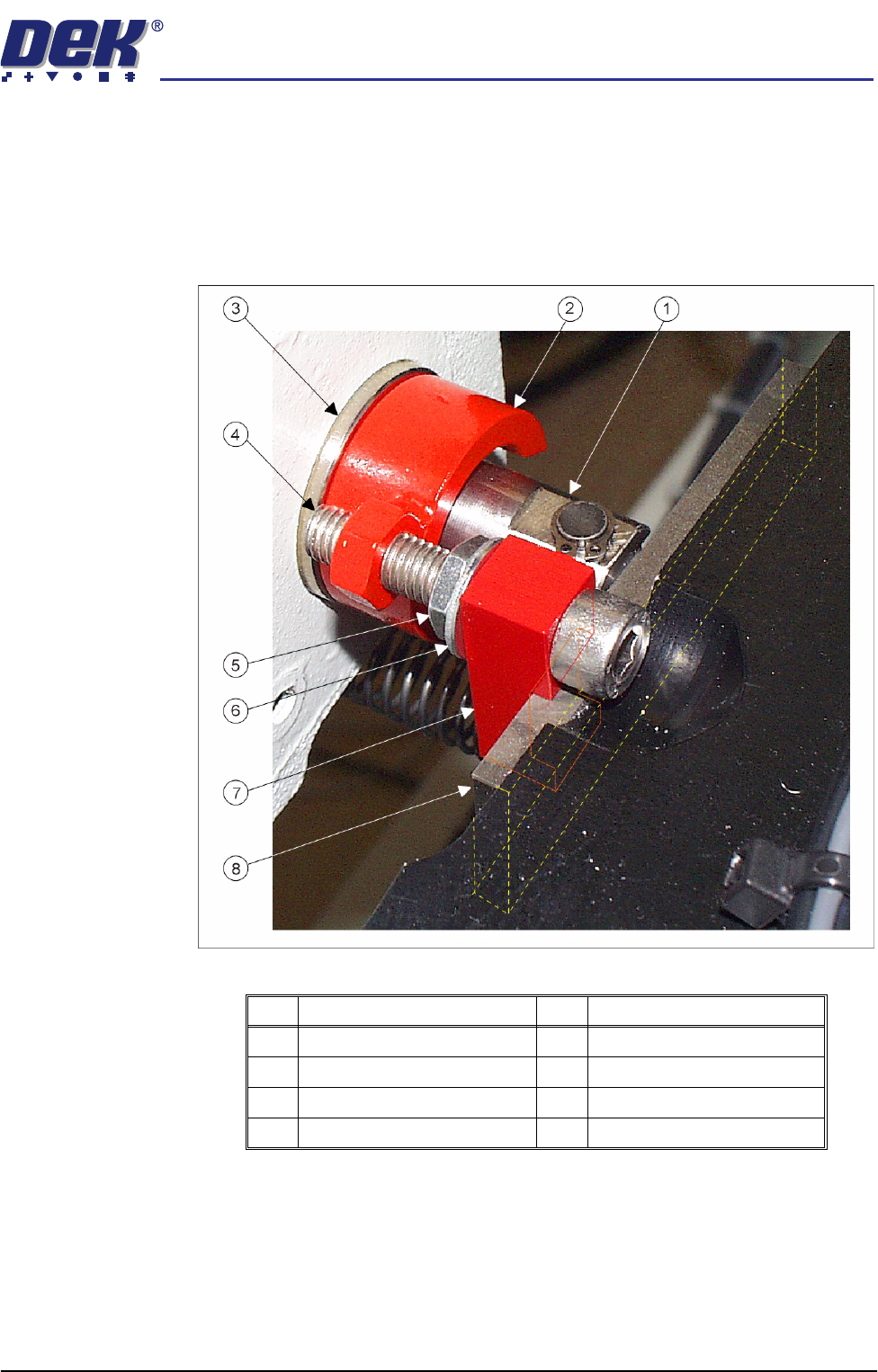
Figure 5-5 Chase Restrainer Clamp
1. Slowly loosen the M8 nuts and bolts (Items 5 and 4) of the X forward, X rear
and Y axis chase restrainer clamps until each actuator is in full contact with
its relevant chase striker plate (Item 8).
2. On each of the three clamps, continue to unscrew the M8 nut (Item 5) until
sufficient play exists in the clamp to allow the block (Item 7) surrounding the
chase striker plate (Item 8) to be withdrawn and the clamp removed.
Item Description Item Description
1 Actuator Shaft 5 M8 Nut
2 Restrainer Collar 6 M8 Washer
3 Actuator 7 Block
4 M8 Bolt 8 Striker Plate
semi automatic
MACHINE PREPARATION
REMOVAL PROCEDURES
5.8 Installation Manual Chapter Issue 1 Oct 02
Print Carriage Stops
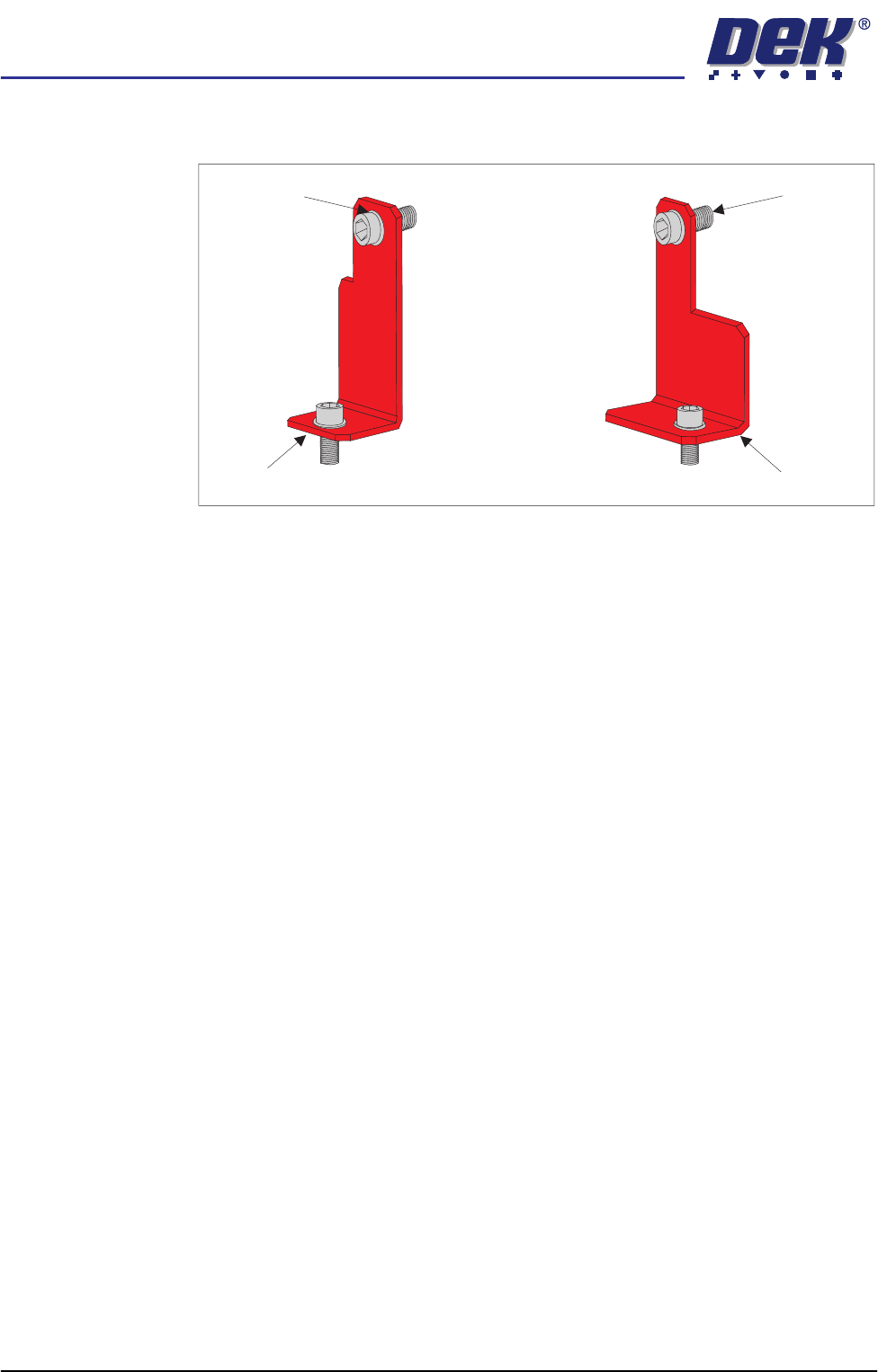
Figure 5-6 Left and Right Print Carriage Stops
1. Remove the M5 cap head screws and 2BA washers securing the left and
right print carriage stops to the print carriage.
2. Remove the M5 cap head screws and 2BA washers securing the left and
right print carriage stops to the printhead casting lugs. Remove the carriage
stops.
Left Carriage Stop Right Carriage Stop
M5 Screw2BA Washer