182049 Viking Installation Manual.pdf - 第44页
semi automatic MACHI NE PREPARAT ION MACHI NE A SSEMB LY 5.18 Instal lation Manual Chapter Issue 1 Oct 02 8. Refit the f r ont p anel of the machi ne. ProFlow For ProFlow onl y machines: 1. Fit the following ProFlow mech…
semi automatic
MACHINE PREPARATION
MACHINE ASSEMBLY
Chapter Issue 1 Oct 02 Installation Manual 5.17
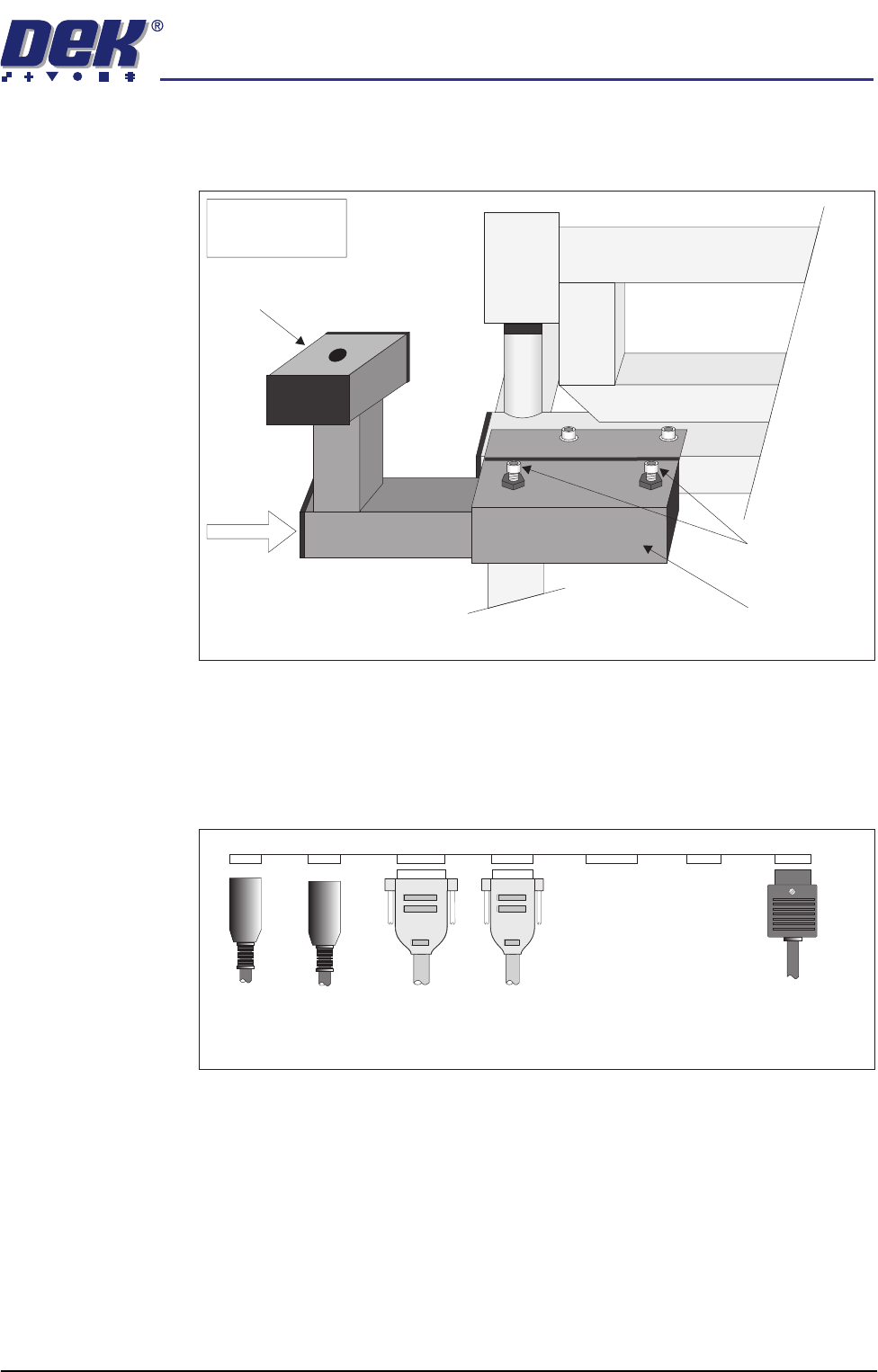
3. Slide the ergo arm mount into the bracket until the ergo arm mount protrudes
out of the other end of the bracket. Push the ergo arm mount back until flush
with the end of the bracket and secure using the two locking bolts.
4. Fit the monitor stand to the ergo arm mount and secure using the central
bolt.
5. Place the monitor and the keyboard on to the monitor stand.
6. Locate cover connector plate bracket situated above the M24 dc Circuit
Breaker Panel at the front of the machine.
7. Connect the monitor and keyboard as follows:
a. Connect M16SK03 of the monitor power cable to the rear of the monitor.
b. Connect 14SK01 of the monitor power cable to 14PL01 on the cover
connector plate.
c. Connect 14SK04 of the VGA cable to 14PL04 on the cover connector
plate.
d. Connect the keyboard leads 14SK05 and 14SK06 to 14PL05 and 14PL06
respectively on the cover connector plate.
View on Front Left of Machine
Note:
Breakout Board C
not shown
Ergo Arm Mount
Locking Bolts
Ergo Arm Mount
Bracket
Ergo Arm
Mount
MMI Connector Plate Positions
14SK06
Mouse
14SK05
Keyboard
14SK08
System/Jog
Switch
14SK04
VGA
14PL0814PL06
14PL0114PL05 14PL04
14SK01
AC Mains
semi automatic
MACHINE PREPARATION
MACHINE ASSEMBLY
5.18 Installation Manual Chapter Issue 1 Oct 02
8. Refit the front panel of the machine.
ProFlow For ProFlow only machines:
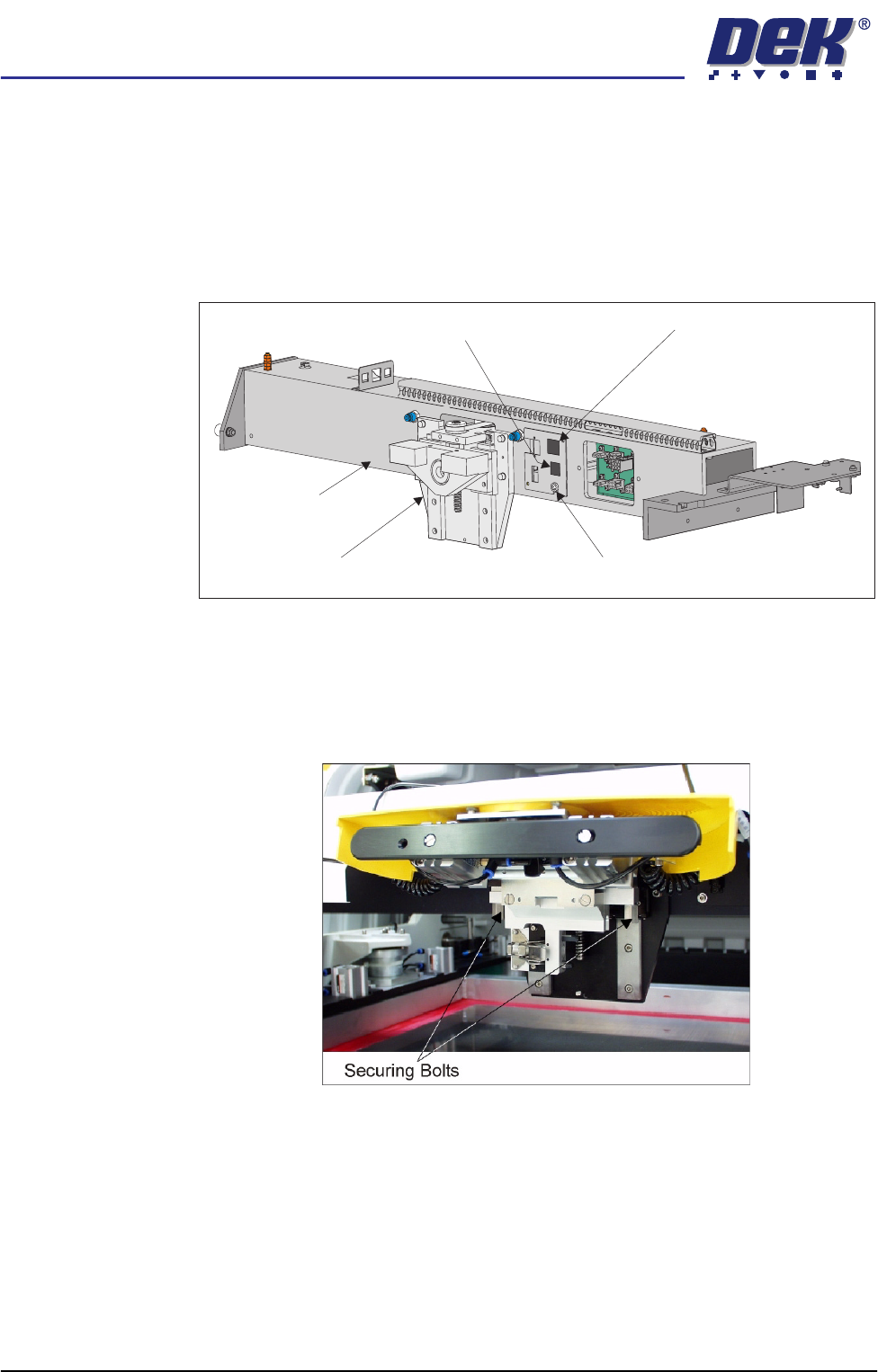
1. Fit the following ProFlow mechanism connectors (figure below refers):
• ProFlow motor connector 9PL17 into 9 way socket 9SK17
• ProFlow home sensor connector 9PL08 into 6 way socket 9SK08
2. Fit the pressure mechanism part of the ProFlow unit to the ProFlow print-
head mechanism bearing block by means of the two securing bolts. Tighten
using a 5mm Allen key.
NOTE
Unit shown in unlatched position to identify bolts..
Print Carriage
ProFlow (Printhead) Mechanism
9SK08 (Home Sensor)
ProFlow Fitted Socket
9SK17 (ProFlow Motor)
semi automatic
MACHINE PREPARATION
MACHINE ASSEMBLY
Chapter Issue 1 Oct 02 Installation Manual 5.19
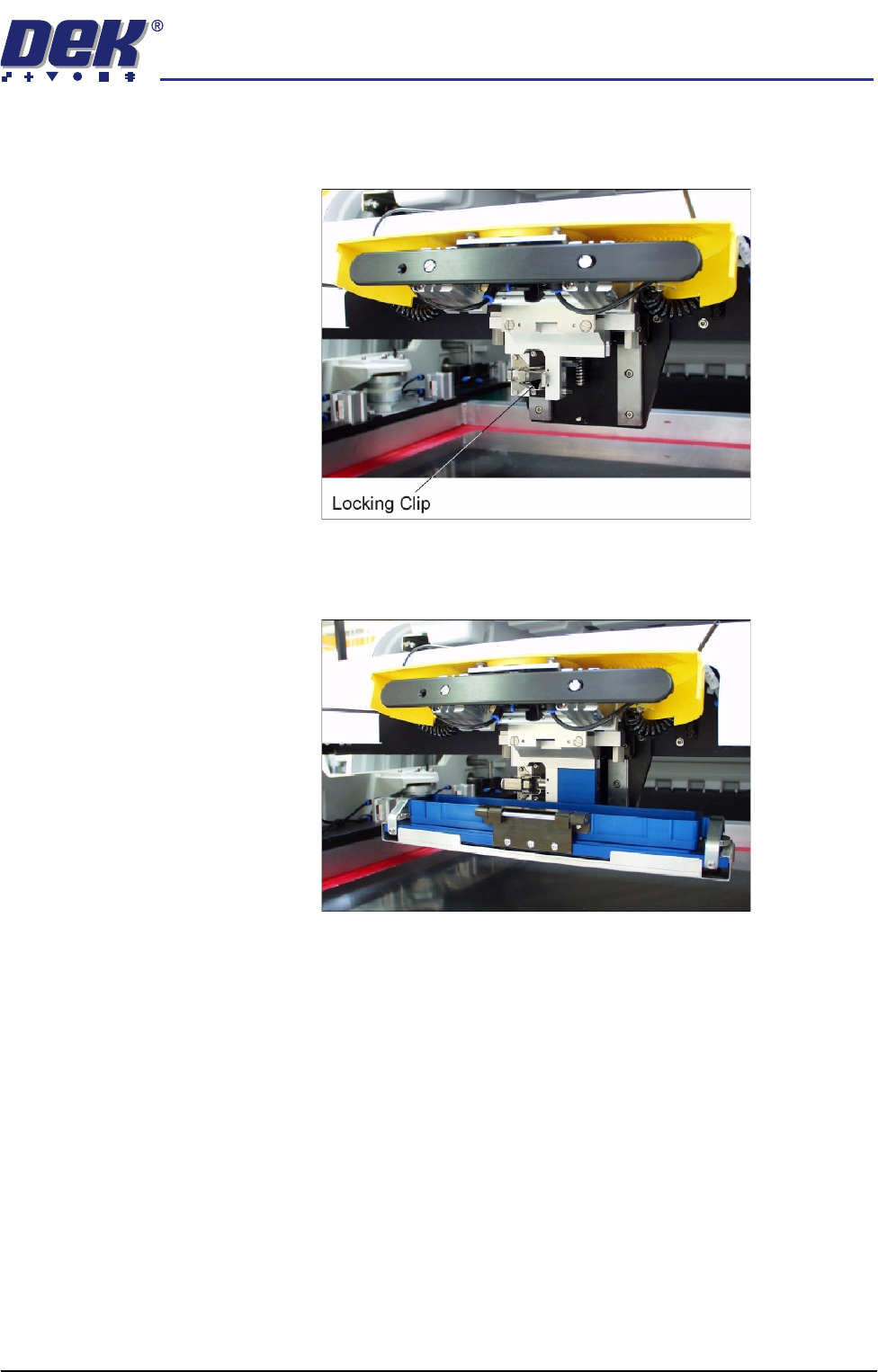
3. Ensure that the locking clip on the pressure mechanism is pressed over to
the right and clicks into place, as shown in the figure below. This ensures
that the locking clip is in the correct position to secure the transfer head.
4. Locate and fit the ProFlow transfer head unit to the pressure mechanism by
means of the two locating dowels. Slide the unit onto the pressure mecha-
nism. Once the unit is slid fully home, it is secured by closing the locking clip.
5. Plug the electrical connection ProFlow Fitted from the ProFlow unit into the
socket sited on the right hand side of the ProFlow on the print carriage
(figure overleaf refers).
CAUTION
ELECTRICAL CONNECTION.
This electrical connection informs the
machine of ProFlow fitment and must always be connected whilst the
ProFlow unit is fitted otherwise damage may occur if machine is run.
Connect the curly pneumatic leads from the pressure mechanism to each
respective left and right pneumatic connector sited either side of the ProFlow
printhead mechanism.