182049 Viking Installation Manual.pdf - 第46页
semi automatic MACHI NE PREPARAT ION MACHI NE A SSEMB LY 5.20 Instal lation Manual Chapter Issue 1 Oct 02 NOTE If th e squeegee paste dispenser option i s fitted to t he print carriage, before using ProFl ow , ensure tha…
semi automatic
MACHINE PREPARATION
MACHINE ASSEMBLY
Chapter Issue 1 Oct 02 Installation Manual 5.19
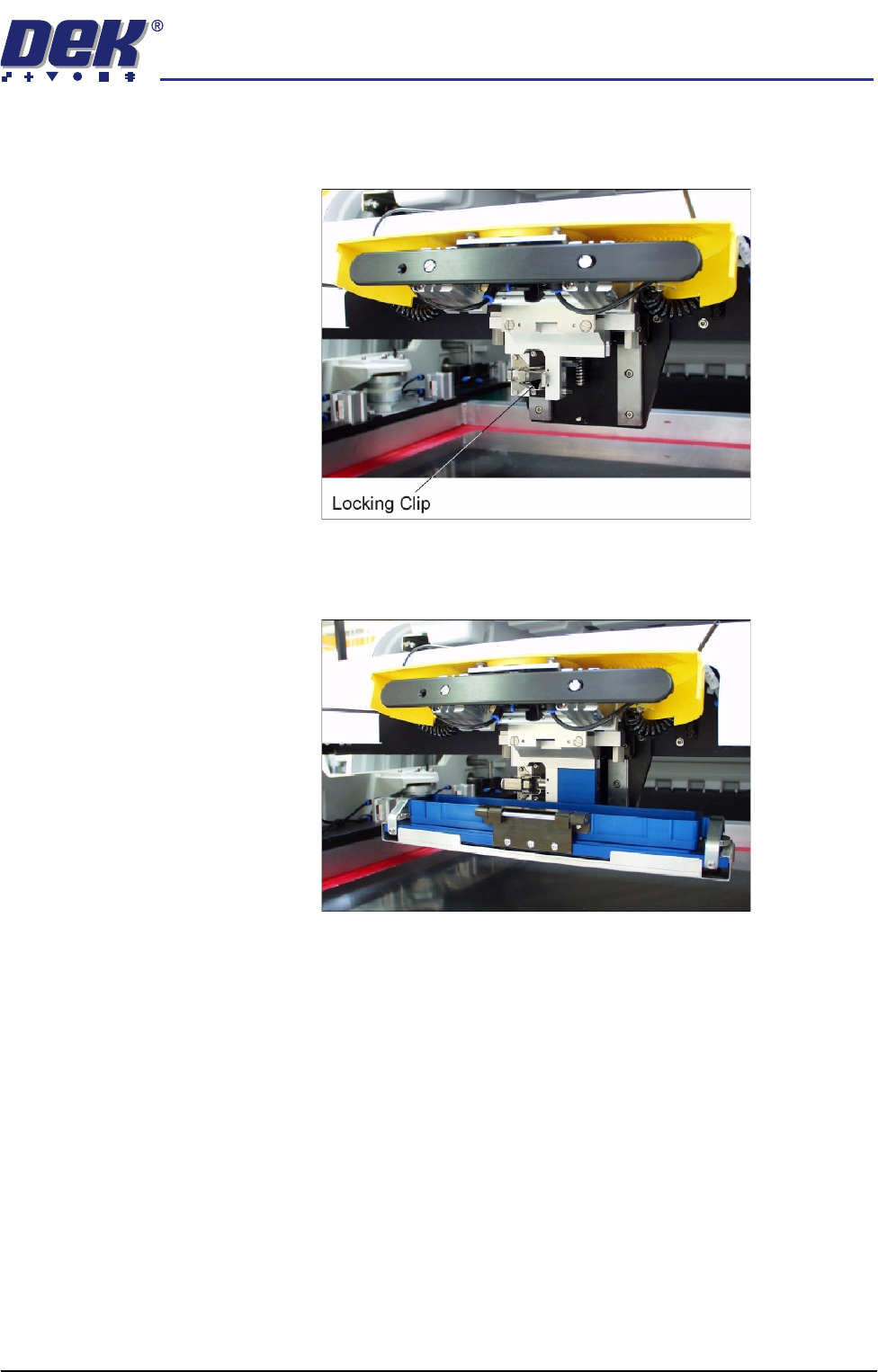
3. Ensure that the locking clip on the pressure mechanism is pressed over to
the right and clicks into place, as shown in the figure below. This ensures
that the locking clip is in the correct position to secure the transfer head.
4. Locate and fit the ProFlow transfer head unit to the pressure mechanism by
means of the two locating dowels. Slide the unit onto the pressure mecha-
nism. Once the unit is slid fully home, it is secured by closing the locking clip.
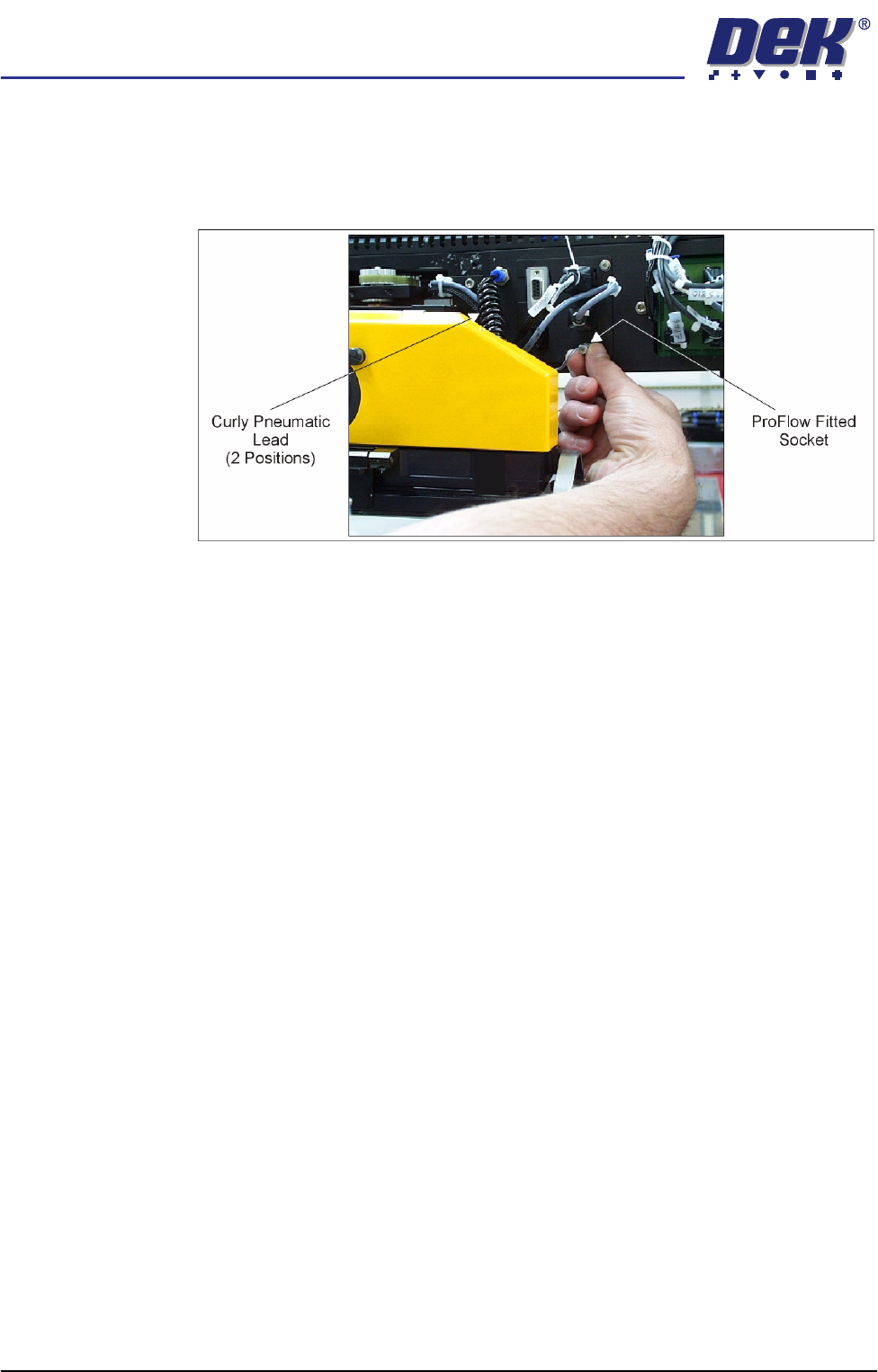
5. Plug the electrical connection ProFlow Fitted from the ProFlow unit into the
socket sited on the right hand side of the ProFlow on the print carriage
(figure overleaf refers).
CAUTION
ELECTRICAL CONNECTION.
This electrical connection informs the
machine of ProFlow fitment and must always be connected whilst the
ProFlow unit is fitted otherwise damage may occur if machine is run.
Connect the curly pneumatic leads from the pressure mechanism to each
respective left and right pneumatic connector sited either side of the ProFlow
printhead mechanism.
semi automatic
MACHINE PREPARATION
MACHINE ASSEMBLY
5.20 Installation Manual Chapter Issue 1 Oct 02
NOTE
If the squeegee paste dispenser option is fitted to the print carriage, before
using ProFlow, ensure that the paste dispenser regulator gauge reads '0'
pressure.

semi automatic
MACHINE PREPARATION
PRE-INSTALLATION CHECKS
Chapter Issue 1 Oct 02 Installation Manual 5.21
PRE-INSTALLATION CHECKS
Having removed the transit brackets and located the machine in position,
prepare to install the machine, as follows:
1. Ensure machine mains isolator is OFF.
2. Connect the pneumatic supply to the connection on the external services
panel, as detailed in the Services Required chapter of this manual.
NOTE
Do not connect the electrical supply to the machine until the electrical
services have been verified, as stated in the Electrical Services section of
the Power Up Sequence chapter of this manual.
3. Check that all circuit breakers are in the ON position.
4. Ensure that all access covers and removable panels are closed and are in
place, Safety Features chapter refers.
5. Ensure that the E Stop buttons are in the fully out position. To check this,
push the E Stop button until it latches. Twist the button clockwise to release
it.
6. Check that all the cables for the monitor and keyboard/mouse are con-
nected.