182049 Viking Installation Manual.pdf - 第55页
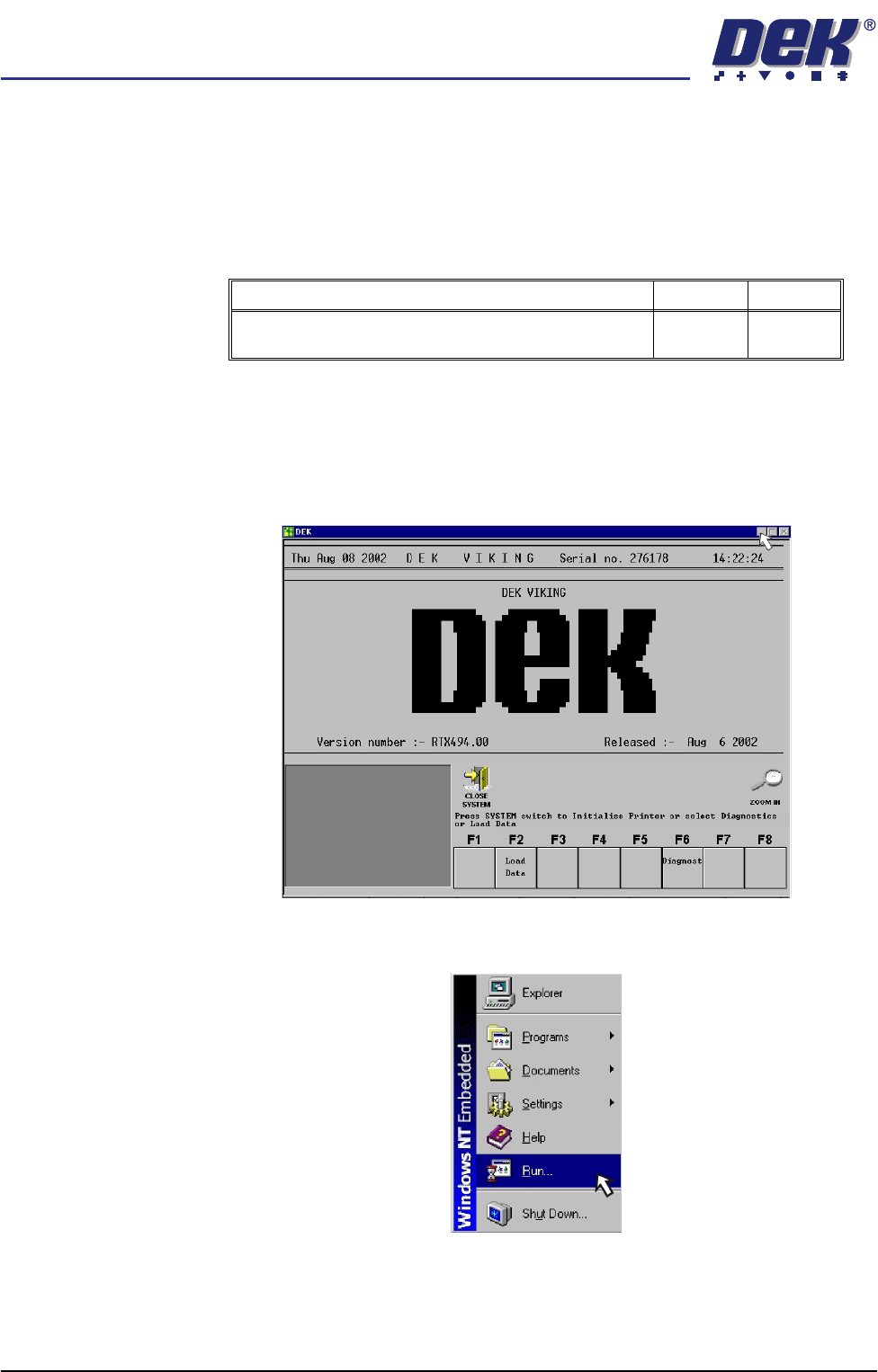
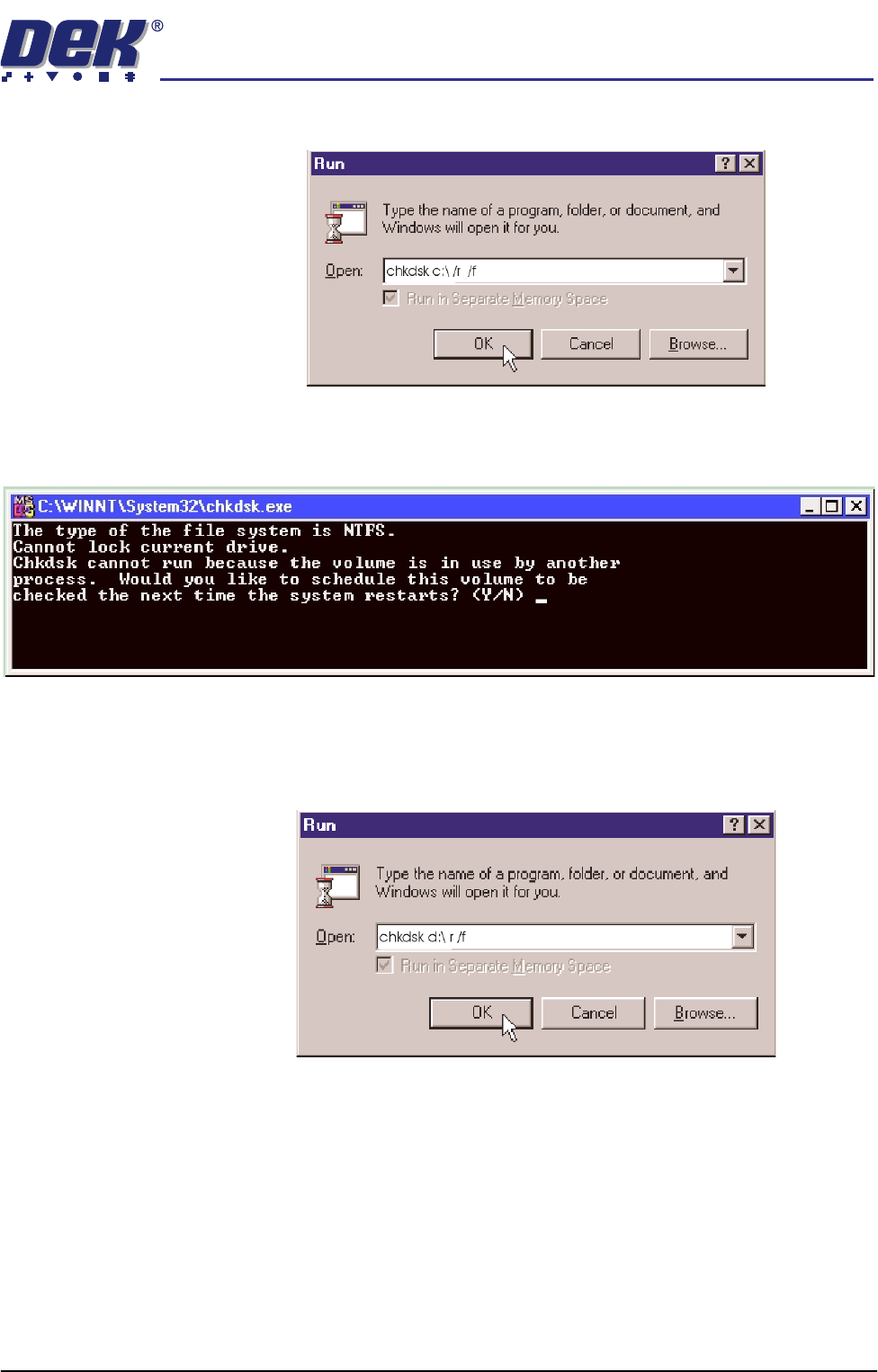
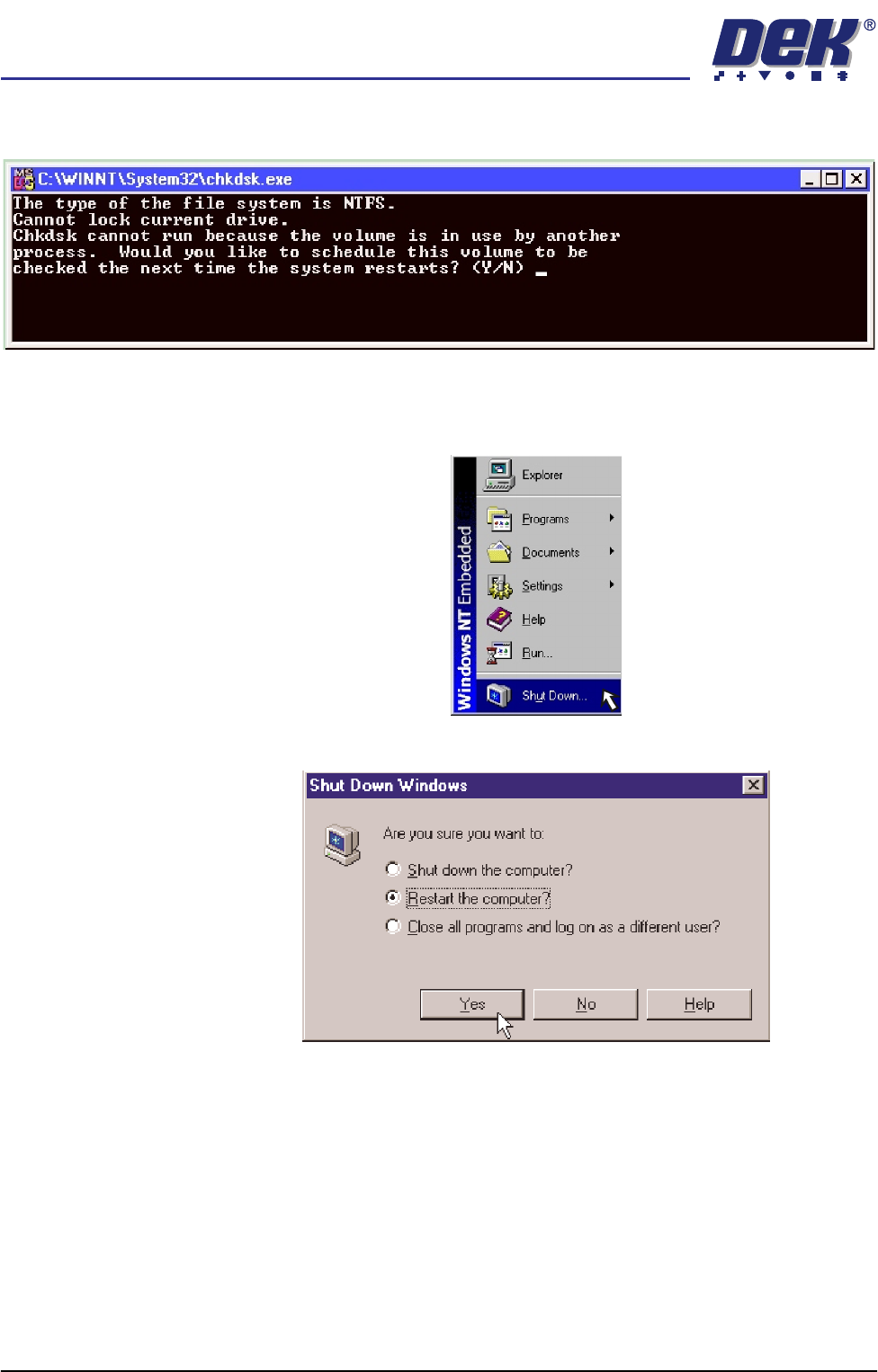
semi automatic POWER UP SEQUENCE MACHI NE POWER UP SEQ UENC E Chapter Issue 1 Oct 02 Instal lation Manual 6.3 d. Click in the open box, and type chkdsk c:\ /r /f e. Select the OK button. f. The Chkdsk program displa ys t…
semi automatic
POWER UP SEQUENCE
MACHINE POWER UP SEQUENCE
6.2 Installation Manual Chapter Issue 1 Oct 02
MACHINE POWER UP SEQUENCE
Hard Disk Check
1. Connect the mains supply to the machine.
2. Turn the Mains Isolation Switch ON.
3.
NOTE
If the machine hard disk is corrupt, carry out the NT recovery procedure
detailed in the Housekeeping chapter of the User Manual.
Checking Hard Disk
Partition C
4. Carry out the following:
a. On completion of ‘auto login’, minimise the DEK program.
b. Using the mouse, click on the Start button on the taskbar. The Start Menu
is displayed.
c. Click on the Run icon.
Detail Accept Reject
Check the machine hard disk for any defects caused in
transit using Chkdsk.
semi automatic
POWER UP SEQUENCE
MACHINE POWER UP SEQUENCE
Chapter Issue 1 Oct 02 Installation Manual 6.3
d. Click in the open box, and type chkdsk c:\ /r /f
e. Select the OK button.
f. The Chkdsk program displays the following DOS prompt:
g. Select Y, Enter.
Checking Hard Disk
Partition D
h. When the DOS window closes, select Start on the taskbar, select Run...
i. Click in the Open box and type chkdsk d:\ /r /f
j. Select the OK button.
semi automatic
POWER UP SEQUENCE
MACHINE POWER UP SEQUENCE
6.4 Installation Manual Chapter Issue 1 Oct 02
k. The Chkdsk program displays a DOS prompt.
l. Select Y, Enter.
m. When the DOS window closes, select Start on the taskbar, from the start
menu select Shutdown...
n. Click the radio button alongside ‘Restart the computer?’. Select Yes.
The system closes down and restarts. The Chkdsk program executes
and checks the hard disk for errors. On completion of Chkdsk, Windows
NT starts in the standard way.