182049 Viking Installation Manual.pdf - 第56页
semi automatic POWER UP SEQUENCE MACHINE POW ER UP SEQUEN CE 6.4 Installatio n Manual Chapt er Issue 1 O ct 02 k. The Chkdsk program displays a DOS prompt. l. Se lect Y , Enter . m. When the DOS window closes, select St …
semi automatic
POWER UP SEQUENCE
MACHINE POWER UP SEQUENCE
Chapter Issue 1 Oct 02 Installation Manual 6.3
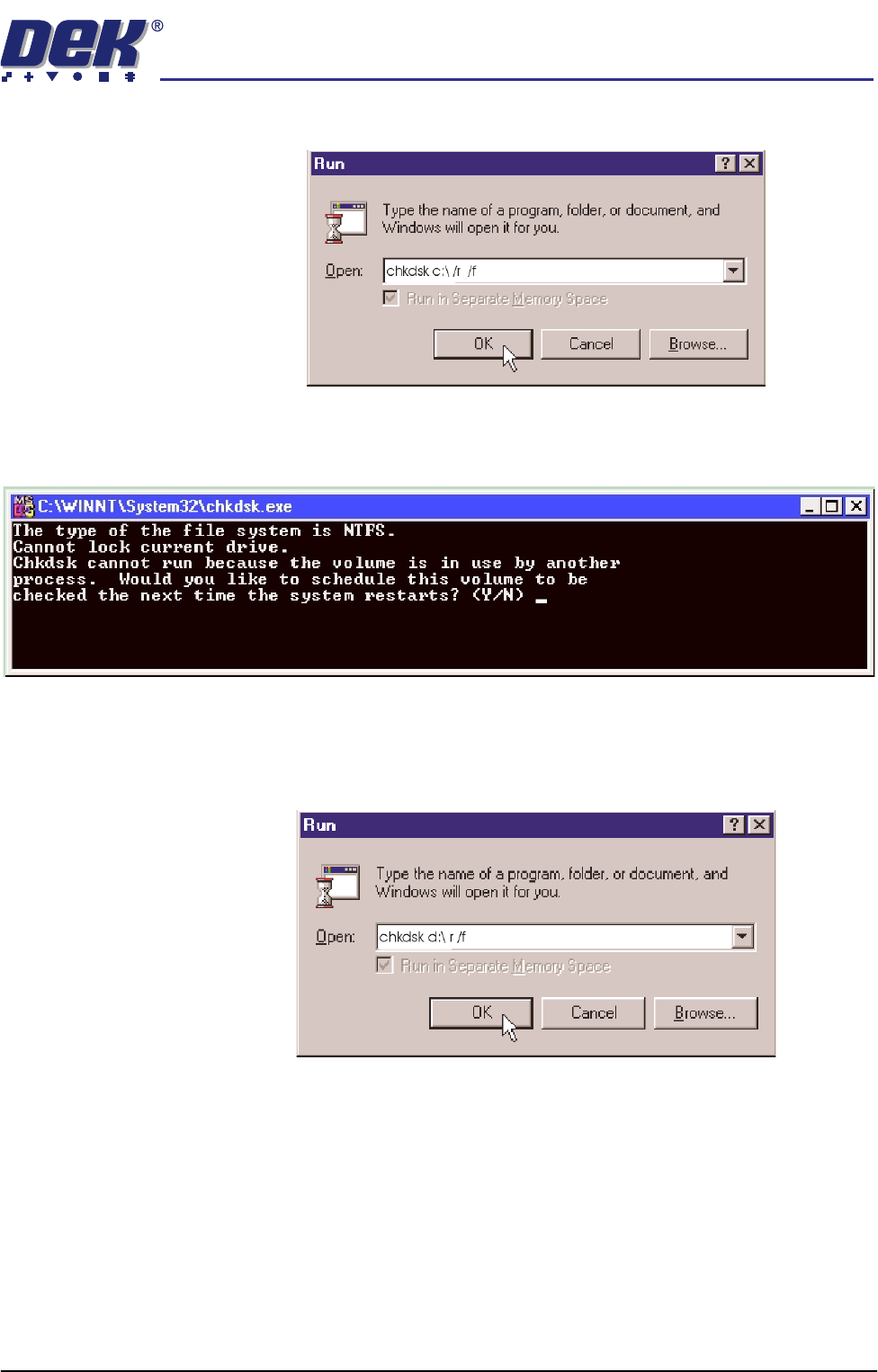
d. Click in the open box, and type chkdsk c:\ /r /f
e. Select the OK button.
f. The Chkdsk program displays the following DOS prompt:
g. Select Y, Enter.
Checking Hard Disk
Partition D
h. When the DOS window closes, select Start on the taskbar, select Run...
i. Click in the Open box and type chkdsk d:\ /r /f
j. Select the OK button.
semi automatic
POWER UP SEQUENCE
MACHINE POWER UP SEQUENCE
6.4 Installation Manual Chapter Issue 1 Oct 02
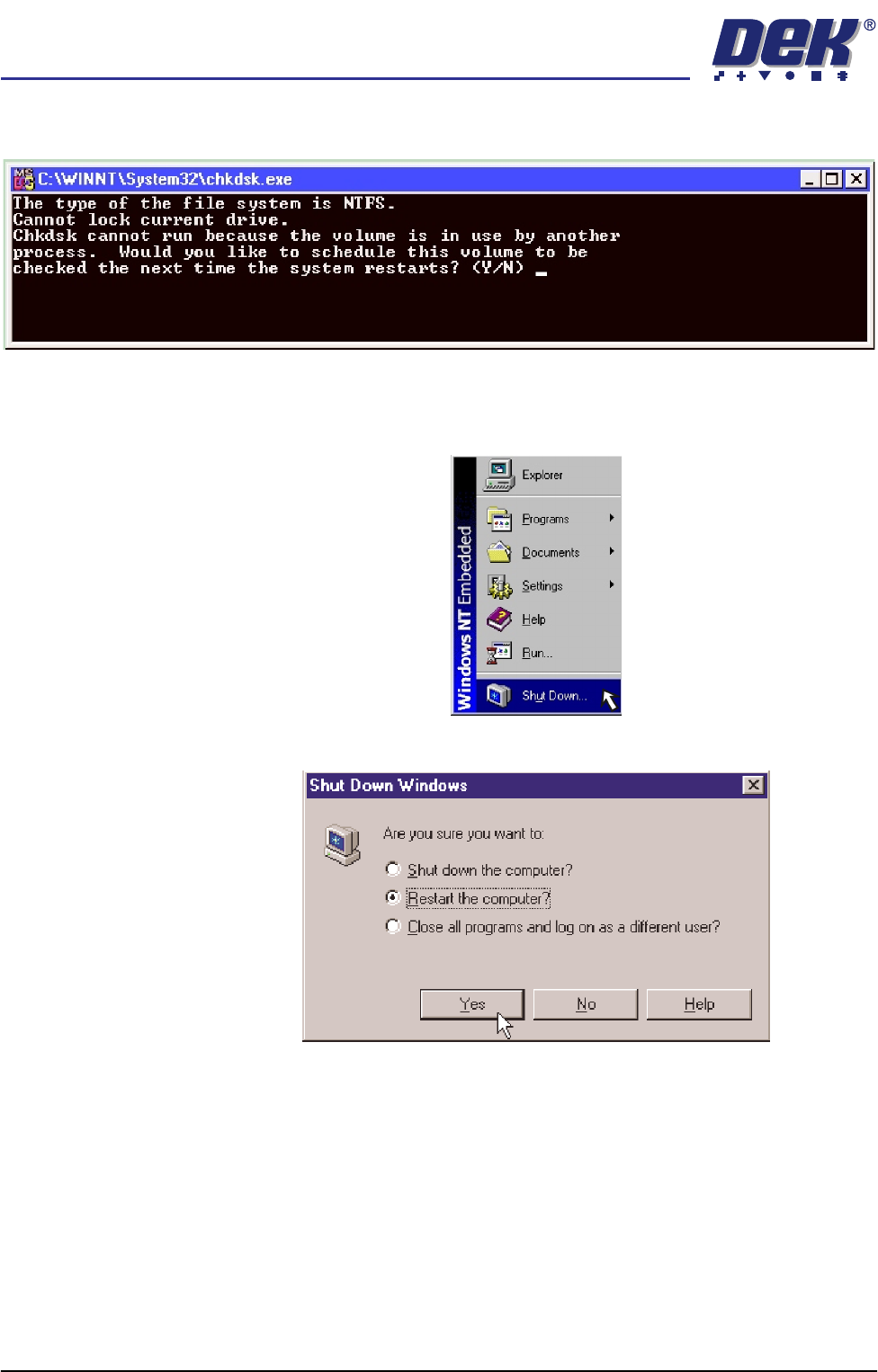
k. The Chkdsk program displays a DOS prompt.
l. Select Y, Enter.
m. When the DOS window closes, select Start on the taskbar, from the start
menu select Shutdown...
n. Click the radio button alongside ‘Restart the computer?’. Select Yes.
The system closes down and restarts. The Chkdsk program executes
and checks the hard disk for errors. On completion of Chkdsk, Windows
NT starts in the standard way.
semi automatic
POWER UP SEQUENCE
MACHINE POWER UP SEQUENCE
Chapter Issue 1 Oct 02 Installation Manual 6.5
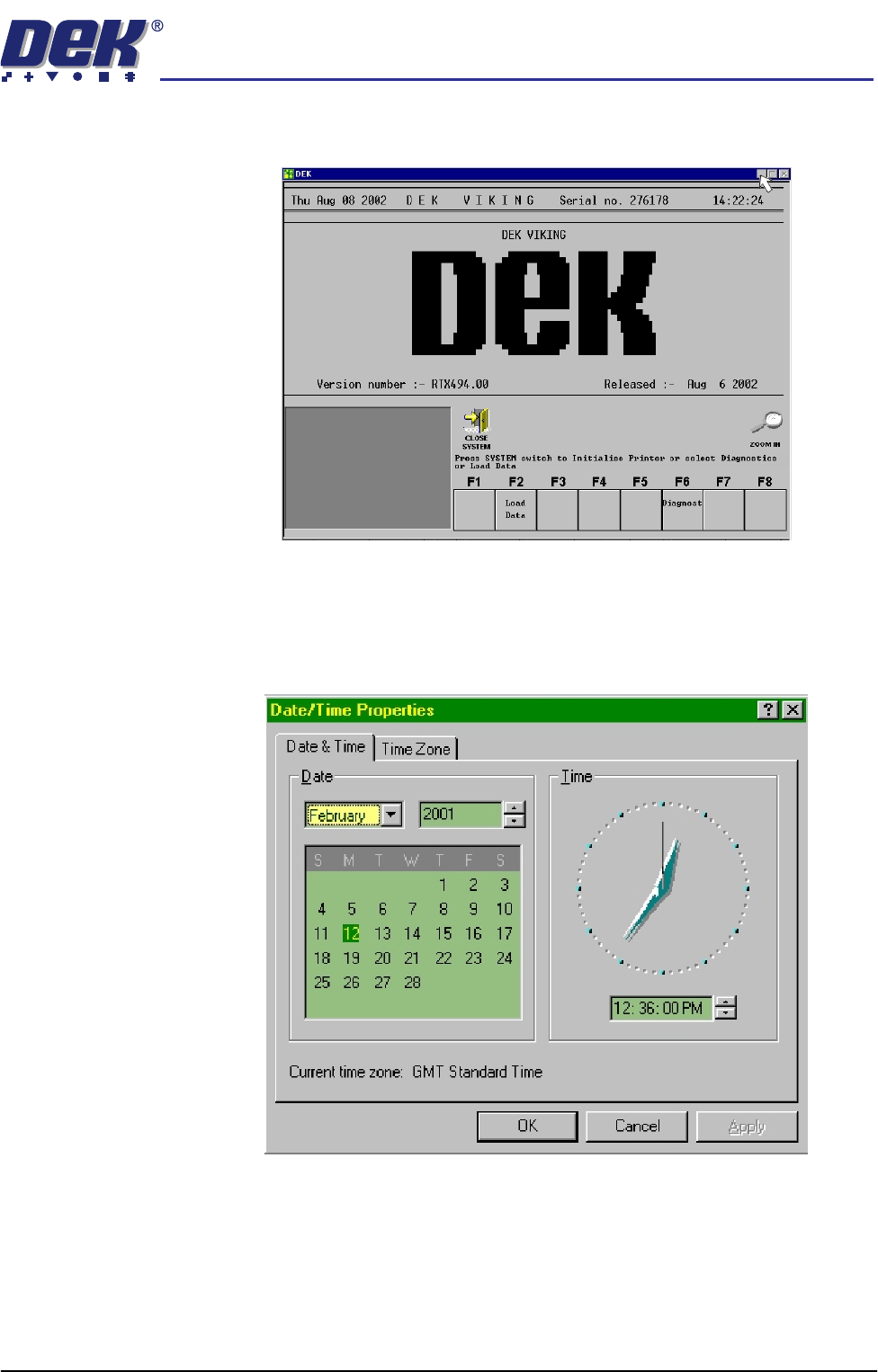
5. On completion of ‘auto login’, minimise the DEK program.
Set Time and Time
Zone
6. In order for the machine PC to log events correctly, the system time, date
and time zone must be set.
a. Using the mouse, double click on the time, displayed at the right hand side
of the Windows NT taskbar. The Date/Time Properties window is dis-
played.